1
Basic Operation
START THIS UNIT
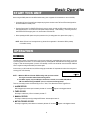
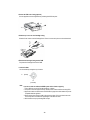
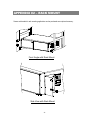
Before using the DMR, please have the HDDs installed ready. (refer to Appendix #1 for installation or removal of HDDs).
1. Connect the AC Power Cord with Power Adapter and plug into an electrical outlet. The Red LED indicator light will be
ON and the DMR is in Standby mode.
2. Press the Power button. The POWER LED will turn from red to orange, and other red LED indicators will be turn ON. It
takes approximately 5 to 15 seconds to boot the system with the message : “ HDD Detecting ”. Once being connected,
the POWER LED will change to green color, and the Alarm LED will be ON.
3. Before operating the DMR, please set up the system time first. (for setting system time, please refer to page.11).
NOTE : When “HDD not found” message shows up, please refer to appendix # 1. Because the HDD is probably
not installed correctly.
OPERATION
RECORDING
The DMR offers a variety of recording modes, such as record continuously, at scheduled time, and by events. You can set
up recording speed and resolution. You can set these options by selecting MENU / RECORD before recording, please refer
to page.12. Under the recording status, if power is off accidentally, recorded video will still be saved in the HDDs. DMR will
return to original recording situation after power returns again.
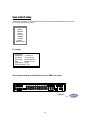
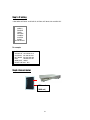
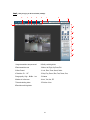
On the screen, you will find the date, time, HDD recording type and the letter “M” represents the method of recording that is
occurring.(OW : HDD Overwrite)
2002 – JAN –01 01:02:03
M● OW
NOTE : 1. When the HDDs are full under O/W Recording mode, previous recorded
files may be overwritten without further warning notices.
2. If the HDDs’ capacity only has 5 GB left, it will buzz for 3 seconds; so as in 4GB, 3GB, 2GB and
1GB. If the O/W Recording mode(NOTE 1) is on, it won’t have the warning buzzer.
There are 4 recording modes in which Recording can occur : Alarm, Timer, Manual and Motion Trigger Record.
1. ALARM RECORD
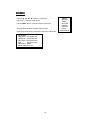
DMR is triggered by an alarm input. Indicated by the letter “A” and show
diagram on the triggered channel.
2. TIMER RECORD
Recording is scheduled by a Timer. Indicated by the letter “T”.
3. MANUAL RECORD
Recording is initiated by manually pressing the REC button. Indicated by the letter “M”.
4. MOTION TRIGGER RECORD
Recording is triggered by motion detection. Indicated by the letter “D” and show
6
diagram on the triggered channel.