1
USER'S MANUAL
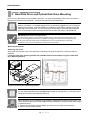
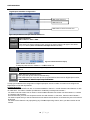
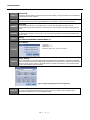
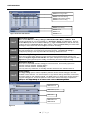
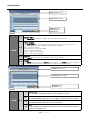
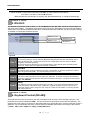
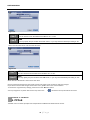
Choose the desired resolution and quality and frame rate by using the drop down list items
items. They are
configurable by each channel or you may use the co
opy setting button to apply to all cameras.
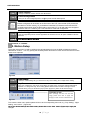
Select the Schedule page by using the drop down lis
st located near upper left corner.
On the Schedule page select the Mode Column to ch
hoose between Continue, Motion, Alarm,
Motion+Continue(M+C), Alarm+Motion(A+M). (For quick
q
setup purpose set it to Continue.)
Network Configuration
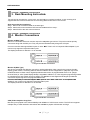
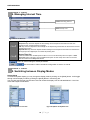
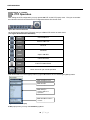
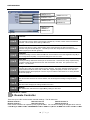
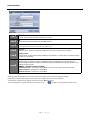
Locate the NETWORK icon and select it
it.
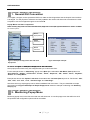
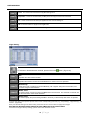
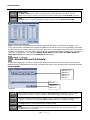
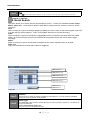
Select the Ethernet page by using the drop down listt located near upper left corner.
Choose between Dynamic IP or Static IP radial butto
on.
Dynamic IP Example
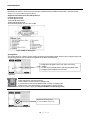
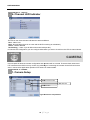
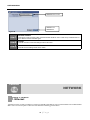
Choose the Dynamic IP Radial button.
On the "IP Detect" section click on the Start button and
a
observe the IP address and other setting auto
populated
l t d in
i tto fi
fields.
ld
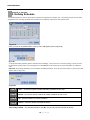
Static IP Example
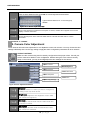
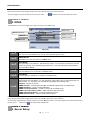
Choose the Static IP Radial button.
Populate the field provided below with IP address, Subnet Mask, Gateway, DNS and Stream Port ID.
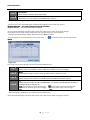
PPPoE Example
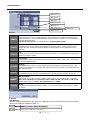
The PPPoE configuration is required if you are using the ADSL service provided by your ISP. It is very
common type of the high speed Internet service provvided by your service provider.
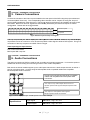
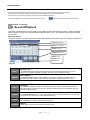
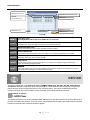
Select the PPPoE page by using the drop down list located near upper left corner
When PPPoE pager is shown you will be able to loca
ate PPPoE radial option button that may be selected
to be On or Off.
Input the ID provided by your Internet Service Provider in ID section of the page.
Input
p the p
password p
provided by
y yyour Internet Service
e Provider in p
password section of the p
page.
g
Keep the connection section at default setting unless
s specified differently by your Internet Service
Provider.
Save the setting and exit the menu.
11 | P a g e