1
USER'S MANUAL
By default Admin account has no passw
word and it is strongly advised that you secure the DVR
with administrator password. If you do no
ot set the Admin password then anyone may able to
erase evidence, access the DVR via nettwork, and change parameters to the DVR system.
Password settings will be covered in thiss chapter.
Manager User Account
The Manager user accounts are usually given to users th
hat requires more privileges compared to than Regular
User account. Manager accounts also have ability to asssign privileges to the Regular User accounts. Limitations
will be that Manager Account only may grant user privileg
ges that Manager Account currently possesses.
Manager User Account IDs are defaulted with Manager1 ~ Manager 3.
Regular User Account
The Regular User Accounts are usually given to users th
hat require performing certain task without having the full
access of the privileges. They are the simplest type of usser account arranged by IDs in range of User 1 ~ User 7.
CHAPTER 7. USER SETTING
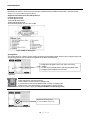
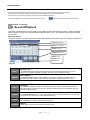
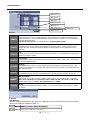
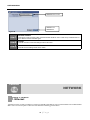
2. Configuring Users in Userr Authority Window
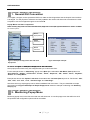
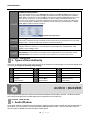
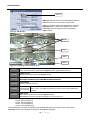
Item 1.
Select User dropdown field
Item 2. Password Item 3. Authority Item 4. Auto Logout
Item 5. Auto Login
Item 6. Save and Cancel
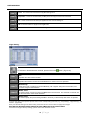
Figure 27 User Autho
ority Window
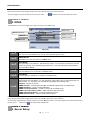
In User Authority window, all the accounts available in the
t DVR system will be configurable.
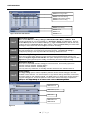
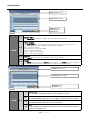
ITEM 1
Select User Type
Select between Admin, Manager 1, Manager 2, Manager 3, and User 1 ~ User 7. Select the user
first before continuing with other configuration.
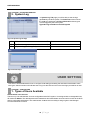
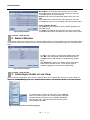
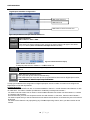
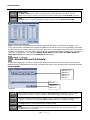
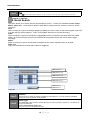
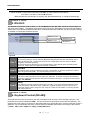
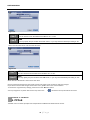
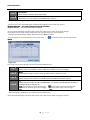
Password Setup button
It will bring up the Popup window called Pa
assword. In this popup you will need to provide current
password and input new password. End byy confirming the new password and select “OK” button.
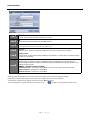
ITEM 2
Figure 28 Password Setup
31 | P a g e