1
USER'S MANUAL
CHAPTER
4
FRONT PANEL
P
KEY CONTROLS
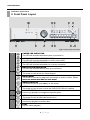
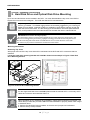
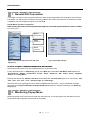
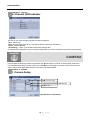
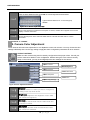
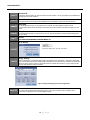
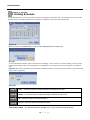
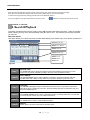
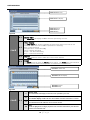
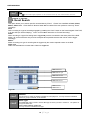
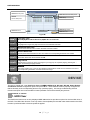
Front side section of the DVR unit holds LED Indicators, controllable key buttons, Jog-Shuttle control, IR sensors
and US
USB connectors
CHAPTER 4. FRONT PANEL KEY CONTROLS
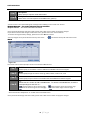
1. Keys
The keys on the front panel are used to control all functio
ons of the DVR. Symbols will be located near each key
to represent its function.
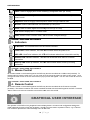
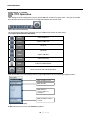
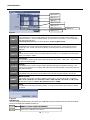
Directional Key Pad –
Th di
The
directional
ti
l kkey pad
d iis used
d tto navigate
i t th
through
h th
the system
s t
menus off the
th DVR.
DVR These
Th
keys
k
can navigate
i t up
and down menu settings as well as change specific value
es in each system menu option. You may also use the
directional key pad during playback to engage reverse pllayback, forward playback, or frame by frame play back.
A. The inside arrow keys are used to navigate through the various system
menus. Up, Down, lefft, Right.
B. Press and hold the
e each arrow key for 2 seconds during playback to
operate forward/reverrse frame by frame playback, and to go to the
beginning/end of data.
Go to the
e beginning of data / Go to the end of data
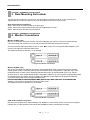
Figure 16 Directional Key Pad
Reverse playback frame by frame / Forward playback frame by
frame
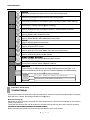
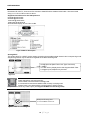
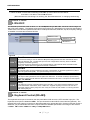
Key Lock: Disables the ability to use all frontal
f
keys
Book Mark: Used during playback to ma
ark a desired point of the video
Smart Back Up: This button is used for quick
q
AVI backup.
O
Open:
U d tto eject
Used
j t and
d close
l
th
the DVDR
RW or CDRW D
Drive.
i
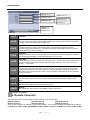
Search: Used to display the main search
h menu.
Rewind: Used during playback to rewind
d video (1x to 1/16x).
Play: Used to playback the most recent recorded
r
video.
Pause: Used to pause the current video being played back.
Stop: Used to stop the current playback, and exit to live view mode.
i
playback speed (1x to 16x).
Fast Forward: Used during playback to increase
Menu: Used to access the main system menu.
m
21 | P a g e