1
85DR-C
3-1 Open up the Support CD and choose Drivers and Utilities
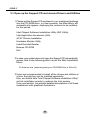
1 Please put the Support CD enclosed in your mainboard package
into the CD-ROM drive. In a few seconds, the Main Menu will
automatic-ally appear, displaying the contents to be installed
for this series:
Intel Chipset Software Installation Utility (INF Utility)
Intel Application Accelerator (IAA)
AC’97 Drivers Installation
Hardware Monitor Utility
Install Acrobat Reader
Browse CD-ROM
Exit
2 In case your system does not open the Support CD automatically,
please click to the following path to enter the Main Installation
Menu:
D:\ Autorun.exe (assuming that your CD-ROM Drive is Drive D)
3 Users are recommended to install all the drivers and utilities at
a time, though they can be installed separately.
Also, we should take “Intel Chipset Software installation Utility”
as first installation priority to optimize the Intel system.
From next section, we provide detailed descriptions of all these
installations with graphical illustrations.
42