1
PProg
Partitions
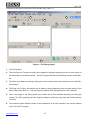
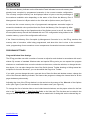
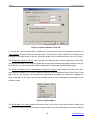
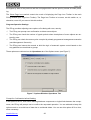
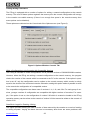
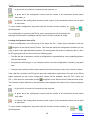
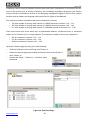
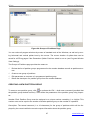
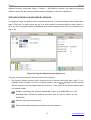
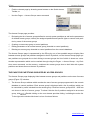
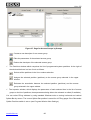
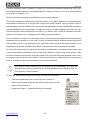
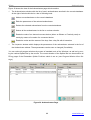
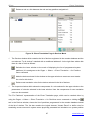
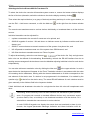
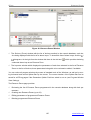
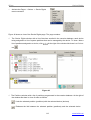
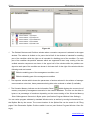
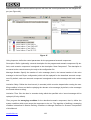
Figure 22 shows the view of the Partitions page which contains:
9
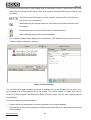
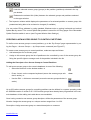
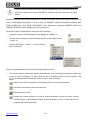
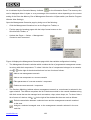
The Partitions (Zones) window which involves the tree of the enrolled partitions with zones included into them. To show / hide a list of included zones use
/
. At the right of the window title
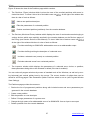
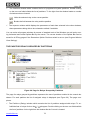
there is a bar of tools as follows:
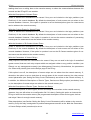
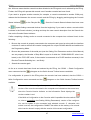
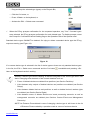
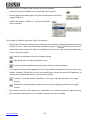
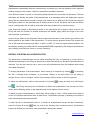
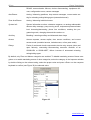
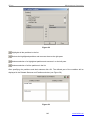
Adds a new partition descriptor
Edits the parameters of a selected partition
Deletes a selected partition (partitions) from the console database
9
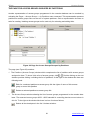
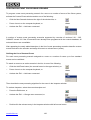
The Devices (Monitored Zones) window which displays the tree of monitored zones belonging to
various devices which were explicitly enrolled in the console database on the Devices pages of
the PProg (see Section Devices of this Manual). To show / hide lists of device zones use
/
.
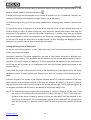
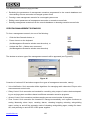
At the right of the window title there is a bar of tools as follows:
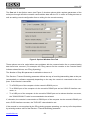
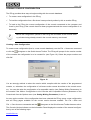
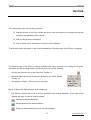
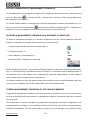
Provides redefining an S2000-KDL addressable zone as an addressable output
Provides defining/revising the descriptor of a selected zone
Includes a selected zone (zones) to a selected partition
Excludes selected zones from a selected partition
9
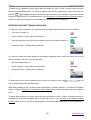
The Inspector window which displays the parameters of a selected zone, device, or partition;
these parameters being able to be reviewed or edited (if the last is enabled).
You can resize all program windows by means of standard tools of the Windows, as well as by moving horizontal and vertical splitter bars by the mouse. The current location of splitter bars can be
saved for all PProg pages if the Remember Splitter Positions switch is set on (see Program Window
View Settings).
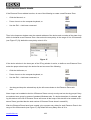
The Partitions page provides the means to:
9 Review the list of programmed partitions along with included zones and zone parameters programmed in the console database
9 Create a new partition
9 Edit the partition or zone descriptor
9 Define / Change parameters of a system zone
9 Change the logic status of an addressable zone of an S2000-KDL from an input to an output
9 Delete a partition from the console database
57
www.bolid.com