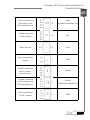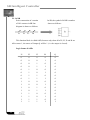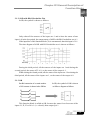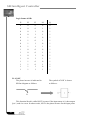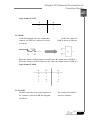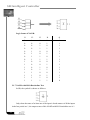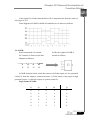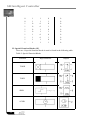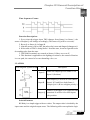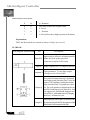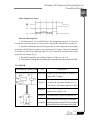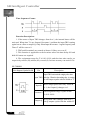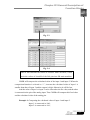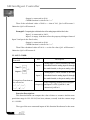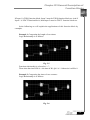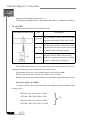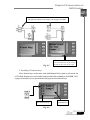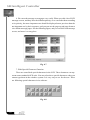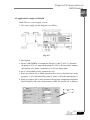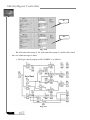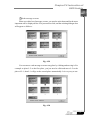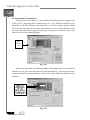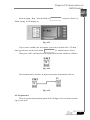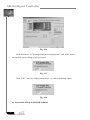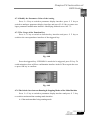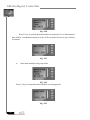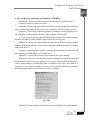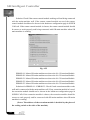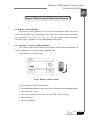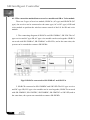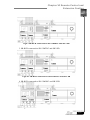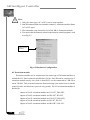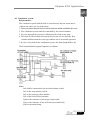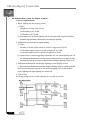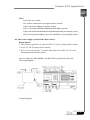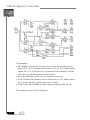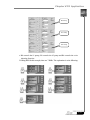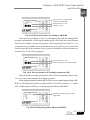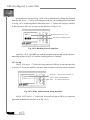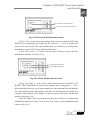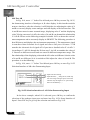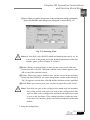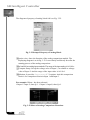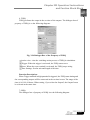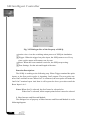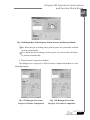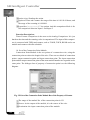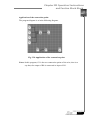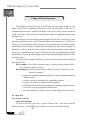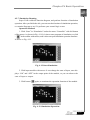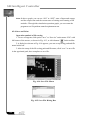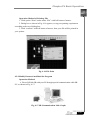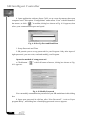
1
Preface Preface Thank you for purchasing the SR Intelligent Controller Series (SR) of our company. You are recommended to take some time to read this manual, before putting the SR in to service. It tells you how to install, program and use the SR. The SR has amongst many features, the advantage being able to be operated off line to prove in service performance before being commissioned into service. When you read the manual you will find many more advantageous properties of the products, it will greatly simplify the operation of SR for you. The SR is a type of intelligent control, which uses function blocks for programming. It enables the control functions of a PLC to be achieved without the need for large number of instructions and complicated programming. When several function blocks are linked together in a specific way, relatively complicated control functions can be implemented. The programming can be carried out in a logical, speedy and verifiable manner. Programming can be implemented using a removable liquid crystal display panel or by use of a computer. The latter approach is recommended for more complicated control schemes. SR has a very wide range of applications. It can be used for the automation of an extensive range of electrical and mechanical equipment, flow control, building automation and many other fields. The implementation of SR provides for automation of many aspects of day-to-day life from home through to the commercial, manufacturing, mining, utility and service sectors of the economy. This manual will describe in detail the functional characteristics and operating methods for SR. Notes: Copyright of this manual and patent of SR Intelligent Controls Series are the property of ARRAY ELECTRONIC CO., LTD. The reproduction, transmission or use of this manual or its contents is not permitted without written express written express. Our company reserves the right to make changes in design for improvement SR Intelligent Controls Series without notification. Suggestions for improvement are welcomed. 1 SR Intelligent Controllerr Notes: 1. In SR series, the blocks will be executed in scan round by turn according to the block number. The block with small number will be executed first and then the block with large number. 2. In SR series, the expansion module, the voice module, the remote receiving module and so on modules should be power on before the main machine, at least should be power on together with the main machine and should not be power on after the main machine. Otherwise when the main machine is carrying out the system configuration, the module cannot be detected and the system cannot work properly. 2 Contents Index Part I Basic Operation and Application of SR Chapter I General Introduction to SR 1.1 Structure of SR Series...............................................................1 1.2 Naming Rules of SR Series........................................................2 1.3 Specifications and Type of SR Series.......................................3 1.4 Features of SR...........................................................................4 Chapter II Installation and Wiring of SR 2.1 Installation of SR.......................................................................8 2.1.1 Installation Methods..............................................................8 2.1.2 Dimensions..........................................................................8 2.2 Wiring of SR.............................................................................10 2.2.1 Connection Power Supply................................................10 2.2.2 Connection Inputs.............................................................10 2.2.3 Connection Outputs..........................................................12 2.2.4 Net-connection SR Series......................................................14 Chapter III General Description of Function Blocks 3.1 General Function Block (GF)....................................................16 3.1.1 AND....................................................................................18 3.1.2 AND with RLO Borderline Test........................................19 3.1.3 OR.......................................................................................19 3.1.4 NOT....................................................................................20 3.1.5 XOR....................................................................................21 3.1.6 NAND................................................................................21 3.1.7 NAND with RLO Borderline Test.....................................22 3 SR Intelligent Controllerr 3.1.8 NOR....................................................................................23 3.2 Special Function Blocks (SF)...................................................24 3.2.1 TOND...............................................................................26 3.2.2 TOFD..................................................................................27 3.2.3 SPBL...................................................................................28 3.2.4 TPBL...................................................................................29 3.2.5 BLNK..................................................................................30 3.2.6 MTOD................................................................................31 3.2.7 PONS..................................................................................32 3.2.8 UDCT.................................................................................33 3.2.9 CMPR.................................................................................34 3.2.10 T/C-CMPR........................................................................38 3.2.11 SCHD................................................................................40 3.2.12 TSEQ...............................................................................42 3.2.13 SSEQ.................................................................................44 3.2.14 HOUR...............................................................................45 3.2.15 Instructions of Property Pin.........................................45 3.3 Input & Output Blocks............................................................47 3.3.1 IN........................................................................................48 3.3.2 OUT....................................................................................49 3.3.3 RCI......................................................................................50 3.3.4 DOUT.................................................................................50 3.3.5 D-IN....................................................................................53 3.3.6 PMSG.................................................................................55 3.3.7 CONT.................................................................................56 3.3.8 SLCD..................................................................................57 Chapter IV Instructions of SR-HMI Module 4 Contents 4.1 The difference between LCD message of SR and the traditional LCD message....................................58 4.2 Application Examples of SR-HMI...........................................63 4.3 Edition of the SR-HMI............................................................66 4.4 Instructions of Virtual Keys...................................................74 4.5 Set Password............................................................................75 4.6 Instruction of Help in SR-HMI Software...............................76 4.7 Instruction of SR-HMI...........................................................77 4.7.1 Modification Methods of System Time.........................79 4.7.2 Modify the Parameter Value of the Counter...................80 4.7.3 Modify the Parameter Value of the Timer.......................80 4.7.4 Modify the Parameter Value of the Analog....................81 4.7.5 Instruction of the Function Keys...................................81 4.7.6 Switching between Running and the Stop State of the Machine......................................81 4.8 Error Message Meanings and Methods in SR-HMI..............83 Chapter V Voice Module 5.1 Structure of Voice Module......................................................86 5.2 Connection between Voice Module and SR Machine............87 5.3 Instruction of Voice Module..................................................88 5.4 Applications of Voice Module................................................91 5.5 Instruction of Voice Software.................................................95 5.6 Downloading voice section to voice module.........................99 Chapter VI Remote and Extension Module 6.1 Remote control Module...........................................................105 6.1.1 Structure of receiver and transmitter Module.............105 5 SR Intelligent Controllerr 6.1.2 Connection between Remote Module, SR Machine and Voice Module....................................106 6.2 Extension Module...................................................................108 6.2.1 The Structure of the Extension Module.......................109 6.2.2 Extension module address Setup...................................109 6.2.3 The types and connection of extension module..........110 6.3 SR series products and optional parts.................................113 Chapter VII SR Technical Parameter 7.1 SR-12MRAC/SR-22MRAC Technical Parameter...................116 7.2 SR-12MRDC/SR-22MRDC Technical Parameter....................117 7.3 SR-12MTDC/SR-22MTDC Technical Parameter....................119 7.4 SR-12MGDC/SR-22MGDC Technical Parameter....................120 7.5 SR-20ERA/SR-20ERD/SR-20ETD Technical Parameter.........121 7.6 Telephone Receiving and Transmitting Code and Voice Module.................................125 7.7 Remote module........................................................................125 7.7.1 Remote receiver technical parameter.............................125 7.7.2 Remote transmitter technical parameter........................125 7.8 SR series general technical parameter..................................125 Chapter VIII Application 8.1 Multifunction Switch of the Illumination in Stairs, Halls etc................................................................................127 8.2 Automatic Gate Control requirements...................................128 8.3 Ventilation System..................................................................129 8.4 Illumination System for Display Window.............................130 8.5 Auto Water-supply System of the Water Tower.................131 6 Contents Chapter IX Quality Guarantee...............134 Chapter X SR-WRT Panel Operation and Functions 10.1 The Structure of SR-WRT...................................................135 10.2 Display Interface and Function of SR-WRT......................136 10.3 Function Interface of SR-WRT...........................................137 10.4 Programming Operation of SR-WRT..................................138 10.4.1 New Prg Operation.........................................................138 10.5 Edit Prg Operation.................................................................140 10.5.1 Edit FB Operation...........................................................140 10.5.2 Delete FB Operation.......................................................141 10.5.3 Insert FB Operation.......................................................142 10.6 File Operation.........................................................................143 10.6.1 Rename Operation..........................................................143 10.6.2 Copy Operation...............................................................144 10.7 Set up Operation....................................................................146 10.8 Test A B Operation................................................................148 10.9 Programming Examples for SR-WRT....................................150 7 SR Intelligent Controllerr Part II Super CAD Programming Software Chapter I Installation & Uninstallation 1.1 Installation of Super CAD...............................................159 1.2 Uninstallation of Super CAD..........................................164 Chapter II Brief Introduction to Super CAD 2.1 Operation Interface..........................................................167 2.2 Edition Interface...............................................................167 2.3 Main Functions................................................................167 Chapter III Operation Instruction and Function Block Stock 3.1 Function Instruction........................................................169 3.1.1 File.............................................................................169 3.1.2 Edit.............................................................................170 3.1.3 Controller...................................................................170 3.1.4 Com............................................................................171 3.1.5 View............................................................................171 3.1.6 Option........................................................................171 3.1.7 Help............................................................................172 3.1.8 Search........................................................................173 3.2 Tool bar............................................................................174 3.3 Function Block Stock.......................................................175 3.3.1 Function Block Type................................................175 3.3.2 Property Setup and Action Demonstration of Function Block..............176 3.3.2.1 General Property.....................................................176 3.3.2.2 Special Property.....................................................177 8 Contents Chapter IV Basic Operation 4.1 Open File..........................................................................188 4.1.1 Open New File..........................................................188 4.1.2 Open Existed File......................................................189 4.2 Edit Function Diagram Program......................................190 4.2.1 Place Function Block................................................190 4.2.2 Introduction to the Function Block Stock..............191 4.2.3 Function Block Table-list.........................................192 4.2.4 Edit Property of Function Block............................193 4.2.5 Setup link..................................................................195 4.2.6 Delete Function Block or Delete Link.....................196 4.2.7 Simulate Running......................................................197 4.2.8 Save and Print...........................................................198 4.2.9 Modify Password and Read the Program...............199 9 SR Intelligent Controllerr Warning Safety Guidelines: This manual contains notices which you should observe to ensure your own personal safety, as well as to product and connected equipment. These instructions in the manual are highlighted by a warning triangle and are marked as follows according to their danger level: Danger Indicates that death, severe harm to health or damage to assets will result if proper precautionary measures are not taken. Caution Indicates that death, severe harm to health or damage can result if the respective precautionary measures are not taken. Warning Draws your attention to particularly important information relating to the product and its handling, or to a part of the documentation requiring your special attention. Notes Only qualified personnel should be allowed to start and operate this device. Qualified personnel in the sense of the information on safety technology in this manual are persons who are authorized to commission, to ground and to tag circuits, equipment and systems in accordance with established safety regulations and standards. 10 Chapter I Brief Introduction to SR Part I Basic Operation and Application of SR Chapter I General Introduction to SR SR intelligent controller is a new type of programmable controller, being programmed by the use of Function Block Diagrams. The programming of SR is simpler and easier to learn than that of a conventional PLC, which uses ladder diagrams and associated instructions. The design concept, for the SR series products, includes a removable LCD panel. The program can be written directly into the SR using this LCD panel. After programming the LCD panel can be retained or removed and replaced with a cover. The cost to the user can be reduced by multiple use of the LCD panel. The use of a computer is recommended for more complex control schemes. Equipped with voice module, SR-VPA or SR-VPD and remote module, SRRCA or SR-RCD, SR series can realize telephone remote, wireless remote, voice prompt, auto dialing and so on functions. Also equipped with extension module, SR20ERA, SR-20ERD SR-20ETD or SR-20EGD, the inputs and outputs will be enlarged to meet your control requirement. Mostly one SR machine can be connected with five extension modules at most, (it is better you connect with the 3 extension modules) and there are 122 I/O points (74 inputs and 48 outputs) at most. SR intelligent controls series can be used in local and remote control, communication, networking and monitoring. SR is widely used in many fields of industry, commerce, mining, agriculture, home automation etc. 1.1 Structure of SR Series SR Main Machine Hardware Structure: Fig.1.1 SR 12 Point Main Machine 1 SR Intelligent Controllerr 1. Input of Power Supply (AC or DC) (AC110-220V), (DC12-24V) 2. Input Wiring Terminal 3. SR-HMI or SR-WRT 4. Communication Interface 5. Output Wiring Terminal (Relay output type or transistor output type) 6. LCD Display Panel Fig.1.2 SR 22 Point Main Machine 1. Input of Power Supply (AC or DC) (AC110-220V), (DC12-24V) 2. Input Wiring Terminal 3. SR-HMI or SR-WRT 4. Communication Interface 5. Output Wiring Terminal (Relay output type or transistor output type) 6. LCD Display Panel 1.2 Naming Rules of SR Series Type Name SR intelligent controller I/O Points 2 SR XX M/E R/T/G A/D C Chapter I Brief Introduction to SR SR XX M/E R/T/G A/D C Main/Extension Relay/Transistor AC/DC (Power Supply Type) Real-time Clock Function Note: M means main machine, E means extension module R means relay output, T means NPN type transistor output, G means PNP type transistor output A means AC type, D means DC type C means with real-time clock, 1.3 Specifications and Type of SR No Type Power Input Output 1 SR-12MRAC AC110-220V 8 points AC input 4 points relay output Machine with real-time clock 2 SR-12MRDC DC12-24V 8 points DC input (6 points analog) 4 points relay output Machine with real-time clock 3 SR-12MTDC DC12-24V 8 points DC input 4 points NPN type (6 points analog) transistor output 4 SR-12MGDC DC12-24V 8 points DC input 4 points PNP type (6 points analog) transistor output 5 SR-22MRAC AC110-220V 6 SR-22MRDC DC12-24V 7 SR-22MTDC DC12-24V 8 SR-22MGDC DC12-24V 9 SR-20ERA AC110-220V 10 SR-20ERD 11 SR-20ETD 14 points AC input 8 points relay output 14 points DC input (8 points analog) 8 points relay output 14 points DC input 8 points NPN type (8 points analog) transistor output 14 points DC input 8 points PNP type (8 points analog) transistor output 12 points AC input 8 points relay output DC12-24V 12 points DC input 8 points relay output DC12-24V 12 points DC input 8 points NPN type Remarks Machine with real-time clock Machine with real-time clock Machine with real-time clock Machine with real-time clock Machine with real-time clock Machine with real-time clock 20 point extension module transistor output 12 SR-20EGD DC12-24V 12 points DC input 8 points PNP type transistor output 3 SR Intelligent Controllerr 13 SR-VPA AC110-220V Telephone voice module, auto-dialing alarming telephone and 14 SR-VPD DC12-24V remote control by telephone 15 SR-RCA AC110-220V 16 SR-RCD DC12-24V 17 SR-TC 3VDC (two units No. 5 batteries) 18 SR-HMI Human machine interface Remote receiving module Remote transmitter Connection setup of SR-HMI 19 SR-EHC Remotely connect SR machine and SR-HMI to place the SR machine and so on into the case conveniently and put the SR-HMI out the case for observation and operation. 20 SR-PC The decorating cover on the SR (no needing to use this cover when using SR-HMI) 21 SR-CBA AC type 22 SR-CBD DC type 23 SR-ECBA AC type (one on each side, to combine one pair) Lengthened connecting bridge, To remotely 24 SR-ECBD DC type (one on each side, to combine one pair) connect the machine and other module. Connecting bridge, to connect the machine and other module. 25 SR-LC The decorating cover of the connecting cable. (If using SR-CBA or SR-CBD, then there is no need to use this cover.) (One on each side) 26 SR-CP Side-plug Type 27 SR-DCP Direct-plug Type Communication interface wire between SR and PC, to realize the programming, simulating and monitoring function of the PC to the SR. Lengthened connecting antenna between SR-RCA and SR-RCD. Remotely connect 28 SR-EANT SR-RCA and SR-RCD. It can conveniently put SR-RCA and SR-RCD in the tank and 29 SR-AUD The recording microphone and the wires between the sound card of the PC and the SR-VPA/SR-VPD. 30 SR-WRT Programming Panel 31 AF(SR)-USB 32 SR-DUSB put SR-EANT out of the tank. And it won’t affect the remote control. The transfer interface between USB and RS-232 (Din-rail installation type) Communication interface wire between SR and USB of the PC Warning The types, which are divided into the AC or DC type, must be the sane power input type in one system, if they are wanted to be set and used into the system. That is to say that, the machine of AC type must be used with AC type extension module and other machines of AC type. And the machine of DC type must be used with DC type extension module and other machines of DC type. 1.4 Features of SR 1. Removable programming panel with Liquid Crystal Display (SR-WRT) 4 Chapter I Brief Introduction to SR There is an operation panel with LCD display on the front side of SR. You can directly edit the control program for SR by using the operation keys on this panel. This liquid crystal programming panel is removable, and it can be deviated from the machine by the private interface wire SR-EHC to realize the remotely programming. It can be flexibly setup according to your needs. When needed, it can be plugged in. When not needed, it can be removed and replaced with an ordinary front cover SRPC. Thus the cost can be widely reduced. Warning SR-WRT panel shall be plugged in or removed only after AC or DC power Supply has been turned off. 2. Flexible Human-machine Interface (SR-HMI) Comparison with conditional LCD, we provide with 64 human-machine interfaces. When using SR-HMI, users can add the human-machine interfaces no more than 64 according to the demand. On the LCD it will display the following data, such as time, status of input & output, counter, timer, analog and so on information. When using, user can modify, add or delete the interface. Thus a free and easily using LCD function block is given to the user. 3. Well-featured and compact design If you are thinking of improving the application of your equipment, SR provides very many features. SR is very compact. 71mm*106mm*67mm (12-point main machine/voice module) 126mm*106mm*67mm (22-point main machine/20-point extension module /remote control receiver) 4. With the function blocks used for programming, the program storage capacity of SR is large. The control functions of SR can be implemented only with function blocks incorporated into a function block diagram. The same level of control implemented by a conventional PLC would require a much larger and more detailed program. When several function blocks are linked together in a specific way, then relatively complicated control functions can be implemented. SR has a storage capacity of programs for up to 128 function blocks. There is a large application resource to satisfy the requirements for complicated control. A program, when downloaded into SR will never be lost, as SR does not rely on a battery for the memory function. 5 SR Intelligent Controllerr 5. External Extendable Input/output SR series machine can be connected with the relative SR-20E Extension Module. Thus it can be extension to 20 points input/output once (12 points input and 8 points output). One set of SR series machine can be externally connected with 5 extension modules. Thus 22 points machine can be extension to 122 points input/ output (74 points input and 48 points output). And it gives you a large storage capacity of your control. Note: One SR main machine can be connected with 5 extension modules at most. Two extension modules are recommended to connect with one SR main machine. Otherwise the speed of the running will be slow. 6. Real time clock function SR series intelligent controller has the real time clock recording function. It can run and time according to the random time of your desiring and the accuracy can reach second, which make your control of time be correct and accurate. And you can set 128 periods of different time. It is suitable for the system that needs the time control. 7. Analog input and transmission (The IA ports of DC type main machines have the analog input function.) In addition to receiving a switching input, SR can also receive the analog input to implement the control of temperature, humidity, pressure, flow, level unit, etc., and transmit them remotely to a computer for monitoring. 8. Security cipher code function SR is provided with protection for the programs downloaded into it. A security cipher code can be set before programs are written. The programs can then only be modified after the correct cipher code is entered. 9. Telephone function SR is equipped with telephone and voice function blocks. It is possible to dial directly through a telephone line after the required telephone number has been preset. SR can be dialed automatically, when the conditions are satisfied so as to implement advice or alarm functions. Moreover, SR can also receive remote signals transmitted through a telephone line in order to control the terminal equipment. 6 Chapter I Brief Introduction to SR Note: It is necessary to configure SR-VPA/VPD multifunctional voice block for the implementation of telephone function and voice function. 10. Wireless Control Wireless control functions can wirelessly remote control the SR to realize the control to the voice module, input/output. This function can be used in some specific control site, such as the control to the start and stop of SR with no means by hands, or control the SR at site in the working house. Using wireless control module it will be readily solved. In general, wireless control function can make it convenient to realize the control to the SR. 11. Voice function SR can provide voice recording and broadcasting back functions for the automatic control industry, creating intelligent controls, which can give audible voice outputs, both locally and through remote speakers. 12. Function Keys 32 function keys are provided. The function of these keys is the same as IN (Input I0-In), relatively the same as the soft switch. On the LCD panel, all the defined function keys are displayed. Also the explanation and the password protection function of each function key can be show in Super Relay Logic. The Super Relay Logic provides 8 function keys pages and in each page there may be 4 function keys. 13. Super CAD: Free Programming Software The control program can be downloaded directly, with the use of the LCD panel, into a SR unit. With more complicated control schemes the use of an ancillary computer, loaded with Super CAD software, is recommended. The control program can then be written into the memory of the SR is a very friendly human-machine interface programming software. It can edit the function diagrams and also can analogously run the written program. It provides an off-line testing function to the user. This feature overcomes much of the possible inconveniences normally experienced with on-line testing and commissioning. The system can be proven before being put into actual service. Super CAD will not only guide you to implement the editing of the control programs, but will also perform the real-time monitoring for the field environment and the operational conditions of SR. 7 SR Intelligent Controllerr Chapter II Installation and Wiring of SR 2.1 Installation of SR 2.1.1 Installation Method SR is little and it is suitable for fitting inside panels or machinery within it’s specification criteria. The installation of SR is quite simple: 1. Use a standard 35mm DIN rail for installation of SR as shown in Fig. 2.1. 2. Use the two diagonal clearance holes on SR for direct mounting. Fig. 2.1 Use standard DIN rail for installation of SR Notes: 1. The LCD of the SR is removable. Hold the two sides of the machine and pull. 2. Do not remove the LCD panel whilst the SR is powered, otherwise the SR and LCD panel may be damaged and endanger the personal safety of the user. 2.1.2 Installation Dimensions Fig. 2.2 Installation Dimensions of SR-12 Series (mm) 8 Chapter II Installation and Wiring of SR Fig. 2.3 Installation Dimension of SR-22 Series (mm) Fig. 2.4 Installation Dimensions of SR-VP Series Voice Module (mm) Fig. 2.5 Installation Dimensions of SR-20 and SR-RC Series (mm) 9 SR Intelligent Controllerr 2.2 Wiring of SR A screwdriver with a spade tip width of 3mm is used for the wiring of SR. The maximum cross sections of the wires that can be inserted into the terminals are determined according to the following sizes: 1*2.5mm² 2*1.5mm² 2.2.1 Connection Power Supply 1. SR-12MRAC, SR-22MRAC, SR-20ERA, SR-VPA, SR-RCA are AC type. The rated power supply requirement for them is 110-240VAC, 50/60HZ. The range of the grid voltage is 100VAC to 240VAC. The consumption power of SR-12MRAC and SR-22MRAC is separately 3W and 5W representatively. 2. SR-12MRDC, SR-12MTDC, SR-12MGDC, SR-22MRDC, SR-22MTDC, SR-22MGDC, SR-20ERD, SR-20ETD, SR-20EGD, SR-VPD, SR-RCD are DC types. The supplying DC voltage is12VDC and 24VDC. The range of the voltage is 12VDC to 24VDC. The consumption power of SR-12MTDC, SR-12MGDC,SR22MTDC and SR-22MGDC is 2W both. The power connection for SR is as shown in the following figures: Fig. 2.6 AC Type Fig. 2.7 DC Type 2.2.2 Connection Inputs The input to SR can be either switching, such as on/off switches etc., or analog, such as pressure, temperature, humidity, flow, etc. The specific requirements are as follows: 10 Chapter II Installation and Wiring of SR Type Demand SR-12MRAC SR-12MRDC SR-12MTDC SR-12MGDC SR-22MRAC SR-22MRDC SR-22MTDC SR-22MGDC Switch Status 0 <40VAC <5VDC <5VDC <5VDC Input Current <0.24mA <1.5mA <2.8mA <2.8mA Switch Status 1 Input Current Analogue Input 85VAC 10VDC Typical 0.24 mA Typical 3mA No 10VDC 10VDC Typical 3 mA Typical 3 mA A0~A5/A0~A7 A0~A5/A0~A7 A0~A5/A0~A7 Note: 1. For SR-12MRDC, SR-12MTDC, SR-12MGDC, SR-22MRDC, SR22MTDC and SR-22MGDC, that can receive analog input. They can be set to analog input or switching input as either may be used in the program. They will be recognized as analog inputs when the input terminal is connected with an analog function block, and they will be recognized as switching inputs when the input terminal is not connected with an analog function block. 2. The analog inputs require 0V ~ +10V voltage signals. These are divided equally in 0.1V increments. In programming, all the block parameters related to the analog inputs are based on the minimum increment of 0.1V. 3. They can be recognized as switching input when the input voltage is more than 10.0V and cannot be recognized as an analog input. 4. For the switching input off, when the switch status changes from 0 to 1, the time of Status 1 must be greater than 50ms, and when the switch status changes from 1 to 0, the time of Status 0 also must be greater than 50ms. Connecting SR is shown as in the following figures: Fig. 2.8 AC Type Fig. 2.9 DC Type 11 SR Intelligent Controllerr Fig. 2.10 DC Type (Analog) 2.2.3 Connection Outputs 1. Requirement for the relay output Various loads such as lamp, fluorescent tube, motor, contactor, etc., can be connected to the outputs of SR. The maximum ON output current that can be supplied by SR, is 10A for the resistance load and 2A for the inductive load. The connection is in accordance with the following figure 2.11: Fig. 2.11 Relay Output 2. Requirement for the electronic transistor output: The load connected to SR must have the following characteristics: The maximum switch current cannot exceed 2A. when the switch is ON (Q=1), the maximum current is 2A. there are two type transistor output: the one is equivalent NPN type, for example, SR-12MTDC and SR-22MTDC. The connection is in accordance with the following figure 2.12-1: 12 Chapter II Installation and Wiring of SR Fig. 2.12-1 The NPN Transistor Output Notes: 1. The load connecting voltage must be 80VDC and it must be DC. 2. The “-” terminal of the output wiring must be connected with the DC positive voltage, And it must be connected with the “M” terminal of the SR power. a load must be connected with The “+” termina of the DC positive voltage. The other is equivalent PNP type, for example, SR-12MGDC and SR-22MGDC. The connection is in accordance with the following figure 2.12-2: Fig. 2.12-2 The PNP Transistor Output 13 SR Intelligent Controllerr Notes: 1. The load connecting voltage must be 80VDC and it must be DC. 2. The “+” terminal of the output wiring must be connected with the DC positive voltage, And it must be connected with the “L+” terminal of the SR power.a load must be connected with The “-” termina of the DC positive voltage. 2.2.4 Net-connection of SR Series SR series machine can be connected with voice module, remote control module, extension module together and use. They must be the same type. That is to say that the AC type is connected with the AC type and the DC type is connected with the DC type. 1. SR-12MRAC and SR-20ERA, SR-RCA or SR-VPA Connecting Diagram Fig. 2.13 Notes: Input Voltage AC110-220V 2. SR-12MRDC and SR-20ERD, SR-RCD or SR-VPD Connecting Diagram Fig. 2.14 Notes: Input Voltage: DC 12-24V 3. SR-12MTDC and SR-20ETD, SR-RCD or SR-VPD Connection Diagram 14 Chapter II Installation and Wiring of SR Fig. 2.15 Notes: Input Voltage: DC 12-24V 4. SR-12MGDC and SR-20EGD, SR-RCD or SR-VPD Connecting Diagram Fig. 2.16 Notes: Input Voltage: DC 12-24V Notes: 1. The connection voltage of the transistor type output control must be 80VDC and the load voltage must be DC. 2. Each machine can be connected with 5 extension modules at most, and it is better you connect with the 3 extension modules, or one voice module or a remote control module. 3. The address of the extension module is set to be 1-5. (For details please consult the contents of Chapter VII) 4. The AC type machine must externally be connected with voice module, extension module and remote control of AC type. And the DC type machine must externally be connected with the DC type machine. Danger 1. Current safety regulations do not permit the connection of different phases to the input. 2. Power and input must same phases 3. Do not touch the input and output points and power input points at SR working. 4. Don’t touch or take down the link bridge SR-CBA/CBD at SR working. 15 SR Intelligent Controllerr Chapter III General Description of Function Block SR series adopts the programming methods by the use of function blocks. A total of 8 general function blocks, 14 special function blocks, and 8 input & output function blocks are configured. And each block can achieve a specific control function independently, e.g. TOND, TOFD, SBPL, TBPL, SCHD, etc. As several blocks are linked up in a specific way, relatively complicated control functions can be performed. Programming with function blocks is simpler and better appreciated than the conventional PLC instruction programming. The following types of operator for FAB function blocks are available for options: 1. Options of input ports: IA0~IA7, IB0~IB5 (input ports of 22-point machine), IC0~IC7, ID0~ID3 (input ports of extension module 1), IE0~IE7,IF0~IF3 (input ports of extension module 2), IG0~IG7, IH0~IH3 (input ports of extension module 3), II0~II7, IJ0~IJ3 (input ports of extension module 4), IK0~IK7, IL0~IL3 (input ports of extension module 5), M00—M99, N00—N99 (intermediate relay), V00~V99 (virtual keys), HI (high potential status), LO (low potential status), X (no input connection), telephone two-tone pulse: P00—P99. 2. Options of output ports: QA0~QA7 (output ports of the machine), QC0~QC7 (output ports of extension module 1), QE0~QE7 (output ports of extension module 2), QG0~QG7 (output ports of extension module 3), QI0~QI7 (output ports of extension module 4), QK0~QK7 (output ports of extension module 5), M00—M99, N00—N99 (intermediate relay) 3.1 General Function Blocks (GF) There are 8 general function blocks in total as listed in the following table: Table 1: General Function Blocks Line Diagram SR Function Block Function Series connection Of NO contacts (Normal open ) 16 AND Chapter III General Description of Function Blocks Series connection of NO contacts with AND (With RLO borderline test) RLO borderline test Parallel connection Of NO contacts OR Phase inverter NOT Dual communicator contact XOR Parallel connection Of NC contacts NAND (Normal close) Parallel connection of NC contacts with RLO borderline test NAND (With RLO borderline test) Series connection Of NC contacts NOR 17 SR Intelligent Controllerr 3.1.1 AND Series connection of a certain of NO contacts in SR line In SR, the symbol of AND is number shown as follows: diagram is shown as follows: I1 I2 I3 I4 This function block is called AND, because only when all of I1, I2, I3 and I4 are all in status 1, the status of Output Q will be 1 (i.e. the output is closed). Logic frame of AND: 18 I1 I2 I3 I4 Q 0 0 0 0 0 0 0 0 1 0 0 0 1 0 0 0 0 1 1 0 0 1 0 0 0 0 1 0 1 0 0 1 1 0 0 0 1 1 1 0 1 0 0 0 0 1 0 0 1 0 1 0 1 0 0 1 0 1 1 0 1 1 0 0 0 1 1 0 1 0 1 1 1 0 0 1 1 1 1 1 Chapter III General Description of Function Blocks 3.1.2 AND with RLO Borderline Test In SR, the symbol is shown as follows: Only when all the statuses of the inputs are 1 and at least the status of one input is 0 in the last period, the output status of AND with RLO borderline test is 1. If the input line of this function block (X) is unconnected, then this input is X=1. The time diagram of AND with RLO borderline test is shown as follows: During the third period, all the statuses of the inputs are 1 and during the second period, the status of I2 is 0, so the status of the output is 1. While during the fourth period, all the status of the inputs are 1 but during the third period, all the status of the inputs are 1, so the status of the output is 0. 3.1.3 OR Parallel connection of a certain number of NO contacts is shown in the SR line In SR, the symbol of OR is shown as follows: diagram as follows: I1 I2 I3 I4 This function block is called as OR, because the status for at least one of the inputs I1, I2, I3 or I4 is 1 (i.e. closed), then output Q is 1. 19 SR Intelligent Controllerr Logic frame of OR: I1 I2 I3 I4 Q 0 0 0 0 0 0 0 0 1 1 0 0 1 0 1 0 0 1 1 1 0 1 0 0 1 0 1 0 1 1 0 1 1 0 1 0 1 1 1 1 1 0 0 0 1 1 0 0 1 1 1 0 1 0 1 1 0 1 1 1 1 1 0 0 1 1 1 0 1 1 1 1 1 0 1 1 1 1 1 1 3.1.4 NOT The phase inverter is indicated in SR line diagram as follows: The symbol of NOT is shown as follows: I1 This function block is called NOT, because if the input status is 0, then output Q is 1, and vice versa. In other words, NOT is the phase inverter for the input point. 20 Chapter III General Description of Function Blocks Logic frame of NOT: I1 Q 0 1 1 0 3.1.5 XOR In SR line diagram, the two commutator contacts for XOR are connected in serial In SR, the symbol of XOR is shown as follows: as follows: I1 I2 When the statuses of all the inputs are not the same, the output status of XOR is 1. When the statuses of all the inputs are the same, the output status of XOR is 0. Logic frame of XOR: I1 I2 Q 0 0 0 0 1 1 1 0 1 1 1 0 3.1.6 NAND Parallel connection of a certain number of NC contacts is shown in SR line diagram as follows: The symbol of NAND is shown as follows: 21 SR Intelligent Controllerr I1 I2 I3 I4 Logic frame of NAND: I1 0 I2 0 I3 0 I4 0 Q 1 0 0 0 0 0 1 1 0 1 1 0 0 0 1 1 0 1 0 1 1 0 0 1 1 0 1 1 0 1 1 0 1 1 0 1 0 1 0 1 1 1 1 0 0 0 1 1 0 1 1 1 1 0 1 1 0 1 0 1 1 1 1 1 1 0 1 1 0 1 1 1 1 1 1 0 3.1.7 NAND with RLO Borderline Test In SR, the symbol is shown as follows: Only when the status of at least one of the input is 0 and statuses of all the inputs in the last period are 1, the output status of this NAND with RLO borderline test is 1. 22 Chapter III General Description of Function Blocks If one input line of this function block (X) is unconnected, then the status of this input is X=1. Time diagram of NAND with RLO borderline test is shown as follows: 3.1.8 NOR Serial connection of a certain In SR, the symbol of NOR is NC contacts is shown in the line Diagram as follows: I1 I2 I3 shown as follows: I4 In NOR function block, when the statuses of all the inputs are low potential (status 0), then the output is connected (status 1). If the status of any input is high potential (status 1), then the output is opened (status 0). Logic frame of NOR: I1 I2 I3 I4 Q 0 0 0 0 1 0 0 0 1 0 0 0 1 0 0 0 0 1 1 0 0 1 0 0 0 0 1 0 1 0 23 SR Intelligent Controllerr 0 1 1 0 0 0 1 1 0 1 0 1 0 0 0 1 1 0 0 0 1 1 0 0 0 1 1 0 1 1 0 1 0 0 0 1 1 1 1 0 1 1 0 0 0 1 1 1 1 0 3.2 Special Function Blocks (SF) There are 14 special function blocks in total as listed in the following table. Table 2: Special Function Blocks Function TOND TOFD SBPL SCHD 24 Representation Graphic Chapter III General Description of Function Blocks TPBL BLNK MTOD UDCT PONS CMPR TSEQ SSEQ 25 SR Intelligent Controllerr HOUR T/C-Comparator 3.2.1 TOND Line diagram/Symbol in SR Pin Input TRG After TRG is triggered, the time delay timer starts timing. (If TRG stop triggering during the timing of timer, the timer will terminate the timing.) Parameter T After time T, the output is on (the output signal changes from 0 to 1). Output Q If there is still trigger signal, when time T is up, the output will be on. Output P Time Sequence Frame: 26 Description If the property pin of the output P is connected with the properties pin of the SLCD, the parameter of this function block will be transferred to HMI. Chapter III General Description of Function Blocks Function Description: 1. When the status of TRG changes from 0 to 1, the time delay timer starts timing.If TRG holds the status 1 for a sufficiently long time, the output will be changed to 1 after the time T has elapsed. There is a time delay between the input turning ON and the output turning ON, that why the TOND is so called. 2. If the status of TRG input changes into 0 before the fixed time, the timer will be reset. 3. When the status of TRG input is 0, then the reset status of the output is 0. 4. This function is applicable to override vibrations of switches, delayed startup of motor, delayed turning-on of lights, etc. 5. The assignment range for T is 0.01-99.99, and the time units can be set respectively to hour (H), minute (M) and second (S). Its time accuracy can reach 0.5‰. 3.2.2 TOFD Line diagram/ Symbol in SR Pin Description Turn on the timer of the time-delay off Input TRG relay, when the input TRG (trigger) is at the descending edge (changing from 1 to 0). Input R The timer of disconnecting time-delay relay is reset via R (Reset Input), and Output Q is set to 0. (R has higher priority to TRG.) The output is disconnected (the Q status Parameter T is changed from 1 to 0), when the time T elapses. Input TRG is activated then the output Output Q is turned on (Q=1) and is kept ON until it is reset when the set time T is up. If the property pin of the output P is Output P connected with the properties pin of the SLCD, the parameter of this function block will be transferred to HMI. 27 SR Intelligent Controllerr Time Sequence Frame: Function description: 1. When Input TRG is Status 1, Output Q is changed at once to Status 1. When Input TRG is changed from 1 to 0 (when the descending edge comes), the internal time delay timer of FAB is activated and Output Q is still remained in status 1. When the set time T is up, Output Q becomes 0 and the timer is reset 1. 2. If Input TRG changes from Status 1 to Status 0 again, the timer is activated again. 3. Before the set time T is up, the timer and output can be reset via R (Reset) input. 4. This function is applicable to the lighting of staircase, the control of barriers in a car park, the control of a-water throttling valve, etc. 5. The assignment range of T is 0.01-99.99, and the time units can be set respectively to hour (H), minute (M), second (S). 6. TRG and R terminals are treated as Status 0 if they are set as X. 3.2.3 SPBL Line diagram/ Symbol in SR Pin Input TRG Input R Description Trigger input (TRG) makes the output ON and OFF. The output Q is reset via R (Reset Input). (Q=0, R has a higher priority to TRG.) Every time TRG changes from 0 to 1, Output Q 28 the status of Q will be changed (i.e. from Status 0 to Status 1 or vice versa). Chapter III General Description of Function Blocks Time Sequence Frame: Function Description: 1. Every time the trigger input TRG changes from Status 0 to Status 1, the status of Output Q will change accordingly (The status of Q will be reversed). 2. Reset Q to Status 0 via Input R. 3. After the power is ON or OFF, the pulse relay is reset and Output Q changes to 0. 4. If the status of TRG is being Status 1 from the start, it can be regarded as the descending edge from the start. 5. TRG and R terminals are treated as Status 0 if they are set as X. 6. This function is applicable to the lighting of staircase, the control of barriers in a car park, the control of a water throttling valve, etc. 3.2.4 TPBL Line diagram/ Symbol in SR Pin Input S Input R Description Make the Output Q to be Status 1 via Input S (Position). The Output Q is reset to 0 via R (Reset Input). If S and R are both Status 1, Output Q is 0. (R has a higher priority.) Output Q When S is the Input, Q is connected and remained. It will be reset till R inputs the position. Switch Features: RS Relay is a simple trigger with two values. The output value is decided by the input status and the original output status. The following table can explain the logic 29 SR Intelligent Controllerr relationship between them: S 0 R 0 Q Remarks The status remain the original value. 0 1 1 0 0 Reset 1 Position 1 1 0 Reset (Reset has a higher priority to Position.) Explanation: TRG and R terminals are treated as Status 0 if they are set as X. 3.2.5 BLNK Line diagram/ Symbol in SR Pin Description Input (only be effective in high potential). Input EN Input R Parameter T Make the clock pulse generator connected or open via EN input. Make Output Q be 0 via Input R (Reset). Time parameter. T is the time length of output to be ON and OFF. Every time EN changes from 0 to 1, the internal timer begins to time, and when Time T is up, the output is 1. If EN is held on 1, timing can be started again, and when Time T is up again, the output Output Q is 0. The cycle operation is continued in this way until EN is 0 and Output Q is 0. When R is 1, then the output Q is 0. And when R changes from 1 to 0 and EN is 1, all the initial status of Q changing from 0 to 1 will start its cycle. If the property pin of the output P is connected with Output P the properties pin of the SLCD, the parameter of this function block will be transferred to HMI. 30 Chapter III General Description of Function Blocks Time Sequence Frame: Function Description: 1. Use Parameter T to set ON/OFF time. The assignment range of T is 0.01-99. 99 and the time units can be set respectively to hour (H), minute (M), second (S). 2. Input EN enables the clock pulse generator to work. Output Q of clock pulse generator will flip-flop the status every time the time T elapses, and cycle operation is continued in this way until Input En is 0. The clock pulse generator then stops operation and Output Q is 0. 3. EN and R terminals are treated as Status 0 if they are set as X. 4. This function is applicable to generate pulse automatically and to switch ON/OFF. 3.2.6 MTOD Line diagram/ Symbol in SR Pin Description Input TRG Timer for ON time delay is started via Input TRG (Trigger). Timer for ON time delay is reset to ON Input R via Input R, and make Output Q be 0). (The priority of R is higher than that of TRG.) Parameter T After TRG is triggered and the time T elapses, the output is On. Output Q After time delay T elapses, the output is ON. Output P with the properties pin of the SLCD, the parameter of this function block will be transferred to HMI. If the property pin of the output P is connected 31 SR Intelligent Controllerr Time Sequence Frame: Function Description: 1. If the status of Input TRG changes from 0 to 1, the internal timer will be activated. When time T is up. Output Q becomes 1 and then the input TRG coming again has no effect on output Q. Only when Input R becomes 1 again Output Q and Timer T will be reset to 0. 2. TRG and R terminals are treated as Status 0 if they are set as X. 3. This function is applicable to the locations where the time-delay ON and hold ON status are required. 4. The assignment range for T is 0.01-99.99, and the time units can be set respectively to hour (H), minute (M), second (S). Its time accuracy can reach 0.5‰. 3.2.7 PONS Line diagram/ Symbol in SR Pin Description Input TRG activated the single-pulse time Input TRG and relay. When the descending edge is coming, it will output a pulse with the width of T. Input R Parameter T Output Q 32 Reset Single-pulse time relay. When R is 1, the Output Q changes to 0. The assignment range of pulse width is 0.01-99.99. Every time TRG changes from 0 to 1, the Q outputs a pulse with the width of T. Chapter III General Description of Function Blocks Output P If the property pin of the output P is connected with the properties pin of the SLCD, the parameter of this function block will be transferred to HMI. Time Sequence Frame: Function Description: 1. When Q is 1, TRG pulse has no effect on Output Q. 2. TRG and R terminals are treated as Status 0 if they are set as X. 3. This function is applicable to change the pulse width. 3.2.8 UDCT Line diagram/ Symbol in SR Pin Description Input R Internal counter value and the output are reset via R (Reset). R ha a priority to CTN. Input CNT When CNT (Counter) is inputting, the counter just counts the change from Status 0 to Status 1 and doesn’t count the change from Status 1 to Status 0. Input DIR Appoint the direction of the counter via DIR (Direction) DIR=0; Adding Counting DIR=1; Minus Counting 33 SR Intelligent Controllerr When the internal counter value is larger than or equal Parameter PAR to PAR, the Output Q is1. When the internal counter value is less than PAR, the Output Q is 0. The assignment range of the counting value is 0-999999. Output Q When the counting value is arriving, the Output is on. Output P If the property pin of the output P is connected with the properties pin of the SLCD, the parameter of this function block will be transferred to SR-HMI. Time Sequence Frame When PAR=5: Function Description: 1. TRG and R terminals are treated as Status 0 if they are set as X. 2. Every time on Input CNT’s descending edge, the internal counter adds 1 (DIR=0) or minus 1 (DIR=1). If the internal counter is larger than or equal to Parameter PAR, Output Q is set to 1. Reset can be used to reset the internal counter to 0. If R=1, Output Q is 1. 3. The internal counter and the output terminal can be reset when the Input R is 1. If R is 1, the Output Q will be 0 and it will count the Input CNT. 3.2.9 CMPR 34 Chapter III General Description of Function Blocks Line diagram/ Symbol in SR Pin Description Analog Input 1, can be selected as: the value Input 1 calculated from the analog input IA through the math formula, or the preset analog value. Input 2 calculated from the analog input IA through the math formula, or the preset analog value. Analog Input 2, can be selected as: the value If the comparing condition between Comparison Functioncan Output Q be selected as: “<”, “>”, “<=”, Input 1 and Input 2 is YES, Q will be 1, and otherwise Q will be 0. If the property pin of the output P is “>=”, “=”, “=” Output P connected with the properties pin of the SLCD, the parameter of this function block will be transferred to HMI. Function Description: Only SR-12MRDC, SR-12MTDC, SR-12MGDC, SR-22MRDC, SR22MTDC, SR-22MGDC types have this function. This function is used in the analogue input instructions. Instruction of CMPR The value of the analog input (IA), which the CMPR compares, is computed through math formula and is not the actual input voltage value. And the math formula is A*IA+B. Actually the value of A and B are not needed for you to calculate. We have already put the math formula into SR-WRT and the free software SUPER CAD. You only need to connect the sensor to the related analog input (IA) then the value of A and B will be written into SR machine according to the related methods. Here we explain the method in SUPER CAD: Connect the SR main machine and your PC via SR-CP. Power on the SR main machine and open the SUPER CAD software. Then select [Set Analog Parameters] 35 SR Intelligent Controllerr in [Option] to select the two values of the linear relationship as in Fig. 3.2 and Fig. 3. 3. (First test the sensorat 0¡æ first and then test a 50¡æ. Through these two time tests, it will get the value of A and B. And then put the value of A and B into the main machine.) Please refer to the details of SR-WRT for the methods how to set the values of A and B in SR-WRT. Notes: The value of A and B of each analog pin need to be set separately. Fig. 3.1 Fig. 3.2 Operation procedures are on the next page. 36 Chapter III General Description of Function Blocks Fig. 3.3 Fig. 3.4 Here it will calculate the values of A and B. And Click here, it will write the values of A and B of the IA0 pint into SR main machine. CMPR will compare the calculated value of the input 1 and input 2. When the comparison function is selected as “<”, it means the calculated value of input 1 is smaller than that of input 2 and the output is high. Otherwise it will be low. And the value of input 1 or input 2 can be selected as the fix value, and the other is connected to the pin of the analog input. Thus CMPR will compare this fixed value and the calculated value of the analog pin. Example 1: Comparing the calculated value of input 1 and input 2. Input 1 is connected to IA0; Input 2 is connected to IA1; 37 SR Intelligent Controllerr Output is connected to QA1; CMPR function is selected as “<=” Then if the calculated value of IA0 is <= that of IA1, QA1 will become 1. Otherwise QA1 will become 0. Example 2: Comparing the calculated value of the analog input with the fixed value. Input 1 is connected to IA01; Input 2 is empty. And then select the property dialogue frame of Input 2 and put in the fixed value; Output is connected to QA0; CMPR function is selected as “<=”. Then if the calculated value of IA0 is <= to the fix value, QA1 will become 1. Otherwise QA1 will become 0. 3.2.10 T/C-CMPR Line diagram/ Symbol in SR Function Pin Description Input 1 Analog Input 1, can be selected as: the value calculated from the analog input IA through the math formula, or the preset analog value. Input 2 Analog Input 2, can be selected as: the value calculated from the analog input IA through the math formula, or the preset analog value. Comparison Functioncan be selected as: “<”, “>”, “<=”, “>=”, “=”, “=” If the comparing condition between Input 1 Output Q and Input 2 is YES, Q will be 1, and otherwise Q will be 0. Function Description: This function block can compare the value of timer or counter. And the compared time range is 0.01~99.99 (Unit: hour, minute, second). And the counter range is 1~999999. The type of the two connected inputs of this function block must be the same. 38 Chapter III General Description of Function Blocks If Input 1 is TSEQ function block, Input 2 must be TSEQ function block too. And if Input 1 is UDCT function block, then Input 2 must be UDCT function block too. In the following we will explain the applications of this function block by examples. Example 1: Comparing the length of two timers Logic Relationship is as follows: Fig. 3.5 Function relationship is selected as “>”; Then when the time of B0 is > the time of B1, QA1 is 1. Otherwise it will be 0. Example 2: Comparing the times of two counters Logic Relationship is as follows: Fig. 3.6 39 SR Intelligent Controllerr Function relationship is selected as “>”; Then when the number of B0 is > the number of B1, QA1 is 1. Otherwise it will be 0. 3.2.11 SCHD SR has clock switches for 128 time intervals. Line diagram/ Symbol in SR Pin Description Input ON Set powering on time of the time switch and select the model of the time switch. Set powering off time of the time switch. Input OFF The model of the time switch is the same as which of the powering on time. Output of the SCHD. If one set time Output Q interval is connected, the output will be Status 1. Otherwise it is Status 0. The SCHD instruction is a very powerful tool of time switch, and it has 5 formats for selection: year/ month/week/ day/definite day. Year means circle once a year; month means circle once a month; Week means circle once a week; day means circle everyday; Definite day means execute this function on the definite day and without circle. Some key points of SCHD: 1. In time switches, the set time should be according to the time schedule, such as (day style): ON time: AM 8:00 of May.1 2003 OFF time: PM 5:00 of May.1 2003 ON time: AM 9:00 of Oct.01 2003 OFF time: PM 7:00 of Oct. 01 2003 40 Q1 Chapter III General Description of Function Blocks The above of time sequence is correct, and the following is not correct: ON time: AM 8:00 of May. 02 2003 OFF time: AM 6:00 of May. 01 2003 Q1 ON Time: PM 7:00 of Oct. 01 2003 OFF time: PM 3:00 of Oct. 01 2003 2. In the SCHD instruction, if you set ON time and OFF time, then the output will be ON between the ON time and OFF time, the output will keep the previous status before the ON time, and will become OFF after the OFF time. 3. Regarding week style and day style, you can set ON time or OFF time. Its output will change as follows: Preset Condition Time Output Status Before the ON Time Keep the Previous Status Only ON Time Set At or After the ON Time Before the OFF Time ON Keep the Previous Status Only OFF Time Set At or After the OFF Time OFF 4. Whichever function you selected of the Clock switch, you should list the time as the time sequence of the same day. For example: Day style: AM 8:00 May 1 2003 ON AM 12:00 May 01 2003 OFF This order is correct PM 1:00 May 01 2003 ON PM 5:00 May 01 2003 OFF 41 SR Intelligent Controllerr Monthly style: 10:00 AM of Each June 01 ON 11:00 AM of each June 01 OFF 8:00 AM of each June 01 ON 9:00 AM of each June 01 OFF This order is wrong, and the output will become OFF from 10:00 to 11:00 Week style: Monday 9: 00 ON 11: 00 OFF Monday 15: 00 ON 18: 00 OFF Monday 9: 00 ON This order is correct This order is wrong, and the 11: 00 OFF Monday 6: 30 ON output will be OFF from 9: 00 to 11:00 8: 30 OFF Note: This phenomenon is called last instruction priority proposal. 3.2.12 TSEQ (Time Sequence) Line diagram/ Symbol in SR Pin Description There are totally 8 output points (Output 0-7) in the TSEQ function block. And the Output 0 retains the state ON and is not TRG Input limited by the Input R. While other outputs (Output 1-7) will output the ON state in time sequence one by one and will be reset controlled by Input R. TRG is activated signal of this instruction. R Input 42 R is reset signal of this instruction, will let the output (Output 1-7) become 0. Chapter III General Description of Function Blocks Time sequence output, and it has 7 Q Output selectable outputs, it can offer 7 outputs statuses at the same time. The function of the time sequence is as follows. Fig. 3.7 When you select a TSEQ instruction in the program and double click it, it will display as above figure. And at this time you can select the output points. If you select Output 3, Output 2 will be selected automatically, the same way for Output 4, Output 5……Output 7. It means that if you select the next one, then all the previous ones will be selected automatically. And you can set the ON time for this output after TRG being ON, and the time unit can be selected as second, minute, hour. In above figure, when the TRG become 1, then 7 outputs will become 1 one-byone. It means: First second, OUTPUT 1 become 1, then 2nd second, OUTPUT 2 will become 1, and so on, till the OUTPUT 7 become 1 in the 7th second, then it will stop. And the output loop will start again when a reset signal 1 is received on R. Note: The Output 0 will be in ON state all the time no matter the Input TRG is ON or OFF. It is forbidden for the user to change. 43 SR Intelligent Controllerr 3.2.13 SSEQ (Step Sequence) Line diagram/ Symbol in SR Pin Description There are totally 8 output points (Output 0-7) in the SSEQ function block. Among TRG Input them Output 1-7 will output the ON state in time sequence one-by-one. This function block is activated by TRG signal. R Input Reset signal will let the outputs become OFF state. There are 6 outputs which can be Q Output selected, and this instruction can offer 6 status outputs (Output 2-7). The function of SSEQ is as follows: Fig. 3.8 44 Chapter III General Description of Function Blocks When you select a SSEQ instruction in the program and double click it, it will display as above figure. At the same time you can select the output points. If you select Output 3, output 2 will be selected automatically, the same way for output 4, output 5…output 8. It means that if you select the next one, then the previous one will be selected automatically. As shown in Fig. 3.8, every time when TRG has a pulse, it will make one output become 1. And when all the selected outputs are ON, the next TRG pulse will make all the selected output be OFF one-by-one. But Output 0 will retain the ON state, and the loop will start again. Note: The Output 0 and Output 1 are fixed and are forbidden to change by the users. 3.2.14 HOUR Line diagram/ Symbol in SR Pin Input INC Description When INC was activated, the system time will increase one hour automatically. Input DEC When DEC was activated, the system time will decrease one hour automatically. Function Description: When there is a high potential on INC, the system time will increase one hour automatically. When there is a high potential on DEC, the system time will decrease one hour automatically. 3.2.15 Explanation to Property Pin (The property pin of TOND, TOFD, BLNK, MTOD, PONS, UDCT, CMPR function blocks) There is an output pin defined as the property pin in the TOND, TOFD, BLNK, MTOD, PONS, UDCT, CMPR function blocks. And also one output pin of SLCD is defined as the property pin. 45 SR Intelligent Controllerr Meanings of Property Pin: Property pin can only be connected with other property pins. After connection, it will transfer the time/counter/analog and so on parameters to the SLCD. When SRHMI is used, it will display the parameters of the function block according to the relationship of the property pins. Fig. 3.9 As shown in Fig. 3.9, when SR-HMI is turned to L:0 page, the set time of B0 and the current time will be displayed. Fig. 3.10 As shown in Fig. 3.10, when the output pin of B0 is high, SR-HMI will show L:0 page automatically and display the set time of B0 and the current time. 46 Chapter III General Description of Function Blocks Fig. 3.11 As shown in Fig. 3.11, as the property pin is shelled when SLCD is set. And the property pin of B0 is empty. And when the output pin of B0 is high, SR-HMI will show L:0 page automatically. But it will not show the parameters of B0. Note: For more information about property pin, please refer to Chapter IV. 3.3 Input & Output Blocks There are 8 Input & Output function blocks in total as listed in the following table. Table 2: Input & Output Function Blocks Block IN Graphic Function One IN point is correspond to one input terminal of SR. One OUT point is OUT RCI correspond to one output terminal of SR. The function key of remote module. 47 SR Intelligent Controllerr To dial the set DOUT telephone and then play the set message. The function block to dial the telephone and check D-IN the alarming message. PMSG To play the set message. CONT To program assistant. When wiring, the line connects the two points of the same code and different directions. To edit the HMI, each SLCD SLCD has its correspondent HMI page. 3.3.1 IN The symbol in SR is as follows: Symbol in SR Function Explanation Input Pin O ne IN point is correspond to one input terminal of SR. Function Explanation & Icon: One IN point is correspond to one input terminal of SR. 48 Chapter III General Description of Function Blocks Fig. 3.12 3.3.2 OUT The symbol in SR is as follows: Symbol in SR Function Output Pin Explanation One OUT point is correspond to one output terminal of SR. Function Explanation & Icon: One OUT point is correspond to one output terminal of SR. Fig. 3.13 49 SR Intelligent Controllerr 3.3.3 RCI The symbol in SR is as follows: Symbol in SR Function Explanation To select the input point of remote module and can be anyone of Y01, Y02, … Y06. And one RCI remote Remote input pin input point is correspondent to one of Y01, Y02, … Y06. Function Explanation & Icon: To select the input point of remote module and can be anyone of Y01, Y02, … Y06. And one RCI remote input point is correspondent to one of Y01, Y02, … Y06. And the using methods are as follows: Fig. 3.14 3.3.4 DOUT (Need to select SR-VPA/VPD to use together) Line diagram/ Symbol in SR Function Pin Input TRG Description When TRG is high (ON state), this function block will execute dialing out. 50 Chapter III General Description of Function Blocks The voice module will dial the telephone to output. When TRG is high, it’s time to dial out. After dialing successfully, the Output Q1 is high and Output Output Q1 Q2 is low. This state will remain till the TRG terminal is low and at that time Q1 and Q2 are simultaneously placed down. When TRG is high, it’s time to dial out. If dialing unsuccessfully, the Output Q1 is low and Output Q2 Output Q2 is high. This state will remain till the TRG terminal is high and at that time Q1 and Q2 are simultaneously placed down. Function Description: The telephone voice module is to explain the alarming reason by voice through telephone or mobile dialing the preset telephone No. Presentation on how to implement it is made as follows. In the program, when the TRG pin of DOUT instruction is activated by an input, the voice module will dial the phone number which set in the DOUT instruction. If there is no answer from the telephone, the voice module will wait for the answer according the ring time which is pre-set. If there is still no answer from the telephone after ringing for set times, then the voice will dial the telephone repeatedly according to the set dialing times. If there is answer from the dialed telephone then the voice module will play the voice messages as the following process. 1. If there is a password, the voice module will play the No.01 message, user should enter the correct password, then will hear the set messages. A. If the entered password is correct, the voice module will play the No.2 message, and will play the message which was set in the DOUT module repeatedly for 3 times. The voice module will send a success signal bit to the SR after 20 seconds, it means that the dialing is successful; B. If the entered password is wrong, the voice module will play the NO.03 51 SR Intelligent Controllerr message, then play the No.01 message repeatedly. If the use of wrong password for N times, the voice will stop playing and hang up the telephone. At this time, if all the dialing times were dialed, the voice will send a failure signal bit to the SR. Or the voice will dial the telephone which was set in the DOUT instruction, till finish dialing all the times or dial successfully. If the dialing failed for all the dialing times, the voice will send a failure bit to the SR. If the dialing is successful, voice module will send a success bit to SR. 2. If there is no password item, the voice module will play the message which was set in the DOUT instruction for 3 times, then will hang up after 20 seconds delay, and send a successful bit to SR. When the user answer the telephone which was dialed by a voice module, if the user hang up the telephone, then the voice will finish to play the previous message. And will hang up after a few seconds delay. Note: (1). The No.01, No.02, No.03 and No.04 messages are system message, and these messages can only be recorded into the voice module by users, and can not be played by DOUT instruction. (2). When the voice block are dialing a telephone number, if there is a password option, then only after the telephone was answered successfully and entered a correct password, then the voice will consider it as a successful dialing. And voice module will send a successful bit to SR. Or, if voice will consider it as a failure dialing, then will send a failure bit to SR. If there is no password item, then when the telephone was answered, then voice module will consider it as a successful dialing. After finishing to play the preset message, it will send a successful bit to SR. Otherwise it will consider it as a failure dialing. (3). When you use the voice module, you must record messages firstly, and the system messages No.01, No.02, No.03 and No.04 have the following functions. Message 0: prompt the user press 0 key and listen to the telephone. Message 1: prompt the user to enter the password. Message 2: prompt the user the correct password. Message 3: prompt the user the wrong password and re-enter the password. 52 Chapter III General Description of Function Blocks Message 4: prompt the user the system is running normally and no alarming. Telephone Alarm When the input of DOUT instruction was activated, it will start to dial the preset telephone number. Automatic Dial and Automatic Alarm. To see examples for the application of SR-VPA /VPD, please refer to Chapter VI. Notes: When programming with SR-HMI, the input of the telephone num ber must be ended with “:”. And the characters before “:” is the preset telephone number. And the telephone number after “:” is invalid. And “:” is the mark for the end of the telephone number. If there is no “:”, then SR cannot recognize the telephone number. 3.3.5 D-IN (Need to select SR-VPA/VPD to use together) Line diagram/ Symbol in SR Function Pin Description Telephone When TRG become 1, will dials the Input TRG activate D-IN instruction, and voice module will play the preset message to input. Function description: 1. After D-IN instruction is activated, the voice module will start to play the preset messages in D-IN instruction; 2. According to the different presetting in the D-IN instruction, the voice module has the following applications: (1). If there is only one D-IN instruction in the user’s program of the SR: A. If there is password protection, voice will play the No.01 message repeatedly, after the user enter the correct password. If the entered password is wrong, the voice will play the No.03 message, and then continue to play the No.01 message. If the entered password is correct, the voice module will play the No.02 message, and then play the preset alarm message which was set in the 53 SR Intelligent Controllerr D-IN instruction by user for 3 times. After playing 3 times, the voice will stop playing any message. Then will hang up the telephone automatically after 20 seconds delay, and go back to waiting status; B. When there is no password protection for D-IN instruction, voice module will play the preset message which was set in D-IN instruction by user for 3 times. After finish playing, the voice module will stop to play any message, and will hang up the telephone after 20 seconds delay, and go back to waiting status; (2). When there are more than 1 D-IN instructions in the user’s program of SR: A. If all of the password protection of D-IN was selected, the voice module will play the No.01 message repeatedly, when the user enter the password. If the password is wrong, the voice module will play the No.03 message, and then will play the No.01 message repeatedly. If the entered password is correct, voice module will play the No.02 message, and then play the preset alarm message which was set in the D-IN for 3 times. When it finishes to play the 3 times, the voice module will stop playing any messages, and will hang up the telephone after 20 seconds delay, and go back to waiting status. B. If there isn’t any password protection for the D-IN instruction, the voice module will play for 3 times the alarm message which was preset in the DIN by user. After 3 times playing, the voice module will stop playing any messages , and will hang up the telephone after 20 seconds delay, and then go back to waiting status; C. If there is password protection for some D-IN instructions, and some D-IN instructions have no password protection, then the voice module will play the preset alarm messages that are preset in the D-IN instructions without password protection. After playing all the alarm message which have no password protection, the voice module will play the No.01 message, after the user enter the password. If the entered password is wrong, the voice module will play the No.03 message, and will continue to play the No.01 message. If the entered password is correct, the voice module will play the No.02 message, then the voice module will play the alarm messages which preset in the D-IN instructions with password protection. After playing all 54 Chapter III General Description of Function Blocks the alarm messages for all D-IN instructions, the voice module will start to play all the alarm messages for 2 times. At last the voice module will stop playing any message, and hang up after 20 seconds delay, and go back to waiting status; 3. When the user dial the telephone number which is connected to the voice module, and the D-IN instruction wasn’t activated, then voice will play the No.04 message to tell the user that there isn’t any alarm. 4. When the user hear the voice module, if the user hang up the telephone, then the voice module will hang up the telephone automatically after a few seconds delay after playing the previous message. Note: 1. The No.01, No.02, No.03 and No.04 message are system message, and cannot be played in D-IN instruction. 2. When this voice module is used, the related voice messages must be recorded first. 3. User must record the messages firstly, then can use the voice module No.01, No.02, No.03 and No.04 message must be record before using the voice module (Please refer the chapter VI to study Recording message of voice module) 4. Password input must start as “*”. 3.3.6 PMSG (Need to select SR-VPA/VPD to use together) Line diagram/ Symbol in SR Function Pin Description ON 1, the voice module will play all the message that preset When the ON input becomes Voice Playing in this instruction. Function Block OFF When OFF input becomes 1, will stop playing the message. 55 SR Intelligent Controllerr Notes: This function is applicable to location where voice prompt is needed. 3.3.7 CONT The symbol in SR is as follows: Symbol in SR Function Pin Explanation Light Pin Input One OUT point is correspond to one output Right Pin Output terminal of SR. Contacts Function Explanation & Icon: When wiring, the line connects the two points of the same code and different directions. And you can see its function in the following program. And the detailed using methods can be referred also in the following program. Fig. 3.15 Fig. 3.16 56 Chapter III General Description of Function Blocks The above two programs are of the same efficient. In Fig. 3.16, the two C:0 are considered as the same point, and then B0 and B1 are connected together. So the program function is the same as Fig. 3.15. 3.3.8 SLCD The symbol in SR is as follows: Symbol in SR Function Display the HMI pages Pin Explanation TRG SLCD has its correspondent HMI page. P Property Pin To edit the HMI, each Function Explanation & Icon: To edit the HMI, each SLCD has its correspondent HMI page. Notes: The two input pins of this function block will be displayed or hidden according to your choice. The first input pin is the trigger. When TRG is high, the page will be displayed on the top of SR-HMI. The second input pin is the property pin, which can be connected to the timer, counter function blocks and will display the property of these function blocks. 57 SR Intelligent Controllerr Chapter IV Instructions of SR-HMI Module 4.1 The difference between LCD message of SR and the traditional LCD message In the use of traditional LCD message, it can only display some fixed and simple message such as time, I/O status etc. It can not display the counter value, timer value and analogue value. And all the LCD message screens are set and programmed by the program engineer, so users can not change, add, or remove any message screen. The operation of the traditional LCD message screen is not easy to use for the end user. Regarding the above shortcomings of the traditional HMI module, we have adopted a new method to develop the SR, and offer to user a free, and easily LCD instruction. The powerful function of the LCD (can be called HMI) is as follows: 1. Providing 64 Human-Machine Interfaces When using SUPER CAD, users can add HMI according to the demand no more than 64. And the non-alarming interfaces can be seen on LCD panel. Use the up/down moving key to see different screen page Message screen and function screen will change to each other by pressing the right/left moving key Fig. 4.1 2. Providing Several HMI Module When you add an HMI, the system will create a referring module screen according to the connection relation, so user just need to make some minor changes on the HMI, for example as follows: Note: B0 block is a CMPR instruction, and it has an SLCD as L:0, connect the under output leg of B0 to the under leg of L:0, Double click the L:0, it will create the following left screen. 58 Chapter IV Instruction of HMI Module Created screen automatically After minor change Fig. 4.2 3. Direct, Clear & Simple Connecting Relationship User only needs to link the LCD with the function block, then all the message shown on LCD will be related to the connected instruction. For example, see the following: Note: Set the parameter of B0 as follows: Fig. 4.3 59 SR Intelligent Controllerr The LCD will display the actual value and parameter value of B0. Actual Value Parameter of B0 can be changed by the keys on LCD any time. Fig. 4.4 Actual Value & Parameter of the Running 4. Alarm triggering function. When the output of the previous instruction is 1, it can activate the linked alarm LCD (L0), and the alarm message will be displayed to user. The trigger method is as follows: All function blocks with output can trigger the HMI. 60 Chapter IV Instruction of HMI Module All function blocks with output can trigger the HMI. Fig. 4.5 When IA1 becomes 1 status, then the LCD will display the alarm message and indicate the water lever value. 5. Providing 32 function keys These function keys are the same work with In(Input I0-In), equal to soft switch. On LCD, all the function keys can be defined and provided with explanations. In SUPER CAD, 8 pages of function keys are provided and each page has four function keys. the function keys explanations Fig. 4.6 61 SR Intelligent Controllerr 6. We can order message screen pages very easily. When you edit a lot of LCD message screens, and they have the different priority, so we can order them according to its priority, the more important one should be displayed more previous than the not important one by their sequence, and you can use the page up and page down to view all the message pages. See the following figure, and you can click each message screen, and move it to any place. Fig. 4.7 7. With Special Characters Function There are some fixed special characters in the LCD. These characters can represent some standard ASCII code. You can select these special characters when you cannot type them in the windows system. It is very easy to use for the user. There are following special characters in its software. Fig. 4.8 62 Chapter IV Instruction of HMI Module 4.2 Application Example of SR-HMI Note: This is a water supply system. 1. The water supply system diagram is as follows: Fig. 4.9 2. Description a. We use a SR-12MRDC to compare the Pressure 1 with 7V, if P1<7v, then start the pump #1; if P1<3v, then start the pump #2; if P1<1v for more than 5 minutes, then start the voice alarm. Connections P1 to IA0 are analog input. b. SA is a Auto/Hand switch, connected to IA1. c. When you choose SA as Hand operation, there are two function keys in the program, V: AF1 will control the pump #1, and V: AF2 will control pump #2. d. When you choose SA as Auto operation, the pressure comparing instructions B0, B1 and B6 will work, the parameters of B0, B1 and B6 are as follows: B0 63 SR Intelligent Controllerr B1 B6 Fig. 4.10 B0 will control the pump #1, B1 will control the pump #2, and B6 will control the voice alarm message to alarm. e. The logic control program of SR-12MRDC is as follows: Fig. 4.11 64 Chapter IV Instruction of HMI Module f. Edit the LCD message screen. There are total 7 message screens in this example, described as follows: Displaying the time and date of the system. Start HMI of Pump #1. Start HMI of Pump #2. Set the HMI of trigger alarm parameter. The HMI when alarming HMI of parameter of time delay on HMI of Input and Output Fig. 4.12 65 SR Intelligent Controllerr 4.3 Edition of the HMI Note: There is a LCD display on the hardware of SR, and the LCD can display the system messages, alarm messages, RUN/STOP status, I/O status, parameter changes and function keys. All the messages can be edited by users according to his requirements. LCD message screen can be divided into 3 types: a. System message: display system time, I/O status, and function keys. b. Parameter message: display the value and pre-set parameter of Counter, Timer and an Analog c. Alarm message: display on the LCD after activation. 1) Edit the system message: Start SUPER CAD and create a new file as follows: SLCD is used to edit message screens Fig. 4.13 Choose the SLCD, and put it to the edit window, a SLCD set up window will appear as follows: 66 Chapter IV Instruction of HMI Module The message screen which will be displayed Set the main screen The words can be changed Insert text Insert special characters Ordering screens Message screen types selecting Set password Function keys Fig. 4.14 Edit a system time message screen in the program, the operation is as follows: Take a SLCD instruction to the edit window as the following figure: Fig. 4.15 Choose “User selectable (Upper input not connected)” And choose “Data Source Option (Lower input not connected)” And choose “Time/Date Screen”, then the message screen will appear as follows: 67 SR Intelligent Controllerr The words on the green lines can be changed Double Click words to Double Click to Modify Fig. 4.16 Double click “CUR TIME” or “CUR DATE” to modify them as you wanted. Double click “CUR TIME” to enter the modifying dialog box as follows: Fig. 4.17 Type “TIME IS:” and press “Enter”, the modified words description is as follows: Fig. 4.18 Click “OK” to finish the setting of the time/Date. In run status, the second line will indicate the real time, and the forth line will indicate the Year/Month/Date. I/O status message screen 68 Chapter IV Instruction of HMI Module Take a SLCD instruction to the edit window and choose the selectable items as follows: Choose “User selectable (Upper input not connected)” And choose “Data Source Option (Lower input not connected)” And choose “Super Relay Input/Output values Screen”, the message screen will appear as follows: Modifiable Fig. 4.19 Double click , to choose the group of I/O, see following figure: We divided the I/O into 8 groups, because the SR I/O can be extended to 74I/ 48O, and each LCD line can only display 10 points at most. Fig. 4.20 Select INPUTB, the modified message screen will appear as follows: 69 SR Intelligent Controllerr Fig. 4.21 Edit a alarm message screen. Alarm messages screen will be activated by a connected instruction. When the condition is satisfied, the alarm message will appear on the LCD: There are 2 kinds of alarm message screens; the selectable items are as following two figures: Difference Fig. 4.22 On the other hand, their link mode is not the same, they are as following two figure: Fig. 4.23 The related instructions are: TOND, TOFD, BLNK, MTOD, UDCT, PONS, CMPR, CT CMPR. 70 Chapter IV Instruction of HMI Module Edit a parameter message screen. User can change the preset of the parameter on this kind of message screen by the panel keys on the SR. Take a SLCD instruction to the edit window and choose the selectable items as follows: Choose “User selectable (Upper input not connected)” And choose “Data Source Option (Lower input connected)” The dialogue box is as follows: Fig. 4.24 This message screen will display two values, one is current value, and the other is preset value. User can change the description words on each line of the LCD screen. The related, connected instructions are: TOND, TOFD, BLNK, MTOD, UDCT, PONS, CMPR, CT CMPR. Note: TOND, TOFD, BLNK, MTOD, UDCT, PONS, CMPR, CT CMPR can have two different message screens such as following program: L: 6 displays the parameter setup, L:3 displays the alarming information. Fig. 4.25 71 SR Intelligent Controllerr There are 2 kinds of set method for presetting the value of CMPR: 1) One kind is that it only has 1 leg to be compared (including two conditions): (1) Lower leg connected to an input for comparing to a fixed value, see following figure. Fig. 4.26 (2) Upper leg connected to an input for comparing to a fixed value, see following figure Fig. 4.27 2) Two legs are connected to inputs for comparing each other Fig. 4.28 72 Chapter IV Instruction of HMI Module Order message screens When you edit a lot of message screens, you need to order them and let the more important one be displayed first. You just need to click, and the ordering dialogue box will appear as follows: Fig. 4.29 User can move each message screen to any place by clicking and moving it. For example to place L:2 to the first place, you just need to click and move L:2 to the place of L:1, then L:1 will go to the second place automatically. It is very easy to use. Fig. 4.30 73 SR Intelligent Controllerr 4.4 Instruction of Virtual Keys In the Super CAD software, we have defined 32 function keys in 8 pages (A,B, C,D,E,F,G,H). Each page has 4 function keys (F1—F4). When a function keys is activated, it will offer a high or low potential (1 or 0 status) output, and this output can be used as an input for any other instructions to act as a switch function. User can select the function key group from group A to group H, and then select a key from F1 to F4 in the following figure: Select function keys Fig. 4.31 After select the items, the following figure will appear, and you can name the function key (or give some description for the function key). You can set the password protection for the function key. At last, click OK to finish the definition of a function. Fig. 4.32 74 Chapter IV Instruction of HMI Module Such as typing “ Run ” into the blank of finish setting. It will display as: , and press “Enter” to Fig. 4.33 If you want to modify the description, just need to double click “ F2:Run ”, then type the new words in the blank of , and then press “Enter”. Then press “OK”, the function will displayed in the edit window as follows: Fig. 4.34 The function can be acted as an input to any other instructions. Such as: Fig. 4.35 4.5 Set password There is a password protection option in SLCD figure. You can choose according to your need. 75 SR Intelligent Controllerr Fig. 4.36 Click and choose “LCD change Data password protection”, and “Edit” will be activated for you to change a new password. Fig. 4.37 Click “Edit”, enter the 4 digits password (0—9), and see following figure. Fig. 4.38 4.6 Instruction of Help in SR-HMI Software 76 Chapter IV Instruction of HMI Module There is “Help” button in the dialogue box of Setup LCD Screen, click to select the help function, the following figure will appear. Fig. 4.39 User can use this help function to view and study all the function and operation of the SLCD. 4.7 Instruction of SR-HMI After powering on HMI, it must check if the interface in HMI mates with the program in the main machine. If not, HMI will display the following message to prompt users. And now users should use SUPER CAD to re-write the program. Fig. 40 If the program is mated and the main machine is running, the LCD displaying main interface will be as follows: In SUPER CAD, this interface cannot be used to program and it is fixed as the first page of the parameter windows. 77 SR Intelligent Controllerr Fig. 4.41 Users can switch the parameter window and the function window by the “ ” and “ ”keys keys. Fig. 4.42 In the HMI Parameter Display Interface or the Function Key Interface, if there is any alarming interface is triggered and HMI is without any pressing in 10 seconds, the LCD will display the triggered alarming interface. If there are more than one alarming interfaces are triggered, the LCD will display all the triggered interfaces in circle every 20 seconds. 10 second without pressing any key Pressing any key Fig. 4.43 78 Chapter IV Instruction of HMI Module If the parameter display interface is displayed, press key to display different parameter display interfaces page after page in circle. If the function key interface is displayed, press key to display different function key interfaces page after page in circle. 4.7.1 Modification Methods of System Time Press key to switch to Parameter Display Interface, press key to switch to Super CAD system time display interface. Fig. 4.44 Press F1+F4 key, if there is password protection function, the LCD will display the password input interface and require the user to enter the password. Otherwise the system time modification interface will be displayed. Fig. 4.45 If the correct password is entered, the system time modification interface will be displayed. 79 SR Intelligent Controllerr To adjust the value of the cursor To adjust the place of the cursor Select Year, Month, Day, Hour, Minute, Second Fig. 4.46 After modification pressing OK key, the system time display interface will be displayed and the modified time will be displayed. 4.7.2 Modify the Parameter Value of the Counter Press key to switch to parameter display interface; press key to switch to counter parameter display interface; and press F1+F4 key to display counter parameter modification interface. Fig. 4.47 Press key to move the cursor to digit needed to be modified and press + - keys to adjust the parameter. After modification press OK key to return to the counter parameter display interface. 4.7.3 Modify the Parameter Value of the Timer Press key to switch to parameter display interface; press key to switch to timer parameter display interface and press F1+F4 key to enter timer parameter modification interface. Modifying methods are as in 4.7.2. 80 Chapter IV Instruction of HMI Module 4.7.4 Modify the Parameter Value of the Analog Press key to switch to parameter display interface; press key to switch to analogue parameter display interface and press F1+F4 key to enter analogue parameter modification interface. Modifying methods are as in 4.7.2. 4.7.5 The Usage of the Function Key Press key to switch to function key interface and press key to switch to the correspondence interface of the triggered key. Fig. 4.48 Press the triggered key. If PUMP#1 is needed to be triggered, press F1 key. To avoid misaction, there will be a confirmation interface in the LCD to require the user to press OK key to confirm. Fig. 4.49 4.7.6 The Switch Over between Running & Stopping Modes of the Main Machine Press key to switch to parameter display interface and press key to switch to main machine running mode interface. A. if the main machine being running mode 81 SR Intelligent Controllerr Fig. 4.50 Press F1 key to control the main machine to stop mode. To avoid misaction, there will be a confirmation interface in the LCD to require the user to press OK key to confirm. Fig. 4.51 A. if the main machine being stop mode Fig. 4.52 Press F1 key to control the main machine to running mode. Fig. 4.53 82 Chapter IV Instruction of HMI Module 4. 8 Error Message Meanings and Methods in SR-HMI ERROR 01: Means the ROM components destroyed in HMI internal. Solution: Return to factory to repair. ERROR 02: Means SR main machine reading or writing program and not being able to connect with HMI or the connection breakdown caused by other reasons. Solution: 1. First check if SR main machine is reading or writing program. If so, after finishing of the reading or writing of the program it will be OK. 2. If not so, there may be some communication breakdown between SR main machine and HMI or other modules. Please check the wiring parts. ERROR 03: Means the HMI displaying program be different to the internal program in SR main machine. (The internal programs in HMI and SR are not written at the same time.) Solution: Connecting HMI and SR, write the SR application program into SR main machine and HMI again via SUPER CAD. ERROR 13: Means SR main machine not detect the Voice Module. Solution: Check if the voice module working well and being connected with the main machine well. If the voice module not used, the voice module should not be chosen in the hardware configuration page in SUPER CAD. If the voice module is chosen, the voice module should be ensure to work properly and being connected with SR main machine when SR main machine is working. Fig. 4.54 ERROR 15: Means SR main machine not detect the Remote Control Module. 83 SR Intelligent Controllerr Solution: Check if the remote control module working well and being connected with the main machine well. If the remote control module not used, the remote control module should not be chosen in the hardware configuration page in SUPER CAD soft. If the remote control module is chosen, the remote control module should be ensure to work properly and being connected with SR main machine when SR main machine is working. Fig. 4.55 ERROR 19: Means SR main machine not detect the No 1 Extension Module. ERROR 20: Means SR main machine not detect the No 2 Extension Module. ERROR 21: Means SR main machine not detect the No 3 Extension Module. ERROR 22: Means SR main machine not detect the No 4 Extension Module. ERROR 23: Means SR main machine not detect the No 5 Extension Module. Solutions for ERROR 19—ERROR 23: Check if each extension module works well and is connected with the main machine well. If any extension module isn’t used, the extension module should not be chosen in the hardware configuration page in SUPER CAD. If the extension module is chosen, the extension module should be ensure to work properly and be connected with SR main machine when SR main machine is working. (Notes: The address of the extension module is decided by the place of the coding switch at the side of the module.) 84 Chapter IV Instruction of HMI Module Fig. 4.56 Fig. 4.57 Notes: In SR series, the extension module, the voice module, the remote control module and the front communication module and so on modules, should be powered on before the main machine is powered and at least no later than the main machine being powered. Otherwise the main machine cannot detect the module when carrying out the system configuration, thus the system cannot work properly. The address of the extension module should be set before being powered on. The address set after being powered on should be ineffective. 85 SR Intelligent Controllerr Chapter V Voice Module Voice alarm function, telephone control function and dialing automatically function are very important functions of SR. To realize these functions, we should match SR with the SR-VP voice module. There are two types of voice module blocks: SRVPA (AC Type), SR-VPD (DC Type). 5.1 Structure of Voice Module Fig. 5.1 Structure of SR-VP Series Voice Module 1. Connection port between voice module and the machine 2. Connection port between voice module and communication cable 3. Audio output port (to be connected with the acoustics) 4. SPK (Speaker broadcasting interface which the voice module self-carrying) 5. Voice module on-line recording audio input port 6. Socket of telephone crystal plug 86 Chapter V Voice Module 7. Indicator of the power and recording of the voice module (It will be green when the voice module is powered on-power indicator. It will be red when the voice module begins recording-recording indicator. When recording, users must wait till the recording indicator is lighted and must stop when it is off. Otherwise the voice can’t be recorded.) 8. Power input (AC or DC) (100-240VAC), (12-24VDC) 5.2 Connection between Voice Module and SR SR-VP type voice module can be connected with the SR series machines through SR-CB. Pay attention that only the machines of the same type can be connected together. That is to say that SR-VPA, AC type, can only be connected with AC type machine and that SR-VPD, DC type, can only be connected with DC type machine. Insert the telephone crystal head into the “TO TEL” socket. Insert one head of the audio wire into the audio input port of the voice module (5 of Fig. 5.1) and connect the other head with the audio output of the PC. And connect the voice module and PC by the SR-CP. 1. Connection between SR-12MRAC and SR-VPA (AC type) Fig. 5.2 Connection between SR-12MRAC and SR-VPA 87 SR Intelligent Controllerr 2. Connection between SR-12MRDC and SR-VPD (DC type) Fig. 5.3 Connection between SR-12MRDC and SR-VPD Notes: 1. Telephone wire is two-core wire. 2. Insert the telephone crystal head into the “TO TEL” socket. 3. Remote control module can be flying connected with voice module to perform the wireless control to the voice module. 5.3 Operation Instructions of the Voice Module 1. The first five sections (section 0, section 1, section 2, section 3, section 4) are for the voice system. Users cannot record the five sections randomly. 2. Section 5 to section 99 of the voice module are the voice sections when users programming and can be used randomly. However, users must start recording from section 0 while the functions of section 0 to section 4 are fixed by the system. Functions from section 0 to section 4 are as shown as follows: Section 0: When dialing out through the “D_OUT” module, it will broadcast this section “Please enter No. 0 key and receive the information”. (When recording, users must record this voice contents “Please enter No. 0 key and receive the information”) Section 1: the prompt voice for confirming the user status. It will be broadcasted when SR system number has been dialed. Normal broadcasting can be carried 88 Chapter V Voice Module out with this section. Section 2: the prompt voice for the correct password. It will be broadcasted when the correct password is used. Normal broadcasting can be carried out with this section. Section 3: the prompt voice for the wrong password. It will be broadcasted when the wrong password is used. Normal broadcasting can be carried out with this section. Section 4: the prompt voice for dialing to an external telephone. It will be broadcasted when SR dials an external telephone. Normal broadcasting can be carried out with this section. 3. Usage of the five special sections For example: users can use the five message sections as follows: Step I: Record section 0 as Please enter No. 0 key and receive the information. Record section 1 as Please enter the password for confirmation. Record section 2 as Correct password. Please enter the control code to control. Record section 3 as Wrong password. Please re-enter. Record section 4 as Emergency. Please enter the password to control. Record section 5 as Emergency. Gas leakage. Step II: When a user dials external telephone, SR will answer the telephone automatically and broadcast-Please enter the password for confirmation, then the user enter the SR password. A. If the entered password is correct, SR will then broadcast-Correct password. Please enter the control code to control. Then the user can control the equipment by the use of the telephone. B.If the entered password is not correct, the SR will broadcast-Wrong password. Please re-enter. Then the system will repeatedly broadcast-Please enter the password for confirmation. Step III: When SR dials an external telephone number, it will broadcast the pre-set message such as section 5-Emergency, Gas leakage. Together with section 4Emergency, Please enter the password to control. 89 SR Intelligent Controllerr A. When the user enters the correct password, the voice system will broadcast section 2-Correct password. Please enter the control code to control and then repeatedly broadcast section 5-Emergency, Gas leakage. At this time the user can real-time control the equipment by the use of the telephone. B.When the user enters a wrong password, the voice system will broadcast section 3-Wrong password. Please re-enter. And then it will broadcast section 4 and section 5 repeatedly. Notes: 1. SR dialing an external telephone, if there is no answer or a password is not entered within 40 seconds of the connection, the SR voice system will stop dialing and cease to broadcast the voice message. The SR voice system will then redial automatically every 40 seconds. 2. User must enter a * before entering the password. The broadcasting will then stop and the user should enter a four-digit password within 9 seconds. If the user fails to enter the password, the SR voice system will rebroadcast the prompt voice. The user must then enter * first and then enter the password. If the user needs to enter the password again, the procedure needs to be repeated. That is to say that every time user entering the password, he must enter a * first and enter a four-digit password within 9 seconds after the stop of the voice. 3. When the user has entered the correct password, the voice system will broadcast section 2-Correct password. Please enter the control code to control and then the user can do the following operation. If the password is wrong, the voice system will broadcast section 3-Wrong password. Please re-enter. The user can only enter the wrong password three times. If the user enters the wrong password for the four times, SR will hang up the telephone and stop broadcasting. And the system will then return to the main system. If the alarm status still exists, the voice system will dial automatically, for alarm purposes, every 40 seconds. 4. When the alarm status exists, SR voice module will broadcast the alarm voice repeatedly. It can be stopped by the use of the control function within the program. 5. After SR voice module has dialed if the user does not switch-off the alarm ON/OFF switch via the anti-control function i.e., the status of alarm is not eliminated, the voice module will dial, for alarm purpose, automatically every 40 seconds. 90 Chapter V Voice Module While recording, user must delete all the voice once the first time using the voice module. Otherwise the recorded voice may lose. As to the recorded voice messages, user may delete or modify randomly the voice message in them. And it has no effect on the other voice messages. As for the details, it is explained in the voice recording explanation. 5.4 Examples of Voice Module Preparations: 1. Well connect the voice module and the related equipments according to the demands. 2. Record message. (The first five messages need to be recorded as the rules and the othe4r messages can be recorded according to the contents.) Message 0: Press key #0 and listen to the message. Message 1: Please enter the password. Message 2: Correct password. Message 3: Wrong password. Please re-enter. Message 4: Run normal. No alarming. Message 5: The door is not well closed. Please handle emergently. Message 6: Thief. Please catch. Address: No. 26, He Ping Road. 3. Set the telephone. Set the voice module connect with the telephone number 1234567. Set the first telephone No. 3456789. Set the second telephone No. 8024912. Set the alarm telephone No. 110. Example 1 Check if SR system run normal and learn relative information. The user himself check the system, the password is set. Only the password is correct, the system information can be learned. So when programming and recording, the password options need to be selected. When programming, requirements are as follows: Correct password. Set related function block. 91 SR Intelligent Controllerr Program is as follows: Set the function block D-IN (As the right diagram.) Fig. 5.4 Fig. 5.5 Actual Demonstration: Dial the telephone No. 1234567 of the voice module via telephone or mobile. It will play Message 1 “Please enter the password.” Enter the preset password via the telephone keys. A. Correct password. It will play Message 2 “Correct password.” If IA0 is not triggered, it will play Message 4 “Run normally. No alarm.” After playing, if user doesn’t hang up the telephone, it will play Message 4 repeatedly. After Message 4 is played N times, no matter the user hangs up the call or not, the voice module will hang up the call automatically and return to the main system and wait for the next operation. (The value of N can se set by PC software. And the default is 5. 2=<N<=5.) B. Wrong password. It will play Message 3 “Wrong password. Please re-enter.” and then Message 1 “Please enter the password.” Example 2 SR system detects there is something abnormal and prompt the user. Under this situation, the voice module is needed to set password to avoid the stranger knowing the prompting contents. If the door is not closed well and the preset telephone in the voice module is a public telephone, it is obvious that password must be entered first to know if the door is closed or not. Otherwise stranger will know 92 Chapter V Voice Module that the door is not closed and something strange will happen. Program is as follows: Fig. 5.6 The set diagrams of DOUT function block are as follows: Fig. 5.7 Set Diagram of B0 Fig. 5.8 Set Diagram of B1 Actual Demonstration: SR system detects that the door is not well closed. (IA0 connected to the switch testing the switch of the door.) IA0 is triggered and B0 is activated by IA0. Then the voice module will dial 3456789 the preset telephone of B0. 93 SR Intelligent Controllerr When the user picks up the telephone, he will hear that “Please press Key #0 and listen to the message.” When the user presses Key #0, it will play Message 1 “Please enter the password.” Notes: When set B0, the password option must be selected. And the voice module will play Message 1, otherwise the voice module will directly play the selected message after the pressing of Key #0. In this example, Message 5 is selected. A. Wrong password. The voice module will play Message 3 “Wrong password. Please re-enter.” And then Message 1 “Please enter the password.” B. Correct password. The voice module will play Message 2 “Correct password.” and then Message 5 “The door is not well closed. Please handle emergently.” Repeatedly for N times till the user hang up the telephone or N times are finished. And then the voice module will hang up the telephone, stop playing messages and return to wait for other works. (The value of N can se set by PC software. And the default is 5. (2=<N<=5.) In this example, when the voice module dials the preset telephone, if the user doesn’t pick up the telephone, the voice module will ring for times that user has set. And then it will hang up the telephone. Also the voice module will redial the telephone for times that user has set. If the user still doesn’t pick up the telephone. The voice module will dial another telephone number set in B1. The method is the same as dialing the telephone of B0. If the user picks up the telephone, it will run as Step 1 and Step 2 as above. Otherwise the voice module will return a failure to activate QA2. Example 3 If thief happens at home, it will be time to dial 110 to alarm. Under this situation, it is obvious that it cannot ask the police to enter the password. But if the telephone is connected, the voice module will play the related message. So when set DOUT function block, Message 6 must be selected and password option cannot be selected. Actual Demonstration: 94 Chapter V Voice Module If SR system detects the thief, it will dial the alarming telephone “110” immediately and will play Message 0 “Please press Key #0 and listen the information. ” The police pick up the telephone and press Key #0. The voice module will play “Thief. Please catch him. Address: No. 26, HePing Road.” And it explains the reason of alarming and tells the address of alarming. It is good for action. 5.5 Introduction to Voice Software Recording through the software: Recording software is to record to the voice module via PC. And playing, saving the voice message, recording and playing online, password setup and information printing can all be realized through the software. Using the software to recording to the voice module, it is needed to record and save the recorded messages in PC through the software. And then write each voice message into the voice module via the communication cable. First it is needed to learn how to use the recording software and then it is possible to correctly record to the voice module. In the following, we will introduce the recording software in details: Start Software Super CAD and then click “Option | Sound Record” to enter the main interface: Fig. 5.9 PC Recording Main Interface 95 SR Intelligent Controllerr Function Explanation: 1. Newly build a voice information file Select “ ”button, the following blank table will be displayed. File selection button Set Information Index Selection Fig. 5.10 Voice File Selection Dialogue Frame 2. Save File: Select button and save the selected voice message. Enter the new file name. 3. Open File: Select button and select one existed voice file. 4. Print Information List: Select button . 5. PC Voice Play: Select the playing voice message in then select button . 6. Volume Adjust: PC Volume Adjust Fig. 5.11 Volume Adjust 7. PC Recording Procedure Select button 96 and enter into the following interface: and Chapter V Voice Module Adjust the Recording Volume Select File Saving Folder Set Voice Message File Name Fig. 5.12 Recording Dialogue Frame 7.1 Select file saving folder: Select button and select the saving folder. 7.2 Record voice message file name: Enter the file name on the right of FileName. 7.3 Record: Select and start recording from MIC. (Notes: Length of recording is 15 seconds.) 7.4 Select and start to record this section message. 8. Select online: Select button and connect PC and voice module, SR machine. If being successful, the following prompting dialogue frame will be displayed. At the same time the green indicator (Online) will flash without stopping. (Notes: Voice module must be connected well with SR machine and the power.) Fig. 5.13 Successful Connection between PC, Voice Module and Machine Dialogue Frame Notes: The following functions can only be displayed and operated only after successful connection to . 97 SR Intelligent Controllerr 9. Memory Indicator: indicates the occupied memory of the voice message of the voice module. 10. Voice Message Selection: Select broadcasting or writing voice message via . 11. Play: Click button and start broadcast the voice module message. 12. PC downloads the voice to the voice module: Select button and write the selected message into the voice module. If the relative voice file of the selected section doesn’t exist, this function button is forbidden to use. It must select the voice file first. The length of the voice file is 1-15 seconds, otherwise it is regarded invalid. 13. Set users’ password’: First enter the password (being 4 digit) and then click button . 14. Set audio tone: Select button . It will display audio tone set dialogue frame as the following. Fig. 5.14 Voice Tone Setup Dialogue Frame System parameter set includes: Volume, Audio Tone & Speaker Type. After setting the specification values, if needed, select “Download” selection frame to download. 15. Clean out all voice message: To select button sections in the voice module. 98 will clean out all the voice Chapter V Voice Module 16. Delete voice section: Select the deleting section and then select button to delete. 17. State Indicator: Indicate the current state 5.6 Downloading voice section to voice module After learning the recording software, it may record to the voice module via this software. In the following, we will introduce how to record series of voice sections into the voice module in details. Before recording, equip your PC with voice card and a microphone, otherwise the recording can’t be carried out. Connect the accessories as the following diagram: Fig. 5.16 Fig. 5.17 Fig. 5.18 Fig. 5.16: Free audio wire accessory, to connect the voice audio input and PC audio output. Fig. 5.17: SR-CB, to connect the machine and the voice module and so on. Fig. 5.18: SR-CP Cable, the private connecting wire with PC series port. Recording Operation Procedures: 1. Connecting voice module and SR machine rightly using the SR-CB, and connecting the SR and your PC COM using the SR-CP, and connecting voice module and audio output of your PC voice card using audio wire as the following diagram: Fig. 5.19 99 SR Intelligent Controllerr 2. Confirm no failure of the connection and then power on. (Notes: the same power supply type of machines can be connected together.) 3. Start Super CAD software and newly build a file and select the corresponding hardware configuration. Fig.5.20 4. Select the “com/configuration” open relative series ports Fig.5.21 5. Select the “Option | Sound Record” , Shows recording main surface Operation prompt item Fig.5.22 100 Chapter V Voice Module 6. Click button “ “OK to connect MUL” ”, and waiting the Operation prompt item prompt Go online OK to connect MUL Fig.5.23 7. Select the relative voice message, Click button “ ” voice file selection dialogue frame and open the voice message files that needed to write in, as shown in the following diagram: I Section Message 8. Select the voice section 0 Section Message Fig.5.24 that needs to be written in and then click 101 SR Intelligent Controllerr button , will appear the Fig.5.26 and Fig.5.27 ,select the “Yes”, as shown in the following diagram: Click the button Finished to transfer sound data Meg 0! Fig.5.25 Fig.5.26 Fig.5.27 And waiting the Operation prompt item prompt “Finished to transfer sound data Meg 0!” Then this voice message will be written into the voice module. 9. Setting parameter: click button “ ”, as shown in the following diagram: Setting parameter Fig.5.28 102 Chapter V Voice Module Fig.5.29 9.1 parameter set includes: Volume, Audio Tone & Speaker Type. 9.2 After setting the specification values, if needed, select “ ”. 9.3 click button “OK”, and waiting the Operation prompt item prompt “Download OK” Setting parameter is ok Fig.5.30 10. Transfer password: input the four digits “ “ ”, then click button ”, and waiting the Operation prompt item prompt “OK to setting password” 103 SR Intelligent Controllerr Setting password OK to setting password Fig.5.31 Fig.5.32 104 Chapter VI Remote Control and Extension Funtion Chapter VI Remote control and extension function 6.1 Remote control function The remote control function is to use a wireless transmitter and a receiver to control the ON/OFF status of outputs of SR. There are 6 remote control points on the transmitter: Y1 Y2 Y3 Y4 Y5 Y6.The remote control distance can reach 100 m. And this is a very outstanding feature of SR. 6.1.1 Structure of receiver and transmitter The remote control system needs to use together with the SR main machine. It can be divided into receiver part and transmitter part. Their structure is as following: Fig6.1 Remote control system 1. The interface to SR or Voice module. 2. The communication port to connect receiver to Computer or next extension module. 3. The antenna of receiver 4. The power terminals of receiver (AC100-240V or DC12-24V). 5. Power indicator 6. SR-TC transmitter. 105 SR Intelligent Controllerr 6.1.2 The connection method between receiver module and SR or Voice module. There are 2 types of receiver module, SR-RCA (AC type) and SR-RCD (DC type), the receiver can be connected to the same type (AC or DC type) of SR and voice module to perform the wireless remote control of the I/O for SR and voice module. 1. The connecting diagram of SR-RCA and SR-12MRAC, SR-VPA The AC type receiver and AC type SR, AC type voice module can be used together. SR-RCA can work with SR-12MRAC, SR-22MRAC or SR-VPA, and at the same time, the system can be extended to connect SR-20ERA. Fig6.2 SR-RCA connected to SR-12MRAC and SR-VPA 2. SR-RCD connected to SR-12MRDC and SR-VPD The DC type receiver and DC type SR, DC type voice module can be used together, SR-RCD can work with SR-12MRDC, SR-12MTDC, SR-22MRDC, SR-22MTDC or SR-VPD, and at the same time, the system can extended to connect SR-20ERD. 106 Chapter VI Remote Control and Extension Funtion Fig6.3 SR-RCD connected to SR-12MRDC and SR-VPD 3. SR-RCD connected to SR-12MTDC and SR-VPD Fig6.4-1 SR-RCD connected to SR-12MTDC and SR-VPD 4. SR-RCD connected to SR-12MGDC and SR-VPD Fig6.4-2 SR-RCD connected to SR-12MGDC and SR-VPD 107 SR Intelligent Controllerr Note: 1. Only the same type (AC or DC) can be used together. 2. One SR main machine can extend to connect 5 extension module.(Same AC or DC type). 3. The transmitter can control the I/O of the SR or Extension module. 4. User must edit the Remote control instruction in control program, such as in Fig.6.5 Select remote module Fig. 6.5 Hardware Configuration 6.2 Extension module Extension module can be connected to the same type of SR main machine to extend the I/O. Each extension module has 12I/8O. One SR can be connected to 5 extension module one by one. Such as that SR-22 can be connected to 5 SR-20 to reach 74I/48O. This powerful extension function brings you much easier to do the control system, and also lower you cost very greatly. The I/O of extension module is divided as: Inputs of No.01 extension module are IC0~IC7, ID0~ID3, Inputs of No.02 extension module are IE0~IE7, IF0~IF3, Inputs of No.03 extension module are IG0~IG7, IH0~IH3, Inputs of No.04 extension module are II0~II7, IJ0~IJ3 Inputs of No.05 extension module are IK0~IK7, IL0~IL3. 108 Chapter VI Remote Control and Extension Funtion Outputs of No.01 extension module are QC0~QC7 Outputs of No.02 extension module are QE0~QE7 Outputs of No.03 extension module are QG0~QG7 Outputs of No.04 extension module are QI0~QI7 Outputs of No.05 extension module are QK0~QK7 6.2.1 The structure of the extension module Fig6.6 Extension module structure 1. Power supply terminals (AC100-240V or DC12-24V£© 2. Input terminals 3. Communication port to extension module , voice module or receiver module 4. Output terminals 5. Communication port to SR main machine 6. Power indicator light 6.2.2 Extension module address setup SR series product can be connected to 5 extension module at the most. You need to give each extension module an address. So we defined their address as 1~5. The system will work correctly only after setting the correct address. The address setting is as in Fig.6.6. EXT1~EXT5 are the No.1 to No.5 extension modules. 109 SR Intelligent Controllerr Fig. 6.7 Addresses List of Extension Module 6.2.3 The types and connection of extension module 1. SR-20ERA (AC power and relay outputs) can be connected to SR-12MRAC or SR-22MRAC The connection diagram of SR-20ERA and SR-12MRAC: Fig6.8 SR-20ERA connected to SR-12MRAC Danger 1. Current safety regulations do not permit the connection of different type to the input. 2. Power and input must be the same type 3. Do not touch the input and output points and power input points at SR working. 4. Don’t touch or take down the link bridge SR-CB at SR working. 110 Chapter VI Remote Control and Extension Funtion 2. SR-20ERD (DC power and relay outputs) can be connected to SR-12MRDC or SR-22MRDC. The connection diagram of SR-20ERD and SR-12MRDC: Fig6.9 SR-20ERD connected to SR-12MRDC 3. SR-20ETD (DC power and transistor outputs) can be connected to SR12MTDC or SR-22MTDC. The connection diagram of SR-20ETD and SR-12MTDC: Fig 6.10-1 SR-20ETD connected to SR-12MTDC 111 SR Intelligent Controllerr 4. SR-20EGD (DC power and transistor outputs) can work connected to SR12MGDC or SR-22MGDC. The connection diagram of SR-20EGD and SR-12MGDC: Fig 6.10-2 SR-20EGD connected to SR-12MGDC Note: 1. The extension module can be only connected to the same type of SR main machine. It means that the AC type should work together with AC type SR main machine, and DC type should work together with DC type, and transistor type should work together with transistor type. 2. One SR main machine can be connected to 5 same type extension module at the most. 3. The address of each extension module should be different to one anothers. Must be in the range of 1-5. 4. The address setup of the extension module must be before powering on. Modification after powering off will be ineffective. 5. To use the extension module after connecting them to the main machine, we must choose the relative extension module at the beginning of edit the control program, or we can not program them. See the following fig. 6. More extension modules connected, slower the system runs. 112 Chapter VI Remote Control and Extension Funtion Ext module1~5 Fig. 6.11 6.3 SR series products and optional parts Fig. 6.12 SR-12 Series PLC Fig. 6.13 SR-VPA/VPD Voice/Telephone Fig. 6.14 SR-22 Series PLC 113 SR Intelligent Controllerr Fig. 6.15 SR-CP Fig. 6.16 SR-CB SR-ECB UES Fig. 6.17 SR-ECB SR-EHC UES Fig. 6.18 SR-EHC 114 Chapter VI Remote Control and Extension Funtion Fig. 6.19 SR-RCA/RCD Remote Controller Module Fig. 6.20 SR-TC Module Fig. 6.21 SR-20E Series Extend Module 115 SR Intelligent Controllerr Chapter VII SR Technical Parameters 7.1 SR-12MRAC/SR-22MRAC technical parameters Type SR-12MRAC SR-22MRAC 100~240VAC 100~240VAC 80 Hours 80 Hours Max ±5s/day Max ±5s/day Parameter Power: Power voltage 25 clock keeping time Real time accuracy Digital input: Input points 8 (A0~A5, B4~B5) 14 (A0~A7, B0~B5) Input voltage 0~240VAC 0~240VAC Input signal 0 0~40VAC 0~40VAC Input signal 1 85~240VAC 85~240VAC Delay time from 1 to 0 50ms 50ms Delay time from 0 to 1 50ms 50ms 4 (QA0~QA3) 8 (QA0~QA7) Relay output: Output points Output type Output voltage Output current 116 Relay output Relay output 0~240VAC 0~240VAC 0~24VDC 0~24VDC Resistor load: 10A Resistor load: 10A Inductive load: 2A Inductive load: 2A Response time from 1to 0 8ms 8ms Response time from 0 to 1 10ms 10ms Chapter VII SR Technical Parameters Light Load 1000W(230/240VAC) 1000W(230/240VAC) 500W(115/120VAC) 500W(115/120VAC) 10x58W(230/240VAC) 10x58W(230/240VAC) Fluorescence Tube with conventional compensation (25,000 Switch Cycle) 1x58W(230/240VAC) 1x58W(230/240VAC) Fluorescence Tube without compensation (25,000 Switch Cycle) 10x58W(230/240VAC) 10x58W(230/240VAC) Power protection B16 Power protection B16 600A 600A Power protection B16 Power protection B16 (25,000 Switch Cycle) Fluorescence Light with electronics controlling equipments (25,000 Switch Cycle) Short circuit protection cos1 Short circuit protection cos0.5~0.7 Output relay protection 600A 600A B16 B16 Max 20A Max 20A 10Hz 10Hz ON/OFF frequency: Mechanical frequency Resistor load/light load Inductive load 2Hz 2Hz 0.5Hz 0.5Hz 7.2 SR-12MRDC/SR-22MRDC technical parameters Type SR-12MRDC SR-22MRDC 12~24VDC 12~24VDC 80 Hours 80 Hours Max ±5s/day Max ±5s/day Parameter Power: Power voltage Clock remain time at 25 Real time clock accuracy Inputs: Input points 8 (A0~A5, B4~B5) 14 (A0~A7, B0~B5) 117 SR Intelligent Controllerr Digital inputs Analogue inputs Input voltage range 6 (A0~A5) 12 (A0~A7, B0~B3) 6 (A0~A5) 8 (A0~A7) 0~24VDC (digital inputs) 0~24VDC (digital inputs) 0~10VDC (analogue inputs) 0~10VDC (analogue inputs) Input signal 0 0~5VDC 0~5VDC Input signal 1 10~24VDC 10~24VDC Delay time from 1 to 0 50ms 50ms Delay time from 0 to 1 50ms 50ms Output points 4(QA0~QA3) 8(QA0~QA7) Output type Relay Output Relay Output 0~240VAC 0~240VAC 0~24VDC 0~24VDC Relay output Output voltage Output current Resistor load 10A Resistor load 10A Inductive load 2A Inductive load 2A Response time from 1 to 0 8ms 8ms Response time from 0 to 1 10ms 10ms Light Load 1000W(230/240VAC) 1000W(230/240VAC) (25,000 Switch Cycle) 500W(115/120VAC) 500W(115/120VAC) 10x58W(230/240VAC) 10x58W(230/240VAC) Fluorescence Tube with conventional compensation (25,000 Switch Cycle) 1x58W(230/240VAC) 1x58W(230/240VAC) Fluorescence Tube without compensation (25,000 Switch Cycle) 10x58W(230/240VAC) 10x58W(230/240VAC) Power protection B16 Power protection B16 600A 600A Power protection B16 Power protection B16 600A 600A Fluorescence Light with electronics controlling equipments (25,000 Switch Cycle) Short circuit protection cos1 Short circuit protection cos0.5~0.7 118 Chapter VII SR Technical Parameters B16 B16 Max 20A Max 20A Mechanical frequency 10Hz 10Hz Resistor load/light load 2Hz 2Hz Inductive load 0.5Hz 0.5Hz Relay output protection ON/OFF frequency: 7.3 SR-12MTDC/SR-22MTDC technical parameters Type SR-12MTDC SR-22MTDC 12~24VDC 12~24VDC 80 Hours 80 Hours Max ±5s/day Max ±5s/day Parameter Power: Power voltage range Clock remain time at 25 Real time clock accuracy Inputs: Input points 8 (A0~A5, B4~B5) 14 (A0~A7, B0~B5) Digital inputs 6 (A0~A5) 12 (A0~A7, B0~B3) Analog inputs 6 (A0~A5) 8 (A0~A7) 0~24VDC (digital) 0~24VDC (digital) 0~10VDC (analog) 0~10VDC (analog) Input signal 0 0~5VDC 0~5VDC Input signal 1 10~24VDC 10~24VDC Delay time from 1 to 0 50ms 50ms Delay time from 0 to 1 50ms 50ms 4(QA0~QA3) 8(QA0~QA7) Input voltage range Transistor outputs: Output points Output types Output voltage NPN TypeTransistor output NPN TypeTransistor output 0~24VDC 0~24VDC 119 SR Intelligent Controllerr Output current 2A 2A Response time from 1 to 0 8ms 8ms Response time from 0 to 1 8ms 8ms 7.4 SR-12MGDC/SR-22MGDC technical parameters Type SR-12MGDC SR-22MGDC Power voltage range 12~24VDC 12~24VDC Clock remain time at 25 80 Hours 80 Hours Max ±5s/day Max ±5s/day 8 (A0~A5, B4~B5) 14 (A0~A7, B0~B5) Digital inputs 6 (A0~A5) 12 (A0~A7, B0~B3) Analog inputs 6 (A0~A5) 8 (A0~A7) 0~24VDC (digital) 0~24VDC (digital) 0~10VDC (analog) 0~10VDC (analog) Parameter Power: Real time clock accuracy Inputs: Input points Input voltage range Input signal 0 0~5VDC 0~5VDC Input signal 1 10~24VDC 10~24VDC Delay time from 1 to 0 50ms 50ms Delay time from 0 to 1 50ms 50ms 4(QA0~QA3) 8(QA0~QA7) Transistor outputs: Output points Output types 120 PNP Type Transistor output PNP Type Transistor output Output voltage 0~24VDC 0~24VDC Output current 2A 2A Response time from 1 to 0 8ms 8ms Response time from 0 to 1 8ms 8ms Chapter VII SR Technical Parameters 7.5 SR-20ERA/SR-20ERD/SR-20ETD/SR-20EGD technical parameter 1. SR-20ERA technical parameter Type Parameter SR-20ERA Power Power voltage range 100~240VAC Inputs: Input points 12 (IX0~IX7, IY0~IY3) General digital inputs 12 (IX0~IX7, IY0~IY3) Input voltage range 0~240VAC Input signal 0 0~40VAC Input signal 1 85~240VAC Delay time from 1 to 0 50ms Delay time from 0 to 1 50ms Relay outputs: Output points 8(QX0~QX7) Output type Relay outputs Output voltage 0~240VAC / 0~24VDC Output current Resistor load: 10A / Inductive load: 2A Response time from 1 to 0 8ms Response time from 0 to 1 10ms Light Load 1000W (230/240VAC) (25,000 Switch Cycle) 500W (115/120VAC) Fluorescence Light with electronics controlling equipments (25,000 Switch Cycle) Fluorescence Tube with conventional compensation (25,000 Switch Cycle) 10x58W(230/240VAC) 1x58W(230/240VAC) 121 SR Intelligent Controllerr Fluorescence Tube without compensation (25,000 Switch Cycle) 10x58W(230/240VAC) Short circuit protection cos1 Power protection B16 / 600A Short circuit protection cos0.5~0.7 Power protection B16 / 600A Output relay protection B16 / Max 20A ON/OFF frequency: Mechanical frequency 10Hz Resistor load/ light load 2Hz Inductive load 0.5Hz 2. SR-20ERD technical parameter Type Parameter SR-20ERD Power: Power voltage range 12~24VDC Inputs: Input points Digital inputs Input voltage range 12 (IX0~IX7, IY0~IY3) 12 (IX0~IX7, IY0~IY3) 0~24VDC (Digital inputs) Input signal 0 0~5VDC Input signal 1 10~24VDC Delay time from 1 to 0 50ms Delay time from 0 to 1 50ms Relay outputs: Output points Output type Relay Output Output voltage 0~240VAC / 0~24VDC Output current Resistor load: 10A / Inductive load: 2A Response time from 1 to 0 122 8 (QX0~QX7) 8ms Chapter VII SR Technical Parameters Response time from 0 to 1 Light Load 10ms 1000W(230/240VAC) (25,000 Switch Cycle) Fluorescence Light with electronics controlling equipments (25,000 Switch Cycle) 500W(115/120VAC) 10x58W(230/240VAC) Fluorescence Tube with conventional compensation (25,000 Switch Cycle) 1x58W(230/240VAC) Fluorescence Tube without compensation (25,000 Switch Cycle) 10x58W(230/240VAC) Short circuit protection cos1 Power ProtectionB16 / 600A Short circuit protection cos0.5~0.7 Power ProtectionB16 / 600A Output relay protection B16 / Max 20A ON/OFF frequency: Mechanical frequency Resistor load/light load Inductive load 10Hz 2Hz 0.5Hz 3. SR-20ETD technical parameter Type Parameter SR-20ETD Power Power voltage range 12~24VDC Inputs: Input points 12 (IX0~IX7, IY0~IY3) Digital inputs points 12 (IX0~IX7, IY0~IY3) Input voltage range 0~24VDC Input signal 0 0~5VDC Input signal 1 10~24VDC Delay time from 1 to 0 50ms 123 SR Intelligent Controllerr Delay time from 0 to 1 50ms Transistor output : Output points 8(QX0~QX7) Output type NPN Type Transistor output Output voltage 0~24VDC Output current 2A Response time from 1 to 0 8ms Response time from 0 to 1 8ms 4. SR-20EGD technical parameter Type Parameter SR-20ETD Power Power voltage range 12~24VDC Inputs: Input points 12 (IX0~IX7, IY0~IY3) Digital inputs points 12 (IX0~IX7, IY0~IY3) Input voltage range 0~24VDC Input signal 0 0~5VDC Input signal 1 10~24VDC Delay time from 1 to 0 50ms Delay time from 0 to 1 50ms Transistor output : Output points Output type 124 8(QX0~QX7) PNP Type Transistor output Output voltage 0~24VDC Output current 2A Response time from 1 to 0 8ms Response time from 0 to 1 8ms Chapter VII SR Technical Parameters 7.6 Voice module technical parameter Parameter Conform standard Receive signal automatically CCITT-DTMF Sent signal automatically CCITT-DTMF Record message Total 100 messages, the max length of each message is 15 seconds, and the total message length is 8 minutes Record message 7.7 Remote module 7.7.1 Remote receiver technical parameter Items Parameter Power cost Work frequency 1.5W VHF (310MHz~340MHz) UHF (415MHz~460MHz) 70 meters Control distance 7.7.2 Remote transmitter technical parameter Items Parameter Power cost Work frequency 1.5W VHF (310MHz~340MHz) UHF (415MHz~460MHz) Work voltage DC 3V transmitter power 3dbm 7.8 SR series general technical parameter Items Standard Conditions Weather environment: Environment temperature Cold: IEC-68-2-1 Hot: IEC-202 125 SR Intelligent Controllerr Horizon installation 0~55 Vertical installation 0~55 Store/transportation Relative humidity -40 IEC68-2-30 Air pressure Pollution to +70 From 5% to 95% without condensation From 795 to 1080Kpa IEC68-2-42 SO2 10cm3/m3,4 days IEC-68-2-43 H2S1CM2/m3,4 days Mechanical conditions: Protection type 54 IP20 Vibration IEC68-2-6 From 10 to 57Hz (constant vibration length at 0.15mm) From 57 to 150Hz (constant acceleration speed 2g) Brunt IEC68-2-27 18 times (half sine 15g/11ms) Fall IEC68-2-31 Falling high 50mm Free falling down (with package) IEC68-2-32 1m EMC: Static electricity discharge Electromagnetic field Anti-interference Surge Pulse Level 3 8KV air discharge, 6KVcontact discharge IEC801-3 Field density 10V/M EN55011 Limit class B 1 IEC801-4 2KV (power line) Level 3 2KV (signal line) IEC1131 Reach requirement IEC/VDE safety Insulation density 126 Chapter VIII Application Chapter VIII Applications SR has a very wide application range. In order to let the user consider the wide application potential for SR and the convenience brought about by its use, we will show some common and representative control schemes herein. After the user has read these application examples it will be clear how simple it is to use SR to establish automatic control requirements, especially in a system requiring time control and in the automatic control of intelligent living quarters, etc. 8.1 Multifunction switch of the illumination in stairs, halls etc Requirement: 1. When the light switch has been pressed, the illumination will be connected and then be cut off automatically after the set time of 3 minutes. 2. Lights glimmer for 5 seconds before being switched off. 3. When the switch is pressed again, the illumination will be on as usual. 4. When the switch is pressed for more than 2 seconds, the illumination will be on as usual. 5. The illumination will be automatically connected every day at PM6:30 and be cut off every day at AM6:30. The Function Block Program Diagram 3 seconds is as follows: 127 SR Intelligent Controllerr 8.2 Automatic gate control requirements Requirements: 1. Opening and closing of the gate shall be controlled by the guard in the control room. 2. Normally the gate shall be opened or closed completely, but the opening and closing action can be interrupted at any time. 3. The alarm lamp shall begin to flash when the gate acts and shall keep flashing as long as the gate continues to move. 4. A pressure damper shall be provided so that the gate can be automatically opened when it touches a person or an article. The Function Block Program Diagram is as follows: Note: IA0 shall be connected to gate-open switch; IA1 to the stop switch; IA2 to the safety pressure damper. IA3 to the gate-close limit switch; QA0 to the flashing lamp; QA1 to the gate-open motor contactor; QA2 to the gate-close motor contactor; 128 Chapter VIII Application 8.3 Ventilation system Requirements: The ventilation system shall be able to send fresh air into the room and to exhaust the waste gas out of the room; 1. Waste gas exhaust unit and fresh air forced-draft unit shall be installed in the room. 2. The ventilation system shall be controlled by the control monitor. 3. No over atmospheric pressure is allowed in the room at any time. 4. The fresh air forced-draft unit can not be put into service until the flow monitor indicates that the waste gas exhaust unit is in normal operation. 5. In case of any fault in the ventilation system, the alarm lamp shall be on. The Function Block Program Diagram is as follows: Note: IA0 shall be connected to the activate exhaust switch; IA1 to the stop exhaust switch; IA2 to the waste gas flow monitor; IA3 to the fresh air flow monitor. QA0 to the contactor of waste gas exhaust unit; QA1 to the contactor of the fresh air forced-draft unit; QA2 to the alarm lamp; 129 SR Intelligent Controllerr 8.4 Illumination system for display windows Control requirements: 1. Basic lighting for the display period: a) Time: Monday to Friday 8:00~22:00; On Saturday 8:00~24:00; On Sunday 9:00~20:00; b) Automatic off: the basic lighting can be automatically turned off whilst maintaining minimum illumination and display lighting. 2. Additional requirements for night lighting: a) Time: Monday to Friday light sensitive switch is triggered at 22:00; On Saturday light sensitive switch is triggered at 24:00; On Sunday light sensitive switch is triggered at 20:00; b) Light sensitive switch triggering/ automatic off: can automatically turn off the minimum illumination and the display lamps when it is on and can also automatically turn on the minimum illumination and display lighting when it is off. 3. Minimum illumination and display lighting in non-display period: a) The minimum illumination and the display lighting shall be maintained and shall be automatically turned on when the shopping period ends and the basic lighting and night lighting are turned off. 4. Test switch: All lamp groups can be tested when the test switch is pressed. 130 Chapter VIII Application Note: IA 0to the test switch; IA1 shall be connected to the light sensitive switch; QA0 to the basic lighting in display period; QA1 to the night additional lighting within display period; QA2 to the minimum illumination maintaining during non-display period; QA3 to the projection light for special commodities in non-display period. 8.5 Auto water-supply system of the Water Tower Requirement: 1. The pressure signal (P1) is entered. If P1<7V, the 1# pump will be started. 2. If P1<3V, the 2# pump will be started. 3. If P1<1V, it will wait for 5 seconds. After that if it is still <1V, the voice alarming function will be started. Here we adopt the SR-12MRDC and SR-VPD to perform the function. The wiring diagram: Control Program: 131 SR Intelligent Controllerr 2. Explanation: a. SR-12MRDC controls the pressure sensor P1 that entering the pressure signal. If P1<7V, the 1# Pump will be started; if P1<3V, the 2# Pump will be started; if P1<1V, it will wait for 5 seconds and if the condition is still the same, the voice alarming function will be started. b. SA is the Hand/Auto switch. IA1 are separately connected. c. If SA is Handle, SR-12MRDC has two function keys: AF1, which controls the 1# pump, and AF2, which controls the 2# pump. d. If SA is Auto, SR-12MRDC has three analog comparisons B0, B1, B6. The parameters setup is as the following: 132 Chapter VIII Application B0 Setup B1 Setup B6 Setup e. B0 controls the #1 pump; B1 controls the #2 pump and B6 controls the voice alarming function. f. Editing HMI. In this example, there are 7 HMIs. The explanation is as the following: 133 SR Intelligent Controllerr Chapter IX Quality Guarantee Quality Guarantee The product has been strictly tested for quality before delivery from our plant and it complies with (as appropriate) all product requirements listed in this manual. When properly installed, it will work in accordance with its’ specifications. Warranty Period This product is warranted against defects in material and manufacturing for a period of one year from the date of delivery. During the warranty period, ARRAY shall be responsible for necessary repairs or replacement, as long as the product is proven to be inherently defective. Warranty Range During the above mentioned Warranty Period, if the product fails to perform in accordance with its’ specifications and has not been misused, it shall be delivered to a service centre, which ARRAY authorizes, for free repair. ARRAY reserves the right to repair or replace the product in accordance with its discretion. In the event of product replacement the buyer will be informed and shall be responsible for reloading software, unless agreed otherwise. The buyer shall pay the shipping charge for delivery to the ARRAY service centre and the ARRAY service centre will repair or replace the product and deliver it to the buyer free of charge. The above warranty does not include the following circumstances. 1. Improper installation testing or operation 2. Misuse 3. Damage caused by unauthorized dismantling of the product 4. Damage to consumable parts such as rubber cover, buttons, batteries, relays etc. Claim: As the hardware and software contents of this manual have been seriously checked in detail and sometimes mistakes is not avoidable, the manual is not completely correct. We will check the manual from time to time and revise the necessary in the next version. Your proposal is welcome. 134 Chapter X SR-WRT Panel Operation and Functions Chapter X SR-WRT Panel Operation and Functions There are two methods of programming for SR. One is to complete editing of the function diagram directly on the operation SR-WRT panel using the keys, while the other is to do the same on the computer using the programming software SuperRelayLogic. The latter procedure is recommended for more complex control schemes. Programming for SR can be completed with either of the two methods. This Chapter will describe in detail how to use the operation SR-WRT panel to edit the Function Block Diagram Program and the programming method using SuperRelayLogic will be covered in detail in the second part of this manual. There are two kinds SR-WRT panel. One kind is the displaying panel, which is used to display the value of the time, output and input state, counter, timer, analog and so on data. The displaying panel is only being used to display the data and cannot be used to program. The other is the programming panel, which can display the data, as well as carry out the programming. This chapter will cover how to program by the programming panel. 10.1 The Structure of SR-WRT SR-HMI is convenient for the user to program, test, modify the program, setup the time parameter, mark the value of the analog A and B and so on operation on SR. SR operating panel is as shown in the following diagram. It is an easy humanmachine interface. The Programming is carried out through the six keys on the panel as shown in the following diagram. Up and Down Moving Key Turing back to up step key Confirm the selection key Left and Right Moving Key Fig. 10.1 Structure Diagram of SR-WRT There are eight keys: +, -, ESC, OK, UP, DOWN, LEFT, RIGHT and a SR-WRT 135 SR Intelligent Controllerr of 4*10 on the programming SR-WRT panel. +, - keys are mainly for the modification of the number, character and function of the cursor position. ESC key is used to back to the up grade interface. OK key is used for confirmation the function, selection of the module and the modification of the cursor type during the programming.. UP and Down keys is to select the position of the cursor during the selection of functions and modules and programming. LEFT and RIGHT keys is to check the input and output state of each submodule of the SR machine and the selection of the cursor position in situation of programming and parameter modification in the main interface. SR-EHC is the other kind of SR-WRT, which is mainly used for remote program. The SR-WRT is separate from the machine and can remote program to the SR. And the SR-WRT can be equipped to your equipment to operate to the SR machine internal equipment. The entity diagram of the SR-EHC is as shown in the following diagram: SR-EHC UES Fig. 10.1-A Using Diagram of SR-EHC 10.2 Displaying Interface and Functions of SR-WRT To display the input state, I: Input, A: Sub-module No., 0, 2: the relative points having inputs, *: the relative points not-having inputs. To display the current system time. To display the output state, A: sub-module No., 2: the relative points having outputs, *: the relative points not-having outputs. Fig. 10.2 SR-WRT Main Interface 136 Chapter X SR-WRT Panel Operation and Functions In this main interface, the input and output state of each module can be observed. For the SR-WRT reason, the two sub-module numbers represent the input of a submodule (IA, IB represent the input of the No. 1 sub-module, IC, ID represent the input of the No. 2 sub-module, and the followings are as the same.) For example: as for a system which having 7 sub-modules, if we want to know the state of the tenth input point of the fourth sub-module, move the cursor to IH by using LEFT and RIGHT key and then check IH1 is 1 or *. (For IG, IH represent the fourth submodule, IG0-IG7 represent the first to eighth point of the fourth sub-module and IH0-IH3 represent the ninth to thirteenth point of the fourth sub-module.) If it is 1, which means there being input in the tenth input point of the fourth sub-module, otherwise there is no input. Press and hold OK and ESC simultaneously for two seconds in the main interface, it will enter the following interface: Version No. of the software Version No. of the SR Machine Position to enter the password Fig. 10.3 Password Entering Interface In this sub-interface, it is required to enter the four-digit password. Entering the password, change the number of the cursor by +, - keys and change the position of the cursor by LEFT and RIGHT keys. After entering the passwords, press OK key. If the password is correct, it will enter the interface as shown in Fig. 10.4, otherwise it will return to the main interface. 10.3 SR-WRT Function Interface Cursor, to direct the current selected function Program Function (Edit and modification of the program) Setup the password, date and time Mark the values of the analog A and B Fig. 10.4 Editing Interface 137 SR Intelligent Controllerr In this interface, select the desired function by changing the cursor position via UP and DOWN keys and press OK to enter the relative interface and press ESC to enter the main interface. 10.4 SR-WRT Programming Operation In the interface shown in Fig. 10.4, move “>” to the front of the Program and press OK key to enter the Programming Interface as shown in Fig. 10.5. Cursor, to direct the current selected function New program interface function, to start a new program Modifying program interface function, to modify the existed program Program name modification and the reading program from SR-WRT to SR machine Fig. 10.5 Programming Interface In this interface, change the cursor interface by UP and DOWN keys and select the desired function. Press OK to enter the relative interface or enter ESC to return to Fig. 10.4. 10.4.1 New Prg Operation In Fig. 10.5, move “>” to the front of New Prg and press OK key, and it will enter the following interface. Prompting character to enter the file name Cursor, to prompt the position to enter the file name Fig. 10.6 File Name Entering Interface While building a new file, a file name no longer than 10 character can be entered in this interface for the user to perform the use of the files in the Programmer (If file name can not be input, then the file name will be empty). 138 Chapter X SR-WRT Panel Operation and Functions When entering the file name, change the character of the cursor position by + and - keys and change the cursor position by LEFT and RIGHT keys. Press ESC to give up the entering and turn back to the interface of Fig. 10.5. Press OK to confirm the entering and enter the interface of Fig, 10.7 of the function block selection interface. Cursor Mark of Function Block Selection interface Function Block Name Function Block Name Function Block Name Fig. 10.7 Function Block Selection Interface In the function selection interface, there are 27 function blocks for the users to select. For the convenience of program, it uses the cycle menu method to select the function blocks. That is to say that when the “>” is before“1 AND”, press UP key to move the “>” before“27 TCCP”, and when the “>” is before“27 TCCP”, press DOWN key to move the “>” before“1 AND”. The selection of other function blocks can be carried out by using UP and DOWN keys according to the position of the cursor and the desired function block situation. For example, in the situation as in Fig. 10.7, if you want to select the fifth function, press DOWN key and press DOWN key continuously till the “>” appears the last row of SR-WRT. And at this time, the menu will move upward. When “5 XOR” is back the “>”, press OK and it will be OK. In the same methods, in the situation as in Fig. 10.7, if we want to select the “25D_IN” choice, press UP key continuously and move the menu downward. When the “25 D_IN’ appears back of the “>”, press OK and it will be OK. Select the desired function block and press OK, it will appear the interface as in Fig. 10.8. Mark of Function Block Selection Selected Function Block Confirm or not Fig. 10.8 Function Block Selection Confirmation Interface 139 SR Intelligent Controllerr In Fig. 10.7, if the selected function block is the desired one, move the “>” before “YES” and press “OK” to confirm, otherwise re-select the function block. After the finish of the function block selection, it will enter the programming. (Consult the next chapter for details.) 10.5 Edit Prg Operation In Fig. 10.5 the Programming Interface, move the “>” before “Edit FB” and press “OK” key to enter this function block interface as shown in Fig. 10.9. This function is used to modify an existing program, which may be edited in the SR-WRT and may be read from the SR. Function block to edit an existed program in the SR-WRT Function block to delete an existed program in the SR-WRT Insert a function block into an existed program in the SR-WRT Fig. 10.9 Edit Prg Interface 10.5.1 Edit FB Operation In Fig. 10.9, move the “>” before “Edit FB” and press OK key to enter the function block editing interface as shown in Fig. 10.10, whose function is to modify the input, output and parameter of the function block. Function Block Selection Prompt Prompt the user to press OK key to enter the edit of the desired function block Prompt the user to press ESC key to give up the choice to turn back the interface of Fig. 4.8 Serial No of the desired function block, “-” presents the cursor, whose position can be selected by the LEFT and RIGHT keys and the number of which can be changed by + and – keys. B00-B99 present Function Block 0-99, C00-C-99 present Function Block 100-199 and D00-D54 present Function Block 200-254. While selecting, SRWRT will automatically limit the maximum to make the user ‘s selected function block in the program. Fig. 10.10 Edit FB Selection Interface 140 Chapter X SR-WRT Panel Operation and Functions For example, we want to modify the 101st function block in the program, move the cursor under the “B” first and change the “B” into the “C” by using +. Then move the cursor to the last “0” and change it into “1” by using + and press OK. Thus the 101st function block in the program will be invoked into the interface to be modified. If giving up the selection, press “ESC” to return to the Fig. 10.9. 10.5.2 Delete FB Operation In Fig. 10.9, move “>” before the “Delete FB” and press OK to enter into the Function Block Deleting Interface as shown in Fig. 10.11, whose function is to delete the function block existed in the SR-WRT. The explanation to each line is shown in Fig. 10.10. Fig. 10.11 FB Deleting Selection Interface The operation is the same as that of the “Edit FB”. When select a function block to delete, the system will appear some prompting information. If we want to delete the 78th function block in the program, change B00 into B78 by the operation introducing in “Edit FB” and press “OK”. The SR-WRT will appear the interface as shown in Fig. 10.12. In Fig. 10.12, if the prompting function block in the diagram is the one to be deleted, move the “>” before the “YES” by using UP and DOWN keys, then press OK and wait for the finish of the deletion. By pressing “ESC” or moving “>” before “NO” and pressing “YES”, it will return to the interface shown in Fig. 10. 11. If the function block is not the one desired to be deleted, move “>” before “NO” by using UP and DOWN keys and press “OK” to return to the interface shown in Fig. 10.11. 141 SR Intelligent Controllerr FB Deleting Prompt, “XXX” presents the serial No. of the FB to be deleted. If “XXX” is not the being deleted FB, move the “>” before “NO” and press OK. If “XXX” is the being deleted FB, move the “>” before “YES” and press OK. Fig. 10.12 FB Deleting Interface 10.5.3 Insert FB Operation In Fig. 10.9, move “>” before “Insert FB” and press “OK” to enter the function block inserting interface as shown in Fig. 10.13, whose function block is to insert one or more function block into the saved program by SR-WRT in the selected serial No. position. Function block selecting prompt Prompt the user to select the function block and press OK key to enter inserting function Prompt the user to press ESC key to return to the interface of Fig. 4.9 To select the inserting position, “_” presents the cursor. Operation is as the description of Fig. 4.10. Fig. 10.13 Function Block Inserting Interface After selecting the inserting position, press OK key to enter the interface as shown in Fig. 10.7. The next operation is the same as the programming. For details please refer to the chapter of programming. It may continuously insert several continuous function block in one position without the need to returning to Fig. 10.13. If it is needed to insert function blocks in several positions, it must return to Fig. 10.13 to select the inserting positions. If we want to insert two function blocks: OR and NOT in the position of B34 and insert a function block AND in the position of B40, first in Fig. 10.13 change B00 into B34 and press OK key to enter Fig. 10.7. Then select function block OR to edit. After editing, return to Fig. 10.7 and select the function block NOT to edit. After editing, return to Fig. 10.13 and change B00 into B42 (for that two function blocks have been inserted into B34 and the B40 has changed into B42.). Press OK key and enter into Fig. 10.7. Then select function block AND to edit. After editing, return to this interface. After inserting, press ESC to return to Fig. 10.9. 142 Chapter X SR-WRT Panel Operation and Functions 10.6 File In Fig. 10.5, move “>” before File and press OK to enter Fig. 10.14 the file interface. In this interface, it can perform two functions: one is to rename the file in SR-WRT and the other is to read the SR. For details, please consult the following diagram. Rename — To rename the files in SR-WRT Copy — To read the SR Fig. 10.14 File Interface 10.6.1 Rename In Fig. 10.14, move “>” before Rename and press OK to enter the rename interface. This function is to modify the file names saved in SR-WRT. The interface is as the following. Enter file — Prompt to enter the file name Name — Original file name XXXXXXXXXX — File Name Fig. 10.15 Rename Interface In Fig. 10.15, “XXXXXXXXXX” is the original file name and the “_” under the first “X” is the cursor, whose position can be changed and selected by LEFT and RIGHT keys. After the selection of the “_” position, change the character on the position of “_” by the +, - keys and it will be OK. After the finish of the modification, press OK key to confirm this modification and return to the interface of Fig. 10.14. 143 SR Intelligent Controllerr Or press ESC to give up this modification and return to the interface of Fig. 10.14. 10.6.2 Copy In Fig. 10.14, move “>” before Copy and press OK to enter Fig. 10.16, the file writing and reading interface. The function is to reading the program of the SR machine or to write the program of the SR-WRT into the SR machine. The interface is as the following: Copy PLC — Prompting Character of Copy Interface WRT->PLC — Copy the program of SR-WRT into the SR machine PLC->WRT — Copy the program of the SR machine into the SR-WRT Fig. 10.16 Copy When write the program into the SR machine, it will cover the original program in the SR. So when the “>” is before the WRT->PLC and press OK key to write the SR, the interface as in Fig. 10.17 will appear to avoid the mistaken operation of the user. Fig. 10.17 WRT->PLC If it is needed to write the program in SR-WRT into the SR, move “>” before YES and press OK key. And at this time, the interface as shown in Fig. 10.18 will be displayed. Otherwise move “>” before NO and press OK key to return to Fig. 10.15. 144 Chapter X SR-WRT Panel Operation and Functions Prompt the user, linking to the program in the SR-WRT Prompt the user to wait Linking process Fig. 10.18 Process Interface of Linking to SR-WRT In the process of linking, if there is something wrong with the linking in the program, automatically it will stop the linking and it will invoke the wrong function block into the display. And the wrong place will be displayed in the form of “?” to prompt the user to modify. After the modification, press ESC key, the system will connect again till all the mistakes in the system are modified. And the interface as shown in Fig. 10.10 will be displayed. Prompt the user to wait Write the program into the SR machine Fig. 10.19 Process Interface of Writing Program into SR After the finish of writing program into SR, it will automatically return to Fig. 10.16 to connect and complete the writing operation. When reading program from the SR. It will cover the original program in the SRWRT, it will display the interface as shown in Fig. 10.20 when you move “>” before PLC->WRT and press OK key to writing program in SR into SR-WRT. Read the promapting character in the SR program Fig. 10.20 Writing Program in SR into SR-WRT 145 SR Intelligent Controllerr In the interface shown in Fig. 10.20, if it is confirmed to reading the program from the SR, move “>” before YES and press OK key, the reading process interface as in Fig. 10.21 will be displayed. Otherwise move “>” before NO and press OK key or directly press ESC key to return to the interface in Fig. 10.16. Prompt the user to wait SR program reading process Fig. 10.21 Reading Process Interface After Fig. 10.21, SR-WRT has read the program from the SR and it will automatically return to Fig.10.16. And the reading process is finished. 10.7 Set up In Fig. 10.4, move “>” before the Setup and press OK key to enter the interface as in Fig. 10.22. In this interface, the date, time and password setup can be finished. Password — Password set function, to protect all the function interface Time — To setup the current time Fig. 10.22 Time and Password Setup Interface In Fig. 10.22, move “>” before the Password and press OK key to enter the password modification interface as in Fig. 10.23. 146 Chapter X SR-WRT Panel Operation and Functions Version No. of the software Position to enter the passwords Fig. 10.23 Password Modification Interface In Fig. 10.23, you can select the position of the cursor by using the LEFT and RIGHT keys and modify the number in the cursor by +, - keys to modify the password as the desired. After the modification, press OK key to confirm this modification or press ESC to give up this modification. In Fig. 10.22, move “>” before Time and press OK key to enter the time modification interface as in Fig. 10.22. To setup the current date To setup the current time Fig. 10.24 Time Modification Interface In Fig. 10.24, the “>” is the cursor, whose position can be selected by UP, DOWN, LEFT and RIGHT key and whose number can be changed by +, - keys. When modifying the date, you’d better modify the year and month first and then the date. For modify the date, the number of the date can be limited by the month. For example, if the number of the month is 2 and it is not the leap year, and the max number of the day is 28. After the finish of the current date and time, press OK key to confirm this modification and return to Fig. 10.22, or press ESC to give up this modification and return to Fig. 10.22. 147 SR Intelligent Controllerr 10.8 Test AB In Fig. 10.4, move “>” before Test A B and press OK key to enter Fig. 10.25, the demarcating interface of Analogue A, B value display. In this interface and the next two interfaces, after the selection, it will finish the site adjusting the value of A and B to correctly display some analogue and will display at the last interface. The A and B here mean in some assumed range, displaying value Y and the displaying value X being converted via AD, the value of A and B can demand the relationship Y=AX+B. Please see the following example for details. IA2 is to detect the environment temperature and to accurately display in SR-WRT. The following procedure is how SR detects and displays the environment temperature.1. The temperature signal is transferred into electronic level signal and sent to IA2 port via sensor. 2. SR transfers the electronic level signal of IA2 port into a detailed value X via AD. 3. According to Y=AX+B, through the X from step 2 via AD, accumulate the value of Y. Because to different sensors and one sensor in different temperature range. The line relationship of the displaying value and the AD value are different. Also the value of A and B are different. So it is needed to field adjust the value of A and B. The procedure is as the following. In Fig. 10.4, move “>” before Test AB and press OK key to enter Fig. 10.25 Selection Interface of AB value Demarcating Input. Input Selection Prompt Input Selection, “_” being cursor, in SR only IA0-IA7 being analogue input, and in this interface only the digital in “0” space being able to be modified by +, -. Fig. 10.25 Selection Interface of A B Value Demarcating Input In the above example, when IA2 is selected, press OK key to confirm the selection of the analogue input port and enter into Fig. 10.26 Setup Interface of Input1. Press ESC key to give up the selection and return to Fig. 10.4. 148 Chapter X SR-WRT Panel Operation and Functions Prompting for the first input Displaying Data Y for the first input Fig. 10.26 Setup Interface of Input1 In Fig. 10.26, if the current environment temperature is 87 , change V1=+000. 0 to V1=+087.0 by LEFT, RIGHT, +, - and press OK key to confirm to enter Fig. 10.27 Setup Interface of Input2. Notes: In Fig. 10.26, it already enters the demarcation of A and B value and it is impossible to exit via ESC key. Fig. 10.27 Setup Interface of Input2 In Fig. 10.26 after finish the setup of Input1, put SR in the environment whose temperature is 70 (may be other temperature). After the temperature sensor is stable, change V2=+000.0 to V1=+070.0 (the environment temperature) by LEFT, RIGHT, +, - and press OK key to finish the input of the Input 2. Thus the demarcation of the value of A and B. And at this time the interface is displayed as Fig. 10.28. Prompt of display interface of A B value Demarcation Demarcate A value, the first X is the symbol of the date (+or -) Demarcate B value, the first X is the symbol of the date (+or -) Prompt user to press any key to exit this interface and return to Fig. 10.24 to select another analogue input port. Fig. 10.28 Input Interface of A B Value Demarcating Input 149 SR Intelligent Controllerr In Fig. 10.28, press any key to finish the demarcation of the values of A and B this time. 10.9 WRT Programming Examples In order to be convenient for the user to use SR-WRT to program and understand the operation of all the function blocks in programming. Here we list a program that includes all kinds of function block. In programming, for the limit of SR-WRT, we use the Block No as the line. For example, if the output of one function block is M01 and the input of another function block is M01, then these two points are connected together. The points in the left side of the function block in SR-WRT are input ports. The first point in the right side is the output port. And the other points in the right ride are different. The following is an intelligent control example of a modern building area: Requirements: 1. Every evening from 17:30 to 21:30 the fountain equipment in the square will be open automatically. 2. The fountain is divided into eight watering sets. One of the watering set will be watering all the time and then the others will be added in turn. The time interval is 5S till all the eight sets watering. It stops in 5S time delay and then added in turn. 3. The lighting system in the building area will be open every evening 18:00 and will be closed 6:00 the next morning. 4. When the extra-red sensor detects that someone enter the building area from the wall, the SR will dial the telephone and report the detailed space of the theft. And the alarming system at the space will be started. Notes: The areas are divided into four squares, each of them are numbered and named and put into the voice module. For Example: Message 6: Alarm in Area A Message 7: Alarm in Area B Message 8: Alarm in Area C Message 9: Alarm in Area D 150 Chapter X SR-WRT Panel Operation and Functions In Fig. 10.29, the program is the control system of the eight fountains. B1 is the time ON/OFF function block. And the time module is set as DAY. The ON time is set as 17:30 and the OFF time is set as 21:30. Thus every day from 17:30 to 21:30, the output of B1 is high electronic level to activate the SET input of B3. The SET pin of B3 is LO, which means it will never reset B3. Set the time parameter (T) of B3 as 5 and time unit as S. Thus every day from 17:30 to 21:30, the output wide of the output input of B3 is 5S. The pulse of B3 is passed to SET pin of B4. B4 is the stop sequence output function block. The RST pin is LO, which means that it will never reset B4. QA0-QA7 will separately control the engine of each set of the eight watering sets. The SET pin will receive a pulse from B4 and open the fountain engine. When all the engines are open, it will receive a pulse to close the seven engines controlled by QA1-QA7. Thus the point 1 and point 2 of the requirement will be realized. When it is 21:30, the time function bock of B1 will be low electronic level and SET pin of B3 will be closed. B3 will stop outputting pulse and only output low electronic level to close the SET pin of B4. Thus the eight output of B4 will close the controlled relay and the connected engines also stop running. Fig. 10.29 Fountain Control Function Diagram In Fig. 10.30, it is Road Light Control and Anti-theft System. B0-B2-QC0 is to 151 SR Intelligent Controllerr control the road light. The time module of B0 is set as DAY module. The ON time is set as 6:00 and the OFF time is set as 18:00. Thus every morning the output of B0 will be high electronic level. Fig. 10.30 Road Light Control and Anti-theft System Before edit the program in PROGRAMMER, it is better to design the program on paper or in computer. For example, we have designed the above program in computer and print it out. Now it is time to edit this program in PROGRAMMER. According to the explained operation in chapter I, in order to memory, we name this program as ZHINENGXQ. Turn the interface to Fig. 10.7 and enter the editing procedure. 1. Select the function. In Fig. 10.7, move “>” before 17 SCHD and press OK to enter Fig. 10.8. Move “>” before YES and press OK key to enter Fig. 10.31, Function Block Edition Interface. 152 Chapter X SR-WRT Panel Operation and Functions Function Block No. Function Block Diagram Input Pin, ? ? ? means the pin need edit, the shadow means the space of the cursor. Parameter display mark Parameter maintained mark after power off. Fig. 10.31 Function Block Edition Interface In Fig. 10.31, B00 is the sequence No. of the function block, which is produced automatically in programming and is not able to be edit. The ON of the left side means the space to modify the ON date and the OFF of the left side means the space to modify the OFF date. 2. Edit Input and Output points: The “¨ ” will appear on the first pin on the right side. We can change the output type via + and -. Press +, “???” will be changed into “QA0”, Q type is not the type we needed. It is need to press continuous via +. “QA0” will be changed into “M00”, which is just what we want. Thus the edit of this output is finished. (If M is what we want, but 00 is not the wanted output point. We can change the space of “ ” via LEFT, RIGHT and change the number of the cursor via +, -, till the wanted output is displayed.) 3. Select and Edit Point ON: The cursor “ ” will also appear in M00. It is need to edit the ON time. Press OK key and cursor will change from “ ” to “_”. Press LEFT, RIGHT key, the cursor will be moved under OFF. Press UP, DOWN key, the cursor will be moved under ON. Now the cursor is “_”. Press OK key, Fig 10.32, Clock Time Edit Interface will be displayed. Module Selection (Year/Season/Month/Week/Day/Hour Date Set [Year/Month (Season)/Date (Week)] Time Set (Hour:Minute:Second) Fig. 10.32 Clock Time Edit Interface 153 SR Intelligent Controllerr In Fig. 10.32, “_” is the cursor. The space of the cursor can be changed via UP, DOWN, LEFT, RIGHT and the data or module of the cursor can be changed via +, -. In Fig. 10.32, change the YEAR into DAY and change time to 6:30, thus the time of ON is set. Press OK key to return to Fig. 10.31. But at this time the cursor will be “ ” and be on the “O” of ON. The input of this point can be selected via +, -. If “”is selected, which means this point is not used. If this point is needed, select “On” and press “OK” key, change cursor to “_”. Then select and edit other points. 4. Select and Edit Point OFF: The same method as Select and Edit Point ON. Change OFF time as 18:00. 5. Select and Edit the parameter and the maintain module after power-off. When cursor is in any space, press OK key and change the cursor to “_”. Move cursor to the selection point of select and edit the parameter and maintain module after power-off. Press OK key and change cursor to “ ”. Change it to “+” or “-” via +, -. “+” means with parameter display and maintain module after power-off function. “-” means without parameter display and maintain module after power-off function. 6. Return to Fig. 10.7, Function Block Selection interface. The edit of function block B00 is finished via the above steps. Press ESC, all the points are edit correctly and return to Fig. 10.7. Otherwise the wrong points will be displayed in Fig. 10.31 as “? ? ?”. And the cursor will be in the first “?” as the form of “ ” and wait for the edition. And the mistakes at this space include the following three points: 1). When the input port is not the parameter points, it should be edited as one of IXX, QXX, VXX, PXX, MXX, YXX, NXX, HI, LO, X. 2). The output port should be one of QXX, MXX, NXX. 3). The output port of the function block, for example: M00 cannot be the same as the any one output of the input function block. Any mistake of the above situation appears. If user press ESC key, it cannot return to Fig. 10.7. It must be modified and it can be returned to Fig. 10.7. Select and Edit B01: Via the above procedure, select function block 17SCHD. Through the confirmation in Fig. 10.8, it will enter Fig. 10.31, function block edition interface. But the B00 is changed into B01, which means the function block edited is 154 Chapter X SR-WRT Panel Operation and Functions the second function block. Using the methods when editing B00, edit B01 as M01, ON time as 17:30, OFF time as 21:30. After edition, press ESC key to return to Fig. 10.7. Select and Edit B02: Using steps above to select function block 4 NOT. Through the step 2, edit B02 as QC0. Through the step 3, move the cursor to the input point. Press OK key and the cursor will be change into “ ”. As step 2, edit the input port as M00. Through step 6, return to Fig. 10.7 and finish the edition of B02. Select and Edit B03: Using step 1 to select function block 13 BLNK. Through the step 2, edit the output of B03 as M02. Through step 3, move the cursor to the second input port. Press OK key and the cursor will be changed into “ ”. As step 2 again, edit the input port as LO. Through step 3, move the cursor to the third input port (T, means time parameter input port.). And this time the cursor will be “_” and be on “T”. Press OK key to enter Fig. 10.33, time parameter setup interface. Prompt of Time Parameter Setup Interface Current Value, “_” being the cursor The Minimum value in Time Parameter Modification The Maximum value in Time Parameter Modification Fig. 10.33 Time parameter Setup Interface In Fig. 10.33, the space of the cursor can be changed by LEFT, RIGHT, UP, DOWN and the data and time unit (time unit: H means Hour, M means minute, S means second) can be changed via +, -. Chang T=01.00S into T=05.00S. Press OK key to return to the function block edition interface. Thus the pulse wide is set. Through step 6 to return to Fig. 10.7, the edit of B03 is finished. Select and Edit B04: Using step 1 to select function block 22 SSEQ. Through the step 2, edit the first input port of B04 as M02. After confirmation, through step 3, move cursor to the second input port and edit it as LO. Through step 3, move cursor to the first output port “OUT” at the right side. At this time the cursor will be “_”. Press OK key to enter Fig. 10.34, Step Sequence Output Edit Interface. 155 SR Intelligent Controllerr Prompt of Step Sequence Output Interface Step Sequence Output 1 Step Sequence Output 2 Select Out Out1 = QXX Out2 = QXX Out3 = QXX Out4 Out5 Out6 Out7 Out8 = = = = = QXX QXX QXX QXX QXX Fig. 10.34 Step Sequence Output Edit Interface In Fig. 10.34, Step Sequence Output Edit Interface, “_” is the cursor. The step sequence can be edit via UP, DOWN, and the space of the step sequence can be edit via LEFT, RIGHT. Notes: Q cannot be selected. Only XX can be selected and edited. Change the data of the cursor via +, -. Change QXX to the output we needed. In edition procedure, please be attention the following notes. 1. When editing the step sequence, the output of the above step sequence cannot be as QXX. It mus be on detailed output. If we want to edit Out 4 =QA3, then the output port of Out1, Out2, Out3 cannot be QXX. They must be the detailed output, for example, Out1=QA0, Out2=QA1, Out3=QA2 and so on. 2. To be convenient to the user, we design the menu as circle menu. For example, in Fig. 10.31, if the cursor in the second line of the WRT (caused by the first action prompt). The symbol of the above step sequence is Out1. Now Out8 is needed to be edited. Pressing DOWN eight times is too trouble. Directly press UP key one time. The cursor will be on Out8 directly and user can edit. According to the above methods, edit the eight outputs of the step sequence as Out1 =QA0, Out2=QA1, Out3 =QA2, Out4 =QA3, Out5 =QA4, Out6 =QA5, 156 Chapter X SR-WRT Panel Operation and Functions Out7 =QA6, Out8 =QA7. Press OK or ESC key. If the output ports of the eight step sequence are not as the same as the outputs of the above function blocks. It will enter the function edition interface. Otherwise, the same output ports will be displayed in Fig. 10.34 as Q?? and the cursor will be on the first ? for the user to finish the edit. In function block edition interface, through step 6 to return to Fig. 10.7, thus the edition of B04 is finished. Select and Edit B05: Using step 1 to select function block 26 D_OUT. Using the above methods, edit the input port as M3, the first output port as QC2, the second output port as QC3. Move the cursor to the SET pin, the third pin of the function block at the right side. Press OK key, Fig. 10.35, Telephone Setup and Protection Interface, will be displayed. Set PH_Pro — Prompt of Telephone and Protection Setup Interface >RingTimes — Voice and relative parameter setup TelNumber — Telephone No. Setup Fig. 10.35 Telephone Setup and Protection Interface In Fig. 10.35, move “>” before Ring Times and press OK key. Fig. 10.36, Voice and Relative Parameter Setup Interface, will be displayed. Password Setup, N-No password, Y-With Password R_TIMES: 1 — Ring Times Setup Replays: 2 — Voice Replay Times Setup Voice: 03 — Played Voice Setup Fig. 10.36 Voice and Relative Parameter Setup Interface In Fig. 10.36, select the function needed to set via UP, DOWN and change the character or the data of the “_” via +, -. 157 SR Intelligent Controllerr In Fig. 10.35, move “>” before TelNumber and press OK key. Fig. 10.37, Telephone No Setup Interface, will be displayed. Fig. 10.37 Telephone No Setup Interface In Fig. 10.37, Telephone No Setup Interface, change “_”, the space of the cursor via LEFT, RIGHT, UP, DOWN, change the data of the cursor via +, -. Set it as the telephone NO as we need. Press ESC to return to Fig. 10.35, and press ESC again to return to the function block edit interface. Return to Fig. 10.7 via Step 6. Thus the edition of B05 is finished. The edit method and procedure of other function block is the similar as this. We don’t explain here in details one by one. 158 Chapter I Introduction & Uninstallation Part II SR Programming Software Super CAD Chapter I Installation & Uninstallation 1.1 Installation of Super CAD The installation of Super CAD is very simple. A prompt dialogue box will appear automatically and you will complete the installation smoothly on the computer under its guidance. The main steps are as follows: 1. Insert the CD-ROM with Super CAD into the CD Drive and Installation Guidance will appear automatically, as shown in the following figure. 2. Enter the Installation window of Super CAD, as shown in the Fig. 1.1: Fig 1.1 Installation Window Click NEXT to enter the next step of installation. The License Agreement will be displayed. Press [Page Down] to read the contents of the agreement. The License Window will be shown as in Fig. 1.2. Click Cancel to exit the installation. 159 SR Intelligent Controllerr Fig 1.2 License Window 3. If you agree with the above License Agreement, click [Yes] to enter the next step. The User Information Window will be displayed, as shown in Fig. 1.3. Fig 1.3 User Information Window 4. After entering the user information and entering the correct Serial No., click [Next] to enter the next step. The Destination Folder Window will be displayed, as shown in Fig. 1.4. 160 Chapter I Introduction & Uninstallation Fig. 1.4 Destination Folder Window If you click [Next], it will display the path and install Super CAD software into your computer according to the displayed path. If you click [BACK], the previous installation window will appear, as shown in Fig. 1.3 If you click [CANCEL], the installation program will be terminated. 5. After setting the destination folder, click [Next] to enter the Setup Type Window as shown in Fig. 1.5. Please select your desired installation type. If the [Typical] option is selected, all application components of Super CAD will be installed. If the [Compact] option is selected, the simplified components of Super CAD will be installed. If the [Custom] option is selected, users will be allowed to select the components of Super CAD. 161 SR Intelligent Controllerr Fig. 1.5 Setup Type Window Notes: Selection of Typical option is recommended. 6. If the [Custom] option is selected, the Components Window as shown in Fig.1.6 will be displayed. Select and click the element you want to install, and it will then appear in the corresponding box and the said element is selected. If you click it again, it will be cancelled (default of Super CAD is to install all components when setup is completed). Click NEXT to enter the next step of installation and the Setup Program Set Name dialogue box will appear, as shown in Fig.2.7. Click BACK, the previous installation dialogue box will be displayed, as shown in Fig.2.5. Click CANCEL, the installation program will be terminated. Fig 1.6 Components Window 162 Chapter I Introduction & Uninstallation 7. Click [Next] in Fig. 1.6 to enter the Program Folder Window to select your desired program folder name. (The original connection is Super CAD). Click NEXT to enter the next step of installation and the contents of the program will be installed, as shown in Fig.1.8. Click BACK, the previous installation dialogue box will be displayed, as shown in Fig.1.6. Click CANCEL the installation program will be terminated. Fig 1.7 Program Folder window 8. The installation program proceeds to the automatic installation procedure. Click CANCEL, if you want to terminate now. Fig 1.8 Setup window 163 SR Intelligent Controllerr 9. When the automated installation process is completed, the Setup Finish Window appears, as shown in Fig.1.10. Click FINISH to complete the installation process. Fig 1.9 Setup Finished Window 1.2 Uninstallation of Super CAD There are two ways for the uninstallation of Super CAD: 1. Remove from the program: Under the Windows taskbar, click >Start >Program>Array >Super CAD and select the Super CAD program folder. Click UNINSTALL under the said program folder with the left mouse button, as shown in Fig. 1.10; When a Confirm Uninstall dialogue box, as shown in Fig. 1.11, appears, click Yes. Fig. 1.10 Uninstallation Window 164 Chapter I Introduction & Uninstallation 2. Remove from the console: Under the Windows interface, double click My Computer and the management files of My Computer will be open. Double click and open the Control panel. In the Control Panel, select Add/Remove Program and the Add/Remove Program dialogue box appears. After selecting the Super CAD program folder in the said dialogue box, click Add/Remove Program icon and a dialogue box appears to ask if you want to remove the program. Click Yes and the Remove window, as shown in Fig.2.11, appears. Click OK to complete the removal and then close the Add/Remove Program window. Fig. 1.11 Remove window of Super Relay 165 SR Intelligent Controllerr Chapter II Brief Introduction to Super CAD In order to obtain a quick and initial understanding of Super CAD, we will, from this chapter forward, make a comprehensive introduction to Super CAD with the help of visual pictures. 2. 1 Operation Interface The operating interface of Super CAD is friendly and all of its operations can be completed by clicking the mouse. By clicking Start Programs Array Super CAD in the Windows taskbar, you can enter the main interface of Super CAD, as shown in Fig. 2. 1. Fig. 2.1 Set Up Super CAD Fig. 2.2 Operating Main Interface of Super CAD 166 Chapter II Brief Installation and to Super CAD For Super CAD, the operating methods of pull-down Instruction Tools and Quick icons are adopted. All function blocks are directly distributed in the window. Using a mouse with Windows operation, you can perform; creating and editing, simulation running and monitoring of a FAB program quickly. 2.2 Edition Interface Logical Diagram Edition window of the Super CAD is as shown in Fig. 2.3. In this editing window, you can click the desired block in the block library on the left to draw the Logical Function Diagram and set the block property. After the function diagram is completed, simulation can be run in this window and the program can be downloaded to SR. Fig. 2.3 Logical Diagram Editing Window Notes: For the detailed operation, please refer to Chapter III and Chapter IV of this part. 2.3 Main Functions 1. Edition function The main function of Super CAD is programming for SR. By using the Logical Function Edition window of Super CAD, you can create and edit your desired SR programs using various function blocks of SR and can also perform file operations such as save, print, etc. 167 SR Intelligent Controllerr 2. Simulation operation function After the program is edited, you can view the program operation result on the computer and conveniently check if the said program meets your control requirements. Here Super CAD provides you with a completely new off-line test function, through which you can debug the program without installing the SR on site. With this function, many inconvenience of the site test can be avoided. 3. Real-time monitoring Super CAD has a Real-Time Monitoring window. You can view the process of the control system and the running conditions of all SR and control remote SR, by connecting the SR communication port to the computer you can view the process of the control system. 168 Chapter III Operation Instructions and Funtion Block Stock Chapter III Operation Instructions and Function Block Stock 3. 1 Function Instruction When Super CAD is used to edit SR programs, some basic operations including files management, opening and closing of the Tool Bar and Status Bar access to Help information are completed by using pull-down menu under File, Controller, Communication, View, Option and Help. The Instruction Function list of Super CAD is characterized by its flexibility and variation according to the main selection. It can be changed according to the current operation for convenience of your specific operations. 3.1.1 File The instruction is mainly used for file management, including creation, opening, saving and printing of files. Fig. 3.1 File Menu Instruction Name Function New Open a new file Open Open an old file Close Close the current active Window Save Save a file Save As Save current file to a new path and a new file Print Print a file Print Preview Preview the file printing result Setup Print Setup printing format Exit Exit Super CAD 169 SR Intelligent Controllerr 3.1.2 Edit Fig. 3.2 Edit Menu Undo: Undo the previous step operation and support consecutive operations. Redo: Recover the contents undone by the previous step of operation and support consecutive operations. Cut: Cut the contents in the area highlighted with the cursor. Copy: Copy the contents highlighted with the cursor. Paste: Paste the contents cut or copied. Delete: Delete various graphic components. Select All: Select all the contents in the current window editing box and setup the label. Change Block Number. 3.1.3 Controller This instruction is mainly used for reading program from SR, writing program to SR, diagnosis the communication situation of SR, and simulation and so on. The pulldown menu of Controller is shown as the following: Fig. 3.3 Controller Menu PC->Super Programmable Relay PC: writing program to SR. Super Programmable Relay-> PC PC: reading program from SR. Diagnosis of Super Programmable Relay: diagnosis the communication of SR. Simulation: simulate the SR program. 170 Chapter III Operation Instructions and Funtion Block Stock 3.1.4 Com The instruction is mainly used for on-line setup of SR with the PC. The pulldown menu is as the following: Fig 3.4 Communication Menu Configuration: selection of communication mode and setup of communication port. Disconnect Line: when it is not necessary for FAB to communicate with the upper computer, click this option to stop communication. 3.1.5 View This instruction is to display the toolbar, state bar and the window proportions and so on. The pulldown menu is shown as the following: Fig. 3.5 View Menu Toolbar: Toolbar displaying instruction Status bar: state bar displaying instruction Zoom: window proportion displaying instruction. There are four different sizes of the windows for the user to select. 3.1.6 Option In this pulldown menu, you can set the personal style, and also set the time and address of SR, read the address of SR and the record of the voice module, and write the system program on-line. And the detailed functions of these options are as the following: 171 SR Intelligent Controllerr Fig. 3.6 Option Menu Option Function Set Wire Color Set Valid Region Base Color Setup block on-line color Setup Function Diagram significant draw zone color Set Grid Color Set Background Color Setup Function Diagram grid point color Setup Window background color Set Frame Window BK-Color Load Default Color Config Setup background color of the block window Setup window background color as the defaulted Modify System Config Set Analog parameters Setup default configuration Setup the analog parameter Set Super Programmable Relay’s Time Modify the internal time of the SPR Record the voice module Sound Record Set Ring Times Set Sound play times Setup the dialing times when the telephone module alarming Select Speaker or External Sound Box Select to broadcast by the voice module or the external audio box Programmable Relay Write OS Program To Super Setup the times of the voice broadcasting Write system program to SPR Write OS Program To HMI Write system program to LCD 3.1.7 Help Fig. 3.7 Help Menu 172 Chapter III Operation Instructions and Funtion Block Stock Content Index: Help index and detailed contents About Super CAD 3.1.8 Search This instruction is mainly used for finding blocks in the function diagram that meet certain conditions. Fig. 3.8 Search Menu Search By type: click this option, the following diagram will be displayed: Fig. 3.9 Typical Search Window Search By Name: find according to the name of the function block. Fig. 3.10 Search according to the Name of the Function Block 173 SR Intelligent Controllerr 3.2 Toolbar After the Tool Bar is activated, the icon buttons of the Tool Bar will appear in the Edit window. You can use these icons directly without trying to locate them in the Function List. Tool Bar will let you complete your editing and drawing work faster and better.] Standard Tool Bar New Open Show SR Information Save Read SR Program Cut Write Program to SR Copy Stop Running Paste Run Print Monitor Simulation diagram Connect Setup Program Password Simulation Record to SR Open Communication Port 174 Close communication Window Chapter III Operation Instructions and Funtion Block Stock 3.3 Function Block Stock Fig. 3.11 Block Library In the block library, there are all the SR function blocks. You can click the button below the block library such as “LOG” “FUN” “I/O” to display different function block library. “LOG” represents the logic blocks. FUN represents the special function blocks. IN represents the input blocks. OUT represents the output blocks. Please refer to Chapter IV for details of different blocks. Block Library Operation 1. Click LOG, FUN, I/O to select block types under the Block Library, and corresponding blocks will be displayed in the Block Library Frame. 2. Move the cursor to the desired block and select it by clicking on it. You may pull the moving bar to show all the function. 3. Select the desired function block, the curse will change into a big yellow arrow. Click the corresponding block in the Edit window. If an undesired one is chosen, click the right key of the mouse to delete and you can select another one again. 3.3.1 Function Block Type The blocks are classified into four types: Logical Block, Function Block, Input 175 SR Intelligent Controllerr Block and Output Block. The Input and Output blocks are only used to graphically represent the input and output ends of SR, without any actual functions. The key parts are the Logical Block and Function Block, the combination of which performs several types of SR control. 3.2.2 Property Setup and Action Demonstration of Function Block It is necessary to setup the properties of the blocks in the plotting of logical diagrams. The block properties are divided into General property and Special property. In the state of editing the logic function diagram, double click the function block or click the right key of the mouse and select the “Properties…” option. After selecting the function block, you can set up the parameter of the block.. 3.3.2.1 General Property Fig. 3.12 Setup of General property The settings of General property mainly include: Special Input: set the state of the input of the current block. “Normal” represents that the input state is determined by the external input. “Force ON” forces this input to be state “1”. “Force OFF” forces this input to be state “0”. Action view: show the logic relationship of the input/output of the block. These options make the user clearly and directly understand the function block. Notes: When the state of the input pin is set as “Force ON” or “Force OFF”, this pin cannot connect the wires from other blocks and the state of this pin is always be state “1” or state “0”. 176 Chapter III Operation Instructions and Funtion Block Stock Functions of the block: Click the left key of the mouse and the following diagram will be displayed: Fig. 3.13 Action view Showing Window 3.3.2.2 Special Property Among the blocks of SPR, there are some special blocks that have special properties, including TOND, TOFD, SPBL, SCHD, DOUT, PMSG and so on. Setup of the properties of different special blocks is described as follows respectively. 1. Module with time schedule Such as: TOND, TOFD, SPBL, TPBL and so on. Fig. 3.14 Module with the timer Property Setup 177 SR Intelligent Controllerr Time type: On/Off Time: There are three time units for option: Sec, Min, Hour. Set the time value of the timer and the time can be accuracy to 0.001S. Parameter Limit: The max set time limit is 99.99 hours and the min time is 0.001 second. Action view: Simulate the working process of the time schedule module. Click this button, the following will be displayed: Fig. 3.15 Showing of the Time Schedule Function Block In this window, if you click [Up] or [Down] button, it will work as parameter setting showing function block. 2. Function block with counter UDCT, Blocks with counter that can count up and down, whose Properties Setup dialogue box is as shown in Fig. 3.16: Fig. 3.16 Setting Properties for Blocks with Counters Special Input 178 Chapter III Operation Instructions and Funtion Block Stock Set: Pulse in: Direct: Set signal input and reset the counter. Counting pulse input terminal. Counting direction controlling terminal: “Force ON” counting downward, “Force OFF” counting upward. Number of Counts: Setup counting value of the counter. The range of the counting value is 1—999999. 3. Properties of RS relay The dialogue box of RS relay properties setting is as shown in Fig. 3.17. Fig. 3.17 Setting Properties for RS Relay Special Input: Set Reset 4. Properties of CW Clock Switch Block The Setup dialogue box is as shown in Fig. 3.18 Clock setup: In this setting, the status of output can be regularly changed. Six options, year style, quarter style, month style, week style and date style, are provided to meet the particular requirements of users. Fig. 3.18 Setting CW Clock Switch Block Properties 179 SR Intelligent Controllerr If Year Style is selected , and Set Time is clicked, the frame of setting time will be on and you can set up to 128 intervals for the time switch. Please note that you should set the time according to a time sequence. Fig. 3.19 Setting Clock Mode Time Setting: Add: When you need to add a time, click “add” button, the dialogue frame as in Fig. 3.20 will be displayed: Fig. 3.20 Setting Time In this window, you may set the needed time according to the prompting contents in the dialogue window. After setting, click “OK” and a time record will be added. Notes: They must be set in a time sequence. 180 Chapter III Operation Instructions and Funtion Block Stock Insert: When you need to insert a time in the existing time setting combination, please click INSERT and a dialogue box will appear, as shown in Fig. 3.21. Fig. 3.21 Inserting Time Notes: In Year Style, only ON/OFF month and detailed time can be set, for it is set year as the period. As for the detailed introduction of the time module, please refer to Chapter IV of Part I. Delete: When you want to delete a time, put the cursor on the said time record and click CANCEL. When the Confirm Cancel frame appears, click OK to cancel the said time record. Update: When you want to update a time, put the cursor on the said time record and click UPDATE. As a time setting frame, similar to that shown in Fig.3.20 appears, reset the time, click OK and the said time record is modified. Print£ºWhen you want to print your set time on paper then click “Print”. Notes: Year Style sets year as the cycling period; month style sets month as the cycling period; week style sets week as the cycling period; date style sets date as the cycling period, and fixed date style sets to open or close at the fixed time. Their setting procedure is about the same. As for these five modules, please refer to the introduction to the time module. 5. Setup for Analog block. 181 SR Intelligent Controllerr The diagram of property of analog block AN is as Fig. 3.22. Fig. 3.22 Setup of Property of Analog Block Action view: show the function of the analog comparison module. The displaying diagram is as in Fig. 3.23. It can clearly and directly describe the running process of the analog comparison. In1 and In2 are analog input terminals. The range of the input analog is 0.0-10.0v. Compare Setup: Set up the voltage value of Input 1, in relation to voltage value of Input 2. And the range of the input value is 0.0-10.0. Relation: It provides “<,>,=,<=,<=,!=” 6 options. And this comparison block is for comparison between Input 1 and Input 3. For example: When < has been selected, if input 1<input 2, then Q=1. if input 1>input3, then Q=0. Fig. 3.23 Show of Analog Comparison Functions 182 Chapter III Operation Instructions and Funtion Block Stock 6. TSEQ TSEQ performs the output in the set time of the outputs. The dialogue box of property of TSEQ is as the following diagram: Fig. 3.24 Dialogue Box of the Property of TSEQ Action view: view the switching action process of TSEQ in simulation. Trigger: When the trigger is activated, the TSEQ starts to act. Reset: When the reset terminal is activated, the TSEQ stops acting. Time Settings: Set the unit and length of the time. Function Description: When Trigger terminal in high potential is triggered, the TSEQ starts timing and the corresponding outputs will be connected at the set time in turn. The range of the time is 0.01-99.99 hours. When setting, if you select the Output3, the Output2 must be selected at the same time. 7. SSEQ The dialogue box of property of SSEQ is as the following diagram: 183 SR Intelligent Controllerr Fig. 3.25 Dialogue Box of the Property of SSEQ Action view: view the switching action process of SSEQ in simulation. Trigger: When the trigger has pulse input, the SSEQ starts to act. Every time a pulse output will connect one by turn. Reset: When the reset terminal is activate, the SSEQ stops acting. Time Settings: Set the unit and length of the time. Function Description: The SSEQ is working as the following step. When Trigger terminal has pulse inputs, as the first positive pulse is inputting, Out2 outputs. The next pulse connects Out3 and thus in turn. When Out7 is connected, the next pulse will make the Out2-Out7 terminal open. And then it will repeat the above procedure until the Reset Input is in 1. Notes: When Out3 is selected, the Out2 must be selected also. When Out7 is selected, all the output points before it must be selected. 8. Hour Increase and Descend Module The dialogue box of property of Hour Increase and Descend Module is as the following diagram: 184 Chapter III Operation Instructions and Funtion Block Stock Fig. 3.26 Dialogue Box of the Property of Hour Increase and Descend Module Inc: When this pin is coming with a positive pulse, the system time will add an hour automatically. Dec: When this pin is coming a positive pulse, the system time will reduce by an hour automatically. 9. Timer/Counter Comparison Module The dialogue box of property of Timer/Counter Comparison Module is as the following diagram: Fig. 3.27 Dialogue Box of the Fig. 3.28 Dialogue Box of the Property of Timer Comparison Property of Counter Comparison 185 SR Intelligent Controllerr Action view: Simulate the action. Option of Time and Counter: the range of the time is 0.01-99.99 hours, and the range of the counting is 0-999999. It provides “<,>,=,<=,<=,!=” six options. And this comparison block is for the comparison between Input 1 and Input 3. Function Description: Timer/Counter Comparison is the same as the Analog Comparison. It is just that here the time and the counting value is companioned. The input of this comparison is connected with TSEQ and counter, such as TOND, TOFD, BLNK and so on module and counter with time schedule. 10. Set of the Connection Point Module Connection Point Module is the two points of a connection wire, using the connection point to reduce the length of the wire. There are two kinds of connection points: output connection point and input connection point. The input connection point and the output connection point of the same marked number are regarded as the same point. The dialogue box of property of connection point is as the following diagram: Fig. 3.29 Set of the Connection Point Module Box of the Property of Counter The range of the marked No. of the connection point is 0-31 Source: As the output of the module, it is the source of the wire. Destination: the input connection point of the module. 186 Chapter III Operation Instructions and Funtion Block Stock Application of the connection point: The program diagram is as in the following diagram: Fig. 3.30 Application of the connection point Notes: In this program, C0 is the two connection points of the wire, that is to say that, the output of B0 is connected to input of B1. 187 SR Intelligent Controllerr Chapter IV Basic Operation This chapter will tell you how to write logic function graph Program with Super CAD, how to simulate the Program you write with Super CAD, how to communicate between PC and SR with Super CAD, how to copy system document of SR with Super CAD, and how to complete the update of application and system Program code. If you want to write a function graph Program, first of all, it’s necessary to start an empty document, then put the function block into editing box. First set the property of every function block, then link every function block according to logic controlling relation, thereby complete the protracting of a logic function graph. In addition, in order to help the users confirm if the function graph accord with the prospective controlling result, Super CAD also provides most intuitionist function of simulation. You can get the moving result of the program through simulation of the function graph. Now an actual example will show you how to write function block Program with Super CAD. For Example: To use SR to constitute more - function switch, which will be used inused in airiness system. Requirements: Airiness system can give fresh air indoor, and also can vent exhaust air outdoor. 1. Exhaust air venting equipment and fresh air giving equipment must be installed indoor. 2. Airiness system is dominated by controlling monitor. 3. Air pressure will not be allowed indoor anytime. 4. Only flux monitor shows that exhaust air venting equipment works well, fresh air giving equipment will be used. 5. If a fault appeared in airiness system, alarm light will be turned on. 4.1 Open File 4.1.1 Open New File Operation method: To open a new file, click ‘New’ option of menu ‘File’, click once with left button of mouse ,or click once in toolbar. As shown in the following fig. 188 Chapter IV Basic Operation Fig. 4.1 Open New Document Notes: An option Window of outside-meet extended module will appear before a new document be opened. Remote Control module Voice Module Extend Module Fig. 4.2 The add of remote Main Type: Choose type of the SR mainframe. Extend: Remote Control Input: The add of remote input module; Voice Modules (Play Message, Dial in and Dial out); The rest is the quantity of extend module to add. If you haven’t chosen while open a new document, choose ‘Modify System Config’ in menu ‘Option’ to configure again. 4.1.2 Open Existed Document Operation Method: 1. To open a document, click ‘Open’ option of menu ‘File’ once with left 189 SR Intelligent Controllerr button of mouse ,or click As shown in Fig 4.2: once in toolbar, shortcut key ‘Ctrl+O’ also can be used. Fig 4.3 Open Existed Document 2.Click ‘Open’ once, find the path of saving file, dialogue box as follows: Fig4.4 Dialogue Box of Existed Document 3.Click the file you want to open with left button of mouse, then click button “Open”. After opening the document, you can modify or print the document. 4.2 Edit Function Diagram Program 4.2.1 Place Function Block While you set up a new document, you can write your control Program in the new edit box. The method and process of placement is as follows: The method of placing function module is as follows: choose function block needed from the module storeroom right of the edit box. Operation Procedure: 1. Choose corresponding module group, if you choose basic module, click 190 Chapter IV Basic Operation button “Log” with right button of the mouse. If you choose special function module, click button “Fun” with left button of mouse; click “I/O” to choose input/output module. 2. Click the module you needed with left button of the mouse. 3. Move the mouse to the proper place in the function graph edit box, click with left button of the mouse, then complete the placement of a module. 4. According to above operation, put all modules in edit box. E.g.: To complete all the function module of the airiness system control, as Fig 4.4 shown, put all function modules into the edit box. Fig. 4.5 Place Module 4.2.2 Introduction to the Function Block Stock All modules needed in writing function graph are stored in module storeroom, such as basic function module, special function module and input/output module. When mouse is moved on the function module, function cue of the function module will appear automatically, and the right side of the module will appear the statement of the function module. Click button “Log” under the module storeroom with mouse, to display basic function module; Click “Fun” to display special function module; Click “I/O” to display input/output function module. As shown in Fig. 4.6(a), 4.6 (b), and 4.6(c): 191 SR Intelligent Controllerr Fig. 4.6 (a) Basic Module Fig. 4.6 (b) Special Module Fig. 4.6 (c) Input/output Module Attn: Scroll bar right of the sleek function module storeroom could display all function modules. 4.2.3 Function Block Table-list 1. Basic function module Module Graph 192 Function Module Graph Function AND XOR AND + RLO NAND OR NAND + RLO NOT NOR Chapter IV Basic Operation 2. Special Function Module Module graph Function Module graph Function Put through postponed Omnipotence counter Cut postponed Clock Switch Simulated Compare Single impulse relay Machine Impulse relay Time Order Clock Impulse relay Step Order Keep through and Add/Minus Clock postponed Relay RS Relay Time Data compare 3.Output Module Chart Function Chart Function Control in and out Function Chart Function Telephone Module 193 SR Intelligent Controllerr Control output Double audio frequency pulse Remote control input dot Voice play Module Node LCD Edit Module Notes: About the specialty of each function block, please read chapter III of part I in this state book. About the application of LCD edit module, please read chapter V of part I for reference. 4.2.4 Edit Property of Function Block After put all function module in edit box, it’s necessary to setup property of every function module. This is the most important step to write function module Program. Operation Method: 1. In the function module Program edit box, click some module twice with left button of the mouse, or pitch on a module and press right button of the mouse, then an edit menu appears, and then click “Properties…” of this menu. As shown in Fig 4.7: Fig. 4.7 Module Operation Menu 194 Chapter IV Basic Operation 2. Property dialogue box, as shown in Fig. 4.6, to setup each item of content according to what you need, you also could click “Action view” to observe the action process of this module. Fig 4.8 Dialog Box of Property setup Attn: Different module has different property setup, especially the property of special function module. Please read chapter III, part II of the explanation to refer the detailed setup. 4.2.5 Setup link After put all the modules needed in protracting function graph, and set up properties as needed, it’s necessary to set up link according to logic control relation and make it an integrated function diagram. Operation Method: 1. Pitch on shortcut key , when the mouse becomes the shape of a pen, it can be used to link. 2. When the mouse be moved to input & output port, the shape of the mouse is “+”. This means you can press the left button of the mouse to confirm one dot of the link. At that time press left button of the mouse once and move it to the output port (input port) of the next module. System could set up link automatically, as shown in Fig. 4.8: Fig 4.9 Set up Module Link 195 SR Intelligent Controllerr 3. Repeat above operation; link all function modules according to definite logic relation. 4. Modify the tab of the module: press left button of the mouse above the module, dialog box as Fig. 4.9 appearances, select “Change Block Number”, dialog box as Fig. 4.10 will flip out, it’s time to modify the tab of the module. Fig. 4.10 Modify Module Tab Fig. 4.11 Dialog Box of Modify Tab 5. In the state of link, if you want to cancel link, please press right button of the mouse. 4.2.6 Delete Function Block or Delete Link When you put some needless module in edit interface box or link some default ones, you need to delete them as follows: 1. Pitch on module or link to delete with mouse. 2. Press “Delete” in the keyboard, or click right button of the mouse, select option “Delete” in the menu, then you can delete the module or link. 196 Chapter IV Basic Operation 4.2.7 Simulation Running Super CAD could edit function diagram, and perform function of simulation operation. After you finish the edit, you can start the function of simulation operation, to examine Program to see if it performs your control logic or not. Operation Method: 1. Click “Start” in “Simulation” under the menu “Controller” with left button of the mouse. As shown in Fig. 4.11: It’s time to start program of simulation, or click “ ”in the toolbar with mouse, and it also can open simulation operation interface. It shows as Fig. 4.12. Fig. 4.12 Start Simulation 2. Click input module with mouse. It can change the state of input, state displays “ON” and “OFF” in the output point of the module, so you can observe the state of input or output. 3. Click button again, to terminate the operation function of the module. Fig. 4.13 Simulation Operation 197 SR Intelligent Controllerr Attn: In above graph, you can see “ON” or “OFF” state of input and output, and the output state and the current state of timing and counting of all modules. Through this simulation operation graph, you can exam the program to see if it performs control requirement or not. 4.2.8 Save and Print Operation method of file saving 1. To save a Program, click option “save” or “Save As” under menu “File” with left button of the mouse, as shown in Fig. 4.13, or click button “ ”under toolbar. 2. A dialog box shown as Fig. 4.14 appears, you can set up saving path and file name in this box. 3. After the setup of the file saving path and file name, click “save” to save file in the appointed path, then complete to save file. Fig. 4.14 Save File Menu Fig. 4.15 Save File Dialog Box 198 Chapter IV Basic Operation Operation Method of Printing File 1. Click option “Print” under menu “File” with left button of mouse. 2. Dialog box as shown in Fig. 4.16 appears, set up your printing requirement according to the cue of dialog box. 3. Click “confirm” with left button of mouse, then your file will be printed in your printer. Fig. 4.16 File Print 4.2.9 Modify Password and Read the Program Operation Method: a. First of all, link SR with your PC through special communication cable SRPC, as shown in Fig. 4.17: Fig. 4.17 SR Communication Link Graph 199 SR Intelligent Controllerr b. Open application software Super CAD, set up a new document, then open computer com. Click option “Configuration” under menu “Com” with left button of the mouse, or click“ ”in toolbar, dialog box shown as Fig. 4.18 appears, then select your communication port and speed. Fig. 4.18 Set Up Port and Baud Rate 1. Setup Password and Time I. SR permits you to set up password for your Program. Only after input of right password, you can write, read and modify your Program. Operation method of setup password a. Click button “ 4.19 appears: ” with left button of mouse, dialog box shown as Fig. Fig. 4.19 Modify Password You can modify communication password of your SR mainframe in this dialog box. b. Input new password in edit box after “New Password”, “write to Super program Relay”, and dialog box of modifying password success appears. 200 Chapter IV Basic Operation Fig. 4.20 Modify Password Succeed II. You can set up time for SR Operation Method: c. Clink option “Set Super Program Relay’s Time” under menu “Option” with left button of the mouse, or clink “” under toolbar, dialog box appears shown as Fig. 4.21. Fig. 4.21 Modify Time Interface d. Display system time in this dialog box, click ““, cue shown as Fig. 4.22 appears, to renew time of SR succeed. Fig. 4.22 Setup Time Succeed Operation Method of Setup Time 2. Write/Read Function Block Program After you debug the function graph successfully, you need to read-in SR, and operate as following process. Operation Method of read-in Program a. First of all, link the connection like Fig. 4.17. 201 SR Intelligent Controllerr b. Open the port of computer, clink option “Configuration” under menu “Com”, or click “ ”in toolbar, dialog box shown as Fig. 4.18, select your communication port and speed. c. Click option “PC->Super Programmable Relay” under menu “Controller”; or click button “ ”in toolbar, dialog box shown as Fig. 4.23, input your password (attn: the original password is 2002). Fig. 4.23 Confirm Password d. Clink button “OK” with left button of mouse, start update Program, dialog box shown as Fig. 4.24 display update Program course. Fig 4.24 Update Program Process Attn: After the Program update, SR will run the Program automatically, need not restart. Operation Method of Read Program: a. Click option “Super Programmable Relay->PC” under menu “Controller” with left button of mouse, or click “ ”under toolbar, dialog box like Fig. 4.23 appears, input your password (Attn: the original password is 2002) 202 Chapter IV Basic Operation b. Input the right password, press “OK”, start read Program, shown as following Fig. 4.25: Fig. 4.25 Read Process 203