1
Musical MIDI Accompaniment
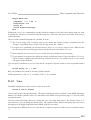
m
MA
Reference Manual
Bob van der Poel
Wynndel, BC, Canada
[email protected]
June 6, 2007
Table Of Contents
1
Overview and Introduction
1.1 License, Version and Legalities .
1.2 About this Manual . . . . . . . .
1.2.1 Typographic Conventions
1.2.2 LATEX and HTML . . . . .
1.2.3 Other Documentation . . .
1.2.4 Music Notation . . . . . .
1.3 Installing MmA . . . . . . . . . . .
1.4 Running MmA . . . . . . . . . . .
1.5 Comments . . . . . . . . . . . .
1.6 Theory Of Operation . . . . . . .
1.7 Case Sensitivity . . . . . . . . . .
.
.
.
.
.
.
.
.
.
.
.
.
.
.
.
.
.
.
.
.
.
.
.
.
.
.
.
.
.
.
.
.
.
.
.
.
.
.
.
.
.
.
.
.
.
.
.
.
.
.
.
.
.
.
.
.
.
.
.
.
.
.
.
.
.
.
.
.
.
.
.
.
.
.
.
.
.
.
.
.
.
.
.
.
.
.
.
.
.
.
.
.
.
.
.
.
.
.
.
.
.
.
.
.
.
.
.
.
.
.
.
.
.
.
.
.
.
.
.
.
.
.
.
.
.
.
.
.
.
.
.
.
.
.
.
.
.
.
.
.
.
.
.
.
.
.
.
.
.
.
.
.
.
.
.
.
.
.
.
.
.
.
.
.
.
.
.
.
.
.
.
.
.
.
.
.
.
.
.
.
.
.
.
.
.
.
.
.
.
.
.
.
.
.
.
.
.
.
.
.
.
.
.
.
.
.
.
.
.
.
.
.
.
.
.
.
.
.
.
.
.
.
.
.
.
.
.
.
.
.
.
.
.
.
.
.
.
.
.
.
.
.
.
.
.
.
.
.
.
.
.
.
.
.
.
.
.
.
.
.
.
.
.
.
.
.
.
.
.
.
.
.
.
.
.
.
.
.
.
.
.
.
.
.
.
.
.
.
.
.
.
.
.
.
.
.
.
.
.
.
.
.
.
.
.
.
.
.
.
.
.
.
.
.
.
.
.
.
.
.
.
.
.
.
.
.
.
.
.
.
8
8
9
9
10
10
10
10
11
12
12
13
2
Running MmA
14
2.1 Command Line Options . . . . . . . . . . . . . . . . . . . . . . . . . . . . . . . . . . . 14
2.2 Lines and Spaces . . . . . . . . . . . . . . . . . . . . . . . . . . . . . . . . . . . . . . . 16
2.3 Programming Comments . . . . . . . . . . . . . . . . . . . . . . . . . . . . . . . . . . . 17
3
Tracks and Channels
3.1 MmA Tracks . . . . . . . . .
3.2 Track Channels . . . . . . .
3.3 Track Descriptions . . . . .
3.3.1 Drum . . . . . . . .
3.3.2 Chord . . . . . . . .
3.3.3 Arpeggio . . . . . .
3.3.4 Scale . . . . . . . .
3.3.5 Bass . . . . . . . . .
3.3.6 Walk . . . . . . . .
3.3.7 Solo and Melody . .
3.3.8 Automatic Melodies
3.4 Silencing a Track . . . . . .
.
.
.
.
.
.
.
.
.
.
.
.
.
.
.
.
.
.
.
.
.
.
.
.
.
.
.
.
.
.
.
.
.
.
.
.
.
.
.
.
.
.
.
.
.
.
.
.
.
.
.
.
.
.
.
.
.
.
.
.
.
.
.
.
.
.
.
.
.
.
.
.
.
.
.
.
.
.
.
.
.
.
.
.
.
.
.
.
.
.
.
.
.
.
.
.
.
.
.
.
.
.
.
.
.
.
.
.
.
.
.
.
.
.
.
.
.
.
.
.
.
.
.
.
.
.
.
.
.
.
.
.
.
.
.
.
.
.
.
.
.
.
.
.
.
.
.
.
.
.
.
.
.
.
.
.
.
.
.
.
.
.
.
.
.
.
.
.
.
.
.
.
.
.
.
.
.
.
.
.
.
.
.
.
.
.
.
.
.
.
.
.
.
.
.
.
.
.
.
.
.
.
.
.
.
.
.
.
.
.
.
.
.
.
.
.
.
.
.
.
.
.
.
.
.
.
.
.
.
.
.
.
.
.
.
.
.
.
.
.
.
.
.
.
.
.
.
.
.
.
.
.
.
.
.
.
.
.
.
.
.
.
.
.
.
.
.
.
.
.
.
.
.
.
.
.
.
.
.
.
.
.
.
.
.
.
.
.
.
.
.
.
.
.
.
.
.
.
.
.
.
.
.
.
.
.
.
.
.
.
.
.
.
.
.
.
.
.
.
.
.
.
.
.
.
.
.
.
.
.
.
.
.
.
.
.
.
.
.
.
.
.
.
.
.
.
.
.
.
.
.
.
.
.
.
.
.
.
.
.
.
.
.
.
.
.
.
.
.
.
.
.
.
.
.
.
.
.
.
.
.
.
.
.
.
.
.
.
.
.
.
.
.
.
.
.
18
18
18
19
19
20
20
20
21
21
21
21
21
2
MmA
Table Of Contents
4
5
6
Patterns
4.1 Defining a Pattern . . . . . . . . . . . . . . .
4.1.1 Bass . . . . . . . . . . . . . . . . . . .
4.1.2 Chord . . . . . . . . . . . . . . . . . .
4.1.3 Arpeggio . . . . . . . . . . . . . . . .
4.1.4 Walk . . . . . . . . . . . . . . . . . .
4.1.5 Scale . . . . . . . . . . . . . . . . . .
4.1.6 Aria . . . . . . . . . . . . . . . . . . .
4.1.7 Drum . . . . . . . . . . . . . . . . . .
4.1.8 Drum Tone . . . . . . . . . . . . . . .
4.2 Including Existing Patterns in New Definitions
4.3 Multiplying and Shifting Patterns . . . . . . .
.
.
.
.
.
.
.
.
.
.
.
.
.
.
.
.
.
.
.
.
.
.
.
.
.
.
.
.
.
.
.
.
.
.
.
.
.
.
.
.
.
.
.
.
.
.
.
.
.
.
.
.
.
.
.
.
.
.
.
.
.
.
.
.
.
.
.
.
.
.
.
.
.
.
.
.
.
.
.
.
.
.
.
.
.
.
.
.
.
.
.
.
.
.
.
.
.
.
.
.
.
.
.
.
.
.
.
.
.
.
.
.
.
.
.
.
.
.
.
.
.
.
.
.
.
.
.
.
.
.
.
.
.
.
.
.
.
.
.
.
.
.
.
.
.
.
.
.
.
.
.
.
.
.
.
.
.
.
.
.
.
.
.
.
.
.
.
.
.
.
.
.
.
.
.
.
.
.
.
.
.
.
.
.
.
.
.
.
.
.
.
.
.
.
.
.
.
.
.
.
.
.
.
.
.
.
.
.
.
.
.
.
.
.
.
.
.
.
.
.
.
.
.
.
.
.
.
.
.
.
.
.
.
.
.
.
.
.
.
.
.
.
.
.
.
.
.
.
.
.
.
.
.
22
22
24
25
26
27
27
28
28
29
30
30
Sequences
5.1 Defining Sequences .
5.2 SeqClear . . . . . .
5.3 SeqRnd . . . . . . .
5.4 SeqRndWeight . . .
5.5 SeqSize . . . . . . .
.
.
.
.
.
.
.
.
.
.
.
.
.
.
.
.
.
.
.
.
.
.
.
.
.
.
.
.
.
.
.
.
.
.
.
.
.
.
.
.
.
.
.
.
.
.
.
.
.
.
.
.
.
.
.
.
.
.
.
.
.
.
.
.
.
.
.
.
.
.
.
.
.
.
.
.
.
.
.
.
.
.
.
.
.
.
.
.
.
.
.
.
.
.
.
.
.
.
.
.
.
.
.
.
.
.
.
.
.
.
.
.
.
.
.
.
.
.
.
.
.
.
.
.
.
.
.
.
.
.
.
.
.
.
.
.
.
.
.
.
.
.
.
.
.
.
.
.
.
.
.
.
.
.
.
.
.
.
.
.
.
.
.
.
.
.
.
.
.
.
.
.
.
.
.
.
.
.
.
.
34
34
36
37
39
39
Grooves
6.1 Creating A Groove . . .
6.2 Using A Groove . . . .
6.2.1 Overlay Grooves
6.3 Deleting Grooves . . . .
6.4 Library Issues . . . . . .
.
.
.
.
.
.
.
.
.
.
.
.
.
.
.
.
.
.
.
.
.
.
.
.
.
.
.
.
.
.
.
.
.
.
.
.
.
.
.
.
.
.
.
.
.
.
.
.
.
.
.
.
.
.
.
.
.
.
.
.
.
.
.
.
.
.
.
.
.
.
.
.
.
.
.
.
.
.
.
.
.
.
.
.
.
.
.
.
.
.
.
.
.
.
.
.
.
.
.
.
.
.
.
.
.
.
.
.
.
.
.
.
.
.
.
.
.
.
.
.
.
.
.
.
.
.
.
.
.
.
.
.
.
.
.
.
.
.
.
.
.
.
.
.
.
.
.
.
.
.
.
.
.
.
.
.
.
.
.
.
.
.
.
.
.
.
.
.
.
.
.
.
.
.
.
40
40
42
43
44
45
7
Riffs
8
Musical Data Format
8.1 Bar Numbers . .
8.2 Bar Repeat . . .
8.3 Chords . . . . .
8.4 Rests . . . . . .
8.5 Case Sensitivity .
9
.
.
.
.
.
46
.
.
.
.
.
.
.
.
.
.
.
.
.
.
.
.
.
.
.
.
.
.
.
.
.
.
.
.
.
.
.
.
.
.
.
.
.
.
.
.
.
.
.
.
.
.
.
.
.
.
.
.
.
.
.
.
.
.
.
.
.
.
.
.
.
.
.
.
.
.
.
.
.
.
.
.
.
.
.
.
.
.
.
.
.
.
.
.
.
.
.
.
.
.
.
.
.
.
.
.
.
.
.
.
.
.
.
.
.
.
.
.
.
.
.
.
.
.
.
.
.
.
.
.
.
.
.
.
.
.
.
.
.
.
.
.
.
.
.
.
.
.
.
.
.
.
.
.
.
.
.
.
.
.
.
.
.
.
.
.
.
.
.
.
.
.
.
.
.
.
49
49
50
50
51
52
Lyrics
9.1 Lyric Options . . . . . . . .
9.1.1 Event Type . . . . .
9.1.2 Word Splitting . . .
9.2 Chord Name Insertion . . .
9.2.1 Chord Transposition
9.3 Setting Lyrics . . . . . . . .
9.3.1 Limitations . . . . .
.
.
.
.
.
.
.
.
.
.
.
.
.
.
.
.
.
.
.
.
.
.
.
.
.
.
.
.
.
.
.
.
.
.
.
.
.
.
.
.
.
.
.
.
.
.
.
.
.
.
.
.
.
.
.
.
.
.
.
.
.
.
.
.
.
.
.
.
.
.
.
.
.
.
.
.
.
.
.
.
.
.
.
.
.
.
.
.
.
.
.
.
.
.
.
.
.
.
.
.
.
.
.
.
.
.
.
.
.
.
.
.
.
.
.
.
.
.
.
.
.
.
.
.
.
.
.
.
.
.
.
.
.
.
.
.
.
.
.
.
.
.
.
.
.
.
.
.
.
.
.
.
.
.
.
.
.
.
.
.
.
.
.
.
.
.
.
.
.
.
.
.
.
.
.
.
.
.
.
.
.
.
.
.
.
.
.
.
.
.
.
.
.
.
.
.
.
.
.
.
.
.
.
.
.
.
.
.
.
.
.
.
.
.
.
.
.
.
.
.
.
.
.
.
.
.
.
.
.
.
.
53
53
53
54
54
54
55
57
.
.
.
.
.
10 Solo and Melody Tracks
.
.
.
.
.
.
.
.
.
.
.
.
.
.
.
.
.
.
.
.
58
3
MmA
Table Of Contents
10.1 Note Data Format . . . .
10.1.1 Long Notes . . .
10.1.2 Using Defaults .
10.1.3 Other Commands
10.2 KeySig . . . . . . . . .
10.3 AutoSoloTracks . . . .
10.4 Drum Solo Tracks . . .
.
.
.
.
.
.
.
.
.
.
.
.
.
.
.
.
.
.
.
.
.
.
.
.
.
.
.
.
.
.
.
.
.
.
.
.
.
.
.
.
.
.
.
.
.
.
.
.
.
.
.
.
.
.
.
.
.
.
.
.
.
.
.
.
.
.
.
.
.
.
.
.
.
.
.
.
.
.
.
.
.
.
.
.
.
.
.
.
.
.
.
.
.
.
.
.
.
.
.
.
.
.
.
.
.
.
.
.
.
.
.
.
.
.
.
.
.
.
.
.
.
.
.
.
.
.
.
.
.
.
.
.
.
.
.
.
.
.
.
.
.
.
.
.
.
.
.
.
.
.
.
.
.
.
.
.
.
.
.
.
.
.
.
.
.
.
.
.
.
.
.
.
.
.
.
.
.
.
.
.
.
.
.
.
.
.
.
.
.
.
.
.
.
.
.
.
.
.
.
.
.
.
.
.
.
.
.
.
.
.
.
.
.
.
.
.
.
.
.
.
.
.
.
.
.
.
.
.
.
.
.
.
.
.
.
.
.
.
.
.
.
.
.
.
.
59
60
61
61
62
62
63
11 Automatic Melodies: Aria Tracks
65
12 Chord Voicing
12.1 Voicing . . . . . . . .
12.1.1 Voicing Mode .
12.1.2 Voicing Range
12.1.3 Voicing Center
12.1.4 Voicing Move .
12.1.5 Voicing Dir . .
12.1.6 Voicing Rmove
12.2 ChordAdjust . . . . .
12.3 Compress . . . . . . .
12.4 DupRoot . . . . . . .
12.5 Invert . . . . . . . . .
12.6 Limit . . . . . . . . .
12.7 NoteSpan . . . . . . .
12.8 Range . . . . . . . . .
12.9 DefChord . . . . . . .
12.10 PrintChord . . . . . .
12.11 Notes . . . . . . . . .
.
.
.
.
.
.
.
.
.
.
.
.
.
.
.
.
.
67
67
68
69
69
69
70
70
70
71
71
72
73
73
74
74
76
76
13 Harmony
13.1 Harmony . . . . . . . . . . . . . . . . . . . . . . . . . . . . . . . . . . . . . . . . . . .
13.2 HarmonyOnly . . . . . . . . . . . . . . . . . . . . . . . . . . . . . . . . . . . . . . . .
13.3 HarmonyVolume . . . . . . . . . . . . . . . . . . . . . . . . . . . . . . . . . . . . . . .
77
77
78
79
14 Tempo and Timing
14.1 Tempo . . .
14.2 Time . . . .
14.3 TimeSig . . .
14.4 BeatAdjust .
14.5 Fermata . . .
14.6 Cut . . . . .
80
80
81
81
82
83
85
15 Swing
.
.
.
.
.
.
.
.
.
.
.
.
.
.
.
.
.
.
.
.
.
.
.
.
.
.
.
.
.
.
.
.
.
.
.
.
.
.
.
.
.
.
.
.
.
.
.
.
.
.
.
.
.
.
.
.
.
.
.
.
.
.
.
.
.
.
.
.
.
.
.
.
.
.
.
.
.
.
.
.
.
.
.
.
.
.
.
.
.
.
.
.
.
.
.
.
.
.
.
.
.
.
.
.
.
.
.
.
.
.
.
.
.
.
.
.
.
.
.
.
.
.
.
.
.
.
.
.
.
.
.
.
.
.
.
.
.
.
.
.
.
.
.
.
.
.
.
.
.
.
.
.
.
.
.
.
.
.
.
.
.
.
.
.
.
.
.
.
.
.
.
.
.
.
.
.
.
.
.
.
.
.
.
.
.
.
.
.
.
.
.
.
.
.
.
.
.
.
.
.
.
.
.
.
.
.
.
.
.
.
.
.
.
.
.
.
.
.
.
.
.
.
.
.
.
.
.
.
.
.
.
.
.
.
.
.
.
.
.
.
.
.
.
.
.
.
.
.
.
.
.
.
.
.
.
.
.
.
.
.
.
.
.
.
.
.
.
.
.
.
.
.
.
.
.
.
.
.
.
.
.
.
.
.
.
.
.
.
.
.
.
.
.
.
.
.
.
.
.
.
.
.
.
.
.
.
.
.
.
.
.
.
.
.
.
.
.
.
.
.
.
.
.
.
.
.
.
.
.
.
.
.
.
.
.
.
.
.
.
.
.
.
.
.
.
.
.
.
.
.
.
.
.
.
.
.
.
.
.
.
.
.
.
.
.
.
.
.
.
.
.
.
.
.
.
.
.
.
.
.
.
.
.
.
.
.
.
.
.
.
.
.
.
.
.
.
.
.
.
.
.
.
.
.
.
.
.
.
.
.
.
.
.
.
.
.
.
.
.
.
.
.
.
.
.
.
.
.
.
.
.
.
.
.
.
.
.
.
.
.
.
.
.
.
.
.
.
.
.
.
.
.
.
.
.
.
.
.
.
.
.
.
.
.
.
.
.
.
.
.
.
.
.
.
.
.
.
.
.
.
.
.
.
.
.
.
.
.
.
.
.
.
.
.
.
.
.
.
.
.
.
.
.
.
.
.
.
.
.
.
.
.
.
.
.
.
.
.
.
.
.
.
.
.
.
.
.
.
.
.
.
.
.
.
.
.
.
.
.
.
.
.
.
.
.
.
.
.
.
.
.
.
.
.
.
.
.
.
.
.
.
.
.
.
.
.
.
.
.
.
.
.
.
.
.
.
.
.
.
.
.
.
.
.
.
.
.
.
.
.
.
.
.
.
.
.
.
.
.
.
.
.
.
.
.
.
.
.
.
.
.
.
.
.
.
.
.
.
.
.
.
.
.
.
.
.
.
.
.
.
.
.
.
.
.
.
.
.
.
.
.
.
.
.
.
.
.
.
.
.
.
.
.
.
.
.
.
.
.
.
.
.
.
.
.
.
.
.
.
.
.
.
.
.
.
.
.
.
.
.
.
.
.
.
.
.
.
.
.
.
.
.
.
.
.
.
.
.
.
.
.
.
.
.
.
.
.
.
.
.
.
.
.
.
.
.
.
.
.
.
.
.
.
.
.
.
.
.
.
.
.
.
.
.
.
.
.
.
.
.
.
.
.
.
.
.
.
.
.
.
.
.
.
.
.
.
.
.
.
.
.
.
.
.
.
.
.
.
.
.
.
.
.
.
.
.
.
.
.
.
.
.
.
.
.
.
.
.
.
.
.
.
.
.
.
.
.
.
.
.
.
.
.
.
.
.
.
.
.
.
.
.
.
.
.
.
.
.
.
.
.
.
.
.
.
.
.
.
.
.
.
.
.
.
.
.
.
.
.
.
.
88
16 Volume and Dynamics
91
16.1 Accent . . . . . . . . . . . . . . . . . . . . . . . . . . . . . . . . . . . . . . . . . . . . 92
4
MmA
Table Of Contents
16.2 AdjustVolume . . . . . . . . . .
16.2.1 Mnemonic Volume Ratios
16.2.2 Master Volume Ratio . . .
16.3 Volume . . . . . . . . . . . . . .
16.4 Cresc and Decresc . . . . . . . .
16.5 RVolume . . . . . . . . . . . . .
16.6 Saving and Restoring Volumes . .
.
.
.
.
.
.
.
.
.
.
.
.
.
.
.
.
.
.
.
.
.
.
.
.
.
.
.
.
.
.
.
.
.
.
.
.
.
.
.
.
.
.
.
.
.
.
.
.
.
.
.
.
.
.
.
.
.
.
.
.
.
.
.
.
.
.
.
.
.
.
.
.
.
.
.
.
.
.
.
.
.
.
.
.
.
.
.
.
.
.
.
.
.
.
.
.
.
.
.
.
.
.
.
.
.
.
.
.
.
.
.
.
.
.
.
.
.
.
.
.
.
.
.
.
.
.
.
.
.
.
.
.
.
.
.
.
.
.
.
.
.
.
.
.
.
.
.
.
.
.
.
.
.
.
.
.
.
.
.
.
.
.
.
.
.
.
.
.
.
.
.
.
.
.
.
.
.
.
.
.
.
.
.
.
.
.
.
.
.
.
.
.
.
.
.
.
.
.
.
.
.
.
.
.
.
.
.
.
.
.
17 Repeats
99
18 Variables, Conditionals and Jumps
18.1 Variables . . . . . . . . . . .
18.1.1 Set . . . . . . . . . .
18.1.2 NewSet . . . . . . . .
18.1.3 Mset . . . . . . . . .
18.1.4 RndSet . . . . . . . .
18.1.5 UnSet VariableName .
18.1.6 ShowVars . . . . . . .
18.1.7 Inc and Dec . . . . . .
18.1.8 VExpand On or Off . .
18.1.9 StackValue . . . . . .
18.2 Predefined Variables . . . . .
18.3 Conditionals . . . . . . . . .
18.4 Goto . . . . . . . . . . . . .
19 Low Level MIDI Commands
19.1 Channel . . . . . . . . .
19.2 ChannelPref . . . . . . .
19.3 ChShare . . . . . . . . .
19.4 ForceOut . . . . . . . .
19.5 MIDI . . . . . . . . . .
19.6 MIDIClear . . . . . . .
19.7 MIDIFile . . . . . . . .
19.8 MIDIGlis . . . . . . . .
19.9 MIDIInc . . . . . . . .
19.10 MIDIMark . . . . . . .
19.11 MIDIPan . . . . . . . .
19.12 MIDISeq . . . . . . . .
19.12.1 MIDIDef . . . .
19.13 MIDISplit . . . . . . . .
19.14 MIDITname . . . . . .
19.15 MIDIVoice . . . . . . .
19.16 MIDIVolume . . . . . .
20 Fine Tuning (Translations)
93
93
93
94
95
96
97
.
.
.
.
.
.
.
.
.
.
.
.
.
.
.
.
.
.
.
.
.
.
.
.
.
.
.
.
.
.
.
.
.
.
.
.
.
.
.
.
.
.
.
.
.
.
.
.
.
.
.
.
.
.
.
.
.
.
.
.
.
.
.
.
.
.
.
.
.
.
.
.
.
.
.
.
.
.
.
.
.
.
.
.
.
.
.
.
.
.
.
.
.
.
.
.
.
.
.
.
.
.
.
.
.
.
.
.
.
.
.
.
.
.
.
.
.
.
.
.
.
.
.
.
.
.
.
.
.
.
.
.
.
.
.
.
.
.
.
.
.
.
.
.
.
.
.
.
.
.
.
.
.
.
.
.
.
.
.
.
.
.
.
.
.
.
.
.
.
.
.
.
.
.
.
.
.
.
.
.
.
.
.
.
.
.
.
.
.
.
.
.
.
.
.
.
.
.
.
.
.
.
.
.
.
.
.
.
.
.
.
.
.
.
.
.
.
.
.
.
.
.
.
.
.
.
.
.
.
.
.
.
.
.
.
.
.
.
.
.
.
.
.
.
.
.
.
.
.
.
.
.
.
.
.
.
.
.
.
.
.
.
.
.
.
.
.
.
.
.
.
.
.
.
.
.
.
.
.
.
.
.
.
.
.
.
.
.
.
.
.
.
.
.
.
.
.
.
.
.
.
.
.
.
.
.
.
.
.
.
.
.
.
.
.
.
.
.
.
.
.
.
.
.
.
.
.
.
.
.
.
.
.
.
.
.
.
.
.
.
.
.
.
.
.
.
.
.
.
.
.
.
.
.
.
.
.
.
.
.
.
.
.
.
.
.
.
.
.
.
.
.
.
.
.
.
.
.
.
.
.
.
.
.
.
.
.
.
.
.
.
.
.
.
.
.
.
.
.
.
.
.
.
.
.
.
.
.
.
.
.
.
.
.
.
.
.
.
.
.
.
.
.
.
.
.
.
.
.
.
.
.
.
.
.
.
.
.
.
.
.
.
.
.
.
.
.
.
.
.
.
.
.
.
.
.
.
.
.
.
.
.
.
.
.
.
.
.
.
.
.
.
.
.
.
.
.
.
.
.
.
.
.
.
.
.
.
.
.
.
.
.
.
.
.
.
.
.
.
.
.
.
.
.
.
.
.
.
.
.
.
.
.
.
.
.
.
.
.
.
.
.
.
.
.
.
.
.
.
.
.
.
.
.
.
.
.
.
.
.
.
.
.
.
.
.
.
.
.
.
.
.
.
.
.
.
.
.
.
.
.
.
.
.
.
.
.
.
.
.
.
.
.
.
.
.
.
.
.
.
.
.
.
.
.
.
.
.
.
.
.
.
.
.
.
.
.
.
.
.
.
.
.
.
.
.
.
.
.
.
.
.
.
.
.
.
.
.
.
.
.
.
.
.
.
.
.
.
.
.
.
.
.
.
.
.
.
.
.
.
.
.
.
.
.
.
.
.
.
.
.
.
.
.
.
.
.
.
.
.
.
.
.
.
.
.
.
.
.
.
.
.
.
.
.
.
.
.
.
.
.
.
.
.
.
.
.
.
.
.
.
.
.
.
.
.
.
.
.
.
.
.
.
.
.
.
.
.
.
.
.
.
.
.
.
.
.
.
.
.
.
.
.
.
.
.
.
.
.
.
.
.
.
.
.
.
.
.
.
.
.
.
.
.
.
.
.
.
.
.
.
.
.
.
.
.
.
.
.
.
.
.
.
.
.
.
.
.
.
.
.
.
.
.
.
.
.
.
.
.
.
.
.
.
.
.
.
.
.
.
.
.
.
.
.
.
.
.
.
.
.
.
.
.
.
.
.
.
.
.
.
.
.
.
.
.
.
.
.
.
.
.
.
.
.
.
.
.
.
.
.
.
.
.
.
.
.
.
.
.
.
.
.
.
.
.
.
.
.
.
.
.
.
.
.
.
.
.
.
.
.
.
.
.
.
.
.
.
.
.
.
.
.
.
.
.
.
.
.
.
.
.
.
.
.
.
.
.
.
.
.
.
.
.
.
.
.
.
.
.
.
.
.
.
.
.
.
.
.
.
.
.
.
.
.
.
.
.
.
.
.
.
.
.
.
.
.
.
.
.
.
.
.
.
.
.
.
.
.
.
.
.
.
.
.
.
.
.
.
.
.
.
.
.
.
.
.
.
.
.
.
.
.
.
.
.
.
.
.
.
.
.
.
.
.
.
.
.
.
.
.
.
.
.
.
.
.
.
.
.
.
.
.
.
102
102
103
103
104
104
105
105
105
105
107
107
110
112
.
.
.
.
.
.
.
.
.
.
.
.
.
.
.
.
.
114
114
115
115
116
118
119
119
120
120
122
122
123
124
125
125
126
127
128
5
MmA
Table Of Contents
20.1
20.2
20.3
20.4
VoiceTr . .
DrumTr . .
VoiceVolTr
DrumVolTr
.
.
.
.
.
.
.
.
.
.
.
.
.
.
.
.
.
.
.
.
.
.
.
.
.
.
.
.
.
.
.
.
.
.
.
.
21 Other Commands and Directives
21.1 AllTracks . . . . . . . . . .
21.2 Articulate . . . . . . . . . .
21.3 Copy . . . . . . . . . . . .
21.4 Comment . . . . . . . . . .
21.5 Debug . . . . . . . . . . . .
21.6 Delete . . . . . . . . . . . .
21.7 Direction . . . . . . . . . .
21.8 Mallet . . . . . . . . . . . .
21.8.1 Rate . . . . . . . . .
21.8.2 Decay . . . . . . . .
21.9 Octave . . . . . . . . . . .
21.10 Off . . . . . . . . . . . . .
21.11 On . . . . . . . . . . . . . .
21.12 Print . . . . . . . . . . . . .
21.13 PrintActive . . . . . . . . .
21.14 RndSeed . . . . . . . . . .
21.15 RSkip . . . . . . . . . . . .
21.16 RTime . . . . . . . . . . . .
21.17 ScaleType . . . . . . . . . .
21.18 Seq . . . . . . . . . . . . .
21.19 Strum . . . . . . . . . . . .
21.20 Synchronize . . . . . . . . .
21.21 Transpose . . . . . . . . . .
21.22 Unify . . . . . . . . . . . .
21.23 Voice . . . . . . . . . . . .
.
.
.
.
.
.
.
.
.
.
.
.
.
.
.
.
.
.
.
.
.
.
.
.
.
.
.
.
.
.
.
.
.
.
.
.
.
.
.
.
.
.
.
.
.
.
.
.
.
.
.
.
.
.
.
.
.
.
.
.
.
.
.
.
.
.
.
.
.
.
.
.
.
.
.
.
.
.
.
.
.
.
.
.
.
.
.
.
.
.
.
.
.
.
.
.
.
.
.
.
.
.
.
.
.
.
.
.
.
.
.
.
.
.
.
.
.
.
.
.
.
.
.
.
.
.
.
.
.
.
.
.
.
.
.
.
.
.
.
.
.
.
.
.
.
.
.
.
.
.
.
.
.
.
.
.
.
.
.
.
.
.
.
.
.
.
.
.
.
.
.
.
.
.
.
.
.
.
.
.
.
.
.
.
.
.
.
.
.
.
.
.
.
.
.
.
.
.
.
.
.
.
.
.
.
.
.
.
.
.
.
.
.
.
.
.
.
.
.
.
.
.
.
.
.
.
.
.
.
.
.
.
.
.
.
.
.
.
.
.
.
.
.
.
.
.
.
.
.
.
.
.
.
.
.
.
.
.
.
.
.
.
.
.
.
.
.
.
.
.
.
.
.
.
.
.
.
.
.
.
.
.
.
.
.
.
.
.
.
.
.
.
.
.
.
.
.
.
.
.
.
.
.
.
.
.
.
.
.
.
.
.
.
.
.
.
.
.
.
.
.
.
.
.
.
.
.
.
.
.
.
.
.
.
.
.
.
.
.
.
.
.
.
.
.
.
.
.
.
.
.
.
.
.
.
.
.
.
.
.
.
.
.
.
.
.
.
.
.
.
.
.
.
.
.
.
.
.
.
.
.
.
.
.
.
.
.
.
.
.
.
.
.
.
.
.
.
.
.
.
.
.
.
.
.
.
.
.
.
.
.
.
.
.
.
.
.
.
.
.
.
.
.
.
.
.
.
.
.
.
.
.
.
.
.
.
.
.
.
.
.
.
.
.
.
.
.
.
.
.
.
.
.
.
.
.
.
.
.
.
.
.
.
.
.
.
.
.
.
.
.
.
.
.
.
.
.
.
.
.
.
.
.
.
.
.
.
.
.
.
.
.
.
.
.
.
.
.
.
.
.
.
.
.
.
.
.
.
.
.
.
.
.
.
.
.
.
.
.
.
.
.
.
.
.
.
.
.
.
.
.
.
.
.
.
.
.
.
.
.
.
.
.
.
.
.
.
.
.
.
.
.
.
.
.
.
.
.
.
.
.
.
.
.
.
.
.
.
.
.
.
.
.
.
.
.
.
.
.
.
.
.
.
.
.
.
.
.
.
.
.
.
.
.
.
.
.
.
.
.
.
.
.
.
.
.
.
.
.
.
.
.
.
.
.
.
.
.
.
.
.
.
.
.
.
.
.
.
.
.
.
.
.
.
.
.
.
.
.
.
.
.
.
.
.
.
.
.
.
.
.
.
.
.
.
.
.
.
.
.
.
.
.
.
.
.
.
.
.
.
.
.
.
.
.
.
.
.
.
.
.
.
.
.
.
.
.
.
.
.
.
.
.
.
.
.
.
.
.
.
.
.
.
.
.
.
.
.
.
.
.
.
.
.
.
.
.
.
.
.
.
.
.
.
.
.
.
.
.
.
.
.
.
.
.
.
.
.
.
.
.
.
.
.
.
.
.
.
.
.
.
.
.
.
.
.
.
.
.
.
.
.
.
.
.
.
.
.
.
.
.
.
.
.
.
.
.
.
.
.
.
.
.
.
.
.
.
.
.
.
.
.
.
.
.
.
.
.
.
.
.
.
.
.
.
.
.
.
.
.
.
.
.
.
.
.
.
.
.
.
.
.
.
.
.
.
.
.
.
.
.
.
.
.
.
.
.
.
.
.
.
.
.
.
.
.
.
.
.
.
.
.
.
.
.
.
.
.
.
.
.
.
.
.
.
.
.
.
.
.
.
.
.
.
.
.
.
.
.
.
.
.
.
.
.
.
.
.
.
.
.
.
.
.
.
.
.
.
.
.
.
.
.
.
.
.
.
.
.
.
.
.
.
.
.
.
.
.
.
.
.
.
.
.
.
.
.
.
.
.
.
.
129
130
130
131
.
.
.
.
.
.
.
.
.
.
.
.
.
.
.
.
.
.
.
.
.
.
.
.
.
132
132
133
133
134
135
136
136
137
137
137
138
138
138
139
139
139
140
140
141
141
142
142
143
143
144
22 Begin/End Blocks
146
22.1 Begin . . . . . . . . . . . . . . . . . . . . . . . . . . . . . . . . . . . . . . . . . . . . . 146
22.2 End . . . . . . . . . . . . . . . . . . . . . . . . . . . . . . . . . . . . . . . . . . . . . . 147
23 Documentation Strings
148
23.1 Doc . . . . . . . . . . . . . . . . . . . . . . . . . . . . . . . . . . . . . . . . . . . . . . 148
23.2 Author . . . . . . . . . . . . . . . . . . . . . . . . . . . . . . . . . . . . . . . . . . . . 148
23.3 DocVar . . . . . . . . . . . . . . . . . . . . . . . . . . . . . . . . . . . . . . . . . . . . 149
24 Paths, Files and Libraries
150
24.1 File Extensions . . . . . . . . . . . . . . . . . . . . . . . . . . . . . . . . . . . . . . . . 150
24.2 Tilde Expansion . . . . . . . . . . . . . . . . . . . . . . . . . . . . . . . . . . . . . . . 151
24.3 Eof . . . . . . . . . . . . . . . . . . . . . . . . . . . . . . . . . . . . . . . . . . . . . . 151
6
MmA
Table Of Contents
24.4 LibPath . . . . . . . . . . . . . . . . .
24.5 AutoLibPath . . . . . . . . . . . . . .
24.6 MIDIPlayer . . . . . . . . . . . . . . .
24.7 OutPath . . . . . . . . . . . . . . . . .
24.8 Include . . . . . . . . . . . . . . . . .
24.9 IncPath . . . . . . . . . . . . . . . . .
24.10 Use . . . . . . . . . . . . . . . . . . .
24.11 MmaStart . . . . . . . . . . . . . . . .
24.12 MmaEnd . . . . . . . . . . . . . . . .
24.13 RC Files . . . . . . . . . . . . . . . .
24.14 Library Files . . . . . . . . . . . . . .
24.14.1 Maintaining and Using Libraries
24.15 Paths on Windows Platforms . . . . . .
.
.
.
.
.
.
.
.
.
.
.
.
.
.
.
.
.
.
.
.
.
.
.
.
.
.
.
.
.
.
.
.
.
.
.
.
.
.
.
.
.
.
.
.
.
.
.
.
.
.
.
.
.
.
.
.
.
.
.
.
.
.
.
.
.
.
.
.
.
.
.
.
.
.
.
.
.
.
.
.
.
.
.
.
.
.
.
.
.
.
.
.
.
.
.
.
.
.
.
.
.
.
.
.
.
.
.
.
.
.
.
.
.
.
.
.
.
.
.
.
.
.
.
.
.
.
.
.
.
.
.
.
.
.
.
.
.
.
.
.
.
.
.
.
.
.
.
.
.
.
.
.
.
.
.
.
.
.
.
.
.
.
.
.
.
.
.
.
.
.
.
.
.
.
.
.
.
.
.
.
.
.
.
.
.
.
.
.
.
.
.
.
.
.
.
.
.
.
.
.
.
.
.
.
.
.
.
.
.
.
.
.
.
.
.
.
.
.
.
.
.
.
.
.
.
.
.
.
.
.
.
.
.
.
.
.
.
.
.
.
.
.
.
.
.
.
.
.
.
.
.
.
.
.
.
.
.
.
.
.
.
.
.
.
.
.
.
.
.
.
.
.
.
.
.
.
.
.
.
.
.
.
.
.
.
.
.
.
.
.
.
.
.
.
.
.
.
.
.
.
.
.
.
.
.
.
.
.
.
.
.
.
.
.
.
.
.
.
.
.
.
.
.
.
.
.
.
.
.
.
.
.
.
.
.
.
.
.
.
.
.
.
.
.
.
.
.
.
.
.
.
152
152
152
153
153
154
154
155
156
156
157
157
159
25 Creating Effects
160
25.1 Overlapping Notes . . . . . . . . . . . . . . . . . . . . . . . . . . . . . . . . . . . . . . 160
25.2 Jungle Birds . . . . . . . . . . . . . . . . . . . . . . . . . . . . . . . . . . . . . . . . . 161
26 Frequency Asked Questions
26.1 Chord Octaves . . . . . .
26.2 AABA Song Forms . . . .
26.3 Where’s the GUI? . . . .
26.4 Where’s the manual index?
.
.
.
.
.
.
.
.
.
.
.
.
.
.
.
.
.
.
.
.
A Symbols and Constants
A.1 Chord Names . . . . . . . . . . . .
A.1.1 Octave Adjustment . . . . .
A.1.2 Altered Chords . . . . . . .
A.1.3 Diminished Chords . . . . .
A.1.4 Slash Chords . . . . . . . .
A.1.5 Chord Inversions . . . . . .
A.2 MIDI Voices . . . . . . . . . . . .
A.2.1 Voices, Alphabetically . . .
A.2.2 Voices, By MIDI Value . . .
A.3 Drum Notes . . . . . . . . . . . . .
A.3.1 Drum Notes, Alphabetically
A.3.2 Drum Notes, by MIDI Value
A.4 MIDI Controllers . . . . . . . . . .
A.4.1 Controllers, Alphabetically .
A.4.2 Controllers, by Value . . . .
.
.
.
.
.
.
.
.
.
.
.
.
.
.
.
.
.
.
.
.
.
.
.
.
.
.
.
.
.
.
.
.
.
.
.
.
.
.
.
.
.
.
.
.
.
.
.
.
.
.
.
.
.
.
.
.
.
.
.
.
.
.
.
.
.
.
.
.
.
.
.
.
.
.
.
.
.
.
.
.
.
.
.
.
.
.
.
.
.
.
.
.
.
.
.
.
.
.
.
.
.
.
.
.
.
.
.
.
.
.
.
.
.
.
.
.
.
.
.
.
.
.
.
.
.
.
.
.
.
.
.
.
.
.
.
.
.
.
.
.
.
.
.
.
.
.
.
.
.
.
.
.
.
.
.
.
.
.
.
.
.
.
.
.
.
.
.
.
.
.
.
.
.
.
.
.
.
.
.
.
.
.
.
.
.
.
.
.
.
.
.
.
.
.
.
.
.
.
.
.
.
.
.
.
.
.
.
.
.
.
.
.
.
.
.
.
.
.
.
.
.
.
.
.
.
.
.
.
.
.
.
.
.
.
.
.
.
.
.
.
.
.
.
.
.
.
.
.
.
.
.
.
.
.
.
.
.
.
.
.
.
.
.
.
.
.
.
.
.
.
.
.
.
.
.
.
.
.
.
.
.
.
.
.
.
.
.
.
.
.
.
.
.
.
.
.
.
.
.
.
.
.
.
.
.
.
.
.
.
.
.
.
.
.
.
.
.
.
.
.
.
.
.
.
.
.
.
.
.
.
.
.
.
.
.
.
.
.
.
.
.
.
.
.
.
.
.
.
.
.
.
.
.
.
.
.
.
.
.
.
.
.
.
.
.
.
.
.
.
.
.
.
.
.
.
.
.
.
.
.
.
.
.
.
.
.
.
.
.
.
.
.
.
.
.
.
.
.
.
.
.
.
.
.
.
.
.
.
.
.
.
.
.
.
.
.
.
.
.
.
.
.
.
.
.
.
.
.
.
.
.
.
.
.
.
.
.
.
.
.
.
.
.
.
.
.
.
.
.
.
.
.
.
.
.
.
.
.
.
.
.
.
.
.
.
.
.
.
.
.
.
.
.
.
.
.
.
.
.
.
.
.
.
.
.
.
.
.
.
.
.
.
.
.
.
.
.
.
.
.
.
.
.
.
.
.
.
.
.
.
.
.
.
.
.
.
.
.
.
.
.
.
.
.
.
.
.
.
.
.
.
.
.
.
.
.
162
162
162
163
164
.
.
.
.
.
.
.
.
.
.
.
.
.
.
.
165
165
169
169
169
170
170
171
171
172
174
174
174
176
176
177
B Bibliography and Thanks
179
C Command Summary
180
7
Chapter 1
Overview and Introduction
Musical MIDI Accompaniment, MmA,1 generates standard MIDI2 files which can be used as a backup track
for a soloist. It was written especially for me—I am an aspiring saxophonist and wanted a program to
“play” the piano and drums so I could practice my jazz solos. With MmA I can create a track based on the
chords in a song, transpose it to the correct key for my instrument, and play my very bad improvisations
until they get a bit better.
I also lead a small combo group which is always missing at least one player. With MmA generated tracks
the group can practice and perform even if a rhythm player is missing. This all works much better than I
expected when I started to write the program . . . so much better that I have used MmA generated tracks for
live performances with great success.
Around the world musicians are using MmA for practice, performance and in their studios. Much more than
ever imagined when this project was started!
1.1
License, Version and Legalities
The program MmA was written by and is copyright Robert van der Poel, 2002—2007.
This program, the accompanying documentation, and library files can be freely distributed according to
the terms of the GNU General Public License (see the distributed file “COPYING”).
If you enjoy the program, make enhancements, find bugs, etc. send a note to me at [email protected];
or a postcard (or even money) to PO Box 57, Wynndel, BC, Canada V0B 2N0.
The current version of this package is maintained at: http://www.mellowood.ca/mma/.
This document reflects version 1.2 of MmA.
1 Musical MIDI Accompaniment and the short form MmA in the distinctive script are names for a program written by Bob van
der Poel. The “MIDI Manufacturers Association, Inc.” uses the acronym MMA, but there is no association between the two.
2 MIDI is an acronym for Musical Instrument Digital Interface.
8
1.2 About this Manual
Overview and Introduction
This program has recently changed its status from beta to a 1.x version. I have done everything
I can to ensure that the program functions as advertised, but I assume no responsibility for
anything it does to your computer or data.
Sorry for this disclaimer, but we live in paranoid times.
This manual most likely has lots of errors. Spelling, grammar, and probably a number of the
examples need fixing. Please give me a hand and report anything. . . it’ll make it much easier for
me to generate a really good product for all of us to enjoy.
1.2
About this Manual
This manual was written by the program author—and this is always a very bad idea. But, having no
volunteers, the choice is no manual at all or my bad perspectives.3
MmA is a large and complex program. It really does need a manual; and users really need to refer to the
manual to get the most out of the program. Even the author frequently refers to the manual. Really.
I have tried to present the various commands in a logical and useful order. The table of contents should
point you quickly to the relevant sections.
1.2.1 Typographic Conventions
² The name of the program is always set in the special logo type: MmA.
² MmA commands and directives are set in small caps: D IRECTIVE.
² Important stuff is emphasized: important.
² Websites look like this: http://www.mellowood.ca/mma/index.html
² Filenames are set in bold typewriter font: filename.mma
² Lines extracted from a MmA input file are set on individual lines:
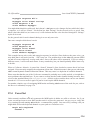
A command from a file
² Commands you should type from a shell prompt (or other operating system interface) have a leading
$ (to indicate a shell prompt) and are shown on separate lines:
$ enter this
3 The problem, all humor aside, is that the viewpoints of a program’s author and user are quite different. The two “see”
problems and solutions differently, and for a user manual the programmer’s view is not the best.
9
1.3 Installing MmA
Overview and Introduction
1.2.2 LATEX and HTML
The manual has been prepared with the LATEX typesetting system. Currently, there are two versions available: the primary version is a PDF file intended for printing or on-screen display (generated with dvipdf);
the secondary version is in HTML (transformed with LATEX2HTML) for electronic viewing. If other formats
are needed . . . please offer to volunteer.
1.2.3 Other Documentation
In addition to this document the following other items are recommended reading:
² The standard library documentation supplied with this document in PDF and HTML formats.
² The MmA tutorial supplied with this document in pdf and html formats.
² Various README files in the distribution.
² The Python source files.
1.2.4 Music Notation
The various snippets of standard music notation in this manual have been prepared with the MUP program.
I highly recommend this program and use it for most of my notation tasks. MUP is available from Arkkra
Enterprises, http://www.Arkkra.com/.
1.3
Installing MmA
MmA is a Python program developed with version 2.4 of Python. At the very least you will need this version
(or later) of Python!
To play the MIDI files you’ll need a MIDI player. Pmidi, tse3play, and many others are available for Linux
systems. For Windows and Mac systems I’m sure there are many, many choices.
You’ll need a text editor like vi, emacs, etc. to create input files. Don’t use a word processor!
MmA consists of a variety of bits and pieces:
² The executable Python script, mma4 , must somewhere in your path. For users running Windows or
Mac, please check MmA website for details on how to install on these systems.
² A number of Python modules. These should all be installed under the directory /usr/local/
share/mma/MMA. See the enclosed file INSTALL for some additional commentary.
4 In
the distribution this is mma.py. It is renamed to save a few keystrokes when entering the command.
10
1.4 Running MmA
Overview and Introduction
² A number of library files defining standard rhythms. These should all be installed under the directory
/usr/local/share/mma/lib/stdlib.
The scripts cp-install or ln-install will install MmA properly on most Linux systems. Both scripts
assume that main script is to be installed in /usr/local/bin and the support files in /usr/local/share/
mma. If you want an alternate location, you can edit the paths in the script. The only supported alternate to
use is /usr/share/mma.
The difference between the two scripts is that ln-install creates symbolic links to the current location;
cp-install copies the files. Which to use it up to you, but if you have unpacked the distribution in a
stable location it is probably easier to use the link version.
In addition, you can run MmA from the directory created by the untar. This is not recommended, but will
show some of MmA’s stuff. In this case you’ll have to execute the program file mma.py.
You should be “root” (or at least, you need write permissions in /usr/local/) to run either install script.
If you want to install MmA on a platform other than Linux, please get the latest updates from our website at
www.mellowood.ca/mma.
1.4
Running MmA
For details on the command line operations in MmA please refer to chapter 2.
To create a MIDI file you need to:
1. Create a text file (also referred to as the “input file”) with instructions which MmA understands. This
includes the chord structure of the song, the rhythm to use, the tempo, etc. The file can be created
with any suitable text editor.
2. Process the input file. From a command line the instruction:
$ mma myfile <ENTER>
will invoke MmA and, assuming no errors are found, create a MIDI file myfile.mid.
3. Play the MIDI file with any suitable MIDI player.
4. Edit the input file again and again until you get the perfect track.
5. Share any patterns, sequences and grooves with the author so they can be included in future releases!
An input file consists of the following information:
1. MmA directives. These include T EMPO, T IME, VOLUME, etc. See chapter 21.
2. PATTERN, S EQUENCE and G ROOVE detailed in chapters 4, 5, and 6.
3. Music information. See chapter 8.
4. Comment lines and blank lines. See below.
11
1.5 Comments
Overview and Introduction
Items 1 to 3 are detailed later in this manual. Please read them before you get too involved in this program.
1.5
Comments
Proper indentation, white space and comments are a good thing—and you really should use them. But, in
most cases MmA really doesn’t care:
² Any leading space or tab characters are ignored,
² Multiple tabs and other white space are treated as single characters,
² Any blank lines in the input file are ignored.
Each line is initially parsed for comments. A comment is anything following a “//” (2 forward slashes).5
Comments are stripped from the input stream. Lines starting with the C OMMENT directive are also ignored. See the C OMMENT discussion on page 134 for details.
1.6
Theory Of Operation
To understand how MmA works it’s easiest to look at the initial development concept. Initially, a program
was wanted which would take a file which looked something like:
Tempo 120
Fm
C7
...
and end up with a MIDI file which played the specified chords over a drum track.
Of course, after starting this “simple” project a lot of complexities developed.
First, the chord/bar specifications. Just having a single chord per bar doesn’t work—many songs have
more than one chord per bar. Second, what is the rhythm of the chords? What about bass line? Oh, and
where is the drummer?
Well, things got more complex after that. At a bare minimum, the program or interface should have the
ability to:
² Specify multiple chords per bar,
² Define different patterns for chords, bass lines and drum tracks,
² Have easy to create and debug input files,
² Provide a reusable library that a user could simply plug in, or modify.
5 The
first choice for a comment character was a single “#”, but that sign is used for “sharps” in chord notation.
12
1.7 Case Sensitivity
Overview and Introduction
From these simple needs MmA was created.
The basic building blocks of MmA are PATTERNs. A pattern is a specification which tells MmA what notes of
a chord to play, the start point in a bar for the chord/notes, and the duration and the volume of the notes.
MmA patterns are combined into S EQUENCEs. This lets you create multi-bar rhythms.
A collection of patterns can be saved and recalled as G ROOVEs. This makes it easy to pre-define complex
rhythms in library files and incorporate them into your song with a simple two word command.
MmA is bar or measure based (we use the words interchangeably in this document). This means that MmA
processes your song one bar at a time. The music specification lines all assume that you are specifying a
single bar of music. The number of beats per bar can be adjusted; however, all chord changes must fall on
a beat division (the playing of the chord or drum note can occur anywhere in the bar).
To make the input files look more musical, MmA supports R EPEATs and R EPEAT E NDINGs. However,
complexities like D.S. and Coda are not internally supported (but can be created by using the G OTO
command).
1.7
Case Sensitivity
Just about everything in a MmA file is case insensitive.
This means that the command:
Tempo 120
could be entered in your file as:
TEMPO 120
or even
TeMpO 120
for the exact same results.
Names for patterns, and grooves are also case insensitive.
The only exceptions are the names for chords, notes in S OLOs, and filenames. In keeping with standard
chord notation, chord names are in mixed case; this is detailed in Chapter 8. Filenames are covered in
Chapter 24.
13
Chapter 2
Running MmA
MmA is a command line program. To run it, simply type the program name followed by the required options.
For example,
$ mma test
processes the file test1 and creates the MIDI file test.mid.
When MmA is finished it displays the name of the generated file, the number of bars of music processed and
an estimate of the song’s duration. Note:
² The duration is fairly accurate, but it does not take into account any mid-bar TEMPO changes.
² The report shows minutes and hundredths of minutes. This is done deliberately so that you can add
a number of times together. Converting the time to minutes and seconds is left as an exercise for the
user.
2.1
Command Line Options
The following command line options are available:
Option
Description
Debugging and other aids to figuring out what’s going on.
-v
Show program’s version number and exit.
-d
Enable LOTS of debugging messages. This option is mainly designed for program
development and may not be useful to users.2
-o
A debug subset. This option forces the display of complete filenames/paths as they
are opened for reading. This can be quite helpful in determining which library files
are being used.
-p
Display patterns as they are defined. The result of this output is not exactly a duplicate
of your original definitions. Most notable are that the note duration is listed in MIDI
ticks, and symbolic drum note names are listed with their numeric equivalents.
1 Actually,
the file test or test.mma is processed. Please read section 24.1.
2 A number of the debugging commands can also be set dynamically in a song.
See the debug section on page 135 for details.
14
2.1 Command Line Options
Running MmA
-s
Display sequence info during run. This shows the expanded lists used in sequences.
Useful if you have used sequences shorter (or longer) than the current sequence
length.
-r
Display running progress. The bar numbers are displayed as they are created complete with the original input line. Don’t be confused by multiple listing of “*” lines.
For example the line
33 Cm * 2
would be displayed as:
88: 33 Cm *2
89: 33 Cm *2
This makes perfect sense if you remember that the same line was used to create both
bars 88 and 89.
Show parsed/expanded lines. Since MmA does some internal fiddling with input lines,
you may find this option useful in finding mismatched B EGIN blocks, etc.
-e
-c
Display the tracks allocated and the MIDI channel assignments after processing the
input file. No output is generated.
Commands which modify MmA’s behaviour.
-S
Set a macro. If a value is needed, join the value to the name with a ’=’. For example:
$ mma myfile -S tempo=120
will process the file myfile.mma with the variable $Tempo set with the value “120”.
You need not specify a value:
$ mma myfile -S test
just sets the variable $test with no value.
-n
Disable generation of MIDI output. This is useful for doing a test run or to check for
syntax errors in your script.
-mBARS
Set the maximum number of bars which can be generated. The default setting is 500
bars (a long song!3 ). This setting is needed since you can create infinite loops by
improper use of the GOTO command. If your song really is longer than 500 bars use
this option to increase the permitted size.
-Mx
Generate type 0 or 1 MIDI files. The parameter “x” must be set to the single digit
“0” or ”1”. For more details, see the M IDI SMF section on page 119.
-P
Play and delete MIDI file. Useful in testing, the generated file will be played with the
defined MIDI file player (see section on page 152). The file is created in the current
directory and has the name “MMAtmpXXX.mid” with “XXX” set to the current PID.
-0
Generate a synchronization tick at the start of every MIDI track. Note that the option
character is a “zero”, not a “O”. For more details see S YNCHRONIZE, page 142.
-1
Force all tracks to end at the same offset. Note that the option character is a “one”,
not an “L”. For more details see S YNCHRONIZE, page 142.
Maintaining MmA’s database.
3 500
bars with 4 beats per bar at 200 BPM is about 10 minutes.
15
2.2 Lines and Spaces
Running MmA
-g
Update the library database for the files in the L IB PATH. You should run this command after installing new library files or adding a new groove to an existing library
file. If the database (stored in the files in each library under the name .mmaDB) is not
updated, MmA will not be able to auto-load an unknown groove. Please refer to the
detailed discussion on page 157 for details.
The current installation of MmA does not set directory permissions. It simply copies
whatever is in the distribution. If you have trouble using this option, you will probably have to reset the permissions on the lib directory.
MmA will update the groove database with all files in the current L IB PATH. All files
must have a “.mma” extension. Any directory containing a file named MMAIGNORE
will be ignored. Note, that MMAIGNORE consists of all uppercase letters and is usually
an empty file.
-G
Same as the “-g” option (above), but the uppercase version forces the creation of a
new database file—an update from scratch just in case something really goes wrong.
File commands.
-i
Specify the RC file to use. See page 156.
-fFILE
Set output to FILE. Normally the output is sent to a file with the name of the input file
with the extension “.mid” appended to it. This option lets you set the output MIDI
file to any file name.
The following commands are used to create the documentation. As a user you
should probably never have a need for any of them.
2.2
-Dk
Print list of MmA keywords. For editor extension writers.
-Dxl
Expand and print D OC commands used to generate the standard library reference for
Latex processing. No MIDI output is generated when this command is given. Doc
strings in RC files are not processed. Files included in other files are processed.
-Dxh
Same as -Dxl, but generates HTML output. Used by the mklibdoc.py tool.
Lines and Spaces
When MmA reads a file it processes the lines in various places. The first reading strips out blank lines and
comments of the “//” type.
On the initial pass though the file any continuation lines are joined. A continuation line is any line ending
with a single “/”—simply, the next line is concatenated to the current line to create a longer line.
Unless otherwise noted in this manual, the various parts of a line are delimited from each other by runs
of white space. White space can be tab characters or spaces. Other characters may work, but that is not
recommended, and is really determined by Python’s definitions.
16
2.3 Programming Comments
2.3
Running MmA
Programming Comments
MmA is designed to read and write files; it is not a filter.4
As noted earlier in this manual, MmA has been written entirely in Python.There were some initial concerns
about the speed of a “scripting language” when the project was started, but Python’s speed appears to
be entirely acceptable. On an AMD Athlon 1900+ system running Mandrake Linux 10.1, most of songs
compile to MIDI in well under one second. If you need faster results, you’re welcome to recode this
program into C or C++, but it would be cheaper to buy a faster system, or spend a bit of time tweaking
some of the more time intensive Python loops.
I’ve done a bit of testing with Psyco http://psyco.sourceforge.net/ and have found speed increases
in the order of 15% to 20%. Output seems fine, so use it if speed is important to you.
4A
filter mode could be added to MmA, but I’m not sure why this would be needed.
17
Chapter 3
Tracks and Channels
This chapter discusses MmA tracks and MIDI channels. If you are reading this manual for the first time you
might find some parts confusing. If you do just skip ahead—you can run MmA without knowing many of
these details.
3.1
MmA Tracks
To create your accompaniment tracks, MmA divides output into several internal tracks. There are a total of
8 different types of tracks, and an unlimited number of sub-tracks.
When MmA is initialized there are no tracks assigned; however, as your library and song files are processed
various tracks will be created. Each track is created a unique name. The track types are discussed later in
this chapter, but for now they are BASS, C HORD, WALK, D RUM, A RPEGGIO, S CALE, M ELODY, S OLO
and A RIA.
All tracks are named by appending a “-” and “name” to the type-name. This makes it very easy to remember the names, without any complicated rules. So, drum tracks can have names “Drum-1”, “Drum-Loud”
or even “Drum-a-long-name”. The other tracks follow the same rule.
In addition to the hyphenated names described above, you can also name a track using the type-name. So,
“DRUM” is a valid drum track name. In the supplied library files you’ll see that the hyphenated form is
usually used to describe patterns.
All track names are case insensitive. This means that the names “Chord-Sus”, “CHORD-SUS” and
“CHORD-sus” all refer to the same track.
If you want to see the names defined in a song, just run MmA on the file with the “-c” command line option.
3.2
Track Channels
MIDI defines 16 distinct channels numbered 1 to 16.1 There is nothing which says that “chording” should
be sent to a specific channel, but the drum channel should always be channel 10.2
1 The
values 1 to 16 are used in this document. Internally they are stored as values 0 to 15.
is not a MIDI rule, but a convention established in the GM (General MIDI) standard. If you want to find out more
about this, there are lots of books on MIDI available.
2 This
18
3.3 Track Descriptions
Tracks and Channels
For MmA to produce any output, a MIDI channel must be assigned to a track. During initialization all of the
DRUM tracks are assigned to special MIDI channel 10. As musical data is created other MIDI channels
are assigned to various tracks as needed.
Channels are assigned from 16 down to 1. This means that the lower numbered channels will most likely
not be used, and will be available for other programs or as a “keyboard track” on your synth.
In most cases this will work out just fine. However, there are a number of methods you can use to set
the channels “manually.” You might want to read the sections on C HANNEL (page 114), C H S HARE
(page 115), O N (page 138), and O FF (page 138).
Why bother with all these channels? It would be much easier to put all the information onto one channel,
but this would not permit you to set special effects (like MIDIG LIS or MIDIPAN) for a specific track. It
would also mean that all your tracks would need to use the same instrumentation.
3.3
Track Descriptions
You might want to come back to this section after reading more of the manual. But, somewhere, the
different track types, and why they exist needs to be detailed.
Musical accompaniment comes in a combination of the following:
² Chords played in a rhythmic or sustained manner,
² Single notes from chords played in a sustained manner,
² Bass notes. Usually played one at a time in a rhythmic manner,
² Scales, or parts of scales. Usually as an embellishment,
² Single notes from chords played one at time: arpeggios.
² Drums and other percussive instruments played rhythmically.
Of course, this leaves the melody . . . but that is up to you, not MmA. . . but, if you suspect that some power
is missing here, read the brief description of S OLO and M ELODY tracks (page 21) and the complete “Solo
and Melody Tracks” chapter (page 58).
MmA comes with several types of tracks, each designed to fill different accompaniment roles. However, it’s
quite possible to use a track for different roles than originally envisioned. For example, the bass track can
be used to generate a single, sustained treble note—or, by enabling H ARMONY, multiple notes.
The following sections describe the tracks and give a few suggestions on their uses.
3.3.1 Drum
Drums are the first thing one usually thinks about when we hear the word “accompaniment”. All MmA drum
tracks share MIDI channel 10, which is a GM MIDI convention. Drum tracks play single notes determined
19
3.3 Track Descriptions
Tracks and Channels
by the T ONE setting for a particular sequence.
3.3.2 Chord
If you are familiar with the sound of guitar strumming, then you’re familiar with the sound of a chord.
MmA chord tracks play a number of notes, all at the same time. The volume of the notes (and the number of
notes) and the rhythm is determined by pattern definitions. The instrument used for the chord is determined
by the VOICE setting for a sequence.
3.3.3 Arpeggio
In musical terms an arpeggio3 is the notes of a chord played one at a time. MmA arpeggio tracks take the
current chord and, in accordance to the current pattern, play single notes from the chord. The choice of
which note to play is mostly decided by MmA. You can help it along with the D IRECTION modifier.
A RPEGGIO tracks are used quite often to highlight rhythms. Using the RS KIP directive produces broken
arpeggios.
Using different note length values in patterns helps to make interesting accompaniments.
3.3.4 Scale
The playing of scales is a common musical embellishment which adds depth and character to a piece.
When MmA plays a scale, it first determines the current chord. There is an associated scale for each chord
which attempts to match the flavor of that chord. The following table sums up the logic used to create the
scales:
Major A major scale
Minor A melodic minor scale4
Diminished A melodic minor scale with a minor fifth and minor dominant seventh.
All scales start on the tonic of the current chord.
If the S CALE T YPE is set to C HROMATIC, then a chromatic scale is used. The default for S CALE T YPE is
AUTO.
MmA plays successive notes of a scale. The timing and length of the notes is determined by the current
pattern. Depending on the D IRECTION setting, the notes are played up, down or up and down the scale.
3 The
4 If
term is derived from the Italian “to play like a harp”.
you think that support for Melodic and Harmonic minor scales is important, please contact us.
20
3.4 Silencing a Track
Tracks and Channels
3.3.5 Bass
BASS tracks are designed to play single notes for a chord for standard bass patterns. The note to be
played, as well as its timing, is determined by the pattern definition. The pattern defines which note from
the current chord to play. For example, a standard bass pattern might alternate the playing of the root and
fifth notes of a scale or chord. You can also use BASS tracks to play single, sustained treble notes.
3.3.6 Walk
The WALK tracks are designed to imitate “walking bass” lines. Traditionally, they are played on bass
instruments like the upright bass, bass guitar or tuba.
A WALK track uses a pattern to define the note timing and volume. Which note is played is determined
from the current chord and a simplistic algorithm. There is no user control over the note selection.
3.3.7 Solo and Melody
S OLO and M ELODY tracks are used for arbitrary note data. Most likely, this is a melody or counter-melody
. . . but these tracks can also be used to create interesting endings, introductions or transitions.
3.3.8 Automatic Melodies
Real composers don’t need to fear much from this feature . . . but it can create some interesting effects.
A RIA tracks use a predefined pattern to generate melodies over a chord progression. They can be used to
actually compose a bit of music or simply to augment a section of an existing piece.
3.4
Silencing a Track
There are a number of ways to silence a track:
² Use the O FF (page 138) command to stop the generation of MIDI data,
² Disable the sequence for the bar with an empty sequence (page 35).
² Delete the entire sequence with S EQ C LEAR (page 36).
² Disable the MIDI channel with a “Channel 0” (page 114).
Please refer to the appropriate sections on this manual for further details.
21
Chapter 4
Patterns
MmA builds its output based on PATTERNs and S EQUENCEs supplied by you. These can be defined in the
same file as the rest of the song data, or can be included (see chapter 24) from a library file.
A pattern is a definition for a voice or track which describes what rhythm to play during the current bar.
The actual notes selected for the rhythm are determined by the song bar data (see chapter 8).
4.1
Defining a Pattern
The formats for the different tracks vary, but are similar enough to confuse the unwary.
Each pattern definition consists of three parts:
² A unique label to identify the pattern. This is case-insensitive. Note that the same label names can
be used in different tracks—for example, you could use the name “MyPattern” in both a Drum and
Chord pattern. . . but this is probably not a good idea. Names can use punctuation characters, but
must not begin with an underscore (“ ”). The pattern names “z” or “Z” and “-” are also reserved.
² A series of note definitions. Each set in the series is delimited with a “;”.
² The end of the pattern definition is indicated by the end-of-line.
In the following sections definitions are shown in continuation lines; however, it is quite legal to mash all
the information onto a single line.
The following concepts are used when defining a pattern:
Start When to start the note. This is expressed as a beat offset. For example, to start a note at the start of
a bar you use “1”, the second beat would be “2”, the fourth “4”, etc. You can easily use off-beats
as well: The “and” of 2 is “2.5”, the “and ahh” of the first beat is “1.75”, etc. Using a beat offset
greater than the number of beats in a bar or less than “0” is not permitted. Please note that offsets in
the range “0” to “.999” will actually be played in the previous bar (this can be useful in Jazz charts,
and it will generate a warning!).1 See T IME (page 81).
The offset can be further modified by appending a note length (see the duration chart, below). If
you want to specify an offset in the middle of the first beat you can use “1.5” or “1+8”. The latter
means the first beat plus the value of an eight note. This notation is quite useful when generating
1 The
exception is that RTIME may move the chord back into the bar.
22
4.1 Defining a Pattern
Patterns
“swing” sequences. For example, two “swing eights” chords on beat one would be notated as: “1
81 90; 1+81 82 90”.
You can subtract note lengths as well, but this is rarely done. And, to make your style files completely unreadable, you can even use note length combinations. So, yes, the following pattern is
fine:2
Chord Define C1 2-81+4 82 90
Duration The length of a note is somewhat standard musical notation. Since it is impractical to draw in
graphical notes or to use fractions (like 14 ) MmA, uses a shorthand notation detailed in the following
table:
Notation
1
2
4
8
81
82
16
32
64
3
43
23
6
5
0
Description
Whole note
Half
Quarter
Eighth
The first of a pair of swing eights
The second of a pair of swing eights
Sixteenth
Thirty-second
Sixty-fourth
Eight note triplet
Quarter note triplet
Half note triplet
Sixteenth note triplet
Eight note quintuplet
A single MIDI tick
The “81” and “82” notations represent the values of a pair of eighth notes in a swing pair. These
values vary depending on the setting of S WING M ODE S KEW, see page 88.
The note length “0” is a special value often used in drum tracks where the actual “ringing”length
appears to be controlled by the MIDI synth, not the driving program. Internally, a “0” note length is
converted to a single MIDI tick.
Lengths can have a single or double dot appended. For example, “2.” is a dotted half note and “4..”
adds an eight and sixteenth value to a quarter note.
Note lengths can be combined using “+”. For example, to make a dotted eight note use the notation
“8+16”, a dotted half “2+4”, and a quarter triplet “3+3”.
Note lengths can also be combined using a “-”. For example, to make a dotted half you could use
“1-4”. Subtraction might appear silly at first, but is useful in generating a note just a bit shorter than
its full beat. For example, “1-0” will generate a note 1 MIDI tick shorter than a whole note. This
2 The
start offset is the value of the first of a pair of swing eights plus a quarter before the second beat.
23
4.1 Defining a Pattern
Patterns
can be used in generating breaks in sustained tones.3
It is permissible to combine notes with “dots”, “+”s and “-”s. The notation “2.+4” would be the
same as a whole note.
The actual duration given to a note will be adjusted by the A RTICULATE value page 133).
Volume The MIDI velocity4 to use for the specified note. For a detailed explanation of how MmA calculates
the volume of a note, see chapter 16.
MIDI velocities are limited to the range 0 to 127. However, MmA does not check the volumes specified
in a pattern for validity.5
In most cases velocities in the range 50 to 100 are useful.
Offset The offset into the current chord. If you have, for example, a C minor chord (C, E♭, and G) has 3
offsets: 0, 1 and 2. Note that the offsets refer to the chord not the scale. For example, a musician
might refer to the “fifth”—this means the fifth note of a scale . . . in a major chord this is the third
note, which has an offset of 2 in MmA.
Patterns can be defined for BASS, WALK, C HORD, A RPEGGIO and D RUM tracks. All patterns are shared
by the tracks of the same type—Chord-Sus and Chord-Piano share the patterns for Chord. As a convenience, MmA will permit you to define a pattern for a sub-track, but remember that it will be shared by all
similar tracks. For example:
Drum Define S1 1 0 50
and
Drum-woof Define S1 1 0 50
Will generate identical outcomes.6
4.1.1 Bass
A bass pattern is defined with:
Position Duration Offset Volume ; ...
Each group consists of an beat offset for the start point, the note duration, the note offset and volume.
The note offset is one of the digits “1” through “7”, each representing a note of the chord scale. So, if you
want to play the root and fifth in a traditional bass pattern you’d use “1” and “5” in your pattern definition.
3 See
the supplied G ROOVE “Bluegrass” for an example.
“note on” events are declared with a “velocity” value. Think of this as the “striking pressure” on a piano.
5 This is a feature that you probably don’t want to use, but if you want to ensure that a note is always sounded use a very
large value (e.g., 1000) for the volume. That way, future adjustments will maintain a large value and this large value will be
clipped to the maximum permitted MIDI velocity.
6 What really happens is that this definition is stored in a slot named “DRUM”.
4 MIDI
24
4.1 Defining a Pattern
Patterns
The note offset can be modified by appending a single or multiple set of “+” or “-” signs. Each “+” will
force the note up an octave; each “-” forces it down. This modifier is handy in creating bass patterns when
you wish to alternate between the root note and the root up an octave . . . but users will find other interesting
patterns. There is no limit to the number of “+”s or “-”s. You can even use both together if you’re in a
mood to obfuscate.
The note offset can be further modified with a single accidental ”#”, ”&” or ”b”. This modifier will raise
or lower the note by a semitone.7 In the boogie-woogie library file a ”6#” is used to generate a dominant
7th.
Bass Define Broken8 1 8 1 90 ; /
2 8 5 80 ; /
3 8 3 90 ; /
4 8 1+ 80
I
G
B44 G N HG N G N H N
H
Sheet Music Equivalent
Example 4.1: Bass Definition
Example 4.1 defines 4 bass notes (probably staccato eight notes) at beats 1, 2, 3 and 4 in a 44 time bar. The
first note is the root of the chord, the second is the fifth; the third note is the third; the last note is the root
up an octave. The volumes of the notes are set to a MIDI velocity of 90 for beats 1 and 3 and 80 for beats
2 and 4.
MmA refers to note tables to determine the “scale” to use in a bass pattern. Each recognized chord type has
an associated scale. For example, the chord “Cm” consists of the notes “c”, “e♭” and “g”; the scale for this
chord is “c, d, e♭, f, g, a, b”.
Due to the ease in which specific notes of a scale can be specified, BASS tracks and patterns are useful for
much more than “bass” lines! These tracks are useful for sustained string voices, interesting arpeggio and
scale lines, and counter melodies.
4.1.2 Chord
A Chord pattern is defined with:
7 Be
careful using this feature . . . certain scales/chords may return non-musical results.
25
4.1 Defining a Pattern
Patterns
Position Duration Volume1 Volume2 ..
; ...
Each group consists of an beat offset for the start point, the note duration, and the volumes for each note
in the chord. If you have fewer volumes than notes in a chord, the last volume will apply to the remaining
notes.
Chord Define Straight4+3 1 4 100 ; /
2 4 90 ; /
3 4 100 ;/
4 3 90 ; /
4.3 3 80 ; /
4.6 3 80
Sheet Music Equivalent
A GG
GG
4
4
GG
GG
H
GG
H
3
GG
H
Example 4.2: Chord Definition
Example 4.2 defines a 44 pattern in a quarter, quarter, quarter, triplet rhythm. The quarter notes sound on
beats 1, 2 and 3; the triplet is played on beat 4. The example assumes that you have C major for beats 1
and 2, and G major for 3 and 4.
Using a volume of “0” will disable a note. So, you want only the root and third of a chord to sound, you
could use something like:
Chord Define Dups 1 8 90 0 90 0; 3 8 90 0 90 0
4.1.3 Arpeggio
An Arpeggio pattern is defined with:
Position Duration Volume ; ...
The arpeggio tracks play notes from a chord one at a time. This is quite different from chords where the
notes are played all at once—refer to the S TRUM directive (page 142).
Each group consists of an beat offset, the note duration, and the note volume. You have no choice as to
which notes of a chord are played (however, they are played in alternating ascending/descending order.8
8 See
the D IRECTION command (page 136).
26
4.1 Defining a Pattern
Patterns
Volumes are selected for the specific beat, not for the actual note.
Arpeggio Define 4s 1 4 100; /
2 4 90; /
3 4 100; /
4 4 100
Sheet Music Equivalent
A44 G G G G
Example 4.3: Arpeggio Definition
Example 4.3 plays quarter note on beats 1, 2, 3 and 4 of a bar in 44 time.
4.1.4 Walk
A Walking Bass pattern is defined with:
Position Duration Volume ; ...
Walking bass tracks play up and down the first part of a scale, paying attention to the “color”9 of the chord.
Walking bass lines are very common in jazz and swing music. They appear quite often as an “emphasis”
bar in marches.
Each group consists of an beat offset, the note duration, and the note volume. MmA selects the actual note
pitches to play based on the current chord (you cannot change this).
Example 4.4 plays a bass note on beats 1, 2 and 3 of a bar in 34 time.
4.1.5 Scale
A scale pattern is defined with:
9 The
color of a chord are items like “minor”, “major”, etc. The current walking bass algorithm generates acceptable
(uninspired) lines. If you want something better there is nothing stopping you from using a R IFF to over-ride the computer
generated pattern for important bars.
27
4.1 Defining a Pattern
Patterns
Walk Define Walk4 1 4 100 ; /
2 4 90; /
3 4 90
Example 4.4: Walking Bass Definition
Position Duration Volume ; ...
Each group consists of an beat offset for the start point, the note duration, and volume.
Scale Define S1 1 1 90
Scale Define S4 S1 * 4
Scale Define S8 S1 * 8
Example 4.5: Scale Definition
Example 4.5 defines three scale patterns: “S1” is just a single whole note, not that useful on its own, but it
is used as a base for “S4” and “S8”.
“S4” is 4 quarter notes and “S8” is 8 eight notes. All the volumes are set to a MIDI velocity of 90.
Scale patterns are quite useful in endings. More options for scales detailed in the S CALE D IRECTION
(page 136) and S CALE T YPE (page 141) sections.
4.1.6 Aria
An aria pattern is defined with:
Position Duration Volume ; ...
much like a scale pattern. Please refer to the the A RIA section (page 65) for more details.
4.1.7 Drum
Drum tracks are a bit different from the other tracks discussed so far. Instead of having each track saved
as a separate MIDI track, all the drum tracks are combined onto MIDI track 10.
A Drum pattern is defined with:
28
4.1 Defining a Pattern
Patterns
Drum Define S2 1 0 100; /
2 0 80 ; /
3 0 100 ; /
4 0 80
Example 4.6: Drum Definition
Position Duration Volume; ...
Example 4.6 plays a drum sound on beats 1, 2, 3 and 4 of a bar in
the drum is 100 on beats 1 and 3; 80 on beats 2 and 4.
4
4
time. The MIDI velocity (volume) of
This example uses the special duration of “0”, which indicates 1 MIDI tick.
4.1.8 Drum Tone
Essential to drum definitions is the T ONE directive.
When a drum pattern is defined it uses the default “note” or “tone” which is a snare drum sound. But,
this can (and should) be changed using the T ONE directive. This is normally issued at the same time as a
sequence is set up (see chapter 5).
T ONE is a list of drum sounds which match the sequence length. Here’s a short, concocted example (see
the library files for many more):
Drum Define S1 1 0 90
Drum Define S2 S1 * 2
Drum Define S4 S1 * 4
SeqClear
SeqSize 4
Drum Sequence S4 S2 S2 S4
Drum Tone SnareDrum1 SideKick LowTom1 Slap
Here the drum patterns “S2” and “S4” are defined to sound a drum on beats 1 and 3, and 1, 2, 3 and 4
respectively (see section 4.3 for details on the “*” option). Next, a sequence size of 4 bars and a drum
sequence are set to use this pattern. Finally, MmA is instructed to use a SnareDrum1 sound in bar 1, a
SideKick sound in bar 2, a LowTom1 in bar 3 and a Slap in bar 4. If the song has more than four bars, this
sequence will be repeated.
In most cases you will probably use a single drum tone name for the entire sequence, but it can be useful
to alternate the tone between bars.
To repeat the same “tone” in a sequence list, use a single “/”.
29
4.2 Including Existing Patterns in New Definitions
Patterns
The “tone” can be specified with a MIDI note value or with a symbolic name. For example, a snare drum
could be specified as “38” or “SnareDrum1”. Appendix A.3 lists all the defined symbolic names.
It is possible to substitute tone values. See the T ONE TR command (see page 130).
4.2
Including Existing Patterns in New Definitions
When defining a pattern, you can use an existing pattern name in place of a definition grouping. For
example, if you have already defined a chord pattern (which is played on beats 1 and 3) as:
Chord Define M13 1 4 80; 3 4 80
you can create a new pattern which plays on same beats and adds a single push note just before the third
beat:
Chord Define M1+3 M13; 2.5 16 80 0
A few points to note:
² the existing pattern must exist and belong to the same track,
² the existing pattern is expanded in place,
² it is perfectly acceptable to have several existing definitions, just be sure to delimit each with a “;”,
² the order of items in a definition does not matter, each will be placed at the correct position in the
bar.
This is a powerful shortcut in creating patterns. See the included library files for examples.
4.3
Multiplying and Shifting Patterns
Since most pattern definitions are, internally, repetitious, you can create complex rhythms by multiplying
a copy of an existing pattern. For example, if you have defined a pattern to play a chord on beats 1 though
4 (a quarter note strum), you can easily create a similar pattern to play eighth note chords on beats 1, 1.5,
etc. though 4.5 with a command like:
Track Define NewPattern OldPattern * N
where “Track” is a valid track name (“Chord”, “Walk”, “Bass”, “Arpeggio” or “Drum”, as well as “Chord2”
or “DRUM3”, etc.).
The “*” is absolutely required.
“N” can be any integer value between 2 and 100.
In example 4.7 a Drum pattern is defined which plays a drum tone on beat 1 (assuming 44 time). Then a
new pattern, “S13”, is created. This is the old “S1” multiplied by 2. This new pattern will play a tone on
beats 1 and 3.
30
4.3 Multiplying and Shifting Patterns
Drum
Drum
Drum
Drum
Drum
Drum
Drum
Define
Define
Define
Define
Define
Define
Define
Patterns
S1 1 1 100
S13 S1 * 2
S1234 S1 * 4
S8 S1234 * 2
S16 S8 * 2
S32 S16 * 2
S64 S1 * 64
Example 4.7: Multiply Define
Next, “S1234” is created. This plays 4 notes, one the each beat.
Note the definition for “S64”: “S32” could have been multiplied by 2, but, for illustrative purposes, “S1”
has been multiplied by 64—same result either way.
When MmA multiplies an existing pattern it will (usually) do what you expect. The start positions for all
notes are adjusted to the new positions; the length of all the notes are adjusted (quarter notes become
eighth notes, etc.). No changes are made to note offsets or volumes.
Example 4.8 shows how to get a swing pattern which might be useful on a snare drum.
To see the effects of multiplying patterns, create a simple test file and process it though MmA with the “-p”
option.
Even cooler10 is combining a multiplier, and existing pattern and a new pattern all in one statement. The
following is quite legal (and useful):
Drum Define D1234 1 0 90 * 4
which creates drum hits on beats 1, 2, 3 and 4.
More contrived (but examples are needed) is:
Drum Define Dfunny D1234 * 2; 1.5 0 70 * 2
If you’re really interested in the result, run MmA with the “-p” option with the above definition.
An existing pattern can be modified by shifting it a beat, or portion of a beat. This is done in a MmA
definition with the S HIFT directive. Example 4.9 shows a triplet pattern created to play on beat 1, and then
a second pattern played on beat 3.
Note that the shift factor can be a negative or positive value. It can be fractional. Just be sure that the
factor doesn’t force the note placement to be less than 1 or greater than the T IME setting.
And, just like the multiplier discussed earlier you can shift patterns as they are defined. And shifts and
multipliers can be combined. So, to define a series of quarter notes on the offbeat you could use:
10 In
this case the word “cool” substitutes for the more correct “useful”.
31
4.3 Multiplying and Shifting Patterns
Patterns
Begin Drum Define
SB8 1 2+16 0 90 ; 3.66 4+32 80
SB8 SB8 * 4
End
Sheet Music Equivalent, Normal Notation
4
4
GT G GT G GT G GT G
Sheet Music Equivalent, Actual Rhythm
3
4
4
G
I 3 I 3 I 3 I
G G G G G G G
Example 4.8: Swing Beat Drum Definition
Drum Define D1234’ 1 0 90 * 4 Shift .5
which would create the same pattern as the longer:
Drum Define D1234’ 1.5 1 90; 2.5 1 90; 3.5 1 90; 4.5 1 90
32
4.3 Multiplying and Shifting Patterns
Patterns
Chord Define C1-3 1 3 90; /
1.33 3 90; 1.66 3 90
A44 GG GG GG M M M
A44 M M GG GG GG M
3
Chord Define C3-3 C1-3 Shift 2
3
Example 4.9: Shift Pattern Definition
33
Chapter 5
Sequences
Patterns by themselves don’t do much good. They have to be combined into sequences to be of any use to
you or to MmA.
5.1
Defining Sequences
A S EQUENCE command sets the pattern(s) used in creating each track in your song:
Track Sequence Pattern1 Pattern2 ...
“Track” can be any valid track name: “Chord”, “Walk”, “Walk-Sus”, “Arpeggio-88”, etc.
All pattern names used when setting a sequence need to be defined when this command is issued; or you
can use what appears to be a pattern definition right in the sequence command by enclosing the pattern
definition in a set of curly brackets “{ }”.
SeqClear
SeqSize 2
Begin Drum
Sequence Snare4
Tone Snaredrum1
End
Begin Drum-1
Sequence Bass1 Bass2
Tone KickDrum2
End
Chord Sequence Broken8
Bass Sequence Broken8
Arpeggio Sequence { 1 1 100 * 8 } { 1 1
80 * 4 }
Example 5.1: Simple Sequence
34
5.1 Defining Sequences
Sequences
Example5.1 creates a 2 bar pattern. The Drum, Chord and Bass patterns repeat on every bar; the Drum-1
sequence repeats after 2 bars. Note how the Arpeggio pattern is defined at run-time.1
If there are fewer patterns than S EQ S IZE, the sequence will be filled out to correct size. If the number of
patterns used is greater than S EQ S IZE (see chapter 21) a warning message will be printed and the pattern
list will be truncated.
When defining longer sequences, you can use the “repeat” symbol, a single “/”, to save typing. For
example, the following two lines are equivalent:
Bass Sequence Bass1 Bass1 Bass2 Bass2
Bass Sequence Bass1 / Bass2 /
The special pattern name “-” (no quotes, just a single hyphen), or a single “z” can be used to turn a track
off. For example, if you have set the sequences in example 5.1 and decide to delete the Bass halfway
though the song you could:
Bass Sequence The special sequences, “-” or “z”, are also the equivalent of a rest or “tacet” sequence. For example, in
defining a 4 bar sequence with a 1-5 bass pattern on the first 3 bars and a walking bass on bar 4 you might
do something like:
Bass Sequence Bass4-13 / / z
Walk Sequence z / / Walk4-4
If you already have a sequence defined2 you can repeat or copy the existing pattern by using a single “*”
as the pattern name. This is useful when you are modifying an existing sequence.
For example, assume that we have created a four bar G ROOVE called “Neato”. Now, we want to change
the C HORD pattern to use for an introduction ... but, we really only want to change the fourth bar in the
pattern:
Groove Neato
Chord Sequence * * * {1 2 90}
Defgroove NeatoIntro
When a sequence is created a series of pointers to the existing patterns are created. If you change the
definition of a particular pattern later in your file the new definition will have no effect on your existing
sequences.
Sequences are the workhorse of MmA. With them you can set up many interesting patterns and variations.
This chapter should certainly give more detail and many more examples.
The following commands help manipulate sequences in your creations:
1 If you run MmA with the “-s” option you’ll see pattern names in the format “ 1”. The leading underscore indicates that the
pattern was dynamically created in the sequence.
2 In reality there is always a sequence defined for every track, but it might be a series of “rest” bars.
35
5.2 SeqClear
5.2
Sequences
SeqClear
This command clears all existing sequences from memory. It is useful when defining a new sequence and
you want to be sure that no “leftover” sequences are active. The command:
SeqClear
deletes all sequence information, with the important exception that S OLO tracks are ignored.
Alternately, the command:
Drum SeqClear
deletes all drum sequences. This includes the track “Drum”, “Drum1”, etc.
If you use a sub-track:
Chord-Piano SeqClear
only the sequence for that track is cleared.3
In addition to clearing the sequence pattern, the following other settings are restored to a default condition:
² Track Invert setting,
² Track Sequence Rnd setting,
² Track MidiSeq setting,
² Track octave,
² Track voice,
² Track Rvolume,
² Track Volume,
² Track RTime,
² Track Strum.
CAUTION: It is not possible to clear only a track like D RUM or C HORD using this command. The
command
Chord SeqClear
resets all C HORD tracks, whereas the command:
3 It
is probably easier to use the command:
Chord-Piano Sequence -
if that is what you want to do. In this case only sequence pattern is cleared.
36
5.3 SeqRnd
Sequences
Chord-Foo SeqClear
resets the C HORD -F OO track. If you need to clear only the C HORD track use the “-” option.
5.3
SeqRnd
Normally, the patterns used for each bar are selected in order. For example, if you had a sequence:
Drum-2 Sequence P1 P2 P3 z
bar 1 would use “P1”, bar 2 “P2”, etc. However, it is quite possible (and fun and useful) to insert a
randomness to the order of sequences. MmA can achieve this in three different ways:
1. Separately for each track:
Drum-Snare SeqRnd On
2. Globally for all tracks:
SeqRnd On
3. For a selected set of tracks (keeping the tracks synchronized):
SeqRnd Drum-Snare Chord-2 Chord-3
To disable random sequencing:
SeqRnd Off
Drum SeqRnd Off
To illustrate the different effects you can generate, assume that you have a total of four tracks defined:
Drum-Snare, Drum-Low, Chord and Bass; your sequence size is 4 bars; and you have created some type
of sequence for each track with a commands similar to:
Drum-Snare Sequence D1 D2 D3 D4
Drum-Low Sequence D11 D22 D33 D44
Chord Sequence C1 C2 C3 C4
Bass Sequence B1 B2 B3 B4
With no sequence randomization at all, the tracks will be be processed as:
PP
PP
Bar
P
1
Track PPPP
Drum-Snare
Drum-Low
Chord
Bass
D1
D11
C1
B1
2
3
4
5
D2
D22
C2
B2
D3
D33
C3
B3
D4
D44
C4
B4
D1
D11
C1
B1
Next, assume we have set sequence randomization with:
37
5.3 SeqRnd
Sequences
SeqRnd On
Now, the sequence may look like:
PP
PP
Bar
P
1
Track PPPP
Drum-Snare
Drum-Low
Chord
Bass
D3
D33
C3
B3
2
3
4
5
D1
D11
C1
B1
D1
D11
C1
B1
D2
D22
C2
B2
D4
D44
C4
B4
Note that the randomization keeps the different sequences together: Drum sequences D3 and D33 are
always played with Chord sequence C3, etc.
Next, we will set randomization for a Drum and Chord track only:
Drum-Low SeqRnd On
Chord SeqRnd On
PP
PP
Bar
P
1
Track PPPP
Drum-Snare
Drum-Low
Chord
Bass
D1
D22
C3
B1
2
3
4
5
D2
D11
C4
B2
D3
D44
C2
B3
D4
D44
C1
B4
D1
D33
C1
B1
In this case there is no relationship between any of the randomized tracks.
Finally, it is possible to set a “global” randomization for a selected set of tracks. In this case we will set
the Drum tracks only:
SeqRnd Drum-Snare Drum-Low
PP
PP
Track
Bar
PP
P
1
2
3
4
5
D3
D33
C1
B1
D1
D11
C2
B2
D4
D44
C3
B3
D4
D44
C4
B4
D2
D22
C1
B1
PP
Drum-Snare
Drum-Low
Chord
Bass
Note that the drum sequences always “line up” with each other and the Chord and Bass sequences follow
in the normal order.
The S EQ C LEAR command will disable all sequence randomization. The S EQ command will disable
“global” (for all tracks) randomization.
38
5.4 SeqRndWeight
5.4
Sequences
SeqRndWeight
When S EQ R ND is enabled each sequence for the track (or globally) has an equal chance of being selected.
There are times when you may want to change this behaviour. For example, you might have a sequence
like this:
Chord Sequence C1 C2 C3 C4
and you feel that the patterns C1 and C2 need to be used twice as often as C3 and C4. Simple:
Chord SeqRndWeight 2 2 1 1
Think of the random selection occurring like selecting balls out of bag. The S EQ R NDW EIGHT command
“fills up the bag.” In the above case, there will be two C1 and C2 balls, one C3 and C4 ball— for a total
of six balls.
This command can be used in both a track and global context.
The effects are saved in G ROOVES.
S EQ C LEAR will reset both global and track contexts to the default (equal) condition.
5.5
SeqSize
The number of bars in a sequence are set with the “SeqSize” command. For example:
SeqSize 4
sets it to 4 bars. The SeqSize applies to all tracks.
This command resets the sequence counter to 1.
If some sequences have already been defined, they will be truncated or expanded to the new size. Truncation is done by removing patterns from the end of the sequence; expansion is done by duplicating the
sequence until it is long enough.
39
Chapter 6
Grooves
Grooves, in some ways, are MmA’s answer to macros. . . but they are cooler, easier to use, and have a more
musical name.
Really, though, a groove is just a simple mechanism for saving and restoring a set of patterns and sequences. Using grooves it is easy to create sequence libraries which can be incorporated into your songs
with a single command.
6.1
Creating A Groove
A groove can be created at anytime in an input file with the command:
DefGroove SlowRhumba
Optionally, you can include a documentation string to the end of this command:
DefGroove SlowRumba A descriptive comment!
A groove name can include any character, including digits and punctuation. However, it cannot include a
space character (used as a delimiter) or a ’/’1 , nor can consist solely of digits2
In normal operation the documentation strings are ignored. However, when MmA is run with the -Dx
command line option these strings are printed to the terminal screen in LATEX format. The standard library
document is generated from this data. The comments must be suitable for LATEX: this means that special
symbols like “#”, “&”, etc. must be “quoted” with a preceding “/”.
At this point the following information is saved:
² Current Sequence size,
² The current sequence for each track,
² Time setting (quarter notes per bar),
² “Accent”,
² “Articulation” settings for each track,
1 The
’/’ is reserved for future enhancements.
and 2 are invalid; 11foo11 and a2-2 are permitted.
2 12345
40
6.1 Creating A Groove
Grooves
² “Compress”,
² “Direction”,
² “DupRoot”,
² “Harmony”,
² “HarmonyOnly”,
² “HarmonyVolume”,
² “Invert”,
² “Limit”,
² “Mallet” (rate and decay),
² “MidiSeq”,
² “MidiVoice”,
² “MidiClear”
² “NoteSpan”,
² “Octave”,
² “Range”,
² “RSkip”,
² “Rtime”,
² “Rvolume”,
² “Scale”,
² “SeqRnd”, globally and for each track,
² “SeqRndWeight”, globally and for each track,
² “Strum”,
² “SwingMode” Status and Skew,
² “Time Signature”,
² “Tone” for drum tracks,
² “Unify”,
² “Voice”,
² “VoicingCenter”,
² “VoicingMode”,
² “VoicingMove”,
41
6.2 Using A Groove
Grooves
² “VoicingRange”,
² “Volume” for tracks and master,
² “VolumeRatio”.
6.2
Using A Groove
You can restore a previously defined groove at anytime in your song with:
Groove Name
At this point all of the previously saved information is restored.
A few cautions:
² Pattern definitions are not saved in grooves. Redefining a pattern results in a new pattern definition.
Sequences use the pattern definition in effect when the sequence is declared.
² The “SeqSize” setting is restored with a groove. The sequence point is also reset to bar 1. If you
have multi-bar sequences, restoring a groove may upset your idea of the sequence pattern.
To make life (infinitely) more interesting, you can specify more than one previously defined groove. In
this case the next groove is selected after each bar. For example:
Groove Tango LightTango LightTangoSus LightTango
would create the following bars:
1. Tango
2. LightTango
3. LightTangoSus
4. LightTango
5. Tango
Note how the groove pattern wraps around to the first one when the list is exhausted. There is no way to
select an item from the list, except by going though it.
You might find this handy if you have a piece with an alternating time signature. For example, you might
have a 34 44 song. Rather than creating a 2 bar groove, you could do something like:
Groove Groove34 Groove44
For long lists you can use the “/” to repeat the last groove in the list. The example above could be written:
42
6.2 Using A Groove
Grooves
Groove Tango LightTango LightTangoSus /
When you use the “list” feature of G ROOVEs you should be aware of what happens with the bar sequence
number. Normally the sequence number is incremented after each bar is processed; and, when a new
groove is selected the sequence number is reset (see S EQ, page 141). When you use a list which changes
the G ROOVE after each bar the sequence number is reset after each bar . . . with one exception: if the same
G ROOVE is being used for two or more bars the sequence will not be reset.3
Another way to select G ROOVEs is to use a list of grooves with a leading value. This lets you select
the G ROOVE to use based on the value of a variable . . . handy if you want different sounds for repeated
sections. Again, an example:
Set loop 1 // create counter with value of 1
Repeat
Groove $loop BossaNovaSus BossaNova1Sus BossaNovaFill
print This is loop $Loop ... Groove is $ Groove
1 A / Am
Inc Loop // Bump the counter value
RepeatEnd 4
If you use this option, make sure the value of the counter is greater than 0. Also, note that the values larger
than the list count are “looped” to be valid. The use of “/”s for repeated names is also permitted. For an
example have a look at the file grooves.mma, included in this distribution. You could get the same results
with various “if” statements, but this is easier.
6.2.1 Overlay Grooves
To make the creation of variations easier, you can use G ROOVE in a track setting:
Scale Groove Funny
In this case only the information saved in the corresponding D EF G ROOVE F UNNY for the S CALE track
will be restored. You might think of this as a “groove overlay”. Have a look at the sample song “Yellow
Bird” for an example.
When restoring track grooves, as in the above example, the S EQ S IZE is not reset. The sequence size of
the restored track is adjusted to fit the current sequence size setting.
One caution with these “overlays” is that no check is done to see if the track you’re using exists. Yes, the
G ROOVE must have been defined, but not the track. Huh? Well, you need to know a bit about how MmA
parses files and how it handles new tracks. When MmA reads a line in a file it first checks to see if the first
word on the line is a simple command like P RINT, MIDI or any other command which doesn’t require a
leading trackname. If it is, the appropriate function is called and file parsing continues. If it is not a simple
command MmA tests to see if it is a track specific command. But to do that, it first has to test the first word
to see if it is a valid track name like Bass or Chord-Major. And, if it is a valid track name and that track
3 Actually,
MmA checks to see the next G ROOVE in the list is the same as the current one, and if it is then no change is done.
43
6.3 Deleting Grooves
Grooves
doesn’t exist, the track is created. . . this is done before the rest of the command is processed. So, if you
have a command like:
Bass-Foo Groove Something
and you really meant to type:
Bass-Foe Groove Something
you’ll have a number of things happening:
1. The track Bass-Foo will be created. This is not an issue to be concerned over since no data will be
created for this new track unless you set a S EQUENCE for it.
2. As part of the creation, all the existing G ROOVEs will have the Bass-Foo track (with its default/empty
settings) added to them.
3. And the current setting you think you’re modifying with the Bass-Foe settings will be created with
the Bass-Foo settings (which are nothing).
4. Eventually you’ll wonder why MmA isn’t working.
So, be very careful using this command option. Check your spelling. And use the P RINTACTIVE command to verify your G ROOVE creations. A basic test is done by MmA when you use a G ROOVE in this
manner and if the sequence for the named track is not defined you will get a warning.
6.3
Deleting Grooves
There are times when you might want MmA to forget about all the G ROOVEs in its memory. Just do a:
GrooveClear
at any point in your input file and that is exactly what happens. But, “why,” you may ask, “would one want
to do this?” One case would be to force the re-reading of a library file. For example, a library file might
have a user setting like:
If Ndef ChordVoice
Set ChordVoice Piano1
Endif
In this case you could set the variable “ChordVoice” before loading any of the G ROOVEs in the file. All
works! Now, assume that you have a repeated section and want to change the voice. Simply changing the
variable does not work. The library file isn’t re-read since the existing G ROOVE data is already in memory.
Using G ROOVE C LEAR erases the existing data and forces a re-reading of the library file.
Please note that low-level setting like MIDI track assignments are not changed by this command.
44
6.4 Library Issues
6.4
Grooves
Library Issues
If you are using a groove from a library file, you just need to do something like:
Groove Rhumba2
at the appropriate position in your input file.
One minor problem which may arise is that more than one library file has defined the same groove name.
This might happen if you have a third-party library file. For the proposes of this example, lets assume
that the standard library file “rhumba.mma” and a second file “xyz-rhumba.mma” both define the groove
“Rhumba2”. The auto-load (see page 154) routines which search the library database will load the first
“Rhumba2” it finds, and the search order cannot be determined. To overcome this possible problem, do a
explicit loading of the correct file. In this case, simply do:
Use xyz-rhumba
near the top of your file. And if you wish to switch to the groove defined in the standard file, you can
always do:
Use rhumba
just before the groove call. The U SE will read the specified file and overwrite the old definition of
“Rhumba2” with its own.
This issue in covered in more detail on page 157 of this manual.
45
Chapter 7
Riffs
In previous chapters you were shown how to create a PATTERN which becomes a part of a S EQUENCE.
And how to set a musical style by defining a G ROOVE.
These predefined G ROOVEs are wonderful things. And, yes, entire accompaniment tracks can be created
with just some chords and a single G ROOVE. But, often a bit of variety in the track is needed.
The R IFF command permits the setting of an alternate pattern for any track for a single bar–this overrides
the current S EQUENCE for that track.
The syntax for R IFF is very similar to that of D EFINE, with the exception that no pattern name is used.
You might think of R IFF as the setting of an S EQUENCE with an anonymous pattern.
A R IFF is set with the command:
Track Riff Pattern
where:
Track is any valid MmA track name,
Pattern is any existing pattern name defined for the specified track, or a pattern definition following the
same syntax as a D EFINE. In addition the pattern can be a single “z”, indicating no pattern for the
specified track.
Following is a short example using R IFF to change the Chord Pattern:
Groove Rhumba
1 Fm7
2 Bb7
3 EbM7
Chord Riff 1 4 100; 3 8 90; 3.666 8 80; 4.333 8 70
4 Eb6 / Eb
5 Fm7
In this case there is a Rhumba Groove for the song; however, in bar 4 the melodic pattern is emphasized
by chording a quarter-note triplet over beats 3 and 4. In this case the pattern has been defined right in the
R IFF command.
The next example shows that R IFF patterns can be defined just like the patterns used in a sequence.
46
Riffs
Drum Define Emph8 1 0 128 * 8
Groove Blues
1 C
2 G
Drum-Clap Riff Emph8
3 G
4 F
Drum-Clap Riff Emph8
5 C
Here the Emph8 pattern is defined as a series of eighth notes. This is applied for the third and fifth bars.
If you compile and play this example you will hear a sporadic hand-clap on bar 3. The Drum-Clap track
was previously defined in the Blues G ROOVE as random claps on beats 2 and 4—our R IFF changes this to
a louder volume with multiple hits.
The special pattern “z” can be used to turn off a track for a single bar. This is similar to using a “z” in the
S EQUENCE directive.
A few things to keep in mind when using R IFFs:
² Each R IFF is in effect for only one bar (see the discussion below about multiple R IFFs.
² R IFF sequences are always enabled. Even if there is no sequence for a track, or if the “z” sequence
is being used, the pattern specified in R IFF will apply.
² The existing voicing, articulation, etc. for the track will apply to the R IFF.
² It’s quite possible to use a macro for repeated R IFFs. The following example uses a macro which
sets the VOLUME, A RTICULATE, etc. as well as the pattern. Note how the pattern is initially set as
single whole note, but, redefined in the R IFF as a run controlled by another macro. In bar 2 an eight
note run is played and in bar 5 this is changed to a run of triplets.
Mset CRiff
Begin Scale
Define Run 1 1 120
Riff Run * $SSpeed
Voice AltoSax
Volume f
Articulate 80
Rskip 5
End
MsetEnd
Groove Blues
1 C
Set SSpeed 8
$CRiff
2 G
3 G
Set SSpeed 12
47
Riffs
$CRIFF
5 C
² A R IFF can only be deleted by using it (i.e., a music bar follows the setting), with a S EQ C LEAR or
by a track D ELETE.
R IFFs can also be used to specify a bar of music in a S OLO or M ELODY track. Please see the “Solo and
Melody” chapter 10.
The above examples show how to apply a temporary pattern to a single bar—the bar which follows the
R IFF command. But, you can “stack”1 a number of patterns to be processed sequentially. Each successive
R IFF command adds a pattern to the stack; these patterns are then “pulled” from the stack as successive
chord lines are processed.
Recycling an earlier example, lets assume that you want to use a customized pattern for bars 4 and 5 in a
mythical song:
Groove Rhumba
1 Fm7
2 Bb7
3 EbM7
Chord Riff 1 4 100; 3 8 90; 3.666 8 80; 4.333 8 70
Chord Riff 1 2 100; 3 8 90;
4 Eb6 / Eb
5 Fm7
In this example the first Chord Riff will be used in bar 4; the second in bar 5. For an example of this see
the sample file egs/riffs.mma.
I often use this feature when creating a S OLO line.
1 Actually
a queue or FIFO (First In, First Out) buffer.
48
Chapter 8
Musical Data Format
Compared to patterns, sequences, grooves and the various directives used in MmA, the actual bar by bar
chord notations are surprisingly simple.
Any line in your input file which is not a directive or comment is assumed to be a bar of chord data.
A line for chord data consists of the following parts:
² Optional line number,
² Chord or Rest data,
² Optional lyric data,
² Optional solo or melody data,
² Optional multiplier.
Formally, this becomes:
[num] Chord [Chord ...]
[lyric] [solo] [* Factor]
As you can see, all that is really needed is a single chord. So, the line:
Cm
is completely valid. As is:
10 Cm Dm Em Fm * 4
The optional solo or melody data is enclosed in “{ }”s. The complete format and use is detailed in the
Solo and Melody Tracks, page 58.
Lyrics are enclosed in ”[ ]” brackets. See the Lyrics chapter, page 53.
8.1
Bar Numbers
The optional leading bar number is silently discarded by MmA. It is really just a specialized comment which
helps you debug your music. Note that only a numeric item is permitted here.
49
8.2 Bar Repeat
Musical Data Format
Get in the habit of using bar numbers. You’ll thank yourself when a song seems to be missing a bar, or
appears to have an extra one. Without the leading bar numbers it can be quite frustrating to match your
input file to a piece of sheet music.
You should note that it is perfectly acceptable to have only a bar number on a line. This is common when
you are using bar repeat, for example:
1 Cm * 4
2
3
4
5 A
In the above example bars 2, 3 and 4 are comment bars.
8.2
Bar Repeat
Quite often music has several sequential identical bars. Instead of typing these bars over and over again,
MmA has an optional multiplier which can be placed at the end of a line of music data. The multiplier or
factor can is specified as “* NN” This will cause the current bar to repeated the specified number of times.
For example:
Cm / Dm / * 4
produces 4 bars of output with each the first 2 beats of each bar a Cm chord and the last 2 a Dm. (The “/”
is explained below.)
8.3
Chords
The most important part of a musical data line is, of course, the chords. You can specify a different chord
for each beat in your music. For example:
Cm Dm Em Fm
specifies four different chords in a bar. It should be obvious by now that in a piece in 44 you’ll end up with
a “Cm” chord on beat 1, “Dm” on 2, etc.
If you have fewer chord names than beats, the bar will be filled automatically with the last chord name on
the line. In other words:
Cm
and
50
8.4 Rests
Musical Data Format
Cm Cm Cm Cm
are equivalent (assuming 4 beats per bar). There must be one (or more) spaces between each chord.
One further shorthand is the “/”. This simply means to repeat the last chord. So:
Cm / Dm /
is the same as
Cm Cm Dm Dm
It is perfectly okay to start a line with a “/”. In this case the last chord from the previous line is used. If
the first line of music data begins with a “/” you’ll get an error—MmA tries to be smart, but it doesn’t read
minds.
MmA recognizes a wide variety of chords in standard notation. In addition, you can specify slash chords
and shift the octave up or down. Refer to the complete table in the appendix for details, page 165.
8.4
Rests
To disable a voice for a beat you can use a “z” for a chord name. If used by itself a “z” will disable all
but the drum tracks for the given beat. However, you can disable “Chord”, “Arpeggio”, “Scale”, “Walk”,
“Aria”, or “Bass” tracks as well by appending a track specifier to the “z”. Track specifiers are the single
letters “C”, “A”, “S”, “W”, “B”, “R” or ‘D” and “!”. Track specifiers are only valid if you also specify a
chord. The track specifiers are:
DWBCASR!-
All drum tracks,
All walking bass tracks,
All bass tracks,
All chord tracks,
All arpeggio tracks,
All scale tracks,
All aria tracks,
All tracks (almost the same as DWBCA, see below).
Assuming the “C” is the chord and “AB” are the track specifiers:
CzAB zCz zAB -
mutes the A RPEGGIO and BASS tracks,
mutes all the tracks except for the drums,
is not permitted,
is not permitted.
Assuming that you have a drum, chord and bass pattern defined:
Fm z G7zC CmzD
would generate the following beats:
1 - Drum pattern, Fm chord and bass,
51
8.5 Case Sensitivity
Musical Data Format
2 - Drum pattern only,
3 - Drum pattern and G7 bass, no chord,
4 - Cm chord and bass, no drum.
In addition, there is a super-z notation. “z!” forces all instruments to be silent for the given beats. “z!” is
the same as “zABCDWR”, except that the latter is not valid since it needs a prefixed chord.
The “z” notation is used when you have a “tacet” beat or beats. The alternate notations can be used to
silence specific tracks for a beat or two, but this is used less frequently.
8.5
Case Sensitivity
In direct conflict with the rest of the rules for input files, all chord names are case sensitive. This means
that you can not use notations like “cm”—use “Cm” instead.
The “z” and the associated track specifiers are also case sensitive. For example, the form “Zc” will not
work!
52
Chapter 9
Lyrics
MIDI files can include song lyrics. And some MIDI players or sequencers can display them as a file is
played. Some, but not all.
I’m not aware of any keyboards which display lyrics; and most Linux based players do not display them.
Exceptions to the rule are the programs Kmid which displays and highlights lyrics almost in a Karaoke
manner, xplaymidi and timidity which display the lyrics in a secondary panel.
With this qualifier out of the way, there really is no reason for lyrics NOT to be useful in a program like
MmA. Singers do not want a melody playing while they are vocalizing (really, they are no different in this
than any other instrumentalist). And some platforms1 other than Linux support lyric display in a more
useful format.
The “Standard MIDI File” document describes a Lyric Meta-event:
FF 05 len text Lyric. A lyric to be sung. Generally, each syllable will be a separate lyric
event which begins at the event’s time.2
Unfortunately, not all players and creators follow the specification—the most notable exception are “.kar”
files. These files eschew the Lyric event and place their lyrics as a Text Event. There are programs strewn
on the net which convert between the two formats (but I really don’t know if conversion is needed).
If you want to read the word from the source, refer to the official MIDI lyrics documentation at http:
//www.midi.org/about-midi/smf/rp017.shtml.
9.1
Lyric Options
MmA has a number of options in setting lyrics. They are all called via the LYRIC command. Most options
are set as option/setting pairs with the option name and the setting joined with an “=”.
9.1.1 Event Type
MmA supports both format for lyrics (discussed above). The EVENT option is used to select the desired
1 Pointers
2I
and reviews to other players would be would appreciated.
am quoting from “MIDI Documentation” distributed with the TSE Library. Pete Goodliffe, Oct. 21, 1999. Page 41.
53
9.2 Chord Name Insertion
Lyrics
mode.
Lyric EVENT=LYRIC
selects the default LYRIC E VENT mode.
Lyric EVENT=TEXT
selects the T EXT E VENT mode. Use of this option also prints a warning message.
9.1.2 Word Splitting
Another option controlled by the LYRIC command is to determine the method used to split words. As
mentioned earlier (and in various MIDI documents), the lyrics should be split into syllables. MmA does
this by taking each word (anything with white space surrounding it) and setting a MIDI event for that.
However, depending on your player, you might want only one event per bar. You might even want to put
the lyrics for several bars into one event. In this case simply set the “bar at a time” flag:
Lyric SPLIT=BAR
You can return to normal (syllable/word) mode at anytime with:
Lyric SPLIT=NORMAL
9.2
Chord Name Insertion
It is possible to have MmA duplicate the current chord names and insert them as a lyrics. The option:
Lyric CHORDS=On
will enable this. In this mode the chord line is parsed and inserted as verse one into each bar.
The mode is enabled with “On” or “1” and disabled with “Off” or “0”.
After the chords are extracted they are treated exactly like a verse you have entered as to word splitting,
etc. Note that the special chord “z” is converted to “N.C.” and directives after the “z” in constructs like
“C7zCS” will appear with only the chord name.
9.2.1 Chord Transposition
If you are transposing a piece or if you with to display the chords for a guitar with a cappo you can tell
MmA to transpose the chord names inserted with C HORDS =O N. Just add a transpose directive in the LYRIC
command:
54
9.3 Setting Lyrics
Lyrics
Lyric CHORDS=On Transpose=2
Please note that the Lyrics code does not look at the global T RANSPOSE setting.3
MmA isn’t too smart in it’s transposition and will often display the “wrong” chord names in relation to
“sharp” and “flat” names. If you find that you are getting too many “wrong” names, try setting the
CNAMES option to either “Sharp” or “Flat”. Another example:
Lyric CHORDS=On Transpose=2 CNames=Flat
By default, the “flat” setting is used. In addition to “Flat” and “Sharp” you can use the abbreviations “#”,
“b” and “&”.
You can (and may well need to) change the CNAMES setting anywhere in the song.
9.3
Setting Lyrics
Adding a lyric to your song is a simple matter . . . and like so many things, there is more than one way to
do it.
Lyrics can be set for a bar in-between a pair of []s somewhere in a data bar.4 For example:
z [ Pardon ]
C [ me, If I’m ]
E7 [ sentimental, /r]
C [when we say good ]
The alternate method is to use the LYRIC S ET directive:
Lyric Set Hello Young Lovers
Unlike the other LYRIC options, the S ET option must be the last one on a line, and it does not use the
“=” sign. If you are setting the lyric for a single verse the []s are optional; however, for multiple verses
they are used (just like they are when you include the lyric in a data/chord line). The advantage to using
LYRIC S ET is that you can specify multiple bars of lyrics at one point in your file. See the sample file
egs/lyrics.mma for an example.
The lyrics for each bar are separated into individual events, one for each word . . . unless the option
S PLIT =BAR has been used, in which case the entire lyric is placed at the offset corresponding to the
start of the bar.
MmA recognizes two special characters in a LYRIC:
² A /r is converted into an EOL character (hex value 0x0D). A /r should appear at the end of each
lyrical line.
3 This
is a feature! It permits you to have separate control over music generation and chord symbol display.
the lyric can be placed anywhere in the bar, it is recommended that you only place the lyric at the end of the bar.
All the examples follow this style.
4 Although
55
9.3 Setting Lyrics
Lyrics
² A /n is converted into a LF character (hex value 0x0A). A /n should appear at the end of each verse
or paragraph.
When a multi-verse section is created using a R EPEAT or G OTO, different lyrics can be specified for
different passes. In this case you simply specify two more sets of lyrics:
A / Am / [First verse] [Second Verse]
However, for this work properly you must set the internal counter LYRIC V ERSE for any verse other than
1. This counter is set with the command:
Lyric Verse=Value | INC | DEC
This means that you can directly set the value (the default value is 1) with a command like:
Lyric Verse=2
And you can increment or decrement the value with the INC and DEC options. This is handy at to use in
repeat sections:
Lyric Verse=Inc
You cannot set the value to a value less than 1.
There are a couple of special cases:
² If there is only one set of lyrics in a line, it will be treated as text for verse 1, regardless of the value
of LYRIC V ERSE.
² If the value of LYRIC V ERSE is greater than the number of verses found after splitting the line, then
no lyrics are produced. In most cases this is probably not what you want.
At times you may wish to override MmA’s method of determining the beat offsets for a lyric or a single
syllable in a lyric. You can specify the beat in the bar by enclosing the value in “<>” brackets. For
example, suppose that your song starts with a pickup bar and you’d like the lyrics for the first bar to start
on beat 4:
z z z C [ <4>Hello ]
F [ Young lovers ]
Assuming 44 the above would put the word “Hello” at beat 4 of the first bar; “Young” on the first beat of
bar 2; and “lovers” on beat 3 of bar 2.
Note: there must not be a space inside the “<>”, nor can there be a space between the bracket and the
syllable it applies to.
Only the first “<>” is checked. So, if you really want to have the characters “<” or “>” in a lyric just
include a dummy to keep MmA happy:
C [ <><Verse 1.>This is a Demo ]
Example 9.1 5 shows a complete song with lyrics. You should also examine the file egs/lyrics.mma for
an alternate example.
5 Included
in this distribution as songs/twinkle.mma.
56
9.3 Setting Lyrics
Lyrics
Tempo 200
Groove Folk
Repeat
1 G [Twinkle,] [When the]
2 G [Twinkle] [blazing ]
3 C [little] [sun is]
4 G [star; /r] [gone, /r]
5 Am [How I] [When he ]
6 G [wonder] [nothing]
7 D7 [what you] [shines u-]
8 G [are. /r] [pon. /r]
9 G [Up a-] [then you]
10 D7 [bove the] [show your]
11 G [world so] [little]
12 D [high, /r] [light, /r]
13 G [Like a] [Twinkle, ]
14 D7 [diamond] [twinkle,]
15 G [in the] [all the]
16 D7 [sky! /r] [night. /r]
17 G [Twinkle,]
18 G [twinkle]
19 C [Little]
20 G [star, /r]
21 Am [How I]
22 G [wonder]
23 D7 [what you]
24 G [are. /r /n]
Lyric Verse=Inc
RepeatEnd
Example 9.1: Twinkle, Twinkle, Little Star
9.3.1 Limitations
A few combinations are not permitted:
² You cannot specify lyrics in bars that are being repeated with the “*” option.
² You cannot insert lyrics with LYRIC S ET and [ STUFF ].
57
Chapter 10
Solo and Melody Tracks
So far the creation of accompaniment tracks using drum and chord patterns has been discussed. However,
there are times when chording (and chord variations such as arpeggios) are not sufficient. Sometimes you
might want a real melody line!
MmA has two internal track types reserved for melodic lines. They are the S OLO and M ELODY tracks.
These two track types are identical with two major exceptions:
² S OLO tracks are only initialized once, at start up. Commands like S EQ C LEAR are ignored by S OLO
tracks.
² No settings in S OLO tracks are saved or restored with G ROOVE commands.
These differences mean that you can set parameters for a S OLO track in a preamble in your music file and
have those settings valid for the entire song. For example, you may want to set an instrument at the top of
a song:
Solo Voice TenorSax
On the other hand, M ELODY tracks save and restore grooves just like all the other available tracks. If you
have the following sequence in a song file:
Melody Voice TenorSax
Groove Blues
... musical data
no one will be surprised to find that the M ELODY track playing with the default voice (Piano).
As a general rule, M ELODY tracks have been designed as a “voice” to accompany a predefined form
defined in a G ROOVE—it is a good idea to define M ELODY parameters as part of a G ROOVE. S OLO tracks
are thought to be specific to a certain song file, with their parameters defined in the song file.
Apart from the exceptions noted above, S OLO and M ELODY tracks are identical.
Unlike the other available tracks, you do not define a sequence or pattern for a S OLO or M ELODY track.
Instead, you specify a series of notes as a R IFF pattern. For example, consider the first two bars of “Bill
Bailey” (the details of melody notation will be covered later in this chapter):
Solo Riff 4c;2d;4f;
F
Solo Riff 4.a;8g#;4a;4c+;
58
10.1 Note Data Format
Solo and Melody Tracks
F
In this example the melody has been added to the song file.
Specifying a R IFF for each bar of your song can get tedious, so there is a shortcut . . . any data surrounded
by curly brackets “{ }” is interpreted as a R IFF for a S OLO or M ELODY track. This means that the above
example could be rewritten as:
F {4c;2d;4f;}
F {4.a;8g#;4a;4c+;}
By default the note data is inserted into the S OLO track. If more than one set of note data is present, it will
be inserted into the next track set by the AUTO S OLOT RACKS command (page 62).
10.1
Note Data Format
The notes in a S OLO or M ELODY track are specified as a series of “chords”. Each chord can be a single
note, or several notes (all with the same duration). Each chord in the bar is delimited with a single
semicolon.1
Each chord can have several parts. All missing parts will default to the value in the previous chord. The
various parts of a chord must be specified in the order given in the following table.
Duration The duration of the note. This is specified in the same manner as chord patterns; see page 23
for details on how to specify a note duration.
Pitch The note in standard musical notation. The lowercase letters “a” to “g” are recognized as well as
“r” to specify a rest (please note the exception for Drum Solo Tracks, page 63).
Accidental A pitch modifier consisting of a single “#” (sharp), “&” (flat) or “n” (natural). Please note
that an accidental will override the current K EYSIG for the current bar (just like in real musical
notation). Unlike standard musical notation the accidental will apply to similarly named notes in
different octaves.
Please note that when you specify a chord in MmA you can use either a “b” or a “&” to represent a
flat sign; however, when specifying notes for a S OLO you can only use the “&” character.
Octave Without an octave modifier, the current octave specified by the O CTAVE directive is used for the
pitch(es). Any number of “-” or “+” signs can be appended to a note. Each “-” drops the note by an
octave and each “+” will increase it. The base octave begins with “c” below the treble clef staff.
Volume A volume can be specified. The volume is a string like “ff” surrounded by “<>” brackets.
For example, to set the volume of a chord to “very loud”, you could use the string <ffff> in the
chord specification (page 91) Of course, it is probably easier to set accented beats with the ACCENT
directive (page 92).
1I
have borrowed heavily from the notation program MUP for the syntax used here. For notation I highly recommend MUP
and use it for most of my notation tasks, including the creation of the score snippets in this manual. MUP is available from
Arkkra Enterprises, http://www.Arkkra.com/.
59
10.1 Note Data Format
Solo and Melody Tracks
Tilde The tilde character, ˜, can appear as the first or last item in a note sequence. As the last character it
signals that the final note duration extend past the end of the bar; as the first character it signals to
use the duration extending past the end of the previous bar as an initial offset. For details, see below.
Null You can set a “ignore” or “do nothing” chord with the simple notation “<>”. If this is the only
item in the chord then that chord will be ignored This means that no tones will be generated, and
the offset into the bar will not be changed. The use of the notation is mainly for tilde notation with
notes held over multiple bars.
To make your note data more readable, you can include any number of space and tab characters (which
are ignored by MmA).
AW44 G F
F
F
I
GG GT V GG G GG G FF
GG
E
KeySig 1b
F { 4ca-; 2da-; 4fd; }
F { 4.af; 8g#f; 4af; c+f; }
F { 4ca-; 2da-; 4fc; }
F { 1af; }
Example 10.1: Solo Notation
Example 10.1 shows a few bars of “Bill Bailey” with the MmA equivalent.
10.1.1 Long Notes
Notes tied across bar lines can be easily handled in MmA scores. Consider the following:
F
A44 G G G G
F
F
It can be handled in three different ways in your score:
²
F {4c;d;e;4+2f;}
F {2r;2c;}
In this case you MmA will generate a warning message since the last note of the first bar ends past the
end of that bar. The rest in the second bar is used to position the half note correctly.
60
10.1 Note Data Format
²
Solo and Melody Tracks
F {4c;d;e;4+2f˜};
F {2r;2c;}
This time a ˜ character has been added to the end of the first line. In this case it just signals that you
“know” that the note is too long, so no warning is printed.
²
F {4c;d;e;4+2f˜;}
F {˜2c;}
The cleanest method is shown here. The ˜forces the insertion of the extra 2 beats from the previous
bar into the start of the bar.
If you have a very long note, as in this example:
C
A44 G G G G E
F F
you can have both leading and ending tildes in the same chord; however, to force MmA to ignore the chord
you need to include an empty chord marker:
C {4c;d;e;4+2f˜;}
C {˜<>˜;}
C {˜2c;}
MmA has some built-in error detection which will signal problems if you use a tilde at the end of a line
which doesn’t have a note held past the end of the current bar or if you use a tilde to start a bar which
doesn’t have one at the end of the previous bar.
10.1.2 Using Defaults
The use of default values can be a great time-saver, and lead to confusion! For example, the following all
generate four quarter note “f”s:
Solo
Solo
Solo
Solo
Riff
Riff
Riff
Riff
4f;
4f;
4f;
4f;
4f; 4f; 4f;
f; f; f;
4; 4; 4;
; ; ;
10.1.3 Other Commands
Most of the timing and volume commands available in other tracks also apply to S OLO and M ELODY
tracks. Important commands to consider include A RTICULATE, VOICE and O CTAVE. Also note that
T RANSPOSE is applied to your note data.
61
10.2 KeySig
10.2
Solo and Melody Tracks
KeySig
If you are including S OLO or M ELODY tracks you should set the key signature for the song:
KeySig 2b
The argument consists of a single digit “0” to “7” followed by a “b” or “&” for flat keys or a “#” for sharp
keys.
As an alternate, you can use a musical name like “F” or “G#”.
The optional keywords “Major” or “Minor” (these can be abbreviated to “Maj” or “Min” ... and case
doesn’t count) can be added to this command. This will accomplish two things:
1. The MIDI track Key Signature event will be set to reflect minor or major.
2. If you are using a musical name the proper key will be used.
Setting the key signature effects the notes used in S OLO or M ELODY tracks and sets a MIDI Key Signature
event.2
To summarize, the following are all valid K EY S IG directives:
KeySig
KeySig
KeySig
KeySig
KeySig
10.3
2# Major
1b
0b Min
F Min
A Major
AutoSoloTracks
When a “{ }” expression is found in a chord line, it is assumed to be note data and is treated as a R IFF. You
can have any number of “{ }” expressions in a chord line. They will be assigned to the tracks specified in
the AUTO S OLOT RACKS directive.
By default, four tracks are assigned: Solo, Solo-1, Solo-2, and Solo-3. This order can be changed:
AutoSoloTracks Melody-Oboe Melody-Trumpet Melody-Horn
Any number of tracks can be specified in this command, but they must all be S OLO or M ELODY tracks.
You can reissue this command at any time to change the assignments.
The list set in this command is also used to “fill out” melody lines for tracks set as H ARMONYO NLY.
Again, an example:
2 For the most part, MIDI Key Signature events are ignored by playback programs. However, they may be used in other
MIDI programs which handle notation.
62
10.4 Drum Solo Tracks
Solo and Melody Tracks
AutoSoloTracks Solo-1 Solo-2 Solo-3 Solo-4
Solo-2 HarmonyOnly 3Above
Solo-3 HarmonyOnly 8Above
Of course, some voicing is also set . . . and a chord line:
C {4a;b;c;d;}
The note data {4a;b;c;d;} will be set to the Solo-1 track. But, if you’ve not set any other note data
by way of R IFF commands to Solo-2 and Solo-3, the note data will also be copied to these two tracks.
Note that the track Solo-4 is unaffected since it is not a H ARMONYO NLY track. This feature can be very
useful in creating harmony lines with the harmonies going to different instruments. The supplied file
egs/harmony.mma shows an example.
10.4
Drum Solo Tracks
A solo or melody track can also be used to create drum solos. The first thing to do is to set a track as a
drum solo type:
Solo-MyDrums DrumType
This will create a new S OLO track with the name Solo-MyDrums and set its “Drum” flag. If the track
already exists and has data in it, the command will fail. The MIDI channel 10 is automatically assigned to
all tracks created in this manner. You cannot change a “drum” track back to a normal track.
These is no limit to the number of S OLO or M ELODY tracks you can create . . . and it probably makes sense
to have several different tracks if you are creating anything beyond a simple drum pattern.
Tracks with the “drum” setting ignore T RANSPOSE and H ARMONY settings.
The specification for pitches is different in these tracks. Instead of standard notation pitches, you must
specify a series of drum tone names or MIDI values. If you want more than one tone to be sounded
simultaneously, create a list of tones separated by commas.
Some examples:
Solo-MyDrums Riff 4 SnareDrum1; ; r ; SnareDrum1;
would create a snare hit on beats 1, 2 and 4 of a bar. Note how the second hit uses the default tone set in
the first beat.
Solo-MyDrums Riff 8,38;;;;
creates 4 hits, starting on beat 1. Instead of “names” MIDI values have been used (“38” and “SnareDrum1”
are identical). Note how “,” is used to separate the initial length from the first tone.
Solo-MyDrums Riff 4 SnareDrum1,53,81; r; 4 SideKick ;
creates a “chord” of 3 tones on beat 1, a rest on beat 2, and a “SideKick” on beat 3.
63
10.4 Drum Solo Tracks
Solo and Melody Tracks
Using MIDI values instead of names lets you use the full range of note values from 0 to 127. Not all will
produce valid tones on all synths.
To make the use of solo drum tracks a bit easier, you can use the the T ONE command to set the default
drum tone to use (by default this is a SnareDrum. If you do not specify a tone to use in a solo the default
will be used.
You can access the default tone by using the special Tone “*”. In the following example:
Begin Solo-Block
DrumType
Tone LowWoodBlock
End
...
Solo-Block Riff 4r; SnareDrum; * ; ;
...
Solo-Block Riff 4;;;;
The first solo created will have a rest on beat 1, a SnareDrum on beat 2 and LowWoodBlock on beats 3
and 4. The second will have LowWoodBlock on each beat.
64
Chapter 11
Automatic Melodies: Aria Tracks
A RIA tracks are designed to let MmA automatically generate something resembling melody. Honest, this
will never put real composers on the unemployment line (well, no more than they are mostly there already).
You might want to use an A RIA to embellish a section of a song (like an introduction or an ending). Or
you can have MmA generate a complete melody over the song chords.
In a traditional song the melody depends on two parts: patterns (IE. note lengths, volume, articulation)
and pitch (usually determined by the chords in a song). If you have been using MmA at all you will know
that that chords are the building block of what MmA does already. So, to generate a melody we just need
some kind of pattern. And, since MmA already uses patterns in most things it does, it is a short step to use a
specialized pattern to generate a melody.
It might serve to look at the sample song files enclosed in this package in the directory egs/aria. Compile
and play them. Not too bad?
Just like other track, you can create as many A RIAs as you want. So, you can have the tracks A RIA -1,
A RIA, and A RIA - SILLY all at the same time. And, the majority of other commands (like O CTAVE,
A RTICULATE, etc.) apply to A RIAs.
The following commands are important to note:
Range Just like scale tracks. A R ANGE of 2 would let MmA work on a 2 octave chord, etc.
ScaleType Much like a scale track. By default, the setting for this is CHORD. But, you can use AUTO,
SCALE or CHROMATIC. AUTO and SCALE are identical and force MmA to select notes from the
scale associated with the current chord; CHROMATIC generates an 11 tone scale starting at the root
note of the chord.
Direction As MmA processes the song it moves a note-selection pointer up or down. By default D IRECTION
is set to the single value ”1” which tells MmA to add 1 after each note is generated. However, you can
set the value to an integer -4 to 4 or the special value ”r”. With ”r” a random value -1, 0 or 1 will be
used. Important: in an A RIA track the sequence size/point is ignored for D IRECTION.
A bit more detail on defining an A RIA:
First, here is a simplified sample track definition:
Begin Aria
Voice JazzGuitar
Volume f
65
Automatic Melodies: Aria Tracks
Sequence 1.5 8 90; 2 8 90; 2.5 8 90;
3 8 90; 3.5 8 90; 4 8 90; 4.5 8 90
Direction r 0 0 1 -1 0 0 1 r
Next assume that we have a few bars of music with only a CMajor chord the default R ANGE of “1” and
the default S CALE T YPE of “Scale’. The following table shows the notes which would be generated for
each time event:
Event
1
2
3
4
5
6
7
8
9
Offset Pointer
0
0
1
3 .. 0
4 .. 0
-2 .. 2
random
random
....
Note
c
c
e
c
c
g
c, e or g
c, e, or g
etc.
In the above table the “..” notation indicates that the offset is out-of-range and converted to the second
value.
If you were to change the S CALE T YPE or R ANGE you would get a completely different series.
Please note the following:
² A RIAs are not saved or modified by G ROOVE commands. Well, almost . . . the sequence size will be
adjusted to match the new size from the groove. This might be unexpected:
® Load a groove. Let’s say it has a S EQSIZE of 4.
® Create an A RIA. Use 4 patterns to match the groove size (if you don’t MmA will expand the
sequence size for the A RIA, just like other tracks).
® Process a few bars of music.
® Load a new groove, but this time with a S EQSIZE of 2. Now, the A RIA will be truncated. This
behaviour is duplicated in other tracks as well, but it might be unexpected here.
² D IRECTION can not be changed on a bar per bar basis. It applies to the entire sequence.
You can make dramatic changes to your songs with a few simple tricks. Try modifying the D IRECTION settings just slightly; use several patterns and S EQ R ND to generate less predicable patterns; use H ARMONLYO NLY
with a different voice and pattern.
Oh, and have fun!
66
Chapter 12
Chord Voicing
In music, a chord is simply defined as two more notes played simultaneously. Now, this doesn’t mean that
you can play just any two or three notes and get a chord which sounds nice—but whatever you do get will
be a chord of some type. And, to further confuse the unwary, different arrangements of the same notes
sound better (or worse) in different musical situations.
As a simple example, consider a C major chord. Built on the first, third and fifth notes of a C major scale
it can be manipulated into a variety of sounds:
A GG
Root
GG
GG
1st Inversion
2nd Inversion
GG
G
Wide Position
These are all C major chords . . . but they all have a different sound or color. The different forms a chord
can take are called “voicings”. Again, this manual is not intended to be a primer on musical theory—that’s
a subject for which lots of lessons with your favorite music teacher is recommended. You’ll need a bit of
basic music theory if you want to understand how and why MmA creates its tracks.
The different options in this chapter effect not only the way chords are constructed, but also the way bass
lines and other tracks are formed.
There are generally two ways in MmA to take care of voicings.
1. use MmA’s extensive VOICING options, most likely with the ”Optimal” voicing algorithm,
2. do everything by yourself with the commands I NVERT and C OMPRESS.
The commands L IMIT and D UP ROOT may be used independently for both variants.
12.1
Voicing
The VOICING command is used to set the voicing mode and several other options relating to the selected
mode. The command needs to have a C HORD track specified and a series of Option=Value pairs. For
example:
67
12.1 Voicing
Chord Voicing
Chord-Piano Voicing Mode=Optimal Rmove=10 Range=9
In the following sections all the options available will be covered.
12.1.1 Voicing Mode
The easiest way to deal with chord voicings is via the VOICING M ODE =XX option.
When choosing the inversion of a chord to play an accompanist will take into consideration the style of
the piece and the chord sequences. In a general sense, this is referred to as “voicing”.
A large number of the library files have been written to take advantage of the following voicing commands.
However, not all styles of music take well to the concept. And, don’t forget about the other commands
since they are useful in manipulating bass lines, as well as other chord tracks (e.g., sustained strings).
MmA has a variety of sophisticated, intelligent algorithms1 to deal with voicing.
As a general rule you should not use the I NVERT and C OMPRESS commands in conjunction with the
VOICING command. If you do, you may create beautiful sounds. But, the results are more likely to be
less-than-pleasing. Use of voicing and other combinations will display various warning messages.
The main command to enable voicings is:
Chord Voicing Mode=Type
As mentioned above, this command can only be applied to C HORD tracks. Also note that this effects all
bars in the sequence . . . you cannot have different voicings for different bars in the sequence (attempting
to do this would make no sense).
The following MODE types are available:
Optimal A basic algorithm which automatically chooses the best sounding voicing depending on the
voicing played before. Always try this option before anything else. It might work just fine without
further work.
The idea behind this algorithm is to keep voicings in a sequence close together. A pianist leaves his
or her fingers where they are, if they still fit the next chord. Then, the notes closest to the fingers are
selected for the next chord. This way characteristic notes are emphasized.
Root This Option may for example be used to turn off VOICING within a song. VOICING M ODE =ROOT
means nothing else than doing nothing, leaving all chords in root position.
None This is the same as the ROOT option.
Invert Rather than basing the inversion selection on an analysis of past chords, this method quite stupidly
tries to keep chords around the base point of “C” by inverting “G” and “A” chords upward and “D”,
“E” and “F” downward. The chords are also compressed. Certainly not an ideal algorithm, but it
can be used to add variety in a piece.
1 Great thanks are due to Alain Brenzikofer who not only pressured me into including the VOICING options, but wrote a
great deal of the actual code.
68
12.1 Voicing
Chord Voicing
Compressed Does the same as the stand-alone C OMPRESS command. Like ROOT, it is only added to be
used in some parts of a song where VOICING M ODE =O PTIMAL is used.
12.1.2 Voicing Range
To get wider or closer voicings, you may define a range for the voicings. This can be adjusted with the
R ANGE option:
Chord-Guitar Voicing Mode=Optimal Range=12
In most cases the default value of 12 should work just fine. But, you may want to fine tune . . . it’s all up to
you. This command only effects chords created with M ODE =O PTIMAL.
12.1.3 Voicing Center
Just minimizing the Euclidean distance between chords doesn’t do the trick as there could be runaway
progressions that let the voicings drift up or down infinitely.
When a chord is “voiced” or moved to a new position, a “center point” must be used as a base. By default,
the fourth degree of the scale corresponding to the chord is a reasonable choice. However, you can change
this with:
Chord-1 Voicing Center=<value>
The value in this command can be any number in the range 0 to 12. Try different values. The color of
your whole song might change.
Note that the value is the note in the scale, not a chord-note position.
This command only effects chords created with M ODE =O PTIMAL.
12.1.4 Voicing Move
To intensify a chord progression you may want to have ascending or descending movement of voicings.
This option, in conjunction with the D IR optional (see below) sets the number of bars over which a movement is done.
For the M OVE option to have any effect you must also set the direction to either -1 or 1. Be careful that
you don’t force the chord too high or low on the scale. Use of this command in a R EPEAT section can
cause unexpected results. For this reason you should include a S EQ command at the beginning of repeated
sections of your songs.
In most cases the use of this command is limited to a section of a song, its use is not recommended in
groove files. You might want to do something like this in a song:
69
12.2 ChordAdjust
Chord Voicing
..select groove with voicing
chords..
Chord-Piano Voicing Move=5 Dir=1
more chords..
Chord-Piano Voicing Move=5 Dir=-1
more chords..
12.1.5 Voicing Dir
This option is used in conjunction with the M OVE option to set the direction (-1 or 1) of the movement.
12.1.6 Voicing Rmove
As an alternate to movement in a specified direction, random movement can add some color and variety
to your songs. The command option is quite useful (and safe to use) in groove files. The argument for this
option is a percentage value specifying the frequency to apply a move in a random direction.
For example:
Chord-3 Voicing Mode=Optimal Rmove=20
would cause a movement (randomly up or down) in 20% of the bars. As noted earlier, using explicit
movement instructions can move the chord into an undesirable range or even “off the keyboard”; however, the algorithm used in RMOVE has a sanity check to ensure that the chord center position remains,
approximately, in a two octave range.
12.2
ChordAdjust
The actual notes used in a chord are derived from a table which contains the notes for each variation of a
“C” chord—this data is converted to the desired chord by adding or subtracting a constant value according
to the following table:
G♭
G
G♯
A♭
A
A♯
B♭
-6
-5
-4
-4
-3
-2
-2
B -1
C♭ -1
B♯ 0
C
0
C♯ 1
D♭ 1
D
2
D♯
E♭
E
F♭
E♯
F
F♯
3
3
4
4
5
5
6
This means that when MmA encounters an “Am” chord it adjusts the notes in the chord table down by 3
MIDI values; an “F” chord is adjusted 5 MIDI values up. This also means that “A” chords will sound
lower than “F” chords.
70
12.3 Compress
Chord Voicing
In most cases this works just fine; but, there are times when the “F” chord might sound better lower than
the “A”. You can force a single chord by prefacing it with a single “-” or “+” (see page 169). But, if
the entire song needs adjustment you can use C HORDA DJUST command to raise or lower selected chord
pitches:
ChordAdjust E=-1 F=-1 Bb=1
Each item in the command consists of a pitch (“B♭”, “C”, etc.) an “=” and an octave specifier (-1, 0 or 1).
The pitch values are case sensitive and must be in upper case; there must not be a space on either side of
the “=”.
To a large extent the need for octave adjustments depends on the chord range of a song. For example, the
supplied song “A Day In The Life Of A Fool” needs all “E” and “F” chords to be adjusted down an octave.
The value “0” will reset the adjustment to the original value; setting a value a second time has no effect.
12.3
Compress
When MmA grabs the notes for a chord, the notes are spread out from the root position. This means that
if you specify a “C13” you will have an “A” nearly 2 octaves above the root note as part of the chord.
Depending on your instrumentation, pattern, and the chord structure of your piece, notes outside of the
“normal” single octave range for a chord may sound strange.
Chord Compress 1
Forces MmA to put all chord notes in a single octave range.
This command is only effective in C HORD and A RPEGGIO tracks. A warning message is printed if it is
used in other contexts.
Notes: C OMPRESS takes any value between 1 and 5 as arguments (however, some values will have no
effect as detailed above). You can specify a different C OMPRESS for each bar in a sequence. Repeated
values can be represented with a “/”:
Chord Compress 1 / 0 /
To restore to its default (off) setting, use a “0” as the argument.
For a similar command, with different results, see the L IMIT command (page 73).
12.4
DupRoot
To add a bit of fullness to chords, it is quite common of keyboard players to duplicate the root tone of a
chord into a lower (or higher) octave. This is accomplished in MmA with the command:
71
12.5 Invert
Chord Voicing
DupRoot -1 1 -1 1
The command determines whether or not the root tone of a chord is duplicated in another octave. By
default notes are not added. A value of -1 will add a note one octave lower than the root note, -2 will add
the tone 2 octaves lower, etc. Similarly, the value of 1 will add a note one octave higher than the root tone,
etc.
Only the values -9 to 9 are permitted.
The volume used for the generated note is an adjusted average of the notes in the chord. This volume is
always less than the chord notes—which is probably what you want. If you want a loud bass note, create
a second track (probably a BASS track) with the appropriate pattern.
Different values can be used in each bar of the sequence.
The option is reset to 0 after all S EQUENCE or S EQ C LEAR commands.
The D UP ROOT command is only valid in C HORD tracks.
12.5
Invert
By default MmA uses chords in the root position. By example, the notes of a C major chord are C, E and G.
Chords can be inverted (something musicians do all the time). Sticking with the C major chord, the first
inversion shifts the root note up an octave and the chord becomes E, G and C. The second inversion is G,
C and E.
MmA extends the concept of inversion a bit by permitting the shift to be to the left or right, and the number
of shifts is not limited. So, you could shift a chord up several octaves by using large invert values.2
Inversions apply to each bar of a sequence. So, the following is a good example:
SeqSize 4
Chord-1 Sequence STR1
Chord-1 Invert 0 1 0 1
Here the sequence pattern size is set to 4 bars and the pattern for each bar in the Chord-1 track is set to
“STR1”. Without the next line, this would result in a rather boring, repeating pattern. But, the Invert
command forces the chord to be in the root position for the first bar, the first inversion for the second, etc.
You can use a negative Invert value:
Chord-1 Invert -1
In this case the C major chord becomes G, C and E.
Note that using fewer Invert arguments than the current sequence size is permitted. MmA simply expands
the number of arguments to the current sequence size. You may use a “/” for a repeated value.
2 The
term “shift” is used here, but that’s not quite what MmA does. The order of the notes in the internal buffer stays the
same, just the octave for the notes is changed. So, if the chord notes are “C E G” with the MIDI values “0, 4, 7” an invert of 1
would change the notes to “C2 E G” and the MIDI values to “12, 4, 7”.
72
12.6 Limit
Chord Voicing
A S EQUENCE or C LEAR S EQ command resets I NVERT to 0.
This command on has an effect in C HORD and A RPEGGIO tracks. And, frankly, A RPEGGIOs sound a bit
odd with inversions.
If you use a large value for I NVERT you can force the notes out of the normal MIDI range. In this case the
lowest or highest possible MIDI note value will be used.
12.6
Limit
If you use “jazz” chords in your piece, some people might not like the results. To some folks, chords like
11th, 13th, and variations have a dissonant sound. And, sometimes they are in a chart, but don’t really
make sense. The L IMIT command can be used to set the number of notes of a chord used.
For example:
Chord Limit 4
will limit any chords used in the C HORD track to the first 4 notes of a chord. So, if you have a C11 chord
which is C, E, G, B♭, D, and F, the chord will be truncated to C, E, G and B♭.
This command only applies to C HORD and A RPEGGIO tracks. It can be set for other tracks, but the setting
will have no effect.
Notes: L IMIT takes any value between 0 and 8 as an argument. The “0” argument will disable the command. This command applies to all chords in the sequence—only one value can be given in the command.
To restore to its default (off) setting, use a “0” as the argument.
For a similar command, with different results, see the C OMPRESS command (page 71).
12.7
NoteSpan
Many instruments have a limited range. For example, the bass section of an accordion is limited to a single
octave3 To emulate these sounds it is a simple matter of limiting MmA’s output to match the instrument. For
example, in the “frenchwaltz” file you will find the directive:
Chord NoteSpan 48 59
which forces all C HORD tones to the single octave represented by the MIDI values 48 though 59.
This command is applied over other voicing commands like O CTAVE and R ANGE and even T RANSPOSE.
Notes will still be calculated with respect to these settings, but then they’ll be forced into the limited
N OTE S PAN.
3 Some
accordions have “freebass” switches which overcomes this, but that is the exception.
73
12.8 Range
Chord Voicing
N OTE S PAN expects two arguments: The first is the range start, the second the range end (first and last
notes to use). The values are MIDI tones and must be in the range 0 to 127. The first value must be less
than the second, and the range must represent at least one full octave (12 notes). It can be applied to all
tracks except D RUM.
12.8
Range
For A RPEGGIO and S CALE tracks you can specify the number of octaves used. The effects of the R ANGE
command is slightly different between the two.
S CALE: Scale tracks, by default, create three octave scales. The R ANGE value will modify this to the
number of octaves specified. For example:
Scale Range 1
will force the scales to one octave. A value of 4 would create 4 octave scales, etc.
You can use fractional values when specifying R ANGE. For example:
Scale Range .3
will create a scale of 2 notes.4 And,
Scale Range 1.5
will create a scale of 10 notes. Now, this gets a bit more confusing for you if you have set S CALE T YPE
C HROMATIC. In this case a R ANGE 1 would generate 12 notes, and R ANGE 1.5 18.
Partial scales are useful in generating special effects.
A RPEGGIO: Normally, arpeggios use a single octave.5 The R ANGE command specifies the number of
octaves6 to use. A fractional value can be used; the exact result depends on the number of notes in the
current chord.
In all cases the values of “0” and ”1” have the same effect.
For both S CALE and A RPEGGIO there will always be a minimum of two notes in the sequence.
12.9
DefChord
MmA comes with a large number of chord types already defined. In most cases, the supplied set (see
page 165) is sufficient for all the “modern” or “pop” charts normally encountered. However, there are
those times when you want to do something else, or something different.
4 Simple math here:
take the number of notes in a scale (7) and multiply by .3. Take the integer result as the number of notes.
quite true: they use whatever notes are in the chord, which might exceed an octave span.
6 Again, not quite true: the command just duplicates the arpeggio notes the number of times specified in the R ANGE setting.
5 Not
74
12.9 DefChord
Chord Voicing
You can define additional chord types at any time, or redefine existing chord types. The D EF C HORD
command makes no distinction between a new chord type or a redefinition, with the exception that a
warning message is printed for the later.
The syntax of the command is quite strict:
DefChord NAME (NoteList) (ScaleList)
where:
² Name can be any string, but cannot contain a “/”, “>” or space. It is case sensitive. Examples of
valid names include “dim”, “NO3” and “foo-12-xx”.
² NoteList is a comma separated list of note offsets (actually MIDI note values), all of which are
enclosed in a set of “()”s. There must be at least 2 note offsets and no more than 8 and all values
must be in the range 0 to 24. Using an existing chord type, a “7” chord would be defined with (0, 4,
7, 10). In the case of a C7 chord, this translates to the notes (c, e, g, b♭).
² ScaleList is a list of note offsets (again, MIDI note values), all of which are enclosed in a set of “()”s.
There must be exactly 7 values in the list and all values must be in the range 0 to 24. Following on
the C7 example above, the scale list would be (0, 2, 4, 5, 7, 9, 10) or the notes (c, d, e, f, g, a, b♭).
Some examples might clarify. First, assume that you have a section of your piece which has a major chord,
but you only want the root and fifth to sound for the chords and you want the arpeggios and bass notes to
only use the root. You could create new patterns, but it’s just as easy to create a new chord type.
DefChord 15 (0,4) (0, 0, 0, 0, 0, 0, 0)
15 C / G /
16 C15 / G15
In this case a normal Major chords will be used in line 15. In line 16 the new “15” will be used. Note the
trick in the scale: by setting all the offsets to “0” only the root note is available to the WALK and BASS
tracks.
Sometimes you’ll see a new chord type that MmA doesn’t know. You could write the author and ask him to
add this new type, but if it is something quite odd or rare, it might be easier to define it in your song. Let’s
pretend that you’ve encountered a “Cmaj12” A reasonable guess is that this is a major 7 with an added
12th (just the 5th up an octave). You could change the “maj12” part of the chord to a “M7” or “maj7” and
it should sound fine. But:
DefChord maj12 (0, 4, 7, 11, 19) (0, 2, 4, 5, 7, 9, 11)
is much more fun. Note a few details:
² The name “maj12” can be used with any chord. You can have “Cmaj12” or G♭maj12”.
² “maj12” a case sensitive name. The name “Maj12” is quite different (and unknown).
² A better name might be “maj(add12)”.
² The note and scale offsets are MIDI values. They are easy to figure if you think of the chord as a
“C”. Just count off notes from “C” on a keyboard (C is note 0).
75
12.10 PrintChord
Chord Voicing
² Do Not include a chord name (ie: C or B♭) in the definition. Just the type.
The final example handles a minor problem in MmA and “diminished” chords. In most of the music the
author of MmA encounters, the marking “dim” on a chord usually means a “diminished 7th”. So, when MmA
initializes it creates a copy of the “dim7” and calls it “dim”. But, some people think that “dim” should
reference a “diminished triad”. It’s pretty easy to change this by creating a new definition for “dim”:
DefChord dim (0, 3, 6) (0, 2, 3, 5, 6, 8, 9 )
In this example the scale notes use the same notes as those in a “dim7”. You might want to change the B♭♭
(9) to B♭ (10) or B (11). If you really disagree with the choice to make a dim7 the default you could even
put this in a mmarc file.
It is even easier to use the non-standard notation “dim3” to specify a diminished triad.
12.10
PrintChord
This command can be used to make the create of custom chords a bit simpler. Simply pass one or more
chord types after the command and they will be displayed on your terminal. Example:
PrintChord m M7 dim
in a file should display:
m : (0, 3, 7) (0, 2, 3, 5, 7, 9, 11) Minor triad.
M7 : (0, 4, 7, 11) (0, 2, 4, 5, 7, 9, 11) Major 7th.
dim : (0, 3, 6, 9) (0, 2, 3, 5, 6, 8, 9) Diminished.
a diminished 7th.
MmA assumes
From this you can cut and paste, change the chord or scale and insert the data into a D EF C HORD command.
12.11
Notes
MmA makes other adjustments on-the-fly to your chords. This is done to make the resulting sounds “more
musical” . . . to keep life interesting, the definition of “more musical” is quite elusive. The following notes
will try to list some of the more common adjustments made “behind your back”.
² Just before the notes (MIDI events) for a chord are generated the first and last notes in the chord are
compared. If they are a separated by a half-step (or 1 MIDI value) or an octave plus half-step, the
volume of the first note is halved. This happens in chords such as a Major-7th or Flat-9th. If the
adjustment is not done the dissonance between the two tones overwhelms the ear.
76
Chapter 13
Harmony
MmA can generate harmony notes for you . . . just like hitting two or more keys on the piano! And you don’t
have to take lessons.
Automatic harmonies are available for the following track types: Bass, Walk, Arpeggio, Scale, Solo and
Melody.
Just in case you are thinking that MmA is a wonderful musical creator when it comes to harmonies, don’t be
fooled. MmA’s ideas of harmony are quite facile. It determines harmony notes by finding a note lower or
higher than the current note being sounded within the current chord. And its notion of “open” is certainly
not that of traditional music theory. But, the sound isn’t too bad.
13.1
Harmony
To enable harmony notes, use a command like:
Solo Harmony 2
You can set a different harmony method for each bar in your sequence.
The following are valid harmony methods:
2 or 2Below Two part harmony. The harmony note selected is lower (on the scale).
2Above The same as “2”, but the harmony note is raised an octave.
3 or 3Below Three part harmony. The harmony notes selected are lower.
3Above The same as “3”, but both notes are raised an octave.
Open or OpenBelow Two part harmony, however the gap between the two notes is larger
than in “2”.
OpenAbove Same as “Open”, but the added note is above the original.
8 or 8Below A note 1 octave lower is added.
8Above A note 2 octave higher is added.
16 or 16Below A single note two octaves below is added.
77
13.2 HarmonyOnly
Harmony
16Above A single note two octaves above are added.
24 or 24Below A single note three octaves below is added.
24Above A single note three octaves above is added.
You can combine any of the above harmony modes by using a “+”. For example:
OPEN+8Below will produce harmony notes with an “Open” harmony and a note an octave
below the current note.
3Above+16 will generate 2 harmony notes above the current note plus a note 2 octaves below.
8Below+8Above+16Below will generate 3 notes: one 2 octaves below the current, one an
octave below, and one an octave above.
There is no limit to the number of modes you can concatenate. Any duplicate notes generated will be
ignored.
All harmonies are created using the current chord.
To disable harmony use a “0”, “-” or “None”.
Be careful in using harmonies. They can make your song sound heavy, especially with BASS notes (applying a different volume may help).
The command has no effect in D RUM or C HORD tracks.
13.2
HarmonyOnly
As a added feature to the automatic harmony generation discussed in the previous section, it is possible to
set a track so that it only plays the harmony notes. For example, you might want to set up two arpeggio
tracks with one playing quarter notes on a piano and a harmony track playing half notes on a violin. The
following snippet is extracted from the song file “Cry Me A River” and sets up 2 different choir voices:
Begin Arpeggio
Sequence A4
Voice ChoirAahs
Invert 0 1 2 3
SeqRnd
Octave 5
RSkip 40
Volume p
Articulate 99
End
Begin Arpeggio-2
Sequence A4
Voice VoiceOohs
78
13.3 HarmonyVolume
Harmony
Octave 5
RSkip 40
Volume p
Articulate 99
HarmonyOnly Open
End
Just like the H ARMONY command, above, you can have different settings for each bar in your sequence.
Setting a bar (or the entire sequence) to ’‘-” or “0” disables both the H ARMONY and H ARMONYO NLY
settings.
The command has no effect in D RUM or C HORD tracks.
If you want to use this feature with S OLO or M ELODY tracks you can duplicate the notes in your R IFF or
in-line notation or with the AUTO H ARMONY T RACKS command, see page 62.
13.3
HarmonyVolume
By default, MmA will use a volume (velocity) of 80% of that used by the original note for all harmony notes
it generates. You can change this with the the H ARMONY VOLUME command. For example:
Begin Solo
Voice JazzGuitar
Harmony Open
HarmonyVolume 80
End
You can specify different values for each bar in the sequence. The values are percentages and must
be greater than 0 (large values works just fine if you want the harmony louder than the original). The
command has no effect in D RUM or C HORD tracks.
79
Chapter 14
Tempo and Timing
MmA has a rich set of commands to adjust and vary the timing of your song.
14.1
Tempo
The tempo of a piece is set in Beats per Minute with the “Tempo” directive.
Tempo 120
sets the tempo to 120 beats/minute. You can also use the tempo command to increase or decrease the
current rate by including a leading “+”, “-” or “*” in the rate. For example (assuming the current rate is
120):
Tempo +10
will increase the current rate to 130 beats/minute.
The tempo can be changed series of beats, much like a rit. or acc. in real music. Assuming that a time
signature of 44 , the current tempo is 120, and there are 4 beats in a bar, the command:
Tempo 100 1
will cause 4 tempo entries to be placed in the current bar (in the MIDI meta track). The start of the bar
will be 115, the 2nd beat will be at 110, the 3rd at 105 and the last at 100.
You can also vary an existing rate using a “+”, “-” or “*” in the rate.
You can vary the tempo over more than one bar. For example:
Tempo +20 5.5
tells MmA to increase the tempo by 20 beats per minute and to step the increase over the next five and a half
bars. Assuming a start tempo of 100 and 4 beats/bar, the meta track will have a tempo settings of 101,
102, 103 . . . 120. This will occur over 22 beats (5.5 bars * 4 beats) of music.
Using the multiplier is handy if you are switching to “double time”:
Tempo *2
and to return:
80
14.2 Time
Tempo and Timing
Temp *.5
Note that the “+”, “-” or “*” sign must not be separated from the tempo value by any spaces. The value
for T EMPO can be any value, but will be converted to integer for the final setting.
14.2
Time
MmA doesn’t really understand time signatures. It just cares about the number of beats in a bar. So, if you
have a piece in 44 time you would use:
Time 4
For 34 use:
Time 3
For 68 you’d probably want either “2” or “6”.
Changing the time also cancels all existing sequences. So, after a time directive you’ll need to set up your
sequences or load a new groove.1
14.3
TimeSig
Even though MmA doesn’t really use Time Signatures, some MIDI programs do recognize and use them.
So, here’s a command which will let you insert a Time Signature in your MIDI output:
TimeSig NN DD
The NN parameter is the time signature numerator (the number of beats per bar). In
to “3”.
3
4
you would set this
The DD parameter is the time signature denominator (the length of the note getting a single beat). In
you would set this to “4”.
3
4
The NN value must be an integer in the range of 1 to 126. The DD value must be one of 1, 2, 4, 8, 16, 32
or 64.
MmA assumes that all songs are in 44 and places that MIDI event at offset 0 in the Meta track.
The T IME S IG value is remembered by G ROOVEs and is properly set when grooves are switched. You
should probably have a time signature in any groove library files you create (the supplied files all do).
The common time signatures “common” and “cut” are supported. They are translated by MmA to 44 and 22 .
1 The
time value is saved/restored with grooves so setting a time is redundant in this case.
81
14.4 BeatAdjust
14.4
Tempo and Timing
BeatAdjust
Internally, MmA tracks its position in a song according to beats. For example, in a 44 piece the beat position
is incremented by 4 after each bar is processed. For the most part, this works fine; however, there are some
conditions when it would be nice to manually adjust the beat position:
² Insert some extra (silent) beats at the end of bar to simulate a pause,
² Delete some beats to handle a “short” bar.
² Change a pattern in the middle of a bar.
Each problem will be dealt with in turn. In example 14.1 a pause is simulated at the end of bar 10. One
problem with this logic is that the inserted beat will be silent, but certain notes (percussive things like
piano) often will continue to sound (this is related to the decay of the note, not that MmA has not turned off
the note). Frankly, this really doesn’t work too well . . . which is why the F ERMATA (page 83) was added.
Time 4
1 Cm / / /
...
10 Am / C /
BeatAdjust 1
...
Example 14.1: Adding Extra Beats
In example 14.2 the problem of the “short bar” is handled. In this example, the sheet music has the
majority of the song in 44 time, but bar 4 is in 24 . This could be handled by setting the T IME setting to 2
and creating some different patterns. Forcing silence on the last 2 beats and backing up the counter is a bit
easier.
1 Cm / / /
...
4 Am / z! /
BeatAdjust -2
...
Example 14.2: Short Bar Adjustment
Note that the adjustment factor can be a partial beat. For example:
82
14.5 Fermata
Tempo and Timing
BeatAdjust .5
will insert half of a beat between the current bars.
Finally in example 14.3, the problem of overlapping bars is handled. We want to change the G ROOVE in
the middle of a bar. So, we create the third bar two times. The first one has a “z!” (silence) for beats 3
and 4; the second has “z!” for beats 1 and 2. This permits the two halves to overlap without conflict. The
B EATA DJUST forces the two bars to overlap completely.
Groove BigBand
1 C
Groove BigBandFill
2 Am
3 / / z!
BeatAdjust -4
Groove BigBand
z! / F
5 F
...
Example 14.3: Mid-Bar Groove Change
14.5
Fermata
(.
A “fermata” or “pause” in written music tells the musician to hold a note for a longer period than the
notation would otherwise indicate. In standard music notation it is represented by a “ ” above a note.
To indicate all this MmA uses a command like:
Fermata 1 1 200
Note that there are three parts to the command:
1. The beat offset from the current point in the score to apply the “pause”. The offset can be positive or
negative and is calculated from the current bar. Positive numbers will apply to the next bar; negative
to the previous. For offsets into the next bar you use offsets starting at “0”; for offsets into the
previous bar an offset of “-1” represents the last beat in that bar.
For example, if you were in 44 time and wanted the quarter note at the end of the next bar to be
paused, you would use an offset of 3. The same effect can be achieved by putting the F ERMATA
command after the bar and using an offset of -1.
2. The duration of the pause in beats. For example, if you have a quarter note to pause your duration
would be 1, a half note (or 2 quarter notes) would be 2.
83
14.5 Fermata
Tempo and Timing
3. The adjustment. This represented as a percentage of the current value. For example, to force a note
to be held for twice the normal time you would use 200 (two-hundred percent). You can use a value
smaller than 100 to force a shorter note, but this is seldom done.
Example 14.4 shows how you can place a F ERMATA before or after the effected bar.
3
A44 G G G G G G G G
Gm7
C
MmA Equivalent
Fermata 3 1 200
C
Gm7
Alternate
C
Fermata -1 1 200
Gm7
Example 14.4: Fermata
Here example 14.5 shows the first four bars of a popular torch song. The problem with the piece is that
the first beat of bar four needs to be paused, and the accompaniment style has to switch in the middle of
the bar. The example shows how to split the fourth bar with the first beat on one line and the balance on a
second. The “z!”s are used to “fill in” the 4 beats skipped by the B EATA DJUST.
The following conditions will generate warning messages:
² A beat offset greater than one bar,
² A duration greater than one bar,
² An adjustment value less than 100.
This command works by adjusting the global tempo in the MIDI meta track at the point of the fermata.
In most cases you can put more than one F ERMATA command in the same bar, but they should be in beat
order (no checks are done). If the F ERMATA command has a negative position argument, special code is
invoked to remove any note-on events in the duration specified, after the start of the beat.2 This means that
extra rhythm notes will not be sounded—probably what you expect a held note to sound like.
2 Technically speaking, MmA determines an interval starting 5% of a beat after the start of the fermata to a point 5% of a beat
before the end. Any MIDI Note-On events in this range (in all tracks) are deleted.
84
14.6 Cut
Tempo and Timing
V
3G - G V G
G
G
G
G
G
G
G
G
G
G
G
V
G
G
V
G
W
G
G
W
G
G
t
A G
G
G
G
G
C
V
C dim
G7
C
C dim
G7
C7
C C#dim
G7
C / C#dim
G7 z!
Fermata -4 1 200
Cut -3
BeatAdjust -3.5
Groove EasySwing
z! G7 C7
Example 14.5: Fermata with Cut
14.6
Cut
This command was born of the need to simulate a “cut” or, more correctly, a “caesura”. This is indicated
in music by two parallel lines put at the top of a staff indicating the end of a musical thought. The symbol
is also referred to as “railroad tracks”.
The idea is to stop the music on all tracks, pause briefly, and resume.3
MmA provides the C UT command to help deal with this situation. But, before the command is described in
detail, a diversion: just how is a note or chord sustained in a MIDI file?
Assume that a MmA input file (and the associated library) files dictates that some notes are to be played
from beat 2 to beat 4 in an arbitrary bar. What MmA does is:
² determine the position in the piece as a midi offset to the current bar,
² calculate the start and end times for the notes,
² adjust the times (if necessary) based on adjustable features such as STRUM, ARTICULATE, RTIME,
etc.,
² insert the required MIDI “note on” and “note off” commands at the appropriate point in the track.
You may think that a given note starts on beat 2 and ends (using ARTICULATE 100) right on beat 3—but
you would most likely be wrong. So, if you want the note or chord to be “cut”, what point do you use to
3 The answer to the music theory question of whether the “pause” takes time from the current beat or is treated as a “fermata”
is not clear—but as far as MmA is concerned the command has no effect on timing.
85
14.6 Cut
Tempo and Timing
instruct MmA correctly? Unfortunately, the simple answer is “it depends”. Again, the answers will consist
of some examples.
In this first case you wish to stop the track in the middle of the last bar. The simplest answer is:
1 C
...
36 C / z!
/
Unfortunately, this will “almost” work. But, any chords which are longer than one or two beats may
continue to sound. This, often, gives a “dirty” sound to the end of the piece. The simple solution is to add
to the end of the piece:
Cut -2
Depending on the rhythm you might have to fiddle a bit with the cut value. But, the example here puts a
“all notes off” message in all the active tracks at the start of beat 3. The exact same result can be achieved
by placing:
Cut 3
before the final bar.
In this second example a tiny bit of silence is desired between bars 4 and 5 (this might be the end of a
musical introduction). The following bit should work:
1 C
2 G
3 G
4 C
Cut
BeatAdjust .2
5 G
...
In this case the “all notes off” is placed at the end of bar 4 and two-tenths of a beat is inserted at the same
location. Bar 5 continues the track.
The final example show how you might combine CUT with FERMATA. In this case the sheet music shows
a caesura after the first quarter note and fermatas over the quarter notes on beats 2, 3 and 4.
1 C C#dim
2 G7
3 C / C#dim
Fermata 1 3 120
Cut 1.9
Cut 2.9
Cut 3.9
4 G7 / C7 /
5 F6
86
14.6 Cut
Tempo and Timing
A few tutorial notes on the above:
² The command
Fermata 1 3 120
applies a slow-down in tempo to the second beat for the following bar (an offset of 1), for 3 beats.
These 3 beats will be played 20% slower than the set tempo.
² The three CUT commands insert MIDI “all notes off” in all the active tracks just before beats 2, 3
and 4.
Finally, the proper syntax for the command:
[Voice] Cut [Offset]
If the voice is omitted, MIDI “all notes off” will be inserted into each active track.
If the offset is omitted, the current bar position will be used. This the same as using an offset value of 0.
87
Chapter 15
Swing
In jazz and swing music there is a convention to apply special timing to eighth notes. Normally, the first of
a pair of eights is lengthened and the second is shortened. In the sheet music this can is sometimes notated
as sequences of a dotted eighth followed by a sixteenth. But, if you were to foolish enough to play the
song with this timing you’d get a funny look from a jazz musician who will tell you to “swing” the notes.
The easiest way to think about swing eighths is to mentally convert them to a triplet consisting of a quarter
note and and eighth.
AG G G G G G G G
A GT
A G
3
G GT
I
G G
3
G GT
I
G G
3
G GT
I
G G
3
G
I
G
In the above music the first and second bar are both played as in the third.
MmA can handle this musical style in a number of ways, the control is though the S WING M ODE command
and options.
In default mode MmA assumes that you don’t want your song to swing.
To enable automatic conversions, simply set S WING M ODE to “on”:
SwingMode On
This directive accepts the value “On” and “Off” or “1” and “0”.
With S WING M ODE enabled MmA takes some extra steps when creating patterns and processing of S OLO
and M ELODY parts.
² Any eighth note in a pattern “on the beat” (1, 2, etc.) is converted to a “81” note.
88
Swing
² Any eighth note is a pattern “off the beat” (1.5, 2.5, etc.) is converted to “82” note, and the offset is
adjusted to the prior beat plus the value of an “81” note.
² Drum notes with a value of a single MIDI tick are handled in the same way, but only the offset
adjustment is needed.
² In S OLO and M ELODY tracks any successive pairs of eighth notes (or rests) are adjusted.
Important: when defining patterns and sequences remember that the adjustment is made when the pattern
is compiled. With a D EFINE command the arguments are compiled (and swing will be applied). But
a S EQUENCE command with an already defined pattern will use the existing pattern values (the swing
adjustment may or may not have been done at define time). Finally, if you have a dynamic define in the
sequence the adjustment will take place if needed.
S WING M ODE has an additional option, S KEW. This factor is used to create the “81” and “82” note lengths
(see page 23). By default the value “66” is used. This simply means that the note length “81” is assigned
66% of the value of an eight note, and “82” is assigned 34%.
You can change this setting at any point in your song or style files. It will take effect immediately on all
future patterns and solo lines.
The setting:
SwingMode Skew=60
will set a 60/40 setting.
If you want to experiment, find a G ROOVE with note lengths of “81” and “82” (“swing” is as good a choice
as any). Now, put a S WING M ODE S KEW =VALUE directive at the top of your song file (before selecting
any G ROOVEs). Compile and play the song with different values to hear the effects.
If you want to play with different effects you could do something like this:
SwingMode On Skew=40
... Set CHORD pattern/groove
SwingMode Skew=30
... Set Drum-1 pattern/groove
SwingMode Skew=whatever
... Set Drum-2
This will give different rates for different tracks. I’ll probably not enjoy your results, but I play polkas on
the accordion for fun.
The complete S WING M ODE setting is saved in the current G ROOVE and can be accessed via the $ SwingMode
built-in macro.
The easy (and ugly and unintuitive) way to handle swing is to hard-code the value right into your patterns.
For example, you could set a swing chord pattern with:
Chord Define Swing8 1 3+3 80; 1.33 3 80; 2 3+3 80; 2.33 3 80 ...
We really don’t recommend this for the simple reason that the swing rate is frozen as quarter/eighth triplets.
89
Swing
If you refer to the table of note lengths (page 23) you will find the cryptic values of “81” and “82”. These
notes are adjusted depending of the S WING S KEW value. So:
Chord Define Swing8 1 81 80; 1+81 82 80; 2 81 80; 2+81 82 80 ...
is a bit better. In this case we have set a chord on beat 1 as the first of an eighth note, and a chord on the
off-beat as the second. Note how we specify the off-beats as “1+81”, etc.
In this example the feel of the swing will vary with the S WING S KEW setting.
But, aren’t computers supposed to make life simple? Well, here is our recommended method:
SwingMode On
Chord Define Swing8 1 8 80; 1.5 8 80; 2 8 80; 2.5 8 80 ...
Now, MmA will convert the values for you. Magic, well . . . almost.
There are times when you will need to be more explicit, especially in S OLO and M ELODY tracks:
² If a bar has both swing and straight eighths.
² If the note following an eighth is not an eight.
90
Chapter 16
Volume and Dynamics
MmA is very versatile when it comes to the volumes or dynamics used in your song.
1
Each generated note goes though several adjustments:
1. The initial velocity is set in the pattern definition, see chapter 4,2
2. the velocity is then adjusted by the master and track volume settings (see page 93 for the discussion
of A DJUST VOLUME RATIO),
3. if certain notes are to be accented, yet another adjustment is made,
4. and, finally, if the random volume is set, more adjustment.
For the most part MmA uses conventional musical score notation for volumes. Internally, the dynamic name
is converted to a percentage value. The note volume is adjusted by the percentage.
The following table shows the available volume settings and the adjustment values.
Symbolic Name
off
pppp
ppp
pp
p
mp
m
mf
f
ff
fff
ffff
Ratio (Percentage) Adjustment
0
5
10
25
40
70
100
110
130
160
180
200
The setting O FF is useful for generating fades at the end of a piece. For example:
1 We’ll try to be consistent and refer to a MIDI “volume” as a “velocity” and internal MmA adjustments to velocity as volumes.
2 Solo
and Melody track notes use an initial velocity of 90.
91
16.1 Accent
Volume and Dynamics
Volume ff
Decresc Off 5
G / Gm / * 5
will cause the last 5 bars of your music to fade from a ff to silence.
The initial velocity of a note is set in the pattern definition (see chapter 4). The following commands set
the master volume, track volume and random volume adjustments.
In addition to the note velocities generated by MmA your MIDI device can also change the mix between
channels. See the discussion for MIDIVOLUME (page 127).
16.1
Accent
“Real musicians”3 , in an almost automatic manner, emphasize notes on certain beats. In popular Western
music written in 44 time this is usually beats one and three. This emphasis sets the pulse or beat in a piece.
In MmA you can set the velocities in a pattern so that this emphasis is automatically adjusted. For example,
when setting a walking bass line pattern you could use a pattern definition like:
Define Walk W1234 1 4 100; 2 4 70; 3 4 80; 4 4 70
However, it is much easier to use a definition which has all the velocities the same:
Define Walk W1234 1 1 90 * 4
and use the ACCENT command to increase or decrease the volume of notes on certain beats:
Walk Accent 1 20 2 -10 4 -10
The above command will increase the volume for walking bass notes on beat 1 by 20%, and decrease the
volumes of notes on beats 2 and 4 by 10%.
You can use this command in all tracks.
When specifying the accents, you must have matching pairs of data. The first item in the pair is the beat
(which can be fractional), the second is the volume adjustment. This is a percentage of the current note
volume that is added (or subtracted) to the volume. Adjustment factors must be integers in the range -100
to 100.
The ACCENTs can apply to all bars in a track; as well, you can set different accents for different bars. Just
use a “{}” pair to delimit each bar. For example:
Bass Accent {1 20} / / {1 30 3 30}
The above line will set an accent on beat 1 of bars 1, 2 and 3; in bar 4 beats 1 and 3 will be accented.
You can use a “/” to repeat a setting. The “/” can be enclosed in a “{}” delimiter if you want.
3 as
opposed to mechanical.
92
16.2 AdjustVolume
16.2
Volume and Dynamics
AdjustVolume
16.2.1 Mnemonic Volume Ratios
The ratios used to adjust the volume can be changed from the table at the start of this chapter. For example,
to change the percentage used for the MF setting:
AdjustVolume MF=95 f=120
Note that you can have multiple setting on the same line.
The values used have the same format as those used for the VOLUME command, below. For now, a few
examples:
AdjustVolume Mf=mp+200
will set the adjustment factor for mf to that of mp plus 200%.
And,
AdjustVolume mf=+20
will increase the current mf setting by 20%.
You might want to do these adjustment in your MMArc file(s).
16.2.2 Master Volume Ratio
MmA uses both the master and track volumes to determine the final velocity of a note. By default, the track
volume setting accounts for 60% of the adjustment and the master volume for the remaining 40%. The
simple-minded logic behind this is that if the user goes to the effort of setting a volume for a track, then
that is probably more important than a volume set for the entire piece.
You can change the ratio used at anytime with the A DJUST VOLUME R ATIO =<VALUE> directive. <Value>
is the percentage to use for the Track volume. A few examples:
AdjustVolume Ratio=60
This duplicates the default setting.
AdjustVolume Ratio=40
Volume adjustments use 40% of the track volume and 60% of the master volume.
AdjustVolume Ratio=100
Volume adjustments use only the track volume (and ignore the master volume completely).
93
16.3 Volume
Volume and Dynamics
AdjustVolume Ratio=0
Volume adjustments use only the master volume (and ignore the track volumes completely).
Any value in the range 0 to 100 can be used as an argument for this command. This setting is saved in
G ROOVEs.
Feel free to experiment with different ratios.
16.3
Volume
The volume for a track and the master volume, is set with the VOLUME command. Volumes can be
specified much like standard sheet music with the conventional dynamic names. These volumes can be
applied to a track or to the entire song. For example:
Arpeggio-Piano Volume p
sets the volume for the Arpeggio-Piano track to something approximating piano.
Volume f
sets the master volume to forte.
In most cases the volume for a specific track will be set within the G ROOVE definition; the master volume
is used in the music file to adjust the overall feel of the piece.
When using VOLUME for a specific track, you can use a different value for each bar in a sequence:
Drum Volume mp ff / ppp
A “/” can be used to repeat values.
In addition to the “musical symbols” like ff and mp you can also use numeric values to indicate a percentage. In this case you can use intermediate values to those specified in the table above. For example, to set
the volume between mf and f, you could do something like:
Volume 87
But, we don’t recommend that you use this!
A better option is to increment or decrement an existing volume by a percentage. A numeric value prefaced
by a “+” or “-” is interpreted as a change. So:
Drum-Snare Volume -20
would decrement the existing volume of the D RUM -S NARE track by 20%.
And, finally, for fine tuning you can adjust a “musical symbol” volume by a percentage. The volume “mf10” will generate a volume 10% less than the value of “mf”; “f+20” will generate a volume 20% greater
than “f”.
94
16.4 Cresc and Decresc
16.4
Volume and Dynamics
Cresc and Decresc
If you wish to adjust the volume over one or more bars use the C RESC or D ECRESC commands. These
commands work in both the master context and individual tracks.
For all practical purposes, the two commands are equivalent, except for a possible warning message. If
the new volume in less than the current volume in a C RESC a warning will be displayed; the converse
applies to a D ECRESC. In addition, a warning will be displayed if the effect of either command results in
no volume change.
The command requires two or three arguments. The first argument is an optional initial volume followed
by the new (destination) volume and the number of bars the adjustment will take.
For example:
Cresc fff 5
will gradually vary the master volume from its current setting to a “triple forte” over the next 5 bars. Note
that the very next bar will be played at the current volume and the fifth bar at fff with the other three bars
at increasing volumes.
Similarly:
Drum-Snare Decresc mp 2
will decrease the “drum-snare” volume to “mezzo piano” over the next 2 bars.
Finally, consider:
Cresc pp mf 4
which will set the current volume to pp and then increase it to mf over the next 4 bars. Again, note that
the very next bar will be played at pp and the fourth at mf.
You can use numeric values (not recommended!) in these directives:
Cresc 20 100 4
As well as increment/decrement:
Volume ff
...
Decresc -10 -40 4
The above example will first set the volume to 10% less than the current ff setting. Then it will decrease
the volume over the next 4 bars to a volume 40% less than the new setting for the first bar.
A S EQ C LEAR command will reset all track volumes to the default M.
When applying C RESC or D E C RESC at the track level the volumes for each bar in the sequence will end
up being the same. For example, assuming a two bar sequence length, you might have:
95
16.5 RVolume
Volume and Dynamics
Chord Volume MP F
which alternates the volume between successive bars in the C HORD track. Now, if you were to:
Chord Cresc M FF 4
The following actions take effect:
1. A warning message will be displayed,
2. The volume for the chord track will be set to m,
3. The volume for the chord track will increment to ff over the next four bars,
4. The volume for the sequence will end up being ff for all the bars in the remaining sequence. You
may need to reissue the initial chord volume command.
You may find that certain volume adjustments don’t create the volumes you are expecting. In most cases
this will be due to the fact that MmA uses a master and track volume to determine the final result. So, if you
want a fade at the end of a piece you might do:
Decresc m pppp 4
and find that the volume on the last bar is still too loud. There are two simple solutions:
² Add a command to decrease the track volumes. For example:
Alltracks Decresc m pppp 4
in addition to to the master setting.
² Change the ratio between track and master settings:
AdjustVolume Ratio=0
or some other small value.
These methods will produce similar, but different results.
The adjustments made for C RESC and D ECRESC are applied over each bar effected. This means that the
first note or notes in a bar will be louder (or softer) than the last. You can use this effect for interesting
changes by using a single bar for the range. Assuming a current volume of mp:
Cresc fff 1
will set the final notes in the following bar to be fff, etc.
16.5
RVolume
Not even the best musician can play each note at the same volume. Nor would he or she want to—the
result would be quite unmusical . . . so MmA tries to be a bit human by randomly adjusting note volume
with the RVOLUME command.
96
16.6 Saving and Restoring Volumes
Volume and Dynamics
The command can be applied to any specific track. Examples:
Chord RVolume 10
Drum-Snare RVolume 5
The RVOLUME argument is a percentage value by which a volume is adjusted. A setting of 0 disables the
adjustment for a track (this is the default).
When set, the note velocity (after the track and master volume adjustments) is randomized up or down by
the value. Again, using the above example, let us assume that a note in the current pattern gets a MIDI
velocity of 88. The random factor of 10 will adjust this by 10% up or down—the new value can be from
78 to 98.
The idea behind this is to give the track a more human sounding effect. You can use large values, but it’s
not recommended. Usually, values in the 5 to 10 range work well. You might want slightly larger values
for drum tracks. Using a value greater than 30 will generate a warning message.
Notes:
² No generated value will be out of the valid MIDI velocity range of 1 to 127.
² A different value can be used for each bar in a sequence:
Scale RVolume 10 0 / 20
² A “/” can be used to repeat values.
16.6
Saving and Restoring Volumes
Dynamics can get quite complicated, especially when you are adjusting the volumes of a track inside a
repeat or other complicated sections of music. In this section attempts to give some general guidelines and
hints.
For the most part, the supplied groove files will have balanced volumes between the different instruments.
If you find that some instruments or drum tones are consistently too loud or soft, spend some time with
the chapter on Fine Tuning, page 128.
Remember that G ROOVEs save all the current volume settings. This includes the master setting as well
as individual track settings. So, if you are using the mythical groove “Wonderful” and think that the
Chord-Piano volume should be louder in a particular song it’s easy to do something like:
Groove Wonderful
Chord-Piano Volume ff
DefGroove Wonderful
Now, when you call this groove the new volume will be used. Note that you’ll have to do this for each
variation of the groove that you use in the song.
In most songs you will not need to do major changes. But, it is nice to use the same volume each time
though a section. In most cases you’ll want to do a explicit setting at the start of a section. For example:
97
16.6 Saving and Restoring Volumes
Volume and Dynamics
Repeat
Volume mf
....
Cresc ff 5
...
EndRepeat
Another useful technique is the use of the $ L AST VOLUME macro. For example:
Volume pp
...
Cresc f 5
...
$ LastVolume // restores to pp
98
Chapter 17
Repeats
MmA attempts to be as comfortable to use as standard sheet music. This includes repeats and endings.
More complex structures like D.S., Coda, etc. are not directly supported. But, they are easily simulated
with by using some simple variables, conditionals and G OTOs. See chapter 18 for details. Often as not,
it may be easier to use your editor to cut, paste and duplicate. Another, alternate, method of handling
complicated repeats is to set sections of code in M SET (see page 104) variables and simply expand those.
A section of music to be repeated is indicated with a R EPEAT and R EPEATEND or E ND R EPEAT1 In
addition, you can have R EPEAT E NDINGS.
A44
Am
!
C
!
1,2.
D7
! T
3.
D7
! T
Dm
4.
G7
!
A
!
Repeat
1 Am
2 C
RepeatEnding 2
3 D7
RepeatEnding
4 D7 / Dm
RepeatEnd
5 G7
6 A
Example 17.1: Repeats
In example 17.1 MmA produces music with bars:
1, 2, 3,
1 The
reason for both E ND R EPEAT and R EPEAT E ND is to match I F E ND and E ND I F.
99
Repeats
1, 2, 3,
1, 2, 4,
1, 2, 5, 6
This works just like standard sheet music. Note that both R EPEAT E NDING and R EPEAT E ND can take an
optional argument indicating the number of times to use the ending or to repeat the block. The effect of an
optional count for R EPEAT E NDING is illustrated in the example, above. The following simple example:
Repeat
1
Am
2
Cm
RepeatEnd 3
Will expand to:
1, 2,
1, 2,
1, 2
Note that the optional argument “3” produces a total of three copies. The default argument for R EPEAT
is “2”. Using “1” cancels the R EPEAT and “0” deletes the entire section. Using “1” and “0” are useful in
setting up Coda sections where you want a different count the second time the section is played. Note that
the count argument can be a macro. Have a look at the sample file repeats.mma for lots of examples.
Combining optional counts with both R EPEAT E NDING and R EPEAT E ND is permitted. Another example:
Repeat
1 Am
2 C
RepeatEnding 2
3 D7
RepeatEnd 2
Produces:
1, 2, 3,
1, 2, 3,
1, 2,
1, 2
MmA processes repeats by reading the input file and creating duplicates of the repeated material. This means
that a directive in the repeated material would be processed multiple times. Unless you know what you
are doing, directives should not be inserted in repeat sections. Be especially careful if you define a pattern
inside a repeat. Using T EMPO with a “+” or “-” will be problematic as well.
Repeats can be nested to any level.
Some count values for R EPEAT E ND or E ND R EPEAT and R EPEAT E NDING will generate a warning message. Using the optional text NoWarn as the first argument will suppress the message:
100
Repeats
Repeat
...
RepeatEnd Nowarn 1
There must be one R EPEAT E ND or E ND R EPEAT for every R EPEAT. Any number of R EPEAT E NDINGs
can be included before the R EPEAT E ND.
101
Chapter 18
Variables, Conditionals and Jumps
To make the processing of your music easier, MmA supports a very primitive set for variable manipulations
along with some conditional testing and the oft-frowned-upon GOTO command.
18.1
Variables
MmA lets you set a variable, much like in other programming languages and to do some basic manipulations
on them. Variables are most likely to be used for two reasons:
² For use in setting up conditional segments of your file,
² As a shortcut to entering complex chord sequences.
To begin, the following list shows the available commands to set and manipulate variables:
Set VariableName String
Mset VariableName ... MsetEnd
UnSet VariableName
ShowVars
Inc Variablename [value]
Dec Variablename [value]
Vexpand ON/Off
All variable names are case-insensitive. Any characters can be used in a variable name. The only exceptions are that a variable name cannot start with a “$” or a “ ” (an underscore—this is reserved for internal
variables, see below).
Variables are set and manipulated by using their names. Variables are expanded when their name is
prefaced by a space followed by single “$” sign. For example:
Set Silly Am / Bm /
1 $Silly
The first line creates the variable “Silly”; the second creates a bar of music with the chords “Am / Bm /”.
Note that the “$” must be the first item on a line or follow a space character. For example, the following
will NOT work:
102
18.1 Variables
Variables, Conditionals and Jumps
Set Silly 4a;b;c;d;
1 Am {$Silly}
However:
1 Am { $Silly}
will work fine.
Following are details on all the available variable commands:
18.1.1 Set
Set or create a variable. You can skip the String if you do want to assign an empty string to the variable.
A valid example is:
Set PassCount 1
You can concatenate variables or constants by using a single “+”. For example:
Groove Rhumba
Repeat
...
Set a $ Groove + Sus
Groove $a
...
Groove Rhumba1
Repeatend
This can be useful in calling G ROOVE variations.
18.1.2 NewSet
The N EW S ET command works the same as S ET with the exception that that it is completely ignored if the
variable already exists. So,
NewSet ChordVoice JazzGuitar
and
If NDef ChordVoice
Set ChordVoice JazzGuitar
Endif
have identical results.
103
18.1 Variables
Variables, Conditionals and Jumps
18.1.3 Mset
This command is quite similar to S ET, but M SET expects multiple lines. An example:
MSet LongVar
1 Cm
2 Gm
3 G7
MsetEnd
It is quite possible to set a variable to hold an entire section of music (perhaps a chorus) and insert this via
macro expansion at various places in your file.
Each M SET must be terminated by a E ND M SET or M SET E ND command (on its own separate line).
Be careful if you use an MS ET variable in a P RINT statement . . . you’ll probably get an error. The P RINT
command will print the first line of the variable and the remainder will be reinserted into the input stream
for interpretation.
Special code in MmA will maintain the block settings from B EGIN/E ND. So, you can do something like:
Mset Spam
Line one
Line 2
333
EndMset
Begin Print
$Spam
End
18.1.4 RndSet
There are times when you may want a random value to use in selecting a G ROOVE or for other more
creative purposes. The R ND S ET command sets a variable from a value in a list. The list can be anything;
just remember that each white space forms the start of a new item. So,
RndSet Var 1 2 3 4 5
will set $VAR to one of the values 1, 2, 3, 4 or 5.
You could use this to randomly select a G ROOVE:
Groove $var Groove1 Groove2 Groove3
Alternately,
RndSet Grv Groove1 Groove2 Groove3
will set $G RV to one of “Groove1”, “Groove2” or “Groove3”.
Then you can do the same as in the earlier example with:
104
18.1 Variables
Variables, Conditionals and Jumps
Groove $Grv
You can also have fun using random values for timing, transposition, etc.
18.1.5 UnSet VariableName
Removes the variable. This can be useful if you have conditional tests which simply rely on a certain
variable being “defined”.
18.1.6 ShowVars
Mainly used for debugging, this command displays the names of the defined variables and their contents.
The display will preface each variable name with a “$”. Note that internal MmA variables are not displayed
with this command.
You can call S HOW VARS with an argument list. In this case the values of the variables names in the list
will be printed. Variables which do not exist will not cause an error. Eg:
ShowVars xXx Count foo
$XXX - not defined
$COUNT: 11
$FOO: This is Foo
18.1.7 Inc and Dec
These commands increment or decrement a variable. If no argument is given, a value of 1 is used; otherwise, the value specified is used. The value can be an integer or a floating point number.
A short example:
Set PassCount 1
Set Foobar 4
Showvars
Inc FooBar 4
Inc PassCount
ShowVars
This command is quite useful for creating conditional tests for proper handling of codas or groove changes
in repeats.
18.1.8 VExpand On or Off
Normally variable expansion is enabled. These two options will turn expansion on or off. Why would you
want to do this? Well, here’s a simple example:
105
18.1 Variables
Variables, Conditionals and Jumps
Set LeftC Am Em
Set RightC G /
VExpand Off
Set Full $LeftC $RightC
VExpand On
In this case the actual contents of the variable “Full” is “$LeftC $RightC”. If the O FF /O N option lines
had not been used, the contents would be “Am Em G /”. You can easily verify this with the S HOW VARS
option.
When MmA processes a file it expands variables in a recursive manner. This means that, in the above
example, the line:
1 $Full
will be changed to:
1 Am Em G /
However, if later in the file, you change the definition of one of the variables . . . for example:
Set LeftC Am /
the same line will now be “1 Am / G /”.
Most of MmA’s internal commands can be redefined with variables. However, you really shouldn’t use this
feature. It’s been left for two reasons: it might be useful, and, it’s hard to disable.
However, not all commands can be redefined. The following is short list of things which will work (but,
again, not all suggestions should be used!):
Set Rate Tempo 120
$Rate
Set R Repeat
$R
But, the following will not work:
Set B Begin
Set E End
$B Arpeggio Define
....
$E
This fails since the Begin/End constructs are expanded before variable expansion. However:
Set A Define Arpeggio
Begin $a ... End
is quite alright.
Even though you can use a variable to substitute for the R EPEAT or I F directives, using one for R EPEAT E ND,
E ND R EPEAT, R EPEAT E NDING, L ABEL, I F E ND or E ND I F will fail.
106
18.2 Predefined Variables
Variables, Conditionals and Jumps
Variable expansion should usually not be a concern. In most normal files, MmA will expand variables as
they are encountered. However, when reading the data in a R EPEAT, I F or M SET section the expansion
function is skipped—but, when the lines are processed, after being stored in an internal queue, variables
are expanded.
18.1.9 StackValue
Sometimes you just want to save a value for a few lines of code. The S TACK VALUE command will save
its arguments. You can later retrieve them via the $ StackValue macro. For example (taken from the
stdpats.mma file):
StackValue $ SwingMode
SwingMode On
Begin Drum Define
Swing8 1 0 90 * 8
End
...
SwingMode $ StackValue
Note that the $ StackValue macro removes the last value from the stack. If you invoke the macro when
there is nothing saved an error will occur.
18.2
Predefined Variables
For your convenience MmA tracks a number of internal settings and you can access these values with special
macros.1 All of these “system” variables are prefaced with a single underscore. For example, the current
tempo is displayed with the variable $ TEMPO.
There are two categories of system variables. The first are the simple values for global settings:
$ AutoLibPath Current AUTO L IB PATH setting.
$ BarNum Current bar number of song.
$ Debug Current debug settings.
$ Groove Name of the currently selected groove. May be empty if no groove has been selected.
$ KeySig Key signature as defined in song file. If no key signature is set the somewhat cryptic 0# will
be returned.
$ LineNum Line number in current file.
$ IncPath Current I NC PATH setting.
1 The values are dynamically created and reflect the current settings, and may not be exactly the same as the value you
originally set due to internal roundings, etc.
107
18.2 Predefined Variables
Variables, Conditionals and Jumps
$ LastDebug Debug settings prior to last D EBUG command. This setting can be used to restore settings,
IE:
Debug Warnings=off
... stuff generating annoying warnings
Debug $ LastDebug
$ LastGroove Name of the groove selected before the currently selected groove.
$ LastVolume Previously set global volume setting.
$ LibPath Current L IB PATH setting.
$ Lyric Current LYRIC settings.
$ MIDISplit List of S PLIT C HANNELS.
$ OutPath Current O UT PATH setting.
$ SeqRnd Global S EQ R ND setting (on, off or track list).
$ SeqRndWeight Global S EQ R NDW EIGHT settings.
$ SeqSize Current S EQ S IZE setting.
$ SwingMode Current S WING M ODE setting (On or Off) and the Skew value.
$ StackValue The last value stored on the S TACK VALUE stack.
$ Tempo Current T EMPO. Note that if you have used the optional bar count in setting the tempo this
will be the target tempo.
$ Time The current T IME (beats per bar) setting.
$ ToneTr List of all T ONE TR settings.
$ Transpose Current T RANSPOSE setting.
$ VExpand VExpand value (On/Off). Not very useful since you can’t enable VEXPAND back with a
macro.
$ VoiceTr List of all VOICE TR settings.
$ Volume Current global volume setting.
$ VolumeRatio Global volume ratio (track vrs. master) from A DJUST VOLUME Ratio setting.
The second type of system variable is for settings in a certain track. Each of these variables is in the
form $ TRACKNAME VALUE. For example, the current voice setting for the “Bass-Sus” track can be
accessed with the variable $ Bass-Sus Voice.
If the associated command permits a value for each sequence in your pattern, the macro will more than
one value. For example (assuming a S EQ S IZE of 4):
108
18.2 Predefined Variables
Variables, Conditionals and Jumps
Bass Octave 3 4 2 4
Print $ Bass Octave
...
3 4 2 4
The following are the available “TrackName” macros:
$ TRACKNAME Accent
$ TRACKNAME Articulate
$ TRACKNAME Channel Assigned MIDI channel 1–16, 0 if not assigned.
$ TRACKNAME Compress
$ TRACKNAME Direction
$ TRACKNAME DupRoot (only permitted in Chord Tracks)
$ TRACKNAME Harmony
$ TRACKNAME HarmonyVolume
$ TRACKNAME Invert
$ TRACKNAME Limit
$ TRACKNAME Mallet Rate and delay values (only valid in Solo and Melody tracks)
$ TRACKNAME NoteSpan
$ TRACKNAME Octave
$ TRACKNAME Range
$ TRACKNAME Rskip
$ TRACKNAME Rtime
$ TRACKNAME Rvolume
$ TRACKNAME SeqRnd
$ TRACKNAME SeqRndWeight
$ TRACKNAME Strum (only permitted in Chord tracks)
$ TRACKNAME Tone (only permitted in Drum tracks)
$ TRACKNAME Unify
$ TRACKNAME Voice
$ TRACKNAME Voicing (only permitted in Chord tracks)
$ TRACKNAME Volume
109
18.3 Conditionals
Variables, Conditionals and Jumps
The “TrackName” macros are useful in copying values between non-similar tracks and C H S HARE tracks.
For example:
Begin Bass
Voice AcousticBass
Octave 3
...
End
Begin Walk
ChShare Bass
Voice $ Bass Voice
Octave $ Bass Octave
...
End
18.3
Conditionals
The most important reason to have variables in MmA is to use them available in conditionals. In MmA a
conditional consists of a line starting with an I F directive, a test, a series of lines to process (depending
upon the result of the test), and a closing E ND I F or I F E ND2 directive. An optional E LSE statement may
be included.
The first set of tests are unary (they take no arguments):
Def VariableName Returns true if the variable has been defined.
Ndef VariableName Returns true if the variable has not been defined.
In the above tests you must supply the name of a variable—don’t make the mistake of including a “$”
which will invoke expansion and result in something you were not expecting.
A simple example:
If Def InCoda
5 Cm
6 /
Endif
The other tests are binary (they take two arguments):
LT Str1 Str2 Returns true if Str1 is less than Str2. (Please see the discussion below on how the tests are
done.)
LE Str1 Str2 Returns true if str1 is less than or equal to Str2.
EQ Str1 Str2 Returns true if str1 is equal to Str2.
2 MmA’s author probably suffers from mild dyslexia and can’t remember if the command is IFEND or ENDIF, so both are
permitted. Use whichever is more comfortable for you.
110
18.3 Conditionals
Variables, Conditionals and Jumps
NE Str1 Str2 Returns true if str1 is not equal to Str2.
GT Str1 Str2 Returns true if str1 is greater than Str2.
GE Str1 Str2 Returns true if str1 is greater than or equal to Str2.
In the above tests you have several choices in specifying Str1 and Str2. At some point, when MmA does the
actual comparison, two strings or numeric values are expected. So, you really could do:
If EQ abc ABC
and get a “true” result. The reason that “abc” equals “ABC” is that all the comparisons in MmA are caseinsensitive.
You can also compare a variable to a string:
If GT $foo abc
will evaluate to “true” if the contents of the variable “foo” evaluates to something “greater than” “abc”.
But, there is a bit of a “gotcha’ here. If you have set “foo” to a two word string, then MmA will choke on
the command. In the following example:
Set Foo A B
If GT $Foo abc
the comparison is passed the line:
If GT A B abc
and MmA seeing three arguments generates an error. If you want the comparison done on a variable which
might be more than one word, use the “$$” syntax. This delays the expansion of the variable until the I F
directive is entered. So:
If $$foo abc
would generate a comparison between “A B” and “ABC”.
Delayed expansion can be applied to either variable. It only works in an I F directive.
Strings and numeric values can be confusing in comparisons. For example, if you have the strings “22”
and ”3” and compare them as strings, “3” is greater than “22”; however, if you compare them as values
then 3 is less than 22.
The rule in MmA is quite simple: If either string in a comparison is a numeric value, both strings are
converted to values. Otherwise they are compared as strings.3
This lets you do consistent comparisons in situations like:
Set Count 1
If LE $$Count 4
....
IfEnd
3 An attempt is made to convert each string to a float. If conversion of both strings is successful, the comparison is made
between two floats, otherwise two strings are used.
111
18.4 Goto
Variables, Conditionals and Jumps
Note that the above example could have used “$Count”, but you should probably always use the “$$” in
tests.
Much like other programming languages, an optional E LSE condition may be used:
If Def Coda
Groove Rhumba1
Else
Groove Rhumba
Endif
The E LSE statement(s) are processed only if the test for the I F test is false.
Nesting of I Fs is permitted:
If ndef Foo
Print Foo has been defined.
Else
If def bar
Print bar has been defined.
Else
Print no bar...go thirsty.
Endif
Endif
Cool.
works just fine. Indentation has been used in these examples to clearly show the nesting and conditions.
You should do the same.
18.4
Goto
The G OTO command redirects the execution order of your script to the point at which a L ABEL or line
number has been defined. There are really two parts to this:
1. A command defining a label, and,
2. The G OTO command.
A label is set with the L ABEL directive:
Label Point1
The string defining the label can be any sequence of characters. Labels are case-insensitive.
To make this look a lot more line those old BASIC programs, any lines starting with a line number are
considered to be label lines as well.
A few considerations on labels and line numbers:
² A duplicate label generated with a L ABEL command will generate an error.
112
18.4 Goto
Variables, Conditionals and Jumps
² A line number label duplicating a L ABEL is an error.
² A L ABEL duplicating a line number is an error.
² Duplicate line numbers are permitted. The last one encountered will be the one used.
² All label points are generated when the file is opened, not as it is parsed.
² Line numbers (really, just comments) do not need to be in any order.
The command:
Goto Point1
causes an immediate jump to a new point in the file. If you are currently in repeat or conditional segment
of the file, the remaining lines in that segment will be ignored.
MmA does not check to see if you are jumping into a repeat or conditional section of code—but doing so
will usually cause an error. Jumping out of these sections is usually safe.
The following example shows the use of both types of label. In this example only lines 2, 3, 5 and 6 will
be processed.
Goto Foo
1 Cm
Label Foo
2 Dm
3 /
Goto 5
4 Am
5 Cm
6 Dm
For an example of how to use some simple labels to simulate a “DS al Coda” examine the file “lullaby-ofBroadway” in the sample songs directory.
113
Chapter 19
Low Level MIDI Commands
The commands discussed in this chapter directly effect your MIDI output devices.
Not all MIDI devices are equal. Many of the effects in this chapter may be ignored by your devices. Sorry,
but that’s just the way MIDI is.
19.1
Channel
As noted in the Tracks and Channels chapter (page 18) MmA assigns MIDI channels dynamically as it
creates tracks. In most cases this works fine; however, you can if you wish force the assignment of a
specific MIDI channel to a track with the C HANNEL command.
You cannot assign a channel number to a track if it already defined (well, see the section C H S HARE, below,
for the inevitable exception), nor can you change the channel assignments for any of the D RUM tracks.
Let us assume that you want the Bass track assigned to MIDI channel 8. Simply use:
Bass Channel 8
Caution: If the selected channel is already in use an error will be generated. Due to the way MmA allocates
tracks, if you really need to manually assign track it is recommended that you do this in a MMA RC file.
You can disable a channel at any time by using a channel number of 0:
Arpeggio-1 Channel 0
will disable the Arpeggio-1 channel, freeing it for use by other tracks. A warning message is generated.
Disabling a track without a valid channel is fine. When you set a channel to 0 the track is also disabled.
You can restart the track with the O N command (see page 138).
You don’t need to have a valid MIDI channel assigned to a track to do things like: MIDIPAN, MIDIG LIS,
MIDIVOLUME or even the assignment of any music to a track. MIDI data is created in tracks and then
sent out to the MIDI buffers. Channel assignment is checked and allocated at this point, and an error will
be generated if no channels are available.
It’s quite acceptable to do channel reassignments in the middle of a song. Just assign channel 0 to the
unneeded track first.
MIDI channel settings are not saved in G ROOVEs.
114
19.2 ChannelPref
Low Level MIDI Commands
MmA inserts a MIDI “track name” meta event when the channel buffers are first assigned at a MIDI offset
of 0. If the MIDI channel is reassigned, a new “track name” is inserted at the current song offset.
A more general method is to use C HANNEL P REF detailed below.
You can access the currently assigned channel with the $ TRACK C HANNEL macro.
19.2
ChannelPref
If you prefer to have certain tracks assigned to certain channels you can use the C HANNEL P REF command
to create a custom set of preferences. By default, MmA assigns channels starting at 16 and working down to
1 (with the expectation of drum tracks which are all assigned channel 10). If, for example, you would like
the Bass track to be on channel 9, sustained bass on channel 3, and Arpeggio on channel 5, you can have
a command like:
ChannelPref Bass=9 Arpeggio=5 Bass-Sus=3
Most likely this will be in your MMARC file.
You can use multiple command lines, or have multiple assignments on a single line. Just make sure that
each item consists of a trackname, an “=” and a channel number in the range 1 to 16.
19.3
ChShare
MmA is fairly conservative in its use of MIDI tracks. “Out of the box” it demands a separate MIDI channel
for each of its tracks, but only as they are actually used. In most cases, this works just fine.
However, there are times when you might need more tracks than the available MIDI channels or you may
want to free up some channels for other programs.
If you have different tracks with the same voicing, it’s quite simple. For example, you might have an
arpeggio and scale track:
Arpeggio Sequence A16 z
Arpeggio Voice Piano1
Scale Sequence z S8
Scale Voice Piano1
In this example, MmA will use different MIDI channels for the Arpeggio and the Scale. Now, if you force
channel sharing:
Scale ChShare Arpeggio
both tracks will use the same MIDI channel.
This is really foolproof in the above example, especially since the same voice is being used for both. Now,
what if you wanted to use a different voice for the tracks?
115
19.4 ForceOut
Low Level MIDI Commands
Arpeggio Sequence A16 z
Arpeggio Voice Piano1 Strings
Scale Sequence z S8
Scale ChShare Arpeggio
You might think that this would work, but it doesn’t. MmA ignores voice changes for bars which don’t have
a sequence, so it will set “Piano1” for the first bar, then “Strings” for the second (so far, so good). But,
when it does the third bar (an A RPEGGIO) it will not know that the voice has been changed to “Strings”
by the Scale track.
So, the general rule for track channel sharing is to use only one voice.
One more example which doesn’t work:
Arpeggio Sequence A8
Scale Sequence S4
Arpeggio Voice Piano1
Scale Voice Piano1
Scale ChShare Arpeggio
This example has an active scale and arpeggio sequence in each bar. Since both use the same voice, you
may think that it will work just fine . . . but it may not. The problem here is that MmA will generate MIDI
on and off events which may overlap each other. One or the other will be truncated. If you are using a
different octave, it will work much better. It may sound okay, but you should probably find a better way
to do this.
When a C H S HARE directive is parsed the “shared” channel is first checked to ensure that it has been
assigned. If not currently assigned, the assignment is first done. What this means is that you are subverting
MmA’s normal dynamic channel allocation scheme. This may cause is a depletion of available channels.
Please note that that the use of the C H S HARE command is probably never really needed, so it might have
more problems than outlined here. If you want to see how much a bother channel sharing becomes, have
a look at the standard library file frenchwaltz.mma. All this so the accordion bass can use one channel
instead of 6. If I were to write it again I’d just let it suck up the MIDI channels.
For another, simpler, way of reassigning MIDI tracks and letting MmA do most of the work for you, refer to
the D ELETE command, see page 136.
19.4
ForceOut
Under normal conditions MmA only generates the MIDI tracks it thinks are valid or relevant. So, if you
create a track but insert no note data into that track it will not be generated. An easy way to verify this
is by creating file and running MmA with the -c command line option. Lets start off by creating a file you
might think will set the keyboard channel on your synth to a TenorSax voice:
Begin Solo-Keyboard
Channel 1
116
19.4 ForceOut
Low Level MIDI Commands
Voice TenorSax
MIDIVolume 100
End
If you compile this you should get:
$ mma test -c
File ’test’ parsed, but no MIDI file produced!
Tracks allocated:
SOLO-KEYBOARD
Channel assignments:
1 SOLO-KEYBOARD
So, a MmA track was created, but if you compile this file and examine the resulting MIDI file you will find
that the voice has not been set.
To overcome this, insert the F ORCE O UT command at the end of the track setup. For example, here is
a more complete file which will set the keyboard track to TenorSax with a volume of 100, play a bar of
accompaniment, set a Trumpet voice with a louder volume, play another bar, and finally reset the keyboard
to the default Piano voice.
Groove BossaNova
Begin Solo
Channel 1
Voice TenorSax
MIDIVolume 100
ForceOut
End
1 C
Begin Solo
Voice Trumpet
MIDIVolume 120
ForceOut
End
2 G
Begin Solo
Voice Piano1
MIDIVolume 127
ForceOut
117
19.5 MIDI
Low Level MIDI Commands
End
Note: The same or similar results could be accomplished with the MIDI command; however, it’s a bit
harder to use and the commands would be in the Meta track.
19.5
MIDI
The complete set of MIDI commands is not limitless—but from this end it seems that adding commands
to suit every possible configuration is never-ending. So, in an attempt to satisfy everyone, a command
which will place any arbitrary MIDI stream in your tracks has been implemented. In most cases this will
be a MIDI “Sysex” or “Meta” event.
For example, you might want to start a song off with a MIDI reset:
MIDI 0xF0 0x05 0x7e 0x7f 0x09 0x01 0xf7
The values passed to the MIDI command are normal integers; however, they must all be in the range of
0x00 to 0xff. In most cases it is easiest to use hexadecimal numbers by using the “0x” prefix. But, you
can use plain decimal integers if you prefer.
In the above example:
0xF0 Designates a SYSEX message
0x05 The length of the message
0x7e . . . The actual message
Another example places the key signature of F major (1 flat) in the meta track:1
MIDI 0xff 0x59 0x02 0xff 0x00
Some cautions:
² MmA makes no attempt to verify the validity of the data!
² The “Length” field must be manually calculated.
² Malformed sequences can create unplayable MIDI files. In extreme situations, these might even
damage your synth. You are on your own with this command . . . be careful.
² The M IDI directive always places data in the Meta track at the current time offset into the file. This
should not be a problem.
Cautions aside, includes/init.mma has been included in this distribution. I use this without apparent
problems; to use it add the command line:
1 This
is much easier to do with the KeySig command, page 62
118
19.6 MIDIClear
Low Level MIDI Commands
MMAstart init
in your MMARC file. The file is pretty well commented and it sets a synth up to something reasonably
sane.
If you need a brief delay after a raw MIDI command, it is possible to insert a silent beat with the
B EATA DJUST command (see page 82). See the file includes/reset.mma for an example.
19.6
MIDIClear
As noted earlier in this manual you should be very careful in programming MIDI sequences into your song
and/or library files. Doing damage to a synthesizer is probably a remote possibility . . . but leaving it in a
unexpected mode is likely. For this reason the MIDIC LEAR command has been added as a companion to
the MIDIVOICE and MIDIS EQ commands.
Each time a MIDI track (not necessary the same as a MmA track) is ended or a new G ROOVE is started,
a check is done to see if any MIDI data has been inserted in the track with a MIDIVOICE or MIDIS EQ
command. If it has, a further check is done to see if there is an “undo” sequence defined via a MIDIC LEAR
command. That data is then sent; or, if data has not be defined for the track, a warning message is
displayed.
The MIDIC LEAR command uses the same syntax as MIDIVOICE and MIDIS EQ; however, you can not
specify different sequence for different bars in the sequence:
Bass-Funky MIDIClear 1 Modulation 0; 1 ReleaseTime 0
As in MIDIVOICE and MIDIS EQ you can include sequences defined in a MIDID EF. The <beat>offsets
are required, but ignored.
19.7
MIDIFile
This option controls some fine points of the generated MIDI file. The command is issued with a series of parameters in the form “MODE=VALUE”. You can have multiple settings in a single MIDIF ILE
command.
MmA can generate two types of SMF (Standard MIDI Files):
0. This file contains only one track into which the data for all the different channel tracks has been
merged. A number of synths which accept SMF (Casio, Yamaha and others) only accept type 0
files.
1. This file has the data for each MIDI channel in its own track. This is the default file generated by
MmA.
You can set the filetype in an RC file (or, for that matter, in any file processed by MmA) with the command:
119
19.8 MIDIGlis
Low Level MIDI Commands
MidiFile SMF=0
or
MidiFile SMF=1
You can also set it on the command line with the -M option. Using the command line option will override
the M IDI SMF command if it is in a RC file.
By default MmA uses “running status” when generating MIDI files. This can be disabled with the command:
MidiFile Running=0
or enabled (but this is the default) with:
MidiFile Running=1
Files generated without running status will be about 20 to 30% larger than their compressed counterparts.
They may be useful for use with brain-dead sequencers and in debugging generated code. There is no
command line equivalent for this option.
19.8
MIDIGlis
This sets the MIDI portamento2 (in case you’re new to all this, portamento is like glissando between
notes—wonderful, if you like trombones! To enable portamento:
Arpeggio MIDIGlis 30
The parameter can be any value between 1 and 127. To turn the sliding off:
Arpeggio MIDIGlis 0
This command will work with any track (including drum tracks). However, the results may be somewhat
“interesting” or “disappointing”, and many MIDI devices don’t support portamento at all. So, be cautious.
The data generated is not sent into the MIDI stream until musical data is created for the relevant MIDI
channel.
19.9
MIDIInc
MmA has the ability to include a user supplied MIDI file at any point of its generated files. These included
files can be used to play a melodic solo over a MmA pattern or to fill a section of a song with something like
a drum solo.
When the MIDI INC command is encountered the current line is parsed for options, the file is inserted into
the stored MIDI stream, and processing continues. The include has no effect on any song pointers, etc.
2 The name “Glis” is used because “MIDIPortamento” gets to be a bit long to type and “MIDIPort” might be interpreted as
something to do with “ports”.
120
19.9 MIDIInc
Low Level MIDI Commands
MIDI INC has a number of options, all set in the form OPTION=VALUE. Following are the recognized
options:
FILENAME The filename of the file to be included. This must be a complete filename. The filename will be expanded by the Python os.path.expanduser() function for tilde expansion. No prefixes or extensions are added by MmA. Examples: F ILENAME=/home/bob/midi/myfile.mid. or
F ILENAME=˜/sounds/myfile.mid.
VOLUME An adjustment for the volume of all the note on events in the included MIDI file. The adjustment is specified as a percentage with values under 100 decreasing the volume and over 100
increasing it. If the resultant volume (velocity) is less than 1 a velocity of 1 will be used; if it is over
127, 127 will be used. Example: VOLUME=80.
OCTAVE Octave adjustment for all notes in the file. Values in the range -4 to 4 are permitted. Notes in
drum tracks (channel 10) will not be effected. Example: O CTAVE=2.
TRANSPOSE Transposition adjustment settings in the range -24 to 24 are permitted. If you do not set
a value for this the global transpose setting will be applied (expecting channel 10, drum, notes).
Example: T RANSPOSE=-2.
LYRIC This option will copy any Lyric events to the MmA meta track. The valid settings are “On” or
“Off”. By default this is set to “Off”. Example LYRIC=On.
TEXT This option will copy any Text events to the MmA meta track. The valid settings are “On” or “Off”.
By default this is set to “Off”. Example T EXT=On.
START Specifies the start point of the file to be included in beats. For example, “Start=22” would start
the include process 22 beats into the file. The data will be inserted at the current song position in
your MMA file. The value used must greater or equal to 0 and may be a fractional beat value (18.456
if fine).
END Specifies the end point of the file to be included in beats. For example, “End=100” would discard
all data after 100 beats in the file. The value used must be greater that the Start position and can be
fractional.
TRACK A trackname must be be set into which notes are inserted. You can set more than one track/channel
if you wish. For example, if you had the option DRUM=10 any notes in the MIDI file with a channel
10 setting would be inserted into the MmA Drum track. Similarity, Solo-Tenor=1 will copy notes from
channel 1 into the Solo-Tenor track. If the track doesn’t exist, it will be created. Note: this means
that the channel assignment in your included file and the new MmA generated file will most likely be
different. Example: S OLO=1
A complete example of usage is shown in the files in the directory egs/frankie in the distribution. A
short example:
MIDIinc File=test.mid Solo-Piano=1 Drum=10 Volume=70
will include the MIDI file “test.mid” at the current position and assign all notes in channel 1 to the SoloPiano track and the notes from channel 10 to the Drum track. The volumes for all the notes will be adjusted
to 70% of that in the original.
121
19.10 MIDIMark
Low Level MIDI Commands
A few notes:
² MIDI files to be included do not have to have the same tempo. MIDI adjusts this automatically on
playback. However, the internal setting for beat division should be the same. MmA assumes a beat
division of 192 (this is set in bytes 12 and 13 of the MIDI file). If the included file differs a warning
is printed and MmA will attempt to adjust the timings.
² All files are parsed to find the offset of the first note-on event; notes to be included are set with their
offsets compensated by that time. This means that any silence at the start of the included file is
skipped (this may surprise you if you have used the optional Start setting). If you want the included
file to start somewhere besides the start of the current bar you can use a B EATADJUST before the
M IDI I NC—use another to move the pointer back right after the include to keep the song pointer
correct.
² Not all events in the included files are transferred: notably all system and meta events (other than
text and lyric, see above) are ignored.
² If you want to apply different VOLUME or other options to different tracks, just do multiple includes
of the same file (with each include using a different track and options).
19.10
MIDIMark
You can insert a MIDI Marker event into the Meta track with this command. The mark can be useful in
debugging your MIDI output with a sequencer or editor which supports Mark events (most do).
MidiMark Label
will insert the text “Label” at the current position. You can add an optional negative or positive offset in
beats:
MidiMark 2 Label4
will insert “Label4” 2 beats into the next bar.
19.11
MIDIPan
In MIDI-speak “pan” is the same as “balance” on a stereo. By adjusting the MIDIPAN for a track you can
direct the output to the left, right or both speakers. Example:
Bass MIDIPan 4
This command is only available in track mode. The data generated is not sent into the MIDI stream until
musical data is created for the relevant MIDI channel.
The value specified must be in the range 0 to 127, and must be an integer.
122
19.12 MIDISeq
Low Level MIDI Commands
MIDIPAN is not saved or restored by G ROOVE commands, nor is it effected by S EQ C LEAR. A MIDIPAN
is inserted directly into the MIDI track at the point at which it is encountered in the music file. This means
that the effect of MIDIPAN will be in use until another MIDIPAN is encountered.
MIDIPAN can be used in MIDI compositions to emulate the sound of an orchestra. By assigning different
values to different groups of instruments, you can get the feeling of strings, horns, etc. all placed in the
“correct” position on the stage.
MIDIPAN can be used for much cruder purposes. When creating accompaniment tracks for a mythical
jazz group, you might set all the bass tracks (Bass, Walk, Bass-1, etc) set to aMIDIPAN 0. Now, when
practicing at home you have a “full band”; and the bass player can practice without the generated bass
lines simply by turning off the left speaker.
Because most MIDI keyboard do not reset between tunes, there should be a MIDIPAN to undo the effects
at the end of the file. Example:3
Include swing
Groove Swing
Bass MIDIPan 0
Walk MIDIPan 0
1 C
2 C
...
123 C
Bass MIDIPan 64
Walk MIDIPan 64
19.12
MIDISeq
It is possible to associate a set of MIDI controller messages with certain beats in a sequence. For example,
you might want to have the Modulation Wheel set for the first beats in a bar, but not for the third. The
following example shows how:
Seqsize 4
Begin Bass-2
Voice NylonGuitar
Octave 4
Sequence { 1 4 1 90; 2 4 3 90; 3 4 5 90; 4 4 1+ 90}
MIDIDef WheelStuff 1 1 0x7f ; 2 1 0x50; 3 1 0
MidiSeq WheelStuff
Articulate 90
End
C ∗ 4
3 This
is much easier to do with the MMAStart and MMAEnd options see chapter 24.
123
19.12 MIDISeq
Low Level MIDI Commands
The M IDI S EQ command is specific to a track and is saved as part of the G ROOVE definition. This lets
style file writers use enhanced MIDI features to dress up their sounds.
The command has the following syntax:
TrackName MidiSeq <Beat> <Controller> <Datum> [ ; ...]
where:
Beat is the Beat in the bar. This can be an integer (1,2, etc.) or a floating point value (1.2, 2.25, etc.). It
must be 1 or greater and less than the end of bar (in 44 it must be less than 5).
Controller A valid MIDI controller. This can be a value in the range 0x00 to 0x7f or a symbolic name.
See the appendix (page 176) for a list of defined names.
Datum All controller messages use a single byte “parameter” in the range 0x00 to 0x7f.
You can enter the values in either standard decimal notation or in hexadecimal with the prefixed “0x”. In
most cases, your code will be clearer if you use values like “0x7f” rather than the equivalent “127”.
The MIDI sequences specified can take several forms:
1. A simple series like:
MIDISeq 1 ReleaseTime 50; 3 ReleaseTime 0
in this case the commands are applied to beats 1 and 3 in each bar of the sequence.
19.12.1
2. As a set of names predefined in an MIDID EF command:
MIDIdef Rel1 1 ReleaseTime 50; 3 ReleaseTime 0
MIDIdef Rel2 2 ReleaseTime 50; 4 ReleaseTime 0
MIDISeq Rel1 Rel2
Here, the commands defined in “Rel1” are applied to the first bar in the sequence, “Rel2” to the
second. And, if there are more bars in the sequence than definitions in the line, the series will be
repeated for each bar.
3. A set of series enclosed in { } braces. Each braced series is applied to a different bar in the sequence.
The example above could have been does as:
MIDISeq { 1 ReleaseTime 50; 3 ReleaseTime 0 } /
{ 2 ReleaseTime 50; 4 ReleaseTime 0 }
4. Finally, you can combine the above into different combinations. For example:
MIDIDef Rel1 1 ReleaseTime 50
MIDIDef Rel2 2 ReleaseTime 50
MIDISeq { Rel1; 3 ReleaseTime 0 } { Rel2; 4 ReleaseTime 0 }
124
19.13 MIDISplit
Low Level MIDI Commands
You can have specify different messages for different beats (or different messages/controllers for the same
beat) by listing them on the same M IDI S EQ line separated by “;”s.
If you need to repeat a sequence for a measure in a sequence you can use the special notation “/” to force
the use of the previous line. The special symbol “z” or ”-” can be used to disable a bar (or number of bars).
For example:
Bass-Dumb MIDISeq 1 ReleaseTime 20 z / FOOBAR
would set the “ReleaseTime” sequence for the first bar of the sequence, no MIDISeq events for the second
and third, and the contents of “FOOBAR” for the fourth.
To disable the sending of messages just use a single “-”:
Bass-2 MidiSeq - // disable controllers
19.13
MIDISplit
For certain post-processing effects it is convenient to have each different drum tone in a separate MIDI
track. This makes it easier to apply an effect to, for example, the snare drum. Just to make this a bit more
fun you can split any track created by MmA.
To use this feature:
MIDISplit <list of channels>
So, to split out just the drum channel4 you would have the command:
MIDISplit 10
somewhere in your song file.
When processing MmA creates an internal list of MIDI note-on events for each tone or pitch in the track. It
then creates a separate MIDI track for each list. Any other events are written to another track.
19.14
MIDITname
When creating a MIDI track, MmA inserts a MIDI Track Name event at the start of the track. By default,
this name is the same as the associated MmA track name. You can change this by issuing the MIDI T NAME
command. For example, to change the C HORD track name you might do something like:
Chord MidiTname Piano
Please note that this only effects the tracks in the generated MIDI file. You still refer to the track in your
file as C HORD.
4 In
MmA this will always be channel 10.
125
19.15 MIDIVoice
19.15
Low Level MIDI Commands
MIDIVoice
Similar to the MIDIS EQ command discussed in the previous section, the MIDIVOICE command is used
to insert MIDI controller messages into your files. Instead of sending the data for each bar as MIDIS EQ
does, this command just sends the listed control events at the start of a track and then, if needed, at the
start of each bar.
Again, a short example. Let us assume that you want to use the “Release Time” controller to sustain notes
in a bass line:
Seqsize 4
Begin Bass-2
Voice NylonGuitar
MidiVoice 1 ReleaseTime 50
Octave 4
Sequence { 1 4 1 90; 2 4 3 90; 3 4 5 90; 4 4 1+ 90}
Articulate 60
End
C ∗ 4
should give an interesting effect.
The syntax for the command is:
Track MIDIVoice <beat> <controller> <Datum> [; ...]
This syntax is identical to that discussed in the section for MIDIS EQ, above. The <beat>value is required
for the command—it determines if the data is sent before or after the VOICE command is sent. Some
controllers are reset by a voice, others not. My experiments show that BANK should be sent before, most
others after. Using a “beat” of “0” forces the MidiVoice data to be sent before the Voice control; any other
“beat” value causes the data to be sent after the Voice control. In this silly example:
Voice Piano1
MidiVoice {0 Bank 5; 1 ReleaseTime 100}
the MIDI data is created in an order like:
0 Param Ch=xx Con=00 val=05
0 ProgCh Ch=xx Prog=00
0 Param Ch=xx Con=72 val=80
All the MIDI events occur at the same offset, but the order is (may be) important.
By default MmA assumes that the MIDIVoice data is to be used only for the first bar in the sequence. But,
it’s possible to have a different sequence for each bar in the sequence (just like you can have a different
VOICE for each bar). In this case, group the different data groups with {} brackets:
Bass-1 MIDIVoice {1 ReleaseTime 50} {1 ReleaseTime 20}
This list is stored with other G ROOVE data, so is ideal for inclusion in a style file.
126
19.16 MIDIVolume
Low Level MIDI Commands
If you want to disable this command after it has been issued you can use the form:
Track MIDIVoice - // disable
Some technical notes:
² MmA tracks the events sent for each bar and will not duplicate sequences.
² Be cautious in using this command to switch voice banks. If you don’t switch the voice bank back
to a sane value you’ll be playing the wrong instruments!
² Do use the MIDIC LEAR command (see section 19.6) to “undo” anything you’ve done via a MIDIVOICE
command.
19.16
MIDIVolume
MIDI devices equipped with mixer settings can make use of the “Channel” or “Master” volume settings.5
MmA doesn’t set any channel volumes without your knowledge. If you want to use a set of reasonable
defaults, look at the file includes/init.mma which sets all channels other than “1” to “100”. Channel
“1” is assumed to be a solo/keyboard track and is set to the maximum volume of “127”.
You can set selected MIDIVOLUMEs:
Chord MIDIVolume 55
will set the Chord track channel. For most users, the use of this command is not recommended since it will
upset the balance of the library grooves. If you need a track softer or louder you should use the volume
setting for the track.
The data generated is not sent into the MIDI stream until musical data is created for the relevant MIDI
channel.
Caution: If you use the command with A LLT RACKS you should note that only existing MmA tracks will be
effected.
5 I discovered this on my keyboard after many frustrating hours attempting to balance the volumes in the library. Other
programs would change the keyboard settings, and not being aware of the changes, I’d end up scratching my head.
127
Chapter 20
Fine Tuning (Translations)
A program such as MmA which is intended to be run of various computers and synthesizers (both hardware
keyboards and software versions) suffers from a minor deficiency of the MIDI standards: mainly that the
standard says nothing about what a certain instrument should sound like, or the relative volumes between
instruments. The GM extension helps a bit, but only a bit, by saying that certain instruments should be
assigned certain program change values. This means that all GM synths will play a ”Piano” if instrument
000 is selected.
But, if one plays a GM file on a Casio keyboard, then on PC soft-synth, and then on a Yahama keyboard
you will get three quite different sounds. The files supplied in this distribution have been created to sound
good on the author’s setup: A Casio WK-3000 keyboard.
But, what if your hardware is different? Well, there are solutions! Later in this chapter commands are
shown which will change the preselected voice and tone commands and the default volumes. At this time
there are no example files supplied with MmA, but your contributions are welcome.
The general suggestion is that:
1. You create a file with the various translations you need. For example, the file might be called
yamaha.mma and contain lines like:
VoiceTR Piano1=Piano2
ToneTr SnareDrum2=SnareDrum1
VoiceVolTr Piano2=120 BottleBlow=80
DrumVolTr RideBell=90 Tambourine=120
Place this file in the directory /usr/local/share/mma/includes.
2. Include this file in your \˜{}/.mmarc file. Following the above example, you would have a line:
Include yamaha
That’s it! Now, whenever you compile a MmA file the translations will be done.
All of the following translation settings follow a similar logic as to “when” they take effect, and that is at
the time the VOICE, VOLUME, etc. command is issued. This may confuse the unwary if G ROOVES are
being used. But, the following sequence:
128
20.1 VoiceTr
1.
2.
3.
4.
You set a voice with the VOICE command,
You save that voice into a G ROOVE with D EF G ROOVE,
You create a voice translation with VOICE TR,
You activate the previously defined G ROOVE.
Fine Tuning (Translations)
Wrong!
does not have the desired effect. In the above sequence the VOICE TR will have no effect. For the desired
translations to work the VOICE (or whatever) command must come after the translation command.
20.1
VoiceTr
In previous section you saw how to set a voice for a track by using its standard MIDI name. The VOICE T R
command sets up a translation table that can be used in two different situations:
² It permits creation of your own names for voices (perhaps for a foreign language),
² It lets you override or change voices used in standard library files.
VOICE T R works by setting up a simple translation table of “name” and “alias” pairs. Whenever MmA
encounters a voice name in a track command it first attempts to translate this name though the alias table.
To set a translation (or series of translations):
VoiceTr Piano1=Clavinet Hmmm=18
Note that you additional VOICE T R commands will add entries to the existing table. To clear the table use
the command with no arguments:
VoiceTr // Empty table
Assuming the first command, the following will occur:
Chord-Main Voice Hmmm
The VOICE for the Chord-Main track will be set to “18” or “Organ3”.
Chord-2 Voice Piano1
The VOICE for the Chord-2 track will be set to “Clavinet”.
If your synth does not follow standard GM-MIDI voice naming conventions you can create a translation
table which can be included in all your MmA song files via an RC file. But, do note that the resulting files
will not play properly on a synth conforming to the GM-MIDI specification.
Following is an abbreviated and untested example for using an obsolete and unnamed synth:
VoiceTr Piano1=3 /
Piano2=4 /
Piano3=5 /
... /
Strings=55 /
...
129
20.2 DrumTr
Fine Tuning (Translations)
Notes: the translation is only done one time and no verification is done when the table is created.
For translating drum tone values, see the D RUM TR command (page 130).
20.2
DrumTr
It is possible to create a translation table which will substitute one Drum Tone for another. This can be
useful in a variety of situations, but consider:
² Your synth lacks certain drum tones—in this case you may want to set certain D RUM TR commands
in a MMA RC file.
² You are using an existing G ROOVE in a song, but don’t like one or more of the Drum Tones selected.
Rather than editing the library file you can set a translation right in the song. Note, do this before
any G ROOVE commands.
To set a translation (or set of translations) just use a list of drumtone values or symbolic names with each
pair separated by white space. For example:
ToneTR SnareDrum2=SnareDrum1 HandClap=44
will use a “SnareDrum1” instead of a “SnareDrum2” and the value “44” (actually a “PedalHiHat”) instead
of a “HandClap”.
You can turn off all drum tone translations with an empty line:
ToneTR
The syntax and usage of D RUM TR is quite similar to the VOICE TR command (see page 129).
20.3
VoiceVolTr
If you find that a particular voice, i.e., Piano2, is too loud or soft you can create an entry in the “Voice
Volume Translation Table”. The concept is quite simple: MmA checks the table whenever a track-specific
VOLUME command is processed. The table is created in a similar manner to the VOICE T R command:
VoiceVolTr Piano2=120 105=75
Each voice pair must contain a valid MIDI voice (or numeric value), an “=” and a volume adjustment
factor. The factor is a percentage value which is applied to the normal volume. In the above example two
adjustments are created:
1. Piano2 will be played at %120 of the normal value,
2. Banjo (voice 105) will be played at %75 of the normal value.
The adjustments are made when a track VOLUME command is encountered. For example, if the above
translation has be set and MmA encounters the following commands:
130
20.4 DrumVolTr
Fine Tuning (Translations)
Begin Chord
Voice Piano2
Volume mp
Sequence 1 4 90
End
the following adjustments are made:
1. A look up is done in the global volume table. The volume “mf” is determined to be %85 for the set
MIDI velocity,
2. the adjustment of %120 is applied to the %85, changing that to %102.
3. Assuming that no other volume adjustments are being made (probably there will be a global volume
and, perhaps, a RVOLUME) the MIDI velocity in the sequence will be changed from 90 to 91.
Without the translation the 90 would have been changed to 76.
To disable all volume translations:
VoiceVolTr // Empty table
20.4
DrumVolTr
You can change the volumes of individual drum tones with the D RUM VOLT R translation. This command
works just like the VOICE VOLT R command described above. It just uses drum tones instead of instrument
voices.
For example, if you wish to make the drum tones “SnareDrum1” and “HandClap” a bit louder:
DrumVolTr SnareDrum1=120 HandClap=110
The drum tone names can be symbolic constants, or MIDI values as in the next example:
DrumVolTr 44=90 31=55
All drum tone translations can be disabled with:
DrumVolTr // Empty table
131
Chapter 21
Other Commands and Directives
In addition to the “Pattern”, “Sequence”, “Groove” and “Repeat” and other directives discussed earlier,
and chord data, MmA supports a number of directives which affect the flavor of your music.
The subjects presented in this chapter are ordered alphabetically.
21.1
AllTracks
Sometimes you want to apply the same command to all the currently defined tracks; for example, you
might want to ensure that no tracks have S EQ R ND set. Yes, you could go though each track (and hope you
don’t miss any) and explicitly issue the command:
Bass SeqRnd Off ....
Chord SeqRnd Off
But,
AllTracks SeqRnd Off
is much simpler. Similarly, you can set the articulation for all tracks with:
AllTracks Articulate 80
You can even combine this with a B EGIN/E ND like:
Begin AllTracks
Articulate 80
SeqRnd Off
Rskip 0
End
This command is handy when you are changing an existing G ROOVE.
Note that only currently defined tracks are effected by this command.
A further option is to limit A LLT RACKS to specific tracks type. For example, you might want to set all the
D RUM track volumes to “FF”:
AllTracks Drum Volume ff
Or to set the articulation on BASS and WALK tracks:
132
21.2 Articulate
Other Commands and Directives
AllTracks Bass Walk Articulate 55
It is assumed that all the arguments following the initial command which are valid track types (Bass,
Chord, Arpeggio, Scale, Drum, Walk, Melody, or Solo) are track type limiters.
21.2
Articulate
When MmA processes a music file, all the note lengths specified in a pattern are converted to MIDI lengths.
For example in:
Bass Define BB 1 4 1 100; 2 4 5 90; 3 4 1 80; 4 4 5 90
bass notes on beats 1, 2, 3 and 4 are define. All are quarter notes. MmA, being quite literal about things, will
make each note exactly 192 MIDI ticks long—which means that the note on beat 2 will start at the same
time as the note on beat 1 ends.
MmA has an articulate setting for each voice. This value is applied to shorten or lengthen the note length.
By default, the setting is 90. Each generated note duration is taken to be a percentage of this setting, So, a
quarter note with a MIDI tick duration of 192 will become 172 ticks long.
If articulate is applied to a short note, you are guaranteed that the note will never be less than 1 MIDI tick
in length.
To set the value, use a line like:
Chord-1 Articulate 96
Articulate values must be greater than 0 and less than or equal to 200. Values over 100 will lengthen the
note. Settings greater than 120 will generate a warning.
You can specify a different A RTICULATE for each bar in a sequence. Repeated values can be represented
with a “/”:
Chord Articulate 50 60 / 30
Notes: The full values for the notes are saved with the pattern definition. The articulation adjustment is
applied at run time. The A RTICULATE setting is saved with a G ROOVE.
21.3
Copy
Sometimes it is useful to duplicate the settings from one voice to another. The C OPY command does just
that:
133
21.4 Comment
Other Commands and Directives
Bass-1 Copy Bass
will copy the settings from the Bass track to the Bass-1 track.
The C OPY command only works between tracks of the same type.
The following settings are copied:
² Articulate (page 133)
² Compress (page 71)
² Direction (page 136)
² Harmony (page 77)
² Invert (page 72)
² Octave (page 138)
² RSkip (page 140)
² RTime (page 140)
² RVolume (page ??)
² ScaleType (page 141)
² Strum (page 142)
² Voice (page 144) or Tone (page 29)
² Volume (page 94)
Warning: You are probably better off to use internal macros for this.
21.4
Comment
As previously discussed, a comment in MmA is anything following a “//” in a line. A second way of
marking a comment is with the C OMMENT directive. This is quite useful in combination the B EGIN and
E ND directives. For example:
Begin Comment
This is a description spanning
several lines which will be
ignored by MMA.
End
You could achieve the same with:
134
21.5 Debug
Other Commands and Directives
// This is a description spanning
// several lines which will be
// ignored by MMA.
or even:
Comment This is a description spanning
Comment several lines which will be
Comment ignored by MMA.
One minor difference between // and C OMMENT is that the first is discarded when the input stream is read;
the more verbose version is discarded during line processing.
Quite often it is handy to delete large sections of a song with a B EGIN C OMMENT /E ND on a temporary
basis.
21.5
Debug
To enable you to find problems in your song files (and, perhaps, even find problems with MmA itself)
various debugging messages can be displayed. These are normally set from the command line command
line (page 14).
However, it is possible to enable various debugging messages dynamically in a song file using the D EBUG
directive. In a debug statement you can enable or disable any of a variety of messages. A typical directive
is:
Debug Debug=On Expand=Off Patterns=On
Each section of the debug directive consists of a mode and the command word ON or O FF. The two parts
must be joined by a single “=”. You may use the values “0” for “Off” and “1” for “On” if desired.
The available modes with the equivalent command line switches are:
Mode
Debug
Filenames
Patterns
Sequence
Runtime
Warnings
Expand
Command Line Equivalent
-d debugging messages
-o display file names
-p pattern creation
-s sequence creation
-r running progress
-w warning messages
-e display expanded lines
The modes and command are case-insensitive (although the command line switches are not).
The current state of the debug flags is saved in the variable $ Debug and the state prior to a change is saved
in $ LastDebug.
135
21.6 Delete
21.6
Other Commands and Directives
Delete
If you are using a track in only one part of your song, especially if it is at the start, it may be wise to free
that track’s resources when you are done with it. The D ELETE command does just that:
Solo Delete
If a MIDI channel has been assigned to that track, it is marked as “available” and the track is deleted. Any
data already saved in the MIDI track will be written when MmA is finished processing the song file.
21.7
Direction
In tracks using chords or scales you can change the direction in which they are applied:
Scale Direction UP
The effects differ in different track types. For S CALE and A RPEGGIO tracks:
UP
DOWN
BOTH
RANDOM
Plays in upward direction only
Plays in downward direction only
Plays upward and downward (default)
Plays notes from the chord or scale randomly
When this command is encountered in a S CALE track the start point of the scale is reset.
A WALK track recognizes the following option settings:
BOTH The default. The bass pattern will go up and down a partial
scale. Some notes may be repeated.
UP Notes will be chosen sequentially from an ascending, partial scale.
DOWN Notes will be chosen sequentially from a descending, partial scale.
RANDOM Notes will be chosen in a random direction from a partial scale.
All four patterns are useful and create quite different effects.
The C HORD tracks D IRECTION only has an effect when the S TRUM setting has a non-zero value. In this
case the following applies:
UP
DOWN
BOTH
RANDOM
The default. Notes are sounded from the lowest tone to the highest.
Notes are sounded from the highest to the lowest.
The UP and DOWN values are alternated.
Ignored (uses UP).
You can specify a different D IRECTION for each bar in a sequence. Repeated values can be represented
with a “/”:
Arpeggio Direction Up Down / Both
The setting is ignored by BASS, D RUM and S OLO tracks.
136
21.8 Mallet
21.8
Other Commands and Directives
Mallet
Some instruments (Steel-drums, banjos, marimbas, etc.) are normally played with rapidly repeating notes.
Instead of painfully inserting long lists of these notes, you can use the M ALLET directive. The M ALLET
directive accepts a number of options, each an OPTION=VALUE pair. For example:
Solo-Marimba Mallet Rate=16 Decay=-5
This command is also useful in creating drum rolls. For example:
Begin Drum-Snare2
Tone SnareDrum1
Volume F
Mallet Rate=32 Decay=-3
Rvolume 3
Sequence z z z 1 1 100
End
The following options are supported:
21.8.1 Rate
The R ATE must be a valid note length (i.e., 8, 16, or even 16.+8).
For example:
Solo-Marimba Mallet Rate=16
will set all the notes in the “Solo-Marimba” track to be sounded a series of 16th notes.
² Note duration modifiers such as articulate are applied to each resultant note,
² It is guaranteed that the note will sound at least once,
² The use of note lengths assures a consistent sound independent of the song tempo.
To disable this setting use a value of “0”.
21.8.2 Decay
You can adjust the volume (velocity) of the notes being repeated when M ALLET is enabled:
Drum-Snare Mallet Decay=-15
The argument is a percentage of the current value to add to the note each time it is struck. In this example,
assuming that the note length calls for 4 “strikes” and the initial velocity is 100, the note will be struck
with a velocity of 100, 85, 73 and 63.
Important: a positive value will cause the notes to get louder, negative values cause the notes to get softer.
137
21.9 Octave
Other Commands and Directives
Note velocities will never go below 1 or above 255. Note, however, that notes with a velocity of 1 will
most likely be inaudible.
The decay option value must be in the range -50 to 50; however, be cautious using any values outside the
range -5 to 5 since the volume (velocity) of the notes will change quite quickly. The default value is 0 (no
decay).
21.9
Octave
When MmA initializes and after the S EQ C LEAR command all track octaves are set to “4”. This will place
most chord and bass notes in the region of middle C.
You can change the octave for any voice with O CTAVE command. For example:
Bass-1 Octave 3
Sets the notes used in the “Bass-1” track one octave lower than normal.
The octave specification can be any value from 0 to 10. Various combinations of I NVERT, T RANSPOSE
and O CTAVE can force notes to be out of the valid MIDI range. In this case the lowest or highest available
note will be used.
You can specify a different O CTAVE for each bar in a sequence. Repeated values can be represented with
a “/”:
Chord Octave 4 5 / 4
21.10
Off
To disable the generation of MIDI output on a specific track:
Bass Off
This can be used anywhere in a file. Use it to override the effect of a predefined groove, if you wish. This
is simpler than resetting a voice in a groove. The only way to reset this command is with a O N directive.
21.11
On
To enable the generation of MIDI output on a specific track which has been disabled with an O FF directive:
Bass On
138
21.12 Print
21.12
Other Commands and Directives
Print
The P RINT directive will display its argument to the screen when it is encountered. For example, if you
want to print the file name of the input file while processing, you could insert:
Print Making beautiful music for MY SONG
No control characters are supported.
This can be useful in debugging input files.
21.13
PrintActive
The P RINTACTIVE directive will the currently active G ROOVE and the active tracks. This can be quite
useful when writing groove files and you want to modify and existing groove.
Any parameters given are printed as single comment at the end of the header line.
This is strictly a debugging tool. No P RINTACTIVE statements should appear in finalized grooves or song
files.
21.14
RndSeed
All of the random functions (RTIME, R SKIP, etc.) in MmA depend on the Python random module. Each
time MmA generates a track the values generated by the random functions will be different. In most cases
this is a “good thing”; however, you may want MmA to use the same sequence of random values1 each time
it generates a track. Simple: just use:
RndSeed 123.56
at the top of your song file. You can use any value you want: it really doesn’t make any difference, but
different values will generate different sequences.
You can also use this with no value, in which case Python uses its own value (see the Python manual for
details). Essentially, using no value undoes the effect which permits the mixing of random and not-sorandom sections in the same song.
One interesting use of R ND S EED could be to ensure that a repeated section is identical: simply start the
section with something like:
Repeat
RndSeed 8
... chords
It is highly recommended that you do not use this command in library files.
1 Yes,
this is a contradiction of terms.
139
21.15 RSkip
21.15
Other Commands and Directives
RSkip
To aid in creating syncopated sounding patterns, you can use the RS KIP directive to randomly silence or
skip notes. The command takes a value in the range 0 to 99. The “0” argument disables skipping. For
example:
Begin Drum
Define D1 1 0 90
Define D8 D1 * 8
Sequence D8
Tone OpenHiHat
RSkip 40
End
In this case a drum pattern has been defined to hit short “OpenHiHat” notes 8 per bar. The RS KIP argument
of “40” causes the note to be NOT sounded (randomly) only 40% of the time.
Using a value of “10” will cause notes to be skipped 10% of the time (they are played 90% of the time),
“90” means to skip the notes 90% of the time, etc.
You can specify a different RS KIP for each bar in a sequence. Repeated values can be represented with a
“/”:
Scale RSkip 40 90 / 40
If you use the RS KIP in a chord track, the entire chord will not be silenced. The option will be applied to
the individual notes of each chord. This may or may not be what you are after. You cannot use this option
to generate entire chords randomly. For this effect you need to create several chord patterns and select
them with S EQ R ND.
21.16
RTime
One of the biggest problem with computer generated drum and rhythm tracks is that, unlike real musicians,
the beats are precise and “on the beat”. The RT IME directive attempts to solve this.
The command can be applied to all tracks.
Drum-4 Rtime 4
The value passed to the RTime directive are the number of MIDI ticks with which to vary the start time of
the notes. For example, if you specify “5” the start times will vary from -5 to +5 ticks) on each note for
the specified track. There are 192 MIDI ticks in each quarter note.
Any value from 0 to 100 can be used; however values in the range 0 to 10 are most commonly used.
Exercise caution in using large values!
You can specify a different RT IME for each bar in a sequence. Repeated values can be represented with a
“/”:
140
21.17 ScaleType
Other Commands and Directives
Chord RTime 4 10 / 4
RTIME is guaranteed never to start a note before the start of a bar.
21.17
ScaleType
This option is only used by S CALE tracks. It can be set for other tracks, but the setting is not used.
By default, the S CALE T YPE is set to AUTO. The settings permissible are:
CHROMATIC Forces use of a chromatic scale
AUTO Uses scale based on the current chord (default)
When this command is encountered in a S CALE track the start point of the scale is reset.
21.18
Seq
If your sequence, or groove, has more than one pattern (i.e., you have set SeqSize to a value other than 1),
you can use this directive to force a particular pattern point to be used. The directive:
Seq
resets the sequence counter to 1. This means that the next bar will use the first pattern in the current
sequence. You can force a specific pattern point by using an optional value after the directive. For example:
Seq 8
forces the use of pattern point 8 for the next bar. This can be quite useful if you have a multi-bar sequence
and, perhaps, the eight bar is variation which you want used every eight bars, but also for a transition bar,
or the final bar. Just put a SEQ 8 at those points. You might also want to put a SEQ at the start of sections
to force the restart of the count.
If you have enable sequence randomization with the S EQ R ND O N command, the randomization will be
disabled by a S EQ command.2 However, settings of track S EQ R ND will not be effected. One difference
between S EQ R ND O FF and S EQ is that the current sequence point is set with the latter; with S EQ R ND O FF
it is left at a random point.
Note: Using a value greater than the current S EQ S IZE is not permitted.
This is a very useful command! For example, look at the four bar introduction of the song “Exactly Like
You”:
2A
warning message will also be displayed.
141
21.19 Strum
Other Commands and Directives
Groove BossanovaEnd
seq 3
1 C
seq 2
2 Am7
seq 1
3 Dm7
seq 3
4 G7 / G7#5
In this example the four bar “ending groove” has been used to create an interesting introduction.
21.19
Strum
By default MmA plays all the notes in a chord at the same time. To make the chord more like something a
guitar or banjo might play, use the S TRUM directive. For example:
Chord-1 Strum 5
sets the strumming factor to 5 for track Chord-1.
Setting the S TRUM in any track other than a C HORD track will generate a warning message and the
command will be ignored.
The strum factor is specified in MIDI ticks. Usually values around 10 to 15 work just fine. The valid range
for S TRUM is 0 to 100.
You can specify a different S TRUM for each bar in a sequence. Repeated values can be represented with a
“/”:
Chord Strum 20 5 / 10
Note: When chords have both a STRUM and INVERT applied, the order of the notes played will not
necessarily be root, third, etc. The notes are sorted into ascending order, so for a C major scale with and
INVERT of 1 the notes played would be “E G C”. That is, unless the D IRECTION (see page 136) has been
set to “DOWN” in which case the order would be reversed (but the notes would be the same).
21.20
Synchronize
The MIDI tracks generated by MmA are perfectly “legit” and should be playable in any MIDI file player.
However, there are a few programs and/or situations in which you might need to use the SYNCHRONIZE
options.
142
21.21 Transpose
Other Commands and Directives
First, when a program is expecting all tracks to start at the same location, or is intolerant of “emptiness”
at the start of a track, you can add a “tick note” at the start of each track. 3
Synchronize START
will insert a one tick note on/off event at MIDI offset 1. You can also generate this with the “-0” command
line option.
Second, some programs think (wrongly) that all tracks should end at the same point.4 Adding the command:
Synchronize END
will delete all MIDI data past the end of the last bar in your input file and insert MIDI “all notes off”
events at that point. You can also generate this effect with the “-1” command line option.
The commands can be combined in any order:
Synchronize End Start
is perfectly valid.
21.21
Transpose
You can change the key of a piece with the “Transpose” command. For example, if you have a piece
notated in the key of “C” and you want it played back in the key of “D”:
Transpose 2
will raise the playback by 2 semi-tones. Since MmA’s author plays tenor saxophone
Transpose -2
which puts the MIDI keyboard into the same key as the horn, is not an uncommon directive
You can use any value between -12 and 12. All tracks (with the logical exception of the drum tracks) are
effected by this command.
21.22
Unify
The U NIFY command is used to force multiple notes of the same voice and pitch to be combined into a
single, long, tone. This is very useful when creating a sustained voice track. For example, consider the
following which might be used in real groove file:
3 Timidity
4 Seq24
truncates the start of tracks up to the first MIDI event when splitting out single tracks.
does strange looping if all tracks don’t end identically.
143
21.23 Voice
Other Commands and Directives
Begin Bass-Sus
Sequence 1 1 1 90 4
Articulate 100
Unify On
Voice TremoloStrings
End
Without the U NIFY O N command the strings would be sounded (or hit) four times during each bar; with
it enabled the four hits are combined into one long tone. This tone can span several bars if the note(s)
remain the same.
The use of this command depends on a number of items:
² The VOICE being used. It makes sense to use enable the setting if using a sustained tone like
“Strings”; it probably doesn’t make sense if using a tone like “Piano1”.
² For tones to be combined you will need to have A RTICULATE set to a value of 100. Otherwise the
on/off events will have small gaps in them which will cancel the effects of U NIFY.
² Ensure that RTIME is not set for U NIFY tracks since the start times may cause gaps.
² If your pattern or sequence has different volumes in different beats (or bars) the effect of a U NIFY
will be to ignore volumes other than the first. Only the first N OTE O N and the last N OTE O FF events
will appear in the MIDI file.
You can specify a different U NIFY for each bar in a sequence. Repeated values can be represented with a
“/”:
Chord Unify On / / Off
But, you probably don’t want to use this particular feature.
Valid arguments are “On” or “1” to enable; “Off” or “0” to disable.
21.23
Voice
The MIDI instrument or voice used for a track is set with:
Chord-2 Voice Piano1
Voices apply only to the specified track. The actual instrument can be specified via the MIDI instrument
number, or with the symbolic name. See the tables in the MIDI voicing section (page 171) for lists of the
recognized names.
You can create interesting effects by varying the voice used with drum tracks. By default “Voice 0” is
used. However, you can change the drum voices. The supplied library files do not change the voices since
this appears to be highly dependent on the MIDI synth you are using.
You can specify a different VOICE for each bar in a sequence. Repeated values can be represented with a
“/”:
144
21.23 Voice
Other Commands and Directives
Chord Voice Piano1 / / Piano2
It is possible to set up translations for the selected voice: see the VOICE TR command (see page 129).
145
Chapter 22
Begin/End Blocks
Entering a series of directives for a specific track can get quite tedious. To make the creation of library
files a bit easier, you can create a block. For example, the following:
Drum Define X 0 2 100; 50 2 90
Drum Define Y 0 2 100
Drum Sequence X Y
Can be replaced with:
Drum Begin
Define X 0 2 100; 50 2 90
Define Y 0 2 100 End
Drum Sequence X Y
Or, even more simply, with:
Drum Begin Define
X 0 2 100; 50 2 90
Y 0 2 100
End
If you examine some of the library files you will see that this shortcut is used a lot.
22.1
Begin
The B EGIN command requires any number of arguments. Valid examples include:
Begin Drum
Begin Chord2
Begin Walk Define
Once a B EGIN block has been entered, all subsequent lines have the words from the B EGIN command
prepended to each line of data. There is not much magic here—B EGIN/E ND is really just some syntactic
sugar.
146
22.2 End
22.2
Begin/End Blocks
End
To finish off a B EGIN block, use a single E ND on a line by itself.
Defining musical data, repeats, or other B EGINs inside a block (other than COMMENT blocks) will not
work.
Nesting is permitted. Eg:
Scale Begin
Begin Define
stuff
End
Sequence stuff
End
A B EGIN must be competed with a E ND before the end of a file, otherwise an error will be generated. The
U SE and I NCLUDE commands are not permitted inside a block.
147
Chapter 23
Documentation Strings
It has been mentioned a few times already the importance of clearly documenting your files and library
files. For the most part, you can use comments in your files; but in library files you use the D OC directive.
In addition to the commands listed in this chapter, you should also note D EF G ROOVES, section 6).
For some real-life examples of how to document your library files, look at any of the library files supplied
with this distribution.
23.1
Doc
A D OC command is pretty simple:
Doc This is a documentation string!
In most cases, D OCs are treated as C OMMENTs. However, if the -Dx1 option is given on the command
line, D OCs are processed and printed to standard output.
For producing the MmA Standard Library Reference a trivial Python program is used to collate the output
generated with a command like:
$ mma -Dxl -w /usr/local/lib/mma/swing
Note, the ’-w’ option has been used to suppress the printing of warning messages.
23.2
Author
As part of the documentation package, there is a AUTHOR command:
Author Bob van der Poel
Currently AUTHOR lines are processed and the data is saved, but never used. It may be used in a future
library documentation procedures, so you should use it in any library files you write.
1 See
the command summary, page 14.
148
23.3 DocVar
23.3
Documentation Strings
DocVar
If any variables are used to change the behavior of a library file they should be documented with a D OC VAR
command. Normally these lines are treated as comments, but when processing with the -Dxl or -Dxh
command line options the data is parsed and written to the output documentation files.
Assuming that you are using the MmA variable $C HORDVOICE as an optional voice setting in your file, you
might have the following in a library file:
Begin DocVar
ChordVoice Voice used in Chord tracks (defaults to Piano2).
End
If NDef ChordVoice
Set ChordVoice Piano2
Endif
All variables used in the library file should be documented. You should list the user variables first, and
then any variables internal to the library file. To double check to see what variables are used you can add
a S HOW VARS to the end of the library file and compile. Then document the variables and remove the
S HOW VARS.
149
Chapter 24
Paths, Files and Libraries
This chapter covers MmA filenames, extensions and a variety of commands and/or directives which effect
the way in which files are read and processed.
But, first a few comments on the location of the MmA Python modules.
The Python language (which was used to write MmA) has a very useful feature: it can include other files
and refer to functions and data defined in these files. A large number of these files or modules are included
in every Python distribution. The program MmA consists of a short “main” program and several “module”
files. Without these additional modules MmA will not work.
The only sticky problem in a program intended for a wider audience is where to place these modules.
Hopefully, it is a “good thing” that they should be in one of three locations:
² /usr/local/share/mma/MMA
² /usr/share/mma/MMA
² ./MMA
If, when initializing itself, MmA cannot find one of the above directories, it will terminate with an error
message.
If you are using MmA on a Windows platform please see the comments about the default paths (on page 159).
24.1
File Extensions
For most files the use of a the file name extension “.mma” is optional. However, it is suggested that most
files (with the exceptions listed below) have the extension present. It makes it much easier to identify MmA
song and library files and to do selective processing on these files.
In processing an input song file MmA can encounter several different types of input files. For all files, the
initial search is done by adding the file name extension “.mma” to file name (unless it is already present),
then a search for the file as given is done.
For files included with the U SE directive, the directory set with SET L IB PATH is first checked, followed by
the current directory.
For files included with the I NCLUDE directive, the directory set with SET I NC PATH is first checked, followed by the current directory.
150
24.2 Tilde Expansion
Paths, Files and Libraries
Following is a summary of the different files supported:
Song Files The input file specified on the command line should always be named with the “.mma” extension. When MmA searches for the file it will automatically add the extension if the file name specified
does not exist and doesn’t have the extension.
Library Files Library files really should all be named with the extension. MmA will find non-extension
names when used in a U SE or I NCLUDE directive. However, it will not process these files when
creating indexes with the “-g” command line option—these index files are used by the G ROOVE
commands to automatically find and include libraries.
RC Files As noted in the RC-File discussion (see page 156) MmA will automatically include a variety of
“RC” files. You can use the extension on these files, but common usage suggests that these files are
probably better without.
MMAstart and MMAend MmA will automatically include a file at the beginning or end of processing
(see page 156). Typically these files are named MMA START and MMA END. Common usage is
to not use the extension if the file is in the current directory; use the file if it is in an “includes”
directory.
One further point to remember is that filenames specified on the command line are subject to wild-card
expansion via the shell you are using.
24.2
Tilde Expansion
On Unix-like systems all filenames may be prefaced with tilde or a tilde with a user name. All file
operations in MmA honor this convention. This includes the setting of library and include paths.
The result of this operation is system dependent. See the entry for os.path.expanduser in the Python library
reference.
24.3
Eof
Normally, a file is processed until its end. However, you can short-circuit this behavior with the E OF
directive. If MmA finds a line starting with E OF no further processing will be done on that file . . . it’s just
as if the real end of file was encountered. Anything on the same line, after the E OF is also discarded.
You may find this handy if you want to test process only a part of a file, or if you making large edits to a
library file. It is often used to quit when using the L ABEL and G OTO directives to simulate constructs like
D.C. al Coda, etc.
151
24.4 LibPath
24.4
Paths, Files and Libraries
LibPath
The search for library files can be set with the LibPath variable. To set L IB PATH:
SetLibPath PATH
You can have only one path in the S ET L IB PATH directive.
When MmA starts up it sets the library path to the first valid directory in the list:
² /usr/local/share/mma/lib
² /usr/share/mma/lib
² ./lib
The last choice lets you run MmA directly from the distribution directory.
You are free to change this to any other location in a RCFile, page 156.
L IB PATH is used by the routine which auto-loads grooves from the library, and the U SE directive. The -g
command line option is used to maintain the library database, page 16).
The current setting can be accessed via the macro $ LibPath.
24.5
AutoLibPath
The sub-directory containing the current library files to automatically load is determined by the current
setting of AUTO L IB PATH. Please see the library file discussion on page 157 for details.
You can change the automatic include directory by resetting this variable. It must be a sub-directory of
L IB PATH for it to work.
The command to reset the variable is:
SetAutoLibPath mydir
The current setting can be accessed via the macro $ AutoLibPath. By default the setting is “stdlib”.
Any existing G ROOVE definitions are deleted from memory when this command is issued (this it to avoid
name conflicts between libraries).
24.6
MIDIPlayer
When using the -P command line option MmA uses the MIDI file player defined with S ET MIDI PLAYER to
play the generated file. By default the program is set to “aplaymidi”. You can change this to anything you
want.
152
24.7 OutPath
Paths, Files and Libraries
SetMIDIplayer /usr/local/kmid
You will probably want to use this command in an RC file.
24.7
OutPath
MIDI file generation is to an automatically generated filename (see page 14). If the O UT PATH variable is
set, that value will be prepended to the output filename. To set the value:
SetOutPath PATH
Just make sure that “PATH” is a simple path name with no spaces in it. The variable is case sensitive
(assuming that your operating system supports case sensitive filenames). This is a common directive in a
RC file (see page 156). By default, it has no value.
You can disable the O UT PATH variable quite simply: just issue the command without an argument.
If the name set by this command begins with a “.”, “/” or “/” it is prepended to the complete filename
specified on the command line. For example, if you have the input filename test.mma and the output path
is ˜/mids —the output file will be /home/bob/mids/test.mid.
If the name doesn’t start with the special characters noted in the preceding paragraph the contents of the
path will be inserted before the filename portion of the input filename. Again, an example: the input
filename is mma/rock/crying and the output path is “midi”—the output file will be mma/rock/midi/
crying.mid.
The current setting can be accessed via the macro $ OutPath.
Note that this option is ignored if you use the -f command line option (page 16) or if an absolute name for
the input file (one starting with a “/” or a “˜”) is used.
24.8
Include
Other files with sequence, pattern or music data can be included at any point in your input file. There is
no limit to the level of includes.
Include Filename
A search for the file is done in the I NC PATH directory (see below) and the current directory. The “.mma”
filename extension is optional (if a filename exists both with and without the “.mma” extension, the file
with the extension will be used).
The use of this command should be quite rare in user files; however, it is used extensively in library files
to include standard patterns.
153
24.9 IncPath
24.9
Paths, Files and Libraries
IncPath
The search for include files can be set with the I NC PATH variable. To set I NC PATH:
SetIncPath PATH
You can have only one path in the S ET I NC PATH directive.
When MmA initializes it sets the include path to first found directory in:
² /usr/local/share/mma/includes
² /usr/share/mma/includes
² ./includes
The last location lets you run MmA from the distribution directory.
If this value is not appropriate for your system, you are free to change it in a RC File.
The current setting can be accessed via the macro $ IncPath.
24.10
Use
Similar to I NCLUDE, but a bit more useful. The U SE command is used to include library files and their
predefined grooves.
Compared to I NCLUDE, U SE has important features:
² The search for the file is done in the paths specified by the LibPath variable,
² The current state of the program is saved before the library file is read and restored when the operation is complete.
Let’s examine each feature in a bit more detail.
When a U SE directive is issued, eg:
use stdlib/swing
MmA first attempts to locate the file “stdlib/swing” in the directory specified by L IB PATH or the current
directory. As mentioned above, MmA automatically added the “.mma” extension to the file and checks for
the non-extension filename if that can’t be found.
If things aren’t working out quite right, check to see if the filename is correct. Problems you can encounter
include:
² Search order: you might be expecting the file in the current directory to be used, but the same
filename exists in the L IB PATH, in which case that file is used.
² Not using extensions: Remember that files with the extension added are first checked.
154
24.11 MmaStart
Paths, Files and Libraries
² Case: The filename is case sensitive. The files “Swing” and “swing” are not the same. Since most
things in MmA are case insensitive, this can be an easy mistake to make.
² The file is in a sub directory of the L IB PATH. In a standard distribution the actual library files are in
/usr/local/share/mma/lib/stdlib, but the libpath is set to /usr/local/share/mma/lib. In
this case you must name the file to be used as stdlib/rhumba not rhumba.
As mentioned above, the current state of the compiler is saved during a U SE. MmA accomplishes this by
issuing a slightly modified D EF G ROOVE and G ROOVE command before and after the reading of the file.
Please note that I NCLUDE doesn’t do this. But, don’t let this feature fool you—since the effects of defining
grooves are cumulative you really should have S EQ C LEAR statements at the top of all your library files.
If you don’t you’ll end up with unwanted tracks in the grooves you are defining.
In most cases you will not need to use the U SE directive in your music files. If you have properly installed
MmA and keep the database up-to-date by using the command:
$ mma -g
grooves from library files will be automatically found and loaded. Internally, the U SE directive is used, so
existing states are saved.
If you are developing new or alternate library files you will find the U SE directive handy.
24.11
MmaStart
If you wish to process a certain file or files before your main input file, set the M MA S TART filename in an
RCFile. For example, you might have a number of files in a directory which you wish to use certain PAN
settings. In that directory, you just need to have a file mmarc which contains the following command:
MmaStart setpan
The actual file setpan has the following directives:
Bass Pan 0
Bass1 Pan 0
Bass2 Pan 0
Walk Pan 0
Walk1 Pan 0
Walk2 Pan 0
So, before each file in that directory is processed, the PAN for the bass and walking bass voices are set to
the left channel.
If the file specified by a M MA S TART directive does not exist a warning message will be printed (this is not
an error).
Also useful is the ability to include a generic file with all the MIDI files you create. For example, you
might like to have a MIDI reset at the start of your files—simple, just include the following in your mmarc
file:
155
24.12 MmaEnd
Paths, Files and Libraries
MMAstart reset
This includes the file reset.mma located in the “includes” directory (see page 154).
Multiple MMA START directives are permitted. The files are processed in the order declared. You can
have multiple filenames on a MMA START line.
One caution with MMA START files: the file is processed after the RC file, just before the actual song file.
24.12
MmaEnd
Just the opposite of M MA S TART, this command specifies a file to be included at the end of a main input
file. See the comments above for more details.
To continue this example, in your mmarc file you would have:
MmaEnd nopan
and in the file nopan have:
Bass Pan 64
Bass1 Pan 64
Bass2 Pan 64
Walk Pan 64
Walk1 Pan 64
Walk2 Pan 64
If the file specified by a M MA E ND directive does not exist a warning message will be printed (this is not
an error).
Multiple MMA END directives are permitted and processed in the order declared. You can have multiple
filenames on a MMA END line.
24.13
RC Files
When MmA starts it checks for initialization files. Only the first found file is processed. The following
locations/files are checked (in order):
1. mmarc — this is a normal file in the current directory.
2. \˜{}/.mmarc — this is an “invisible” file in the users home directory.
3. /usr/local/etc/mmarc
4. /etc/mmarc
Only the first found file will be processed. This means you can override a “global” RC file with a user
specific one. If you just want to override some specific commands you might want to:
156
24.14 Library Files
Paths, Files and Libraries
1. Create the file mmarc in a directory with MmA files,
2. As the first line in that file have the command:
include \˜{}/.mmarc
to force the inclusion of your global stuff,
3. Now, place your directory specific commands in your custom RC file.
By default, no RC files are installed. You may want to create an empty \˜{}/.mmarc file to eliminate a
warning message.
An alternate method for using a different RC file is to specify the name of the file on the command line
by using the -i option (see page 16). Using this option you can have several RC files in a directory and
compile your songs differently depending on the RC file you specify.
The RC file is processed as a MmA input file. As such, it can contain anything a normal input file can,
including music commands. However, you should limit the contents of RC files to things like:
SetOutPath
SetLibPath
MMAStart
MMAEnd
A useful setup is to have your source files in one directory and MIDI files saved into a different directory.
Having the file mmarc in the directory with the source files permits setting O UT PATH to the MIDI path.
24.14
Library Files
Included in this distribution are a number of predefined patterns, sequences and grooves. They are in
different files in the “lib” directory.
The library files should be self-documenting. A list of standard file and the grooves they define is included
in the separate document, supplied in this distribution as “mma-lib.ps”.
24.14.1 Maintaining and Using Libraries
The basic MmA distribution comes with a set of pattern files which are installed in the mma/lib/stdlib
directory. Each one of these files has a number of G ROOVEs defined in them. For example, the file
mma/lib/stdlib/rhumba.mma contains the grooves Rhumba, RhumbaEnd and many more.
If you are writing G ROOVEs with the intention of adding them to the standard library you should ensure
that none of the names you choose duplicate existing names already used.
If you are creating a set of alternate grooves to duplicate the existing library you might do the following:
157
24.14 Library Files
Paths, Files and Libraries
1. Create a directory with your name or other short id in the mma/lib/ hierarchy. For example, if your
name is “Bob van der Poel” you might create the directory mma/lib/bvdp.
2. Place all your files (or modified files) in that directory.
3. Now, when your song wants to use a groove, you have two choices:
(a) Include the file with the U SE directive. For example, if you have created the file rock.mma and
want to use the GROOVE rock8 you would:
i. place the directive U SE BVDP / ROCK near the top of the song file. Note: it might not be
apparent from the typeface here, but the filename here is all lowercase. In Unix/Linux
case is important, so please make sure of the case of the filenames in commands like U SE.
ii. enable the groove with the directive G ROOVE ROCK 8 (and here the case is not important
since MmA thinks that upper and lower case are the same).
(b) Force MmA to use your groove directory by resetting the auto-lib directory (again, the case for
the path is important):
SetAutoLibPath bvdp
You will have to update the MmA database with the -g or -G command line options for this
to work. If you elect this route, please note that the files in the standard library will not be
available, but you can use both with something like this:
Groove Metronome2-4
z * 2
SetAutoLibPath bvdp
Groove BossaNova // the bossa from lib/bvdp, not stdlib!
chords...
The nice thing about this method is that you can have multiple sets of library files all using the same G ROOVE names. To create a different version you just need to change the
S ETAUTO L IB PATH variable in your song file . . . or, for a collection of songs put the variable
in your MMARC file.
For those who “really need to know”, here are the steps that MmA takes when it encounters a G ROOVE
command:
1. if the named groove has been loaded/created already MmA just switches to the internal version of that
groove.
2. if the groove can’t be found in memory, a search of the groove database (created with the -g command line option) is done. If no database is in memory it is loaded from the directory pointed to by
the L IB PATH and AUTO L IB PATH variables. This database is then searched for the needed G ROOVE.
The database contains the filenames associated with each G ROOVE and that file is then read with the
U SE code.
The database is a file .mmaDB stored in each sub directory of L IB PATH. This is a “hidden” file (due to
the leading “.” in the filename). You cannot change the name of this file. If there are sub-directories the
entries for them will be stored in the database file for the main tree.
158
24.15 Paths on Windows Platforms
Paths, Files and Libraries
By using a USE directive or by resetting AUTO L IB D IR you force the loading of your set of grooves.
24.15
Paths on Windows Platforms
To make MmA as platform independent as possible a number of additional paths have been defined. When
starting up, in addition to the standard Linux paths discussed above, the following are also checked:
² Modules can be in c:\\mma\MMA,
² Include files can be in c:\\mma\\includes,
² Library files can be in c:\\mma\\lib.
159
Chapter 25
Creating Effects
It’s really quite amazing how easy and effective it is to create different patterns, sequences and special
effects. As MmA was developed lots of silly things were tried. . . this chapter is an attempt to display and
preserve some of them.
The examples don’t show any music to apply the patterns or sequences to. The manual assumes that if
you’ve read this far you’ll know that you should have something like:
1
2
3
4
C
G
G
C
as a simple test piece to apply tests to.
25.1
Overlapping Notes
As a general rule, you should not create patterns in which notes overlap. However, here’s an interesting
effect which relies on ignoring that rule:
Begin Scale
define S1 1 1+1+1+1 90
define S32 S1 * 32
Sequence S32
ScaleType
Direction Both
Voice Accordion
Octave 5
End
“S1” is defined with a note length of 4 whole notes (1+1+1+1) so that when it is multiplied for S32 a
pattern of 32 8th notes is created. Of course, the notes overlap. Running this up and down a chromatic
scale is “interesting.” You might want to play with this a bit and try changing “S1” to:
define S1 1 1 90
to see what the effect is of the notes overlapping.
160
25.2 Jungle Birds
25.2
Creating Effects
Jungle Birds
Here’s another use for S CALEs. Someone (certainly not the author) decided that some jungle sounds would
be perfect as an introduction to “Yellow Bird”.
groove Rhumba
Begin Scale
define S1 1 1 90
define S32 S1 * 32
Sequence S32
ScaleType Chromatic
Direction Random
Voice BirdTweet
Octave 5 6 4 5
RVolume 30
Rtime 2 3 4 5
Volume pp pp ppp ppp
End
DefGroove BirdRhumba
The above is an extract from the MmA score. The entire song is included in the “songs” directory of this
distribution.
A neat trick is to create the bird sound track and then add it to the existing Rhumba groove. Then define a
new groove. Now one can select either the library “rhumba” or the enhanced “BirdRhumba” with a simple
G ROOVE directive.
161
Chapter 26
Frequency Asked Questions
This chapter will serve as a container for questions asked by some enthusiastic MmA users. It may make
some sense in the future to distribute this information as a separate file.
26.1
Chord Octaves
I’ve keyed in a song but some of the chords sound way too high (or low).
When a real player plays chords he or she adjusts the position of the chords so that they don’t “bounce”
around between octaves. One way MmA tries to do the same is with the “Voicing Mode=Optimal” setting.
However, sometimes the chord range of a piece is too large for this to work properly. In this case you’ll
have to use the octave adjustments in chords. For more details see page 70.
26.2
AABA Song Forms
How can one define parts as part ”A”, part ”B” . . . and arrange them at the end of the file? An option to
repeat a “solo” section a number of times would be nice as well.
Using MmA variables and some simple looping, one might try something like:
162
26.3 Where’s the GUI?
Groove Swing
// Set the music into a
// series of macros
mset A
Print Section A
C
G
endmset
mset B
print Section B
Dm
Em
endmset
mset Solo
Print Solo Section $Count
Am / B7 Cdim
Frequency Asked Questions
endmset
// Use the macros for an
// "A, A, B, Solo * 8, A"
// form
$A
$A
$B
set Count 1
label a
$solo
inc COUNT
if le $count 8
goto A
endif
$A
Note that the “Print” lines are used for debugging purposes. The case of the variable names has been
mixed to illustrate the fact that “Solo” is the same as “SOLO” which is the same as “solo”.
Now, if you don’t like things that look like old BASIC program code, you could just as easily duplicate
the above with:
Groove Swing
repeat
repeat
Print Section A
C
G
If Def count
eof
Endif
Endrepeat
Print Section B
Dm
Em
Set Count 1
Repeat
Print Solo $Count
Am
Inc Count
Repeatending 7
Repeatend
Repeatend
The choice is up to you.
26.3
Where’s the GUI?
I really think that MmA is a cool program. But, it needs a GUI. Are you planning on writing one? Will you
help me if I start to write one?
Thanks for the kind comments! The author likes MmA too. A lot!
163
26.4 Where’s the manual index?
Frequency Asked Questions
Some attempts have been made to write a number of GUIs for MmA. But, nothing seemed to be much
more useful than the existing text interface. So, why waste too much time? There is nothing wrong with
graphical programming interfaces, but perhaps not in this case.
But, I may well be wrong. If you think it’d be better with a GUI . . . well, this is open source and you are
more than welcome to write one. If you do, I’d suggest that you make your program a front-end which lets
a user compile standard MmA files. If you find that more error reporting, etc. is required to interact properly
with your code, let me know and I’ll probably be quite willing to make those kind of changes.
26.4
Where’s the manual index?
Yes,this manual needs an index. I just don’t have the time to go though and do all the necessary work. Is
there a volunteer?
164
Appendix A
Symbols and Constants
This appendix is a reference to the chords that MmA recognizes and name/value tables for drum and instrument names. The tables have been auto-generated by MmA using the -D options.
A.1
Chord Names
MmA recognizes standard chord names as listed below. The names are case sensitive and must be entered
in uppercase letters as shown:
A
C♯
E♭
A♯
C♭
F
A♭
D
F♯
B
D♯
F♭
B♯
D♭
G
B♭
E
G♯
C
E♯
G♭
Please note that in your input files you must use a lowercase “b” or an “&” to represent a ♭ and a “#” for a
♯.
All “7th” chords are “dominant 7th” unless specifically noted as “major”. A dominant 7th has a flattened
7th note (in a C7 chord this is a b♭; a C Major 7th chord has a b♮).
For a more detailed listing of the chords, notes and scales you should download the document www.
mellowood.ca/mma/chords.pdf.gz.
The following types of chords are recognized (these are case sensitive and must be in the mixed upper and
lowercase shown):
♯5
(♭5)
+
+7
Augmented triad.
Major triad with flat 5th.
Augmented triad.
An augmented chord (raised 5th) with a dominant 7th.
165
A.1 Chord Names
+7♭9♯11
+9
+9M7
+M7
11
11♭9
13
13♯11
13♯9
13♭5
13♭9
13sus
13sus♭9
5
6
6(add9)
69
7
7♯11
7♯5
7♯5♯9
7♯5♭9
7♯9
7♯9♯11
7♯9♭13
7(omit3)
7+
7+5
7+9
7-5
7-9
7alt
7♭5
7♭5♯9
7♭5♭9
7♭9
7♭9♯11
7omit3
7sus
7sus2
7sus4
7sus♭9
9
9♯11
9♯5
Symbols and Constants
Augmented 7th with flat 9th and sharp 11th.
7th plus 9th with sharp 5th (same as aug9).
An augmented chord (raised 5th) with a major 7th and 9th.
Major 7th with sharp 5th.
9th chord plus 11th (3rd not voiced).
7th chord plus flat 9th and 11th.
7th (including 5th) plus 13th (the 9th and 11th are not voiced).
7th plus sharp 11th and 13th (9th not voiced).
7th (including 5th) plus 13th and sharp 9th (11th not voiced).
7th with flat 5th, plus 13th (the 9th and 11th are not voiced).
7th (including 5th) plus 13th and flat 9th (11th not voiced).
7sus, plus 9th and 13th
7sus, plus flat 9th and 13th
Altered Fifth or Power Chord; root and 5th only.
Major tiad with added 6th.
6th with added 9th. This is sometimes notated as a slash chord in the form “6/9”.
6th with added 9th. This is sometimes notated as a slash chord in the form “6/9”.
7th.
7th plus sharp 11th (9th omitted).
An augmented chord (raised 5th) with a dominant 7th.
7th with sharp 5th and sharp 9th.
An augmented chord (raised 5th) with a dominant 7th and flat 9th.
7th with sharp 9th.
7th plus sharp 9th and sharp 11th.
7th with sharp 9th and flat 13th.
7th with unvoiced 3rd.
An augmented chord (raised 5th) with a dominant 7th.
An augmented chord (raised 5th) with a dominant 7th.
7th with sharp 9th.
7th, flat 5.
7th with flat 9th.
7th with flat 5th and flat 9th.
7th, flat 5.
7th with flat 5th and sharp 9th.
7th with flat 5th and flat 9th.
7th with flat 9th.
7th plus flat 9th and sharp 11th.
7th with unvoiced 3rd.
7th with suspended 4th, dominant 7th with 3rd raised half tone.
A sus2 with dominant 7th added.
7th with suspended 4th, dominant 7th with 3rd raised half tone.
7th with suspended 4th and flat 9th.
7th plus 9th.
7th plus 9th and sharp 11th.
7th plus 9th with sharp 5th (same as aug9).
166
A.1 Chord Names
Symbols and Constants
9+5
9-5
9♭5
9sus
M
7th plus 9th with sharp 5th (same as aug9).
7th plus 9th with flat 5th.
7th plus 9th with flat 5th.
7sus plus 9th.
Major triad. This is the default and is used in the absense of any other chord type
specification.
M13
Major 7th (including 5th) plus 13th (9th and 11th not voiced).
M13♯11
Major 7th plus sharp 11th and 13th (9th not voiced).
M6
Major tiad with added 6th.
M7
Major 7th.
M7♯11
Major 7th plus sharp 11th (9th omitted).
M7♯5
Major 7th with sharp 5th.
M7(add13) 7th (including 5th) plus 13th and flat 9th (11th not voiced).
M7+5
Major 7th with sharp 5th.
M7-5
Major 7th with a flat 5th.
M7♭5
Major 7th with a flat 5th.
M9
Major 7th plus 9th.
M9♯11
Major 9th plus sharp 11th.
add9
Major chord plus 9th (no 7th.)
aug
Augmented triad.
aug7
An augmented chord (raised 5th) with a dominant 7th.
aug7♯9
An augmented chord (raised 5th) with a dominant 7th and sharp 9th.
aug7♭9
An augmented chord (raised 5th) with a dominant 7th and flat 9th.
aug9
7th plus 9th with sharp 5th (same as aug9).
aug9M7
An augmented chord (raised 5th) with a major 7th and 9th.
dim
A dim7, not a triad!
dim3
Diminished triad (non-standard notation).
dim7
Diminished seventh.
dim7(addM7)
Diminished tirad with added Major 7th.
m
Minor triad.
m♯5
Minor triad with augmented 5th.
m♯7
Minor Triad plus Major 7th. You will also see this printed as “m(maj7)”, “m+7”,
“min(maj7)” and “min♯7” (which MmA accepts); as well as the MmA invalid forms:
“-(∆7)”, and “min♮7”.
m(add9) Minor triad plus 9th (no 7th).
m(♭5)
Minor triad with flat 5th (aka dim).
m(maj7) Minor Triad plus Major 7th. You will also see this printed as “m(maj7)”, “m+7”,
“min(maj7)” and “min♯7” (which MmA accepts); as well as the MmA invalid forms:
“-(∆7)”, and “min♮7”.
m(sus9)
Minor triad plus 9th (no 7th).
m+5
Minor triad with augmented 5th.
m+7
Minor Triad plus Major 7th. You will also see this printed as “m(maj7)”, “m+7”,
“min(maj7)” and “min♯7” (which MmA accepts); as well as the MmA invalid forms:
“-(∆7)”, and “min♮7”.
m+7♯9
Augmented minor 7 plus sharp 9th.
167
A.1 Chord Names
Symbols and Constants
m+7♭9
m+7♭9♯11
m11
m11♭5
m13
m6
m6(add9)
Augmented minor 7 plus flat 9th.
Augmented minor 7th with flat 9th and sharp 11th.
9th with minor 3rd, plus 11th.
Minor 7th with flat 5th plus 11th.
Minor 7th (including 5th) plus 13th (9th and 11th not voiced).
Minor 6th (flat 3rd plus a 6th).
Minor 6th with added 9th. This is sometimes notated as a slash chord in the form
“m6/9”.
m69
Minor 6th with added 9th. This is sometimes notated as a slash chord in the form
“m6/9”.
m7
Minor 7th (flat 3rd plus dominant 7th).
m7♯9
Minor 7th with added sharp 9th.
m7(♯9)
Minor 7th with added sharp 9th.
m7(add11) Minor 7th plus 11th.
m7(add13) Minor 7th plus 13th.
m7(♭9)
Minor 7th with added flat 9th.
m7(omit5) Minor 7th with unvoiced 5th.
m7-5
Minor 7th, flat 5 (aka 1/2 diminished).
m7♭5
Minor 7th, flat 5 (aka 1/2 diminished).
m7♭5♭9
Minor 7th with flat 5th and flat 9th.
m7♭9
Minor 7th with added flat 9th.
m7♭9♯11 Minor 7th plus flat 9th and sharp 11th.
m7omit5 Minor 7th with unvoiced 5th.
m9
Minor triad plus 7th and 9th.
m9♯11
Minor 7th plus 9th and sharp 11th.
m9♭5
Minor triad, flat 5, plus 7th and 9th.
mM7
Minor Triad plus Major 7th. You will also see this printed as “m(maj7)”, “m+7”,
“min(maj7)” and “min♯7” (which MmA accepts); as well as the MmA invalid forms:
“-(∆7)”, and “min♮7”.
mM7(add9)Minor Triad plus Major 7th and 9th.
maj13
Major 7th (including 5th) plus 13th (9th and 11th not voiced).
maj7
Major 7th.
maj9
Major 7th plus 9th.
m♭5
Minor triad with flat 5th (aka dim).
min♯7
Minor Triad plus Major 7th. You will also see this printed as “m(maj7)”, “m+7”,
“min(maj7)” and “min♯7” (which MmA accepts); as well as the MmA invalid forms:
“-(∆7)”, and “min♮7”.
min(maj7) Minor Triad plus Major 7th. You will also see this printed as “m(maj7)”, “m+7”,
“min(maj7)” and “min♯7” (which MmA accepts); as well as the MmA invalid forms:
“-(∆7)”, and “min♮7”.
omit3(add9)Triad: root, 5th and 9th.
omit3add9 Triad: root, 5th and 9th.
sus
Suspended 4th, major triad with the 3rd raised half tone.
sus2
Suspended 2nd, major triad with the major 2nd above the root substituted for 3rd.
sus4
Suspended 4th, major triad with the 3rd raised half tone.
sus9
7sus plus 9th.
168
A.1 Chord Names
Symbols and Constants
In modern pop charts the “M” in a major 7th chord (and other major chords) is often represented by a “∆”.
When entering these chords, just replace the “∆” with an “M”. For example, change “G∆7” to “GM7”.
A chord name without a type is interpreted as a major chord (or triad). For example, the chord “C” is
identical to “CM”.
MmA has an large set of defined chords. However, you can add your own with the D EF C HORD command,
see page 74.
A.1.1 Octave Adjustment
Depending on the key and chord sequence, a chord may end up in the wrong octave. This is caused by
MmA’s internal routines which create a chord: all of the tables are maintained for a “C” chord and the others
are derived from that point by subtracting or adding a constant. To compensate you can add a leading “-”
or “+” to the chordname to force the movement of that chord and scale up or down an octave.
For example, the following line will move the chord up and down for the third and fourth beats:
Cm Fm -Gm +D7
The effect of octave shifting is also highly dependent on the voicing options in effect for the track.
You’ll have to listen to the MmA output to determine when and where to use this adjustment. Hopefully, it
won’t be needed all that much.
If you have a large number of chords to adjust, use the C HORDA DJUST command (page )70.
A.1.2 Altered Chords
According to Standardized Chord Symbol Notation altered chords should be written in the form Cmi7 (♭9
♯5 ).
However, this is pretty hard to type (and parse). So, we’ve used the convention that the altered intervals
should be written in numerical order: Cm♯5♭9. Also, note that we use “m” for “minor” which appears to
be more the conventional method than “mi”.
A.1.3 Diminished Chords
In most pop and jazz charts it is assumed that a diminished chord is always a diminished 7th . . . a diminished triad is never played. MmA continues this, sometimes erroneous assumption.1 You can change the
behaviour in several ways: change the chord notes and scale for a “dim” from a dim7 to a triad by following the instructions on page 74; use the slightly oddball notation of “m♭5” which generates a “diminished
triad”; or use the more-oddball notation “dim3”.
1 Sometimes a reliable source agrees with us ... in this case Standardized Chord Symbol Notation is quite clear that “dim” is
a Diminished 7th and a diminished triad should be notated as mi(♭5) .
169
A.1 Chord Names
Symbols and Constants
Notational notes: In printed music a “diminished” chord is sometimes represented with a small circle
symbol (eg. “FO”) and a “half-diminished” as a small slashed circle (e.g., “CØ”).
A half-diminished chord in MmA is specified with the notation “m7♭5”.
A.1.4 Slash Chords
Charts sometimes use slash chords in the form “Am/E”. This notation is used, mainly, to indicate chord
inversions. For example, the chord notes in “Am/E” become “E”, “A” and ”C” with the “E” taking the root
position. MmA will accept chords of this type. However, you may not notice any difference in the generated
tracks due to the inversions used by the current pattern.
You may also encounter slash chords where the slash-part of the chord is not a note in the chord. Consider
the ambiguous notation “Dm/C”. The composer (or copyist) might mean to add a “C” bass note to a “Dm”
chord, or she might mean “Dm7”, or even an inverted “Dm7”. MmA will handle these . . . almost perfectly.
When the “slash” part of the chord indicates a note which is not a note in the chord, MmA assumes that
the indicated note should be used in the bass line. Since each chord generated by MmA also has a “scale”
associated with it for use by bass and scale patterns this works. For example, a C Major chord will have
the scale “c, d, e, f, g, a, b”; a C Minor chord has the same scale, but with an e♭. If the slash note is
contained in the scale, the scale will be rotated so that the note becomes the “root” note.
A warning message will be printed if the note is not in both the chord and the scale.
Another notation you may see is something like “Dm/9”. Again, the meaning is not clear. It probably
means a “Dm9”, or “Dm9/E” . . . but since MmA isn’t sure this notation will generate an error.
Please note that for fairly obvious reasons you cannot have both slash notation and an inversion (see the
next section).
For more details on “slash chords” your favorite music theory book or teacher is highly recommended!
A.1.5 Chord Inversions
Instead of using a slash chord you can specify an inversion to use with a chord. The notation is simply an
“>” and a number between -5 and 5 immediately following the chord name.
The chord will be “rotated” as specified by the value after the “>”.
For example, the chord “C>2” will generate the notes G, C and E; “F>-1” gives C, F and A.
There is an important difference between this option and a slash chord: in inversions neither the root note
nor the associated scale are modified.
170
A.2 MIDI Voices
A.2
Symbols and Constants
MIDI Voices
When setting a voice for a track (IE Bass Voice NN), you can specify the patch to use with a symbolic
constant. Any combination of upper and lower case is permitted. The following are the names with the
equivalent voice numbers:
A.2.1 Voices, Alphabetically
5thSawWave
Accordion
AcousticBass
AgogoBells
AltoSax
Applause/Noise
Atmosphere
BagPipe
Bandoneon
Banjo
BaritoneSax
Bass&Lead
Bassoon
BirdTweet
BottleBlow
BowedGlass
BrassSection
BreathNoise
Brightness
Celesta
Cello
Charang
ChifferLead
ChoirAahs
ChurchOrgan
Clarinet
Clavinet
CleanGuitar
ContraBass
Crystal
DistortonGuitar
EPiano
EchoDrops
86
21
32
113
65
126
99
109
23
105
67
87
70
123
76
92
61
121
100
8
42
84
83
52
19
71
7
27
43
98
30
5
102
EnglishHorn
Fantasia
Fiddle
FingeredBass
Flute
FrenchHorn
FretlessBass
Glockenspiel
Goblins
GuitarFretNoise
GuitarHarmonics
GunShot
HaloPad
Harmonica
HarpsiChord
HelicopterBlade
Honky-TonkPiano
IceRain
JazzGuitar
Kalimba
Koto
Marimba
MelodicTom1
MetalPad
MusicBox
MutedGuitar
MutedTrumpet
NylonGuitar
Oboe
Ocarina
OrchestraHit
OrchestralHarp
Organ1
69
88
110
33
73
60
35
9
101
120
31
127
94
22
6
125
3
96
26
108
107
12
117
93
10
28
59
24
68
79
55
46
16
Organ2
Organ3
OverDriveGuitar
PanFlute
Piano1
Piano2
Piano3
Piccolo
PickedBass
PizzicatoString
PolySynth
Recorder
ReedOrgan
ReverseCymbal
RhodesPiano
Santur
SawWave
SeaShore
Shakuhachi
Shamisen
Shanai
Sitar
SlapBass1
SlapBass2
SlowStrings
SoloVoice
SopranoSax
SoundTrack
SpaceVoice
SquareWave
StarTheme
SteelDrums
SteelGuitar
17
18
29
75
0
1
2
72
34
45
90
74
20
119
4
15
81
122
77
106
111
104
36
37
49
85
64
97
91
80
103
114
25
171
A.2 MIDI Voices
Strings
SweepPad
SynCalliope
SynthBass1
SynthBass2
SynthBrass1
SynthBrass2
SynthDrum
SynthStrings1
SynthStrings2
Symbols and Constants
48
95
82
38
39
62
63
118
50
51
SynthVox
TaikoDrum
TelephoneRing
TenorSax
Timpani
TinkleBell
TremoloStrings
Trombone
Trumpet
Tuba
54
116
124
66
47
112
44
57
56
58
TubularBells
Vibraphone
Viola
Violin
VoiceOohs
WarmPad
Whistle
WoodBlock
Xylophone
14
11
41
40
53
89
78
115
13
A.2.2 Voices, By MIDI Value
0
1
2
3
4
5
6
7
8
9
10
11
12
13
14
15
16
17
18
19
20
21
22
23
24
25
26
27
Piano1
Piano2
Piano3
Honky-TonkPiano
RhodesPiano
EPiano
HarpsiChord
Clavinet
Celesta
Glockenspiel
MusicBox
Vibraphone
Marimba
Xylophone
TubularBells
Santur
Organ1
Organ2
Organ3
ChurchOrgan
ReedOrgan
Accordion
Harmonica
Bandoneon
NylonGuitar
SteelGuitar
JazzGuitar
CleanGuitar
28
29
30
31
32
33
34
35
36
37
38
39
40
41
42
43
44
45
46
47
48
49
50
51
52
53
54
55
MutedGuitar
OverDriveGuitar
DistortonGuitar
GuitarHarmonics
AcousticBass
FingeredBass
PickedBass
FretlessBass
SlapBass1
SlapBass2
SynthBass1
SynthBass2
Violin
Viola
Cello
ContraBass
TremoloStrings
PizzicatoString
OrchestralHarp
Timpani
Strings
SlowStrings
SynthStrings1
SynthStrings2
ChoirAahs
VoiceOohs
SynthVox
OrchestraHit
56
57
58
59
60
61
62
63
64
65
66
67
68
69
70
71
72
73
74
75
76
77
78
79
80
81
82
83
Trumpet
Trombone
Tuba
MutedTrumpet
FrenchHorn
BrassSection
SynthBrass1
SynthBrass2
SopranoSax
AltoSax
TenorSax
BaritoneSax
Oboe
EnglishHorn
Bassoon
Clarinet
Piccolo
Flute
Recorder
PanFlute
BottleBlow
Shakuhachi
Whistle
Ocarina
SquareWave
SawWave
SynCalliope
ChifferLead
172
A.2 MIDI Voices
84
85
86
87
88
89
90
91
92
93
94
95
96
97
98
Charang
SoloVoice
5thSawWave
Bass&Lead
Fantasia
WarmPad
PolySynth
SpaceVoice
BowedGlass
MetalPad
HaloPad
SweepPad
IceRain
SoundTrack
Crystal
Symbols and Constants
99
100
101
102
103
104
105
106
107
108
109
110
111
112
113
Atmosphere
Brightness
Goblins
EchoDrops
StarTheme
Sitar
Banjo
Shamisen
Koto
Kalimba
BagPipe
Fiddle
Shanai
TinkleBell
AgogoBells
114
115
116
117
118
119
120
121
122
123
124
125
126
127
SteelDrums
WoodBlock
TaikoDrum
MelodicTom1
SynthDrum
ReverseCymbal
GuitarFretNoise
BreathNoise
SeaShore
BirdTweet
TelephoneRing
HelicopterBlade
Applause/Noise
GunShot
173
A.3 Drum Notes
A.3
Symbols and Constants
Drum Notes
When defining a drum tone, you can specify the patch to use with a symbolic constant. Any combination
of upper and lower case is permitted. In addition to the drum tone name and the MIDI value, the equivalent
“name” in superscript is included. The “names” may help you find the tones on your keyboard.
A.3.1 Drum Notes, Alphabetically
Cabasa
Castanets
ChineseCymbal
Claves
ClosedHiHat
CowBell
CrashCymbal1
CrashCymbal2
HandClap
HighAgogo
HighBongo
HighQ
HighTimbale
HighTom1
HighTom2
HighWoodBlock
JingleBell
KickDrum1
KickDrum2
LongGuiro
69A
84C
52E
75E♭
42G♭
56A♭
49D♭
57A
39E♭
67G
60C
27E♭
65F
50D
48C
76E
83B
36C
35B
74D
LongLowWhistle
LowAgogo
LowBongo
LowConga
LowTimbale
LowTom1
LowTom2
LowWoodBlock
Maracas
MetronomeBell
MetronomeClick
MidTom1
MidTom2
MuteCuica
MuteHighConga
MuteSudro
MuteTriangle
OpenCuica
OpenHiHat
OpenHighConga
72C
68A♭
61D♭
64E
66G♭
43G
41F
77F
70B♭
34B♭
33A
47B
45A
78G♭
62D
85D♭
80A♭
79G
46B♭
63E♭
OpenSudro
OpenTriangle
PedalHiHat
RideBell
RideCymbal1
RideCymbal2
ScratchPull
ScratchPush
Shaker
ShortGuiro
ShortHiWhistle
SideKick
Slap
SnareDrum1
SnareDrum2
SplashCymbal
SquareClick
Sticks
Tambourine
VibraSlap
86D
81A
44A♭
53F
51E♭
59B
30G♭
29F
82B♭
73D♭
71B
37D♭
28E
38D
40E
55G
32A♭
31G
54G♭
58B♭
A.3.2 Drum Notes, by MIDI Value
27
28
29
30
31
32
33
34
35
36
HighQE♭
SlapE
ScratchPushF
ScratchPullG♭
SticksG
SquareClickA♭
MetronomeClickA
MetronomeBellB♭
KickDrum2B
KickDrum1C
37
38
39
40
41
42
43
44
45
46
SideKickD♭
SnareDrum1D
HandClapE♭
SnareDrum2E
LowTom2F
ClosedHiHatG♭
LowTom1G
PedalHiHatA♭
MidTom2A
OpenHiHatB♭
47
48
49
50
51
52
53
54
55
56
MidTom1B
HighTom2C
CrashCymbal1D♭
HighTom1D
RideCymbal1E♭
ChineseCymbalE
RideBellF
TambourineG♭
SplashCymbalG
CowBellA♭
174
A.3 Drum Notes
57
58
59
60
61
62
63
64
65
66
CrashCymbal2A
VibraSlapB♭
RideCymbal2B
HighBongoC
LowBongoD♭
MuteHighCongaD
OpenHighCongaE♭
LowCongaE
HighTimbaleF
LowTimbaleG♭
Symbols and Constants
67
68
69
70
71
72
73
74
75
76
HighAgogoG
LowAgogoA♭
CabasaA
MaracasB♭
ShortHiWhistleB
LongLowWhistleC
ShortGuiroD♭
LongGuiroD
ClavesE♭
HighWoodBlockE
77
78
79
80
81
82
83
84
85
86
LowWoodBlockF
MuteCuicaG♭
OpenCuicaG
MuteTriangleA♭
OpenTriangleA
ShakerB♭
JingleBellB
CastanetsC
MuteSudroD♭
OpenSudroD
175
A.4 MIDI Controllers
A.4
Symbols and Constants
MIDI Controllers
When specifying a MIDI Controller in a M IDI S EQ or M IDI VOICE command you can use the absolute
value in (either as a decimal number or in hexadecimal by prefixing the value with a “0x”), or the symbolic
name in the following tables. The tables have been extracted from information at http://www.midi.org/
about-midi/table3.shtml. Note that all the values in these tables are in hexadecimal notation.
Complete reference for this is not a part of MmA. Please refer to a detailed text on MIDI or the manual for
your synthesizer.
A.4.1 Controllers, Alphabetically
AllNotesOff
AllSoundsOff
AttackTime
Balance
BalanceLSB
Bank
BankLSB
Breath
BreathLSB
Brightness
Chorus
Ctrl102
Ctrl103
Ctrl104
Ctrl105
Ctrl106
Ctrl107
Ctrl108
Ctrl109
Ctrl110
Ctrl111
Ctrl112
Ctrl113
Ctrl114
Ctrl115
Ctrl116
Ctrl117
Ctrl118
Ctrl119
Ctrl14
7b
78
49
08
28
00
20
02
22
4a
5d
66
67
68
69
6a
6b
6c
6d
6e
6f
70
71
72
73
74
75
76
77
0e
Ctrl15
Ctrl20
Ctrl21
Ctrl22
Ctrl23
Ctrl24
Ctrl25
Ctrl26
Ctrl27
Ctrl28
Ctrl29
Ctrl3
Ctrl30
Ctrl31
Ctrl35
Ctrl41
Ctrl46
Ctrl47
Ctrl52
Ctrl53
Ctrl54
Ctrl55
Ctrl56
Ctrl57
Ctrl58
Ctrl59
Ctrl60
Ctrl61
Ctrl62
Ctrl63
0f
14
15
16
17
18
19
1a
1b
1c
1d
03
1e
1f
23
29
2e
2f
34
35
36
37
38
39
3a
3b
3c
3d
3e
3f
Ctrl79
Ctrl85
Ctrl86
Ctrl87
Ctrl88
Ctrl89
Ctrl9
Ctrl90
Data
DataDec
DataInc
DataLSB
DecayTime
Detune
Effect1
Effect1LSB
Effect2
Effect2LSB
Expression
ExpressionLSB
Foot
FootLSB
General1
General1LSB
General2
General2LSB
General3
General3LSB
General4
General4LSB
4f
55
56
57
58
59
09
5a
06
61
60
26
4b
5e
0c
2c
0d
2d
0b
2b
04
24
10
30
11
31
12
32
13
33
176
A.4 MIDI Controllers
General5
General6
General7
General8
Hold2
Legato
LocalCtrl
Modulation
ModulationLSB
NonRegLSB
NonRegMSB
OmniOff
OmniOn
50
51
52
53
45
44
7a
01
21
62
63
7c
7d
Symbols and Constants
Pan
PanLSB
Phaser
PolyOff
PolyOn
Portamento
Portamento
PortamentoCtrl
PortamentoLSB
RegParLSB
RegParMSB
ReleaseTime
ResetAll
0a
2a
5f
7e
7f
05
41
54
25
64
65
48
79
Resonance
Reverb
SoftPedal
Sostenuto
Sustain
Tremolo
Variation
VibratoDelay
VibratoDepth
VibratoRate
Volume
VolumeLSB
47
5b
43
42
40
5c
46
4e
4d
4c
07
27
A.4.2 Controllers, by Value
00
01
02
03
04
05
06
07
08
09
0a
0b
0c
0d
0e
0f
10
11
12
13
14
15
16
17
18
Bank
Modulation
Breath
Ctrl3
Foot
Portamento
Data
Volume
Balance
Ctrl9
Pan
Expression
Effect1
Effect2
Ctrl14
Ctrl15
General1
General2
General3
General4
Ctrl20
Ctrl21
Ctrl22
Ctrl23
Ctrl24
19
1a
1b
1c
1d
1e
1f
20
21
22
23
24
25
26
27
28
29
2a
2b
2c
2d
2e
2f
30
31
Ctrl25
Ctrl26
Ctrl27
Ctrl28
Ctrl29
Ctrl30
Ctrl31
BankLSB
ModulationLSB
BreathLSB
Ctrl35
FootLSB
PortamentoLSB
DataLSB
VolumeLSB
BalanceLSB
Ctrl41
PanLSB
ExpressionLSB
Effect1LSB
Effect2LSB
Ctrl46
Ctrl47
General1LSB
General2LSB
32
33
34
35
36
37
38
39
3a
3b
3c
3d
3e
3f
40
41
42
43
44
45
46
47
48
49
4a
General3LSB
General4LSB
Ctrl52
Ctrl53
Ctrl54
Ctrl55
Ctrl56
Ctrl57
Ctrl58
Ctrl59
Ctrl60
Ctrl61
Ctrl62
Ctrl63
Sustain
Portamento
Sostenuto
SoftPedal
Legato
Hold2
Variation
Resonance
ReleaseTime
AttackTime
Brightness
177
A.4 MIDI Controllers
4b
4c
4d
4e
4f
50
51
52
53
54
55
56
57
58
59
5a
5b
5c
DecayTime
VibratoRate
VibratoDepth
VibratoDelay
Ctrl79
General5
General6
General7
General8
PortamentoCtrl
Ctrl85
Ctrl86
Ctrl87
Ctrl88
Ctrl89
Ctrl90
Reverb
Tremolo
Symbols and Constants
5d
5e
5f
60
61
62
63
64
65
66
67
68
69
6a
6b
6c
6d
6e
Chorus
Detune
Phaser
DataInc
DataDec
NonRegLSB
NonRegMSB
RegParLSB
RegParMSB
Ctrl102
Ctrl103
Ctrl104
Ctrl105
Ctrl106
Ctrl107
Ctrl108
Ctrl109
Ctrl110
6f
70
71
72
73
74
75
76
77
78
79
7a
7b
7c
7d
7e
7f
Ctrl111
Ctrl112
Ctrl113
Ctrl114
Ctrl115
Ctrl116
Ctrl117
Ctrl118
Ctrl119
AllSoundsOff
ResetAll
LocalCtrl
AllNotesOff
OmniOff
OmniOn
PolyOff
PolyOn
178
Appendix B
Bibliography and Thanks
I’ve had help from a lot of different people and sources in developing this program. If I have missed listing
you in the CONTRIB file shipped with the MmA distribution, please let me know and I’ll add it right away. I
really want to do this!
I’ve also had the use of a number of reference materials:
Craig Anderson. MIDI for Musicians. Amsco Publishing, New York, NY.
William Duckworth. Music Fundamentals. Wadsworth Publishing, Belomnt, CA.
Michael Esterowitz. How To Play From A Fakebook. Ekay Music, Inc. Katonah, NY.
Pete Goodliffe. MIDI documentation (for the TSE3 library). http://tse3.sourceforge.net/.
Norman Lloyd. The Golden Encyclopedia Of Music. Golden Press, New York, NY.
The MIDI Manufacturers Association. Various papers, tables and other information. http://www.
midi.org/.
Victor López. Latin Rhythms: Mystery Unraveled. Alfred Publishing Company. These are handout
notes from the 2005 Midwest Clinic 59th Annual Conference, Chicago, Illinois, December 16, 2005.
A PDF of this document is available on various Internet sites.
Carl Brandt and Clinton Roemer. Standardized Chord Symbol Notation. Roerick Music Co. Sherman Oaks, CA.
And, finally, to all those music teachers my parents and I paid for, and the many people who have helped
by listening and providing helpful suggestions and encouragement in my musical pursuits for the last 40
plus years that I’ve been banging, squeezing and blowing. You know who you are—thanks.
179
Appendix C
Command Summary
T RACK Accent <beat adj> Adjust volume for specified beat(s) in each bar of a track. 92
AdjustVolume <name=value> Set the volume ratios for named volume(s). 93
AllTracks <cmds> Applies cmds(s) to all active tracks. 132
T RACK Articulate <value> . . . Duration/holding-time of notes. 133
Author <stuff> A specialized comment used by documentation extractors. 148
AutoSoloTracks <tracks> Set the tracks used in auto assigning solo/melody notes. 62
BarNumbers Leading <number> on data line (ignored). 49
BarRepeat Data bars can repeat with a “* nn” 50
BeatAdjust <beats> Adjust current pointer by <beats>. 82
Begin Delimits the start of a block. 146
T RACK ChShare <track> Force track to share MIDI track. 115
T RACK Channel <1..16> Force the MIDI channel for a track. 114
T RACK ChannelPref <1..16> Set a preferred channel for track. 115
ChordAdjust <Tonic=adj> Adjust center point of selected chords. 70
Comment <text> ignore/discard <text>. 134
T RACK Compress <value> . . . Enable chord compression for track. 71
T RACK Copy <source> Overlay <source> track to specified track. 133
[T RACK ] Cresc <[start] end count> Decrease volume over bars. 95
[T RACK ] Cut <beat> Force all notes off at <beat> offset. 85
Debug <options> Selectively enable/disable debugging levels. 135
Dec <name> [value] Decrement the value of variable <name> by 1 or <value>. 105
[T RACK ] Decresc <[start] end count> Increase volume over bars. 95
DefChord <name notelist scalelist> Define a new chord. 74
DefGroove <name> [Description] Define a new groove. 40
T RACK Define <pattern> Define a pattern to use in a track. 22
T RACK Delete Delete specified track for future use. 136
T RACK Direction [Up | Down | BOTH | RANDOM] . . . Set direction of runs in Scale, Arpeggio and
Walk tracks. 136
180
Command Summary
Doc <stuff> A special comment used by documentation extractors. 148
DocVar <description> A specialized comment used to document user variables in a library file. 149
DrumTR <old>=<new> translates MIDI drum tone <old> to <new>. 130
T RACK DrumType Force a solo track to be a drum track. 63
DrumVolTr <tone>=<adj> . . . adjusts volume for specified drum tone. 131
T RACK DupRoot <octave> Duplicate the root note in a chord to lower/higher octave. 71
End Delimits the end of a block. 146
EndIf End processing of “IF”. 110
EndMset End of a “Mset” section. 104
EndRepeat [count] End a repeated section. 99
Eof Immediately stop/end input file. 151
Fermata <beat> <count> <adjustment> Expand <beat> for <count> by <adjustment percentage.
83
T RACK ForceOut Force voicing and raw data output for track. 116
Goto <name> jump processing to <name>. 113
Groove <name> Enable a previously defined groove. 42
GrooveClear Delete all current Grooves from memory. 44
T RACK Harmony [Option] . . . Set harmony for Bass, Walk, Arpeggio, Scale, Solo and Melody tracks.
77
T RACK HarmonyOnly <Option> . . . Force track to sound only harmony notes from current pattern.
78
T RACK HarmonyVolume <Percentage> . . . Set the volume used by harmony notes. 79
If <test> <cmds> Test condition and process <cmds>. 110
IfEnd End processing of “IF”. 110
Inc <name> [value] Increment the value of variable <name> by 1 or <value>. 105
Include <file> Include a file. 153
T RACK Invert <value> . . . set the inversion factor for chords in track. 72
KeySig <sig> Set the key signature. 62
Label <name> Set <name> as a label for “GOTO”. 112
T RACK Limit <value> Limit number of notes used in a chord to <value>. 73
Lyric <options> Set various lyrics options. 53
MIDI <values> Send raw MIDI commands to MIDI meta-track. 118
T RACK MIDIClear <Beat Controller Data> Set command (or series) of MIDI commands to send
when track is completed. 119
MIDIFile <option> Set various MIDI file generation options. 119
T RACK MIDIGlis <1..127> Set MIDI portamento (glissando) value for track. 120
T RACK MIDIInc <File> <Options> Include an existing MIDI file into a track. 120
181
Command Summary
MIDIMark [offset] Label Inserts Label into the MIDI track. 122
T RACK MIDIPan <0..127> Set MIDI pan/balance for track. 122
T RACK MIDISeq <Beat Controller Data> options> . . . Set MIDI controller data for a track. 123
MIDISplit <channel list> Force split output for track. 125
T RACK MIDITName <string> Assigns an alternate name to a MIDI track. 125
T RACK MIDIVoice <Beat Controller Data> Set “one-time” MIDI controller command for track. 126
T RACK MIDIVolume <1..128> Set MIDI volume for track. 127
T RACK Mallet <Rate=nn | Decay=nns> Set mallet repeat for track. 137
MmaEnd <file> Set filename to process after main file completed. 156
MmaStart <file> Set file to include before processing main file. 155
Mset <name> <lines> Set <variable> to series of lines. 104
MsetEnd End of a “Mset” section. 104
NewSet <name> <stuff> Set the variable <name> to <stuff>. 103
T RACK NoteSpan <start> <end> set MIDI range of notes for track. 73
T RACK Octave <0..10> . . . Set the octave for track. 138
T RACK Off Disable note generation for specified track. 138
T RACK On Enable note generation for specified track. 138
Print <stuff> Print <stuff> to output during compile. Useful for debugging. 139
PrintActive Print list of active tracks to output. 139
PrintChord <name(s)> Print the chord and scale for specific chord types. 76
T RACK RSkip <Value> . . . Skip/silence random percentage of notes. 140
T RACK RTime <Value] . . . 140
T RACK RVolume <adj> . . . Set volume randomization for track. 96
T RACK Range <value> Set number of octaves used in Scale and Arpeggio tracks. 74
Repeat Start a repeated section. 99
RepeatEnd [count] End a repeated section. 99
RepeatEnding Start a repeat-ending. 99
T RACK Riff <pattern> Define a special pattern to use in track for next bar. 46
RndSeed <Value> . . . Seed random number generator. 139
RndSet <variable> <list of values> Randomly set variable. 104
T RACK ScaleType <Chromatic | Auto> . . . Set type of scale. Only for Scale tracks. 141
Seq Set the sequence point (bar pattern number). 141
[T RACK ] SeqClear Clears sequence for track (or all tracks). 36
[T RACK ] SeqRnd <On/Off/Tracks> Enable random sequence selection for track (or all tracks). 37
[T RACK ] SeqRndWeight <list of values> Sets the randomization weight for track or global. 39
182
Command Summary
SeqSize <value> Set the number of bars in a sequence. 39
T RACK Sequence <pattern> . . . Set pattern(s) to use for track. 34
Set <name> <stuff> Set the variable <name> to <stuff>. 103
SetAutoLibPath <path> Set the Auto-Include file path. 152
SetIncPath <path> Set the path for included files. 154
SetLibPath <path> Set the path to the style file library. 152
SetMIDIplayer <program> Set the MIDI file player program. 152
SetOutPath <path> Set the output filename. 153
ShowVars Display user defined variables. 105
StackValue <stuff> Push <stuff> onto a temporary stack. Remove with special macro $ StackValue.
107
T RACK Strum <value> . . . Set the strumming factor for Chord tracks. 142
SwingMode <on/off> Set swing mode timing. 88
Synchronize <START | END> Insert a start/end synchronization mark. 142
Tempo <rate> Set the rate in beats per minute. 80
Time <count> Set number of beats in a bar. 81
TimeSig <nn dd> Set the MIDI time signature (not used by MMA). 81
T RACK Tone <Note> . . . Set the drum-tone to use in a sequence. 29
Transpose <value> Transpose all tracks to a different key. 143
UnSet <name> Remove the variable <name>. 105
[T RACK ] Unify <On | Off> . . . Unify overlapping notes. 143
Use <file> Include/import an existing .mma file. 154
VExpand <on/off> Set variable expansion. 105
T RACK Voice <instrument> . . . Set MIDI voice for track. 144
VoiceTr <old=new> . . . - translates MIDI instrument <old> to <new>. 129
VoiceVolTr <voice>=<adj> . . . - adjusts volume for specified voice. 130
T RACK Voicing <options. Set the voicing for a chord track. 67
[T RACK ] Volume <value> . . . Set the volume for a track or all tracks. 94
183