1
1 Contents
1
2
Contents ............................................................................................................... 2
Synopsis ............................................................................................................... 3
2.1
Concept......................................................................................................... 3
2.1.1 Concept example: Create a mail form ............................................................. 3
3 Installation ............................................................................................................ 4
3.1
Web.config settings ......................................................................................... 4
4 Starting With Forms ................................................................................................ 5
5 The Forms Editor .................................................................................................... 6
5.1
Functions ....................................................................................................... 7
5.2
Caption ......................................................................................................... 7
5.3
Form ............................................................................................................. 8
5.4
Fields ............................................................................................................ 9
5.5
Information.................................................................................................... 9
5.6
Settings....................................................................................................... 10
5.7
Styles.......................................................................................................... 11
5.8
Attributes .................................................................................................... 11
6 Assigning Functions to Events................................................................................. 12
7 Controls .............................................................................................................. 14
7.1
FieldValidators .............................................................................................. 14
7.1.1 How to use a Field Validator ........................................................................ 15
8 Using Design Lines................................................................................................ 16
9 Forms Settings ..................................................................................................... 17
9.1
Defining Design Lines .................................................................................... 17
9.2
Manipulating Attributes and Styles on Controls .................................................. 17
10
Using SubForms ............................................................................................... 19
10.1
Concept....................................................................................................... 19
10.2
Example: Create a 3 page Wizard.................................................................... 20
10.2.1
Retrieving the session variables with SendMail............................................ 21
11
Advanced Functions .......................................................................................... 22
11.1
Positioning controls with the “position” style. .................................................... 22
11.2
Difference between display=none and visible=false............................................ 22
12
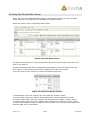
Using the Forms Data Viewer ............................................................................. 23
13
Example: Create a Mail form.............................................................................. 24
13.1
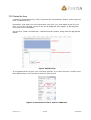
Create the nodes .......................................................................................... 24
13.2
Create the form ............................................................................................ 25
13.3
Assigning functions to events.......................................................................... 26
13.4
Write the mail text ........................................................................................ 26
13.5
Time to test the form..................................................................................... 27
Version: 3.0
2/28
2/24/2005