1
2 Synopsis
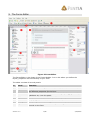
Forms are an editor, enabling you to create Web forms with a drag-n-drop editor. The
forms you create can be fully customized to meet any requirement you might have.
You have full control over the location and design of your controls.
2.1 Concept
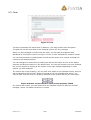
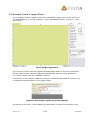
When you open the forms editor, you initially start with a blank form. On this form you
drag the desired controls from the library. Controls include text fields; drop down boxes,
check boxes, buttons and so on.
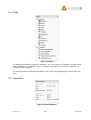
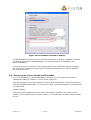
Each control (and the form itself) has events that are fired whenever an action occurs;
when page is loaded, when button is pressed, when control is selected and so forth.
On each event, you can attach one or more functions that execute a piece of code when
that event occurs.
The number and type of events vary from control to control.
The API for the functions is open, which means that you can develop your own functions
(applies to the Pro version only). See the Developer Manual on how to develop functions.
2.1.1 Concept example: Create a mail form
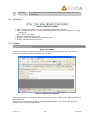
If I was to create a mail form, I could add a text field and a button. In the text field, the
user can enter some text that should be sent to me. On the buttons OnClick() event (an
event that is fired when the user clicks the button), I could attach a SendEmail function.
This function would be given the text field as parameter.
The SendEmail function would then send me the text entered by the user as an email.
Version: 3.0
3/28
2/24/2005