1
Prima Electro S.p.A.
OPENcontrol – End User Manual
1.3.1 Operator Panel
The Operator Panel (or front panel) is the interface device between the system and the operator.
In all versions, the Operator Panel is equipped with a LCD monitor, a standard USA-ASCII keyboard with
function buttons that work as softkeys.
It offers the most up to date Man-Machine interface techniques together with ease of use, its main
functions are:
introduction of operating commands.
introduction of start, stop and reset commands.
the data input using the keyboard
software and data entry (part program, software options, etc.), using USB connected devices.
display of the data and all the system operating conditions.
control of the CNC and PC ambient.
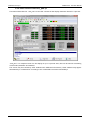
This manual deals with the OPENconsole operator panel use and the WinNBI graphical user interface by
Prima Electro.
1.3.2 OPENconsole and OPENconsole COMPACT
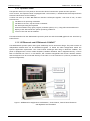
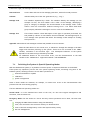
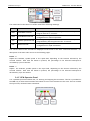
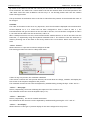
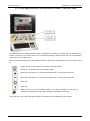
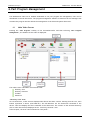
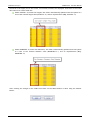
The OPENconsole operator panel offers great modularity and an innovative design. The panel consists of
independent modules that can be assembled together to obtain the ideal configuration match the
specific application requirement. The Control Panel exchanges data using an EtherCAT fieldbus. The
panel is equipped with a silicon rubber keyboard, Windows standard, that is supplemented by a Touch
Pad or Track-Ball unit. The 17” or 19” Monitor, has a resistive integrated Touch Screen. Both the monitor
and the keyboard can be connected directly to the CNC or to the interface PC (if this is provided in the
system configuration).
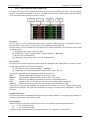
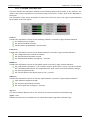
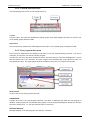
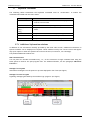
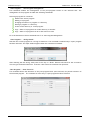
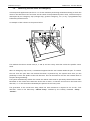
Figure 1: OPENconsole configuration with Monitor, Control Panel, Control Panel Extension
and Keyboard with TouchPad
45004602H
9