1
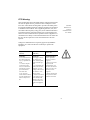
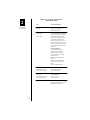
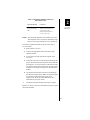
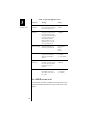
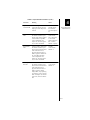
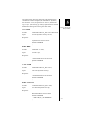
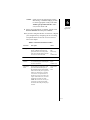
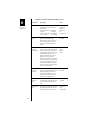
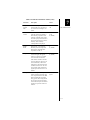
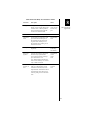
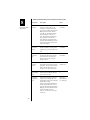
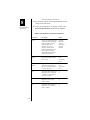
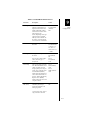
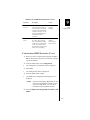
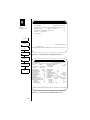
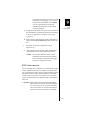
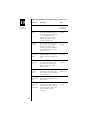
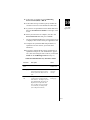
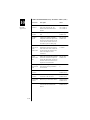
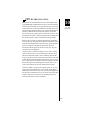
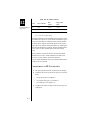
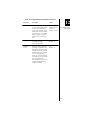
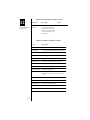
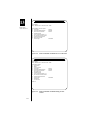
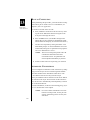
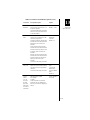
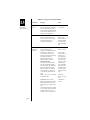
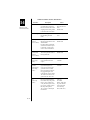
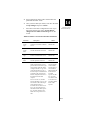
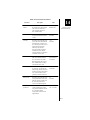
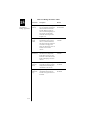
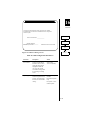
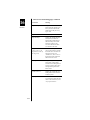
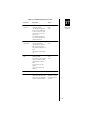
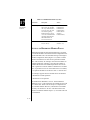
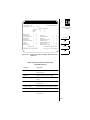
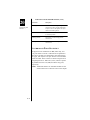
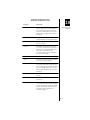
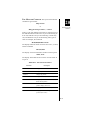
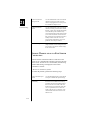
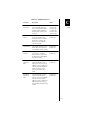
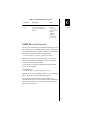
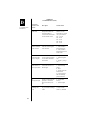
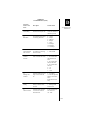
Table 9-3 PPP Options on the B-Channel (cont.)
Parameter
Description
Values
Calls
supported
Appears only when the Connection
mode is On Demand. Indicates
whether Dial-in & out, Dial-in only,
or Dial out only connections are
allowed.
Dial-in & out
Dial-in only
Dial out only
Default = Dialin & out
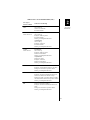
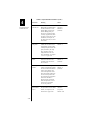
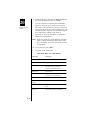
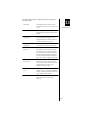
Remote IP
address
This is the IP address of the remote
client; it appears only when Dial-in &
out or Dial-in only is selected.
NOTE: These addresses, generally
used for Asynchronous PPP connections, are only required if the remote
device asks to be assigned an IP
address during call setup. If the
remote device is a DYNASTAR, these
options do not need to be filled in.
User entry
Default =
0.0.0.0
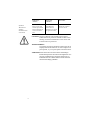
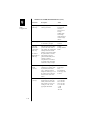
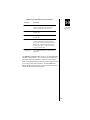
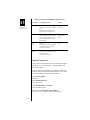
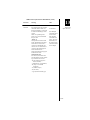
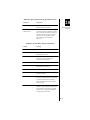
Remote IPX
address
This is the IPX address of the remote
client; it appears only when Dial-in &
out or Dial-in only is selected.
See also the note for the Remote IP
address option.
User entry
Default =
00000000
Max 8 characters (Hex)
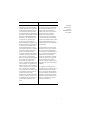
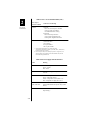
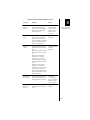
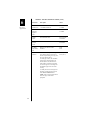
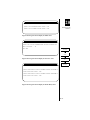
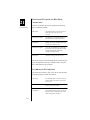
Authenticate remote
with
PAP/CHAP
Appears only when Dial-in & out or
Dial-in only is selected. Indicates
whether PAP/CHAP authentication
will be used to determine if the
remote end is a valid user. See the
section PPP Authentication in
Chapter 10 for more information.
Y
N = default
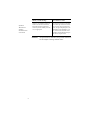
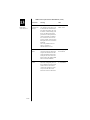
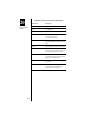
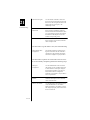
Local
PAP/CHAP
ID
Appears only when Dial-in & out or
Dial-in only is selected. Defines the
local PAP/CHAP identification if the
local unit is required to provide this
information. See the section PPP
Authentication in Chapter 10 for
more information.
max 32 chars
Default = null
9
ISDN
Configuration
9-25