1
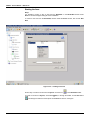
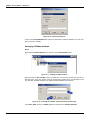
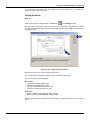
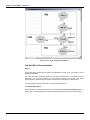
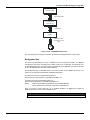
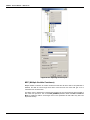
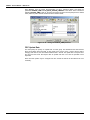
Creating a Fieldbus Strategy by using DF51 The drag-and-drop procedure must be repeated for the other blocks such as TIC001_PID, FT101_AI, FT101_PID e FCV101_AO. Linking the Blocks Step 12 There is a specific tool to link the blocks, the Link button, , on the Strategy toolbar. Click this button on the toolbar, and then in the TIC001_AI function block. The dialog box for linking the input and output parameters will appear. Select OUT, and then click the OK button as shown in the following figure. Figure 16. 29 – Linking the function blocks Move the mouse cursor up to the block that will be linked. The user also does the fast link procedure just right-clicking the function block. The links necessary for this strategy are: Direct Links: • OUT(TIC001_AI) IN(TIC001_PID) • OUT(TIC001_PID) INFT101_PID) • OUT(FT101_PID) CAS_IN(FCV101_AO) • OUT(FT101_AI) CAS_IN(FT101_PID) Back Links: • BKCAL_OUT(PID_LD302) CAS_IN(PID_TT302) • BKCAL_OUT(AO_FI302) BKCAL_IN(PID_LD302) After linking the parameters specified above, the strategy window will be as shown in the following figure. 16.13