1
Adding Redundancy to the DF51 Controller
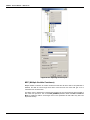
6 - Even in the transducer, set the SYSTEM_OPERATION parameter as Redundant. Wait until the
Live Lists of all the channels are complete.
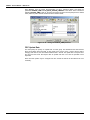
7 - For each one of the channels used in the configuration right-click the Fieldbus icon and choose
the option Download Schedule.
NOTE
The SCHEDULE_UPDATE parameter in the transducer should not be used anymore. Instead of it
use the option Download Schedule as described in the step above.
Replacing an Active module with failure
If the Active module fails, the Backup module takes over as LAS (Link Active Scheduler).
This is the procedure for the case the Active module must be replaced:
1 - With the H1 connector disconnected, insert the new module in the backplane.
2 - Update the firmware in the new module, if necessary. Perform a Factory Init in the new module
in order to grant the default state.
IMPORTANT- before connecting the H1 connector to the new module, the user must follow the
steps below:
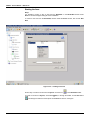
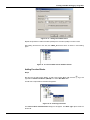
3 - Open the desired configuration in the Syscon and put it in On-line mode. Right-click the bridge
icon and with the option Attributes choose the module to be configured as Active in the field
Device Id.
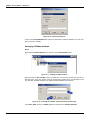
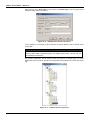
4 - Even in the bridge icon, right-click the field FB VFD and then click Block List. A new window will
be opened showing all the blocks pre-instantiated in the module. Then, in this window, right-click the
transducer performing an Assign Tag with the tag that is predicted for the Active in the
configuration. Close the Block List window. In the main menu go to Export and click Tags.
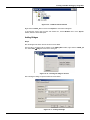
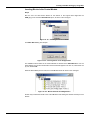
5 – Right-click the transducer icon in the bridge and choose On Line Characterization. Configure
the FUNCTION_IDS parameter as Passive.
6 – And then, connect the H1 connector to the new module, and after that set the FUNCTION_IDS
parameter as Active Not Link Master.
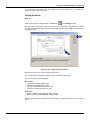
7 – Even in the transducer, set the SYSTEM_OPERATION parameter as Redundant. Wait until the
Live Lists of all channels are completed.
8 - For each one of the channels used in the configuration right-click the Fieldbus icon and choose
the option Download Schedule.
9 – Change the FUNCTION_IDS parameter from Active Not Link Master to Active.
Replacing a Backup module with failure
If the Backup module fails the Active module remains as LAS (Link Active Scheduler).
The procedure for the case the Backup module must be replaced is the following:
1 - With the H1 connector disconnected, insert the new module in the backplane.
2 - Update the firmware in the new module, if necessary. Perform a Factory Init in the new module in
order to grant the default state.
IMPORTANT – before connecting the H1 connector, the user must follow the steps below:
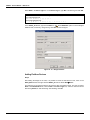
3 – Right-click the bridge icon and with the option Attributes, choose the module to be configured
as Backup in the Device Id option.
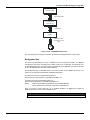
4 – In the configuration, change, for a while, the transducer tag (the Backup module must have a
different tag in comparison with the Active). In the Syscon main menu, go to Export and click Tags.
17.9