1
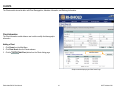
Client Discharge
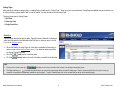
The Client Discharge module allows the user to add or modify client discharge
information.
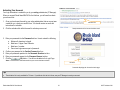
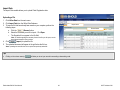
Adding a Client Discharge
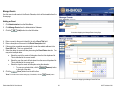
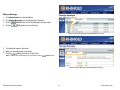
Select button
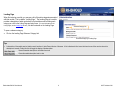
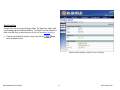
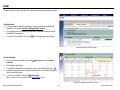
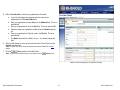
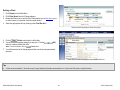
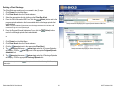
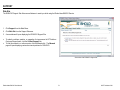
The Client Discharge module can be accessed in two (2) ways:
1. Click Clients from the Main Menu.
2. Click Client Search from the Clients submenu.
3. Select the appropriate client by clicking on the Client Rec # link.
(Select) button next to the
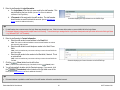
4. From the Client Information Edit Form, click the
program episode admission that needs discharged.
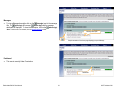
5. Click the
(Add Discharge) button located beneath the Discharge
grid.
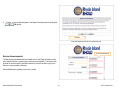
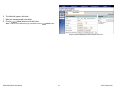
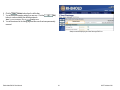
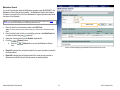
Sample screenshot displaying the Client Information Edit Form
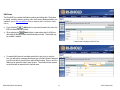
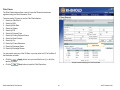
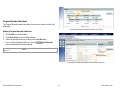
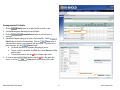
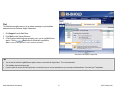
or
Program Episode link
1.
2.
3.
4.
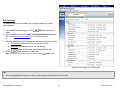
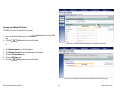
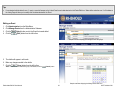
Click Clients from the Main Menu.
Click Client Search from the Clients submenu.
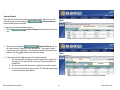
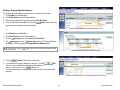
Click the (plus sign) next to the appropriate Client Rec #.
The (plus sign) becomes a (minus sign) and a list of Program Episodes
will display. Click the appropriate Program Episode Admission link.
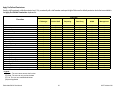
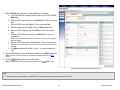
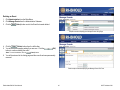
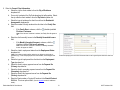
(Add Discharge) button located beneath the Discharge
5. Click the
grid.
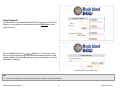
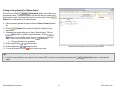
Sample screenshot displaying the Clients Listing Page
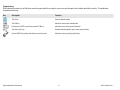
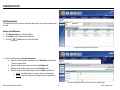
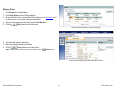
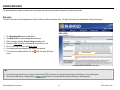
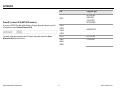
Add Discharge button
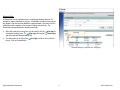
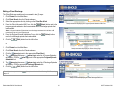
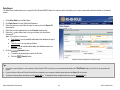
*Note: If you have just clicked the
Form, skip steps 1-4.
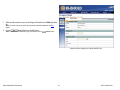
(Save) button from the Program Episode Admission Edit
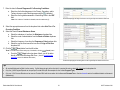
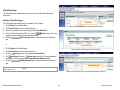
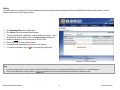
Sample screenshot displaying the Program Episode Admissions Edit Form
Rhode Island BHOLD User Manual
58
© KIT Solutions® 2011