1
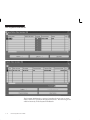
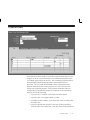
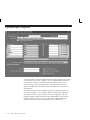
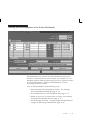
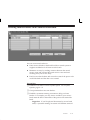
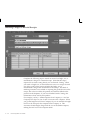
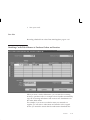
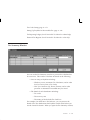
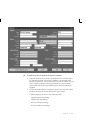
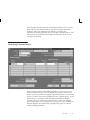
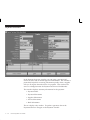
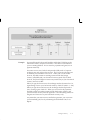
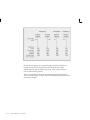
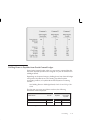
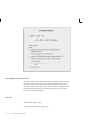
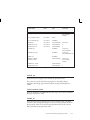
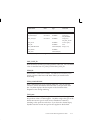
Tax Rates region
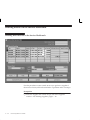
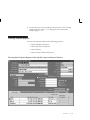
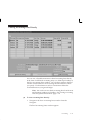
If you define a tax code as a Withholding Tax type, define tax rates in the
Tax Rates region. You can also define effective date ranges for a tax rate
and tax amount limits or taxable amount limits for a tax rate.
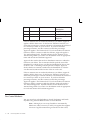
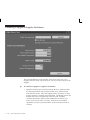
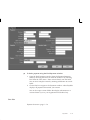
Type. Rate type for the Withholding Tax type tax code.
Effective Dates: From/To. The effective dates for a rate. Complete one
or both fields.
Enter effective dates for a tax rate with or without amount ranges. You
can enter multiple rates for a Withholding Tax type tax code with
overlapping effective date ranges only if you enter unique contiguous
amount ranges for the same effective date range. For example, if you
want to use the effective date range 01–JAN–2001 to 31–DEC–2001 for
two different amount ranges, one being 0 to 1000, the second being 1000
to 10000, then the starting amount for the second range must be exactly
the same amount as the ending amount of the first range.
Amount Range: From/To. The amount range for a tax rate. You can
enter values here only if you selected Amount Ranges as the rate type.
Complete one or both fields. Amount ranges with overlapping effective
date ranges must be contiguous.
If you are entering a tax rate with an amount range, you must first
specify in the Withholding Tax Details region the Amount Basis and the
Period Basis. You can apply an amount range to either a single invoice,
or to an amount–to–date within a period.
Rate. The rate for the Withholding Tax type tax code you are defining.
Comments. Enter any comments for your reference.
See Also
Automatic Withholding Tax Overview: page 10 – 24
Special Calendar: page 2 – 87
Payables Setup
2 – 157