1
MAESTRO-32® V6 (A65-B32)
QUIT
This command unconditionally terminates the MAESTRO program and returns control to
Windows.
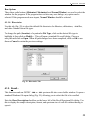
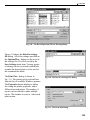
RECALL “file.chn”
This command reads a disk filename to the buffer. The disk file must be in the format created
by SAVE. Any DOS filename, including the drive and subdirectory, can be used. The
resulting memory size of the buffer is the same as the memory size of the file. The file, live
time, and real time are restored. If the spectrum file has calibration information, the
calibration parameters are used to set the calibration for the buffer.
This command has the same function as Recall... under the File menu.
The loop count value can be included in the above filename, as in any text, by typing three
question marks (???) in the text where the loop count is to be inserted. The loop count
replaces “???” wherever they appear.
RECALL_CALIB “file.chn”
This command loads only the buffer calibration parameters from the calibration data stored
with a spectrum.
This command can be used in generating reports that include library isotope identification.
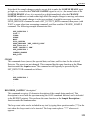
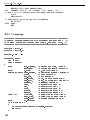
The following is an example:
.
.
.
RECALL_CALIB “CALIB001.CHN”
MARK_PEAKS
REPORT “NEWDATA.RPT”
.
.
The report NEWDATA.RPT includes isotope identification using the energy calibration
contained in CALIB001.CHN.
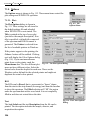
RECALL_ROI “file.roi”
This command marks the ROI channels in the buffer or Detector to conform to the table in
the disk file, created by SAVE_ROI or Save File... under the ROI menu. The data contents
of the Detector or buffer are not altered by this operation. The previous ROIs are cleared.
This command has the same function as Recall File... under ROI. It can be used in
generating reports that look for specific isotopes (library-directed as opposed to peak-searchdirected). For example, a calibration spectrum is run containing 57Co and 137Cs, and ROIs
134