1
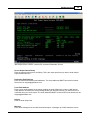
Entering Email Recipients
36
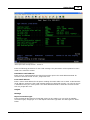
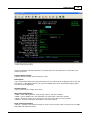
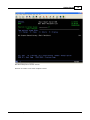
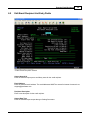
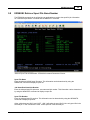
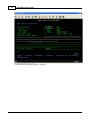
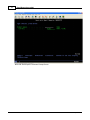
Use Extended Select
If this option is enabled, reports will be selectively extracted and mailed by using any combination of
spool file name, user data, user id, job name, form type or the AS/400 program name.
By using this feature, special report programming for the Email Report Server can be virtually
eliminated and reports can be consolidated into one or more output queues if desired.
Y = This setting is enabled.
N = This setting is disabled.
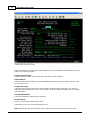
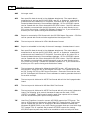
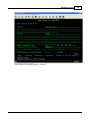
Use Specific Select
This setting will search the report for the selected search criteria string. If found, the report will be sent
to this recipient.
Search Criteria
This setting is used if "Use Specific Select" is enabled. This setting is where you define what criteria
you want to search for within a report.
Lines to Search
This setting is used if "Use Specific Select" is enabled. This setting is where you define how many
lines you want to search for within a report for the criteria you have defined.
Beginning Column to Search
This setting is used if "Use Specific Select" is enabled. This setting is where you define the starting
position of the criteria you are searching for.
Ending Column to Search
This setting is used if "Use Specific Select" is enabled. This setting is where you define the ending
position of the criteria you are searching for.
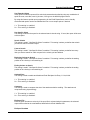
Activate Entry
This setting is used to enable and disable an Email Recipient List Entry. Y=Yes, N=No.
Y = This setting is enabled.
N = This setting is disabled.
Compress
This setting is used to compress the size of the attachment before emailing. The attachment is
compressed using zip technology.
Y = This setting is enabled.
N = This setting is disabled.
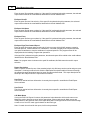
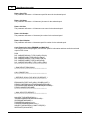
Ext Spool File
Enter the spool file name to select by. If the spool file is selected using this parameter, the selected
report will be mailed to the email address identified in the Email Address field.
Ext Spool Userdata
© 1995-2003 RJS Software Systems Inc.