1
49
Email Report Server/400
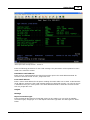
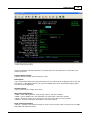
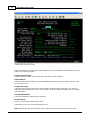
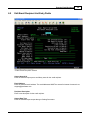
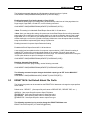
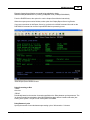
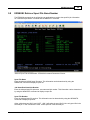
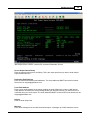
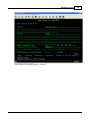
Delay Between Mailing
Specify the number of seconds to wait between sending email messages. This setting is used to
prevent the Email Report Server from overloading an SMTP email server by sending emails too
quickly. This delay allows the Outbound SMTP mail server to have time to process each email prior to
receiving the next email from the Email Report Server.
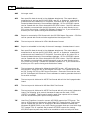
We have seen cases where the Email Report Server/400 software can work faster than the Outbound
SMTP mail server. This is the reason for this parameter. Typically you can use a value from 1-10
seconds between emails.
Time to End Program
Specify the time to end the program. 160000 = 4:00pm.
Outbound SMTP Mail Server
Enter the Host Name or IP address for the selected SMTP email server.
From Email Address
Enter a return email address for the person sending the email. Make sure to enter a valid Internet
email address, otherwise if the email message doesn't get delivered correctly, you will not receive a
notification from your email system. The email addresses MUST be entered in Internet format such as:
[email protected].
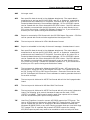
*DEFAULT - Uses system default data area
*USERID - Looks in address book for an AS/400 user that matches profile your signed on with .
*USERDEF - This option looks for the key word RPTUSER: followed by a user ID in the user defined
data field of the report and then looks for thier user ID in the Address Book for the address to use
*RPTUSER - Uses the email address associated with the AS/400 user ID that generated the report.
The output queue monitor will look up the user ID in the Address Book and determine the correct email
address to use.
*OUTQ - Uses the from email address defined at the output queue level
*RECIP - Uses the from email address defined at the email recipient level
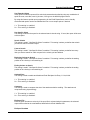
Output Queue Distribution
Enter the selected Output Queue Distribution Group. When running the output queue monitor, selected
queues can be processed by utilizing the Output Queue Group parameter on the ERSMON command.
This parameter is useful if only certain output queues need to be processed during an output queue
monitor run. A good example would be if a company has selected output queues that will be processed
on a daily, weekly or monthly basis.
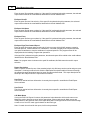
Reply to Address
*FROMADDR - Sets the reply to address to the email address used as the default from address.
*TOADDR - Uses the to address as the from address. This is used so users are not able to reply to
any emails that are sent.
*OUTQ - Sets the reply to address to the email address defined in the Edit Output Queue List.
© 1995-2003 RJS Software Sy stems Inc.