1
7
2.5
Email Report Server/400
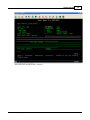
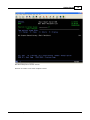
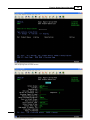
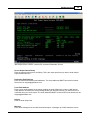
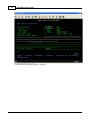
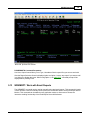
AS/400 User Authorization Code Entry
Sign on to the AS/400 with a user ID that has security officer authority.
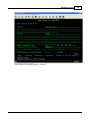
Entering Email Report Server/400 Access Code
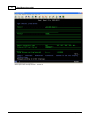
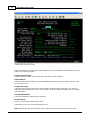
Add the RJSERS library to the user library list by typing: ADDLIBLE RJSERS and pressing Enter.
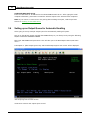
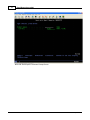
Type PRDSEC followed by the 50 digit access code provided by RJS onto the AS/400 command line.
If you have questions or problems with entering the access codes, contact RJS Software Systems
for assistance.
2.6
Deinstallation of Email Report Server/400
The following sections describe how to remove the Email Report Server/400 software from an
AS/400 system.
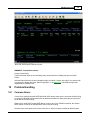
Removing Email Report Server/400 from an AS/400
To remove Email Report Server/400 from an AS/400, perform the following individual steps.
Make sure the RJSERS library is not being used.
Delete the RJSERS library from the AS/400 by entering the following command:
DLTLIB LIB(RJSERS)
3
Getting Started
3.1
Introduction to Getting Started
The purpose of this section is to describe how to quickly get started using the Email Report
Server/400 software to start emailing reports directly from your AS/400 system.
3.2
Installing the Email Report Server/400 Software
If you haven't installed the software yet, go back to the installation section and install the
software before continuing. If you're just reading ahead to find out what to do, then please
continue.
3.3
Overview of Report Server Process
The concept behind the Email Report
reports directly via SMTP without the
AS/400 SMTP Server can be used for
Report Server can deliver reports via
SMTP compatible mail server.
Server/400 is that the AS/400 can easily deliver AS/400
need to configure or start the AS/400 SMTP Server. While the
emailing AS/400 reports it is not required because the Email
MS Exchange, Novell Groupwise, Lotus Domino or any other
Available Methods for Mailing Reports
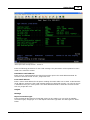
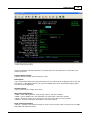
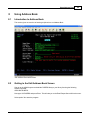
By utilizing the Output Queue Monitor command ERSMON to monitor for new reports.
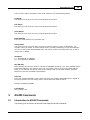
By using the Work with Email Reports command WRKMRPT to interactively select a report to mail.
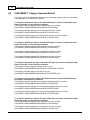
By using the MAILSPLF command from a CL or RPG program to mail a selected report. This method
allows any AS/400 application to be email enabled with minimal effort.
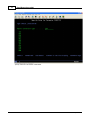
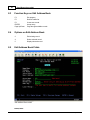
Assigning Email Addresses for Selected Output Queue
Email Report Server/400 allows email addresses to be embedded within AS/400 reports, so no
© 1995-2003 RJS Software Sy stems Inc.