1
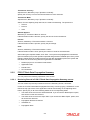
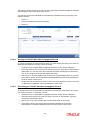
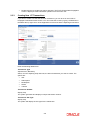
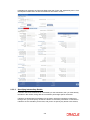
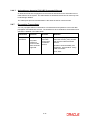
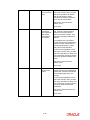
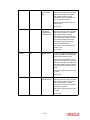
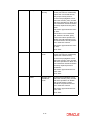
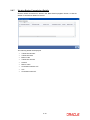
2.3.4.4 Specify any or all of the details of the record in the corresponding fields on the screen. Click ‘Search’ button. All records with the specified fields are retrieved and displayed in the lower portion of the screen. Double click the record that you want to view in the list of displayed records. The FCIS UT Propagate Transaction screen is displayed in View mode. Deleting an FCIS UT Propagate Transaction Record You can delete only unauthorized records in the system. To delete a record that you have previously entered: 2.3.4.5 Invoke the FCIS UT Propagate Transaction Summary screen from the Browser. Select the status of the record that you want to retrieve for deletion. Specify any or all of the details in the corresponding fields on the screen. Click ‘Search’ button. All records with the specified fields are retrieved and displayed in the lower portion of the screen. Double click the record that you want to delete in the list of displayed records. The FCIS UT Propagate Transaction screen is displayed. Select Delete Operation from the Action list. The system prompts you to confirm the deletion and the record is physically deleted from the system database. Authorizing an FCIS UT Propagate Transaction Record An unauthorized FCIS UT Propagate Transaction record must be authorized in the system for it to be processed. To authorize a record: 2.3.4.6 Invoke the FCIS UT Propagate Transaction Summary screen from the Browser. Select the status of the record that you want to retrieve for authorization. Typically, choose the unauthorized option. Specify any or all of the details in the corresponding fields on the screen. Click ‘Search’ button. All records with the specified details that are pending authorization are retrieved and displayed in the lower portion of the screen. Double click the record that you wish to authorize. The FCIS UT Propagate Transaction screen is displayed. Select Authorize operation from the Action List. Amending an FCIS UT Propagate Transaction Record After an FCIS UT Propagate Transaction record is authorized, it can be modified using the Unlock operation from the Action List. To make changes to a record after authorization: Invoke the FCIS UT Propagate Transaction Summary screen from the Browser. Select the status of the record that you want to retrieve for authorization. You can only amend authorized records. Specify any or all of the details in the corresponding fields on the screen. Click ‘Search’ button. All records with the specified details that are pending authorization are retrieved and displayed in the lower portion of the screen. Double click the record that you wish to authorize. The FCIS UT Propagate Transaction screen is displayed in amendment mode. Select Unlock operation from the Action List to amend the record. Amend the necessary information and click on Save to save the changes. 2-12