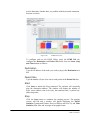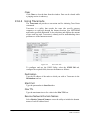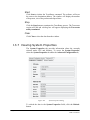
1
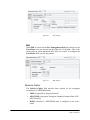
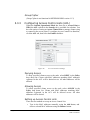
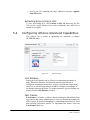
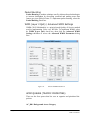
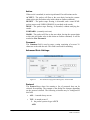
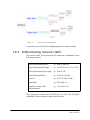
Page 1 of 181
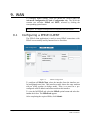
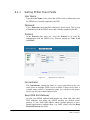
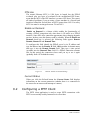
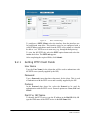
NETKROM OS and NETKROM
NMS User Manual
© 2006 NETKROM Inc. No part of this publication may be
reproduced or transmitted in any form or by any means, electronic
or mechanical, including photography, recording, or any information
storage and retrieval system without written consent. Information in
this manual is subject to change without notice, and does not
represent a commitment on the part of NETKROM.
NETKROM shall not be liable for incidental or consequential
damages resulting from the furnishing, performance, or use of this
manual.
All brand names used in this manual are the registered trademarks
of their respective owners. The use of trademarks or other
designations in this publication is for reference purposes only and
does not constitute an endorsement by the trademark holder.
Page 2 of 181
NETKROM OS and NETKROM
NMS User Manual
Table of Contents
Hardware Installation .......................................................................... 7
Warnings.............................................................................................. 7
Package contents................................................................................... 8
Setup Requirements............................................................................... 9
Multiband Dual Radio Installations.......................................................... 10
Mounting the Multiband Dual Radio in the pole or tower ............................ 14
1. Product Overview .......................................................................... 15
1.1
1.2
1.3
1.4
2.
NETKROM NMS........................................................................... 17
2.1
2.2
3.
Compatibility and Requirements..................................................... 15
NETKROM NMS Features ............................................................... 15
NETKROM Features ...................................................................... 15
NETKROM NMS Installation Guide................................................... 16
Overview of NNMS Interface.......................................................... 17
2.1.1
2.1.2
2.1.3
NETKROM NMS Main Menu ........................................................................19
Network Topology Tab Information Panes....................................................20
Node Shortcut Menu.................................................................................21
2.2.1
2.2.2
2.2.3
2.2.4
2.2.5
2.2.6
Auto-Discovering Nodes............................................................................22
Configuring a New Node ...........................................................................24
Moving and Resizing Icons ........................................................................26
Adding Background Map Images ................................................................26
Saving and Loading Profiles.......................................................................28
Using the Node Shortcut Menu...................................................................28
Getting Started with NNMS ........................................................... 22
IP Networking ............................................................................ 35
3.1
3.2
3.3
3.4
3.5
3.6
Page 3 of 181
Using the Network Interfaces Tree ................................................. 36
Configuring Basic IP Settings ......................................................... 36
3.2.1
3.2.2
3.2.3
3.2.4
3.2.5
3.2.6
3.2.7
IP Address ..............................................................................................36
Subnet ...................................................................................................36
Enable/Disable Selected Interface ..............................................................36
PTP IP Address ........................................................................................36
MAC Address...........................................................................................37
MAC Spoofing..........................................................................................37
STP Enable .............................................................................................37
3.3.1
3.3.2
3.3.3
Default Gateway ......................................................................................37
IP Forwarding..........................................................................................37
DNS1 and DNS2 ......................................................................................38
3.4.1
3.4.2
Network Bridge Commands .......................................................................38
Virtual Interface Commands ......................................................................39
3.6.1
3.6.2
3.6.3
3.6.4
Adding VLAN Interfaces ............................................................................42
Removing VLAN Interfaces ........................................................................43
Modifying VLAN Interfaces ........................................................................43
Uploading VLAN Interfaces ........................................................................43
Configuring Global Settings ........................................................... 37
Using Special Interface Commands................................................. 38
Using Table View ......................................................................... 40
Configuring VLANs ....................................................................... 41
NETKROM OS and NETKROM
NMS User Manual
4.
Static IP Routing ........................................................................ 44
4.1
4.2
5.
Configuring Routing Tables and Entries ........................................... 45
4.1.1
4.1.2
4.1.3
4.1.4
4.1.5
4.1.6
Adding a New Routing Table ......................................................................45
Remove an Existing Routing Table..............................................................46
Adding Static Routing Entries ....................................................................46
Removing Static Routing Entries ................................................................47
Modifying Static Routing Entries.................................................................47
Repositioning Static Routing Entries ...........................................................47
4.2.1
4.2.2
4.2.3
4.2.4
Adding Rule Entries ..................................................................................48
Removing Rule Entries..............................................................................49
Modifying Rule Entries ..............................................................................49
Repositioning Rule Entries .........................................................................49
Configuring Static Rules................................................................ 47
Wireless .................................................................................... 50
5.1
5.2
5.3
5.4
5.5
Setting Operational Modes ............................................................ 51
5.1.1
5.1.2
5.1.3
5.1.4
5.1.5
5.1.6
Selected Operational Mode ........................................................................51
Configuring an Access Point.......................................................................52
Configuring WDS Mode .............................................................................55
Configuring Repeater Mode .......................................................................56
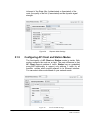
Configuring AP Client and Station Modes .....................................................58
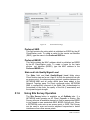
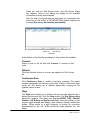
Using Site Survey Operation......................................................................59
5.2.1
5.2.2
5.2.3
5.2.4
5.2.5
5.2.6
5.2.7
5.2.8
5.2.9
Selecting Physical Layer Options ................................................................62
Setting Channels and Frequencies ..............................................................62
Setting Transmission Rates .......................................................................62
Setting the MAC Address...........................................................................62
Setting Frag ............................................................................................63
Setting RTS ............................................................................................63
Selecting Diversity Options........................................................................63
Selecting Antenna Options ........................................................................63
Setting Transmitted Power ........................................................................63
5.3.1
5.3.2
5.3.3
Setting Wired Equivalent Privacy (WEP) ......................................................64
Setting Wi-Fi Protected Access (WPA) .........................................................65
Configuring Access Control Lists (ACL) ........................................................67
5.5.1
5.5.2
Point-to-Point Links..................................................................................71
BSSID Extended Repetition .......................................................................73
Configuring Radio Settings ............................................................ 61
Configuring Security Settings ........................................................ 64
Configuring Atheros Advanced Capabilities ...................................... 68
Wireless Topology Scenarios.......................................................... 71
6.
Dynamic Routing - RIP ................................................................ 74
7.
Firewall and NAT ........................................................................ 78
6.1
6.2
6.3
7.1
7.2
7.3
Page 4 of 181
RIP General Parameters................................................................ 75
RIP Protocol Parameters ............................................................... 76
RIP Redistribute Parameters .......................................................... 77
Firewall and NAT Chains ............................................................... 78
7.1.1
7.1.2
Firewall Chains ........................................................................................78
NAT Chains .............................................................................................78
7.2.1
Configuring Firewall Matching Fields ...........................................................80
7.3.1
7.3.2
Configuring NAT Matching fields .................................................................85
Examples ...............................................................................................88
Configuring Firewall Rules ............................................................. 79
Configuring NAT Rules .................................................................. 84
NETKROM OS and NETKROM
NMS User Manual
8.
DHCP ........................................................................................ 92
8.1
8.2
8.3
9.
9.1
10.1
10.2
10.3
10.4
10.5
10.6
10.7
10.8
11.
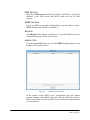
Setting DHCP Server Fields .......................................................................93
Lease Time Strategies ..............................................................................96
Configuring a DHCP CLIENT........................................................... 96
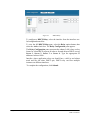
Configuring a DHCP Relay ............................................................. 97
WAN ......................................................................................... 99
9.2
10.
Configuring a DHCP SERVER.......................................................... 92
8.1.1
8.1.2
11.1
11.2
Page 5 of 181
Configuring a PPPoE CLIENT .......................................................... 99
9.1.1
Setting PPPoE Client Fields ...................................................................... 100
9.2.1
Setting PPTP Client Fields........................................................................ 102
Configuring a PPTP Client .............................................................101
Quality of Service............................................................... 104
The QoS window tab ................................................................104
10.1.1
10.1.2
10.1.3
Traffic Classes ...................................................................................... 105
Traffic Policies ...................................................................................... 106
Network Interfaces ................................................................................ 106
10.3.1
10.3.2
10.3.3
10.3.4
10.3.5
Committed Information Rate (CIR) .......................................................... 109
Peak Information Rate (PIR) ................................................................... 109
Excess Burst Size (EBS) ......................................................................... 109
Committed Burst Size (CBS) ................................................................... 110
Priority ................................................................................................ 110
10.4.1
10.4.2
10.4.3
Single Class per Policy ........................................................................... 112
Parallel Classes ..................................................................................... 114
Class Hierarchy..................................................................................... 116
10.5.1
Shared Policies ..................................................................................... 120
10.6.1
10.6.2
New QoS Entry ..................................................................................... 120
QoS Statistics ....................................................................................... 122
10.7.1
10.7.2
10.7.3
10.7.4
10.7.5
Destination/Source MAC match type ........................................................ 123
Application match type .......................................................................... 124
Child to Parent class relation................................................................... 124
PIR on parallel classes ........................................................................... 124
Efficiency considerations ........................................................................ 125
10.8.1
Submit, Apply Changes: I'm confused! ..................................................... 125
Differentiating network traffic ....................................................107
Guarantees and Limitations .......................................................108
Example: Bandwidth reservation for FTP Servers..........................111
Example: Elimination of P2P Traffic ............................................118
Example: Access Point Bandwidth Sharing...................................120
Design Guidelines and Limitations ..............................................123
Frequently Asked Questions ......................................................125
HotSpot Wizard.................................................................. 126
HotSpot Main Tab ....................................................................126
Using the HotSpot Wizard .........................................................128
11.2.1
11.2.2
11.2.3
11.2.4
11.2.5
11.2.6
11.2.7
11.2.8
11.2.9
WAN ................................................................................................... 128
LAN..................................................................................................... 130
DHCP .................................................................................................. 131
NAT & Protection................................................................................... 132
Wireless .............................................................................................. 136
Radius ................................................................................................. 137
Authentication Type............................................................................... 137
Walled Garden ...................................................................................... 139
Advertisement ...................................................................................... 139
NETKROM OS and NETKROM
NMS User Manual
11.3
11.4
11.5
12.
13.
12.1
12.2
12.3
12.4
12.5
13.1
13.2
13.3
13.4
13.5
13.6
13.7
14.
15.
11.2.10
11.2.11
11.2.12
Web Customization .............................................................................. 140
Summary ........................................................................................... 141
Enabling the HotSpot ........................................................................... 142
Backend Radius Configuration Example .......................................143
11.3.1
11.3.2
MAC Authentication ............................................................................... 143
UAM Authentication ............................................................................... 144
11.5.1
11.5.2
11.5.3
11.5.4
11.5.5
11.5.6
11.5.7
Cannot set wireless interface configuration ............................................... 155
DNS Error ............................................................................................ 155
Cannot obtain an IP address ................................................................... 155
Obtained an IP address but cannot Ping HotSpot ....................................... 155
HotSpot running, but no activeDHCP Server .............................................. 156
A user not authenticated, but can access the Internet ................................ 156
NETKROM NMS lost connectivity with Hotspot............................................ 156
HotSpot Configuration Example .................................................144
Troubleshooting.......................................................................155
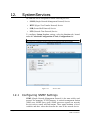
System Services ................................................................ 157
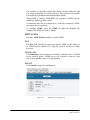
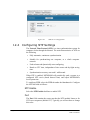
Configuring SNMP Settings ........................................................157
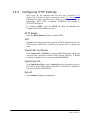
Configuring HTTP Settings.........................................................159
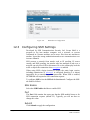
Configuring SSH Settings ..........................................................160
Configuring NTP Settings ..........................................................161
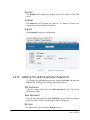
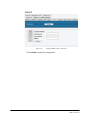
Setting the Administrator Password ............................................162
Monitoring and Statistics ..................................................... 164
Using the Status Info Dialog Box................................................164
Using the Current Throughput Graph ..........................................164
Viewing Packet Statistics ..........................................................165
Viewing the ARP Table ..............................................................166
Viewing the Open Connections List .............................................167
Using Monitor Utilities...............................................................167
13.6.1
13.6.2
Pinging (ICMP Utility)............................................................................. 167
Using Traceroute................................................................................... 169
Viewing System Properties ........................................................170
System Tuning................................................................... 171
15.1
MRTG Support ................................................................... 174
Using MRTG ............................................................................174
16.
WISP Easy Wizard .............................................................. 175
17.
Index ............................................................................... 176
Page 6 of 181
NETKROM OS and NETKROM
NMS User Manual
Hardware Installation
Warnings
•
Do not work on the system or connect or disconnect cables during periods of
lightning activity.
•
Do not locate the antenna near overhead power lines or other electric light
or power circuits, or where it can come into contact with such circuits.
When installing the antenna, take extreme care not to come into contact with
such circuits, as they may cause serious injury or death.
•
Only trained and qualified personnel should be allowed to install, replace, or
service this equipment.
•
To meet regulatory restrictions, the radio and the external antenna must be
professionally installed. The network administrator or other IT professional
responsible for installing and configuring the unit must be a suitable professional
installer. Following installation, access to the unit should be password protected
by the network administrator to maintain regulatory compliance.
• The Multiband Dual Radio and PoE injector can be damaged by incorrect
power application. Read and carefully follow the installation instructions before
connecting the system to its power source.
Page 7 of 181
NETKROM OS and NETKROM
NMS User Manual
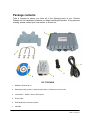
Package contents
Take a moment to ensure you have all of the following parts in your Outdoor
Waterproof Unit installation kit before you begin installing the product. If any parts are
missing, please contact your local vendor or contact us.
1
2
4
5
6
3
KIT CONTAINS
1. Multiband Dual Radio v4
2. Mounting bracket (include: 2 stainless steel U-Bolt, 1 Bracket and 4 screw nuts
3. 100-240VAC – 48VDC, 350 mA PoE Injector
4. Power Cable
5. RJ45 Waterproof Connector System
6.
CD ROM
Page 8 of 181
NETKROM OS and NETKROM
NMS User Manual
Setup Requirements
Before starting, please verify that the following is available:
•
CAT5/5e or FTP Outdoor Ethernet cable (from the Multiband Dual Radio to
PoE Injector)
•
At least one computer is installed with the NNMS and a wired or wireless
network interface adapter
•
TCP/IP protocol is installed and IP address parameters are properly
configured on all your network’s nodes
Important!
•
Configure and verify the Multiband Dual Radio operations first before you
mount the unit in a remote location.
•
You may need to install a lightning arrestor to protect your Multiband Dual
Radio from the lightning.
•
For choosing the best location for your Multiband Dual Radio choose an
elevated location where trees, buildings and large steel structures will not
obstruct the antenna signals and which offers maximum line-of-sight propagation
with the users.
•
Select an appropriate antenna to improve range and/or coverage and the
Multiband Dual Radio also lets you fine-tune parameters such as the transmit
power to achieve the best results.
Page 9 of 181
NETKROM OS and NETKROM
NMS User Manual
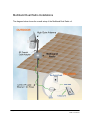
Multiband Dual Radio Installations
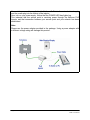
The diagram below shows the overall setup of the Multiband Dual Radio v4.
Page 10 of 181
NETKROM OS and NETKROM
NMS User Manual
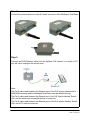
Step 1:
Connect your UTP or FTP Outdoor cat.5 Ethernet cable with waterproof connector
to the RJ-45 connector on the Multiband D u a l Radio. Then connect the other end
of the cable to the PoE injector.
For the Netkrom PoE, the recommended length of the RJ45 Category 5 cable is up
to 260 feet or 80 meters.
1. - Remove the thin enclosure
nut from the feedthru assembly.
This can
be
discarded.
Loosen the compression nut
completely
2. - Insert the RJ45 connector
thru the feedthru assembly
3. - Tighten the compression nut
loosely feedthru assembly
4. - Screw
the entire
feedthru assembly
into the
RJ45-ECS housing which is
already
mounted
in
the
enclosure. There should be a
rubber gasket between the two
assemblies. Tighten the feedthru
assembly to create a seal.
Enclosure Nut
Feedthru Assembly
Compression Nut
RJ-45 ECS Housing
5. - The final step is to tighten
the compression nut until the
gaskets are tight around the
Cat5 cable. Always push the
cable toward the connector while
tightening
to ensure good
strain relief of cable to
connector.
Page 11 of 181
NETKROM OS and NETKROM
NMS User Manual
Step 2:
Connect the external antenna to the N Female connector of the Multiband Dual Radio.
Step 3
Connect the RJ45 Ethernet cable from the Netkrom PoE Injector to a switch or PC
you will use to configure the access point.
Note:
The Cat.5 cable used between the Ethernet ports of the PoE injector labeled with a
WARNING message and the Multiband Dual Radio must be straight-through.
The Cat.5 cable used between the Ethernet port of the PoE injector labeled “Switch
Hub” and the switch can be straight-through or crossover.
The Cat.5 cable used between the Ethernet ports of the PoE injector labeled “Switch
Hub” and a PC must be crossover.
Page 12 of 181
NETKROM OS and NETKROM
NMS User Manual
Connect the power cable supplied in the Netkrom PoE kit to the main electrical supply
and the power plug into the socket of the injector.
Now, turn on your power supply. Notice that the POWER LED has lighted up.
This indicates that the access point is receiving power through the Netkrom PoE
Injector and that connection between your access point and your network has been
established.
Note:
Please use the power adapter provided in the package. Using a power adapter with
a different voltage rating will damage this product.
Page 13 of 181
NETKROM OS and NETKROM
NMS User Manual
Mounting the Multiband Dual Radio in the pole or
tower
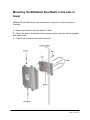
Multiband Dual Radio device can be mounted on the pole or tower as shown in
following:
1. - Mount the bracket to the pole with the U-bolts.
2. - Attach the radio to the bracket which was mounted on the pole with the supplied
nuts and U-bolts.
3. - Tighten the U-bolts and nuts with hand tools.
Page 14 of 181
NETKROM OS and NETKROM
NMS User Manual
1. Product Overview
The NETKROM Network Management System (NNMS) is used to configure
and manage
wireless
networks
of NETKROM
nodes.
NETKROM NMS has been designed to provide network administrators with a
comprehensive and simple way to control and configure their network nodes.
1.1
Compatibility and Requirements
The NETKROM NMS software operates on any PC or Mac
supported by Java.
That is
any version
of
Microsoft Windows (98/ME/2000/NT/XP/VISTA) or GNU/Linux.
1.2
1.3
NETKROM NMS Features
•
Optimized communication protocol between NETKROM's
software and NETKROM NMS featuring high levels
of
interactivity. Additionally an advanced encryption scheme can
guarantee secure configuration and monitoring of NETKROM
nodes.
•
Easy wizard-based configuration of NETKROM Hot-Spot.
•
Easy WISP Configuration Wizard
•
New graph-based statistics providing real time bandwidth
utilization per network interface.
•
New robust network topology display.
•
Built-in Multi Router Traffic Grapher (MRTG) support
NETKROM Features
•
Advanced fault tolerant mechanisms guaranteeing node
stability.
•
•
•
•
•
•
•
•
Page 15 of 181
Advanced Hotspot functionality
Web Redirect (Universal Access Method)
MAC Authentication
Bandwidth Management
User Information and Radius Statistics
Walled Garden
Advertisement URLs
Configurable redirection page
NETKROM OS and NETKROM
NMS User Manual
•
•
•
•
•
•
Multiple bridged high speed interfaces
Administration MAC
Radius Attributes Support
WAN Interface configuration (PPPoE, PPTP)
DHCP leases information added.
Wireless Functionality
• Advanced Wireless Security (WPA, 802.1x)
• Best Channel Selection Algorithm
• Country Code Selection (+ out of band modes)
• Wireless to wireless traffic filtering
• Mac Address Spoofing
• Advanced Firewall functionality
• NTP (Network Time Protocol) service
1.4
NETKROM NMS Installation Guide
For
a
Windows
installation,
double-click
the
NETKROM_vX_setup.exe installer and follow the prompts. The
installer comes bundled with jre 1.4, so you do not have to preinstall it.
For
a
Linux
or
Macintosh
installation,
unzip
the
NNMSvX_jars.zip file and launch the application as java –jar
NNMSvX.jar from the current directory. JRE (v1.4) must be
preinstalled.
Page 16 of 181
NETKROM OS and NETKROM
NMS User Manual
2. NETKROMNMS
If your goal is to deploy several wireless access points in one
system, central management is recommended. Even if you plan to
begin with a smaller network, but expect to expand in the future, a
centrally managed system should be considered. The NETKROM
Network Management System (NNMS) provides an effective,
turnkey management solution that covers the needs of most users.
Using NNMS you can:
Manage access points and devices on the wireless network
Configure network nodes, polling settings, and other parameters
•
Load and save network configurations
•
Configure and view network topology
•
Auto-discover available nodes
•
Analyze network traffic using the Multi Router Traffic
Grapher (MRTG)
2.1
Overview of NNMS Interface
The user interface utilizes typical drop down menus, short cut
menus (right click) and tabbed/sub-tabbed panes inside the main
window.
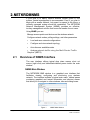
NNMS Main Window
The NETKROM NMS window is a graphical user interface that
facilitates viewing, configuring and monitoring your wireless
network. The interface includes a typical main menu, tabbed panes
containing graphical and textual information and shortcut menus
that allow you to navigate to other windows, tabs and dialog boxes.
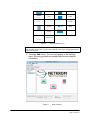
Figure 1.
Page 17 of 181
NNMS Main Window
NETKROM OS and NETKROM
NMS User Manual
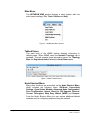
Main Menu
The NETKROM NMS window features a menu system with four
main menu headings: File, Tools, Utilities and Help.
Figure 2. NNMS Main Menu System
Tabbed Panes
The main body of the NNMS window displays information in
tabbed panes. When NNMS starts the Network Topology tab is
available. This tab contains three information panes: the Topology
Map, the Registered Node List and the Node Status pane.
Figure 3. NNMS Tabbed Panes
Node Shortcut Menu
Many other functions are accessible via the Node Shortcut Menu,
which includes the following items: GUI-Node Connectivity
Settings, Open Status Window, Advanced Node Configuration,
Save Configuration, Unlock, Back Up, FW Upgrade, Reboots,
Current Throughput, Wisp Easy Wizard (WEW) and Remove.
From the Node Shortcut Menu you can access additional tabbed
windows used in configuring and monitoring the network.
Page 18 of 181
NETKROM OS and NETKROM
NMS User Manual
Figure 4.
Node Shortcut Menu
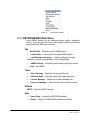
2.1.1 NETKROM NMS Main Menu
Using NNMS menus you can manage system profiles, implement
tools to discover, add and view nodes, launch utilities and access
help information. RW menus include:
File
•
Save Profile – Save the current NNMS profile
•
Load Profile – Load a previously saved NNMS profile
•
Load Background Image – Load a background image
(typically a map) to be displayed in the Topology Map
•
NNMS Settings – Set polling interval and polling port values
•
Exit – Exit NNMS
Tools
•
View Topology – Display the Topology Map tab
•
Add New Node – Open the Insert New Node dialog box
•
License Manager – Display the License Manager tab
•
Discovery Manager – Open the Auto Discovery dialog box
Utilities
MRTG – Open the MRTG window
Help
Page 19 of 181
•
Home Page – Access the NETKROM website
•
About – Display the NETKROM introductory window
NETKROM OS and NETKROM
NMS User Manual
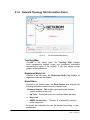
2.1.2 Network Topology Tab Information Panes
Figure 5.
The NETKROM NMS Window
Topology Map
Located in the center pane, the Topology Map displays
icons representing network nodes and connection information
describing the layout of the network. It also can display a map
graphic in the background.
Registered Node List
Located in the left pane, the Registered Node List displays all
registered nodes on the network
Node Status
Located in the bottom pane, the Node Status area displays the
following information on the currently selected node
Firmware Version – The number representing the firmware
version residing in the node
•
Up Time – The length of time the node has been operating
•
Key Level
•
NNMS Connectivity – The ratio of successfully received
probe responses
All panes are resizable and can be adjusted according to user
preferences.
Page 20 of 181
NETKROM OS and NETKROM
NMS User Manual
2.1.3 Node Shortcut Menu
Figure 6.
Node Shortcut Menu
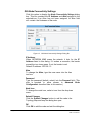
GUI-Node Connectivity Settings
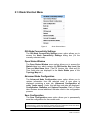
The GUI-Node Connectivity Settings menu option allows you to
access the Node Connectivity Settings dialog box (for the
currently selected node).
Open Status Window
The Open Status Window menu option allows you to access the
Status dialog box, which contains the FW Version, Key Level, Up
Time and Host Name fields. (The FW Version, Key Level and Up
Time fields also are displayed in the Node Status pane of the
Topology Map tab.)
Advanced Node Configuration
The Advanced Node Configuration menu option allows you to
retrieve information from the selected node. A new pane is
displayed containing a main tab (Advanced Configuration of
node: [node name]. Under this tab three sub-tabs are displayed:
Configuration, Statistics and System Properties. Each of these
tabs contains several additional sub-tabs used in the configuration
process.
Save Configuration
The Save Configuration menu option allows you to permanently
save the configuration for the current node.
Note: After the base station is configured, the configuration parameters are stored in RAM
(volatile memory). If the base station is powered down the configuration will be lost unless
you Save Configuration to the base station’s permanent memory.
Page 21 of 181
NETKROM OS and NETKROM
NMS User Manual
Back Up
The Back Up menu option allows you to back up and restore the
configuration settings for the selected node.
FW Upgrade
The FW Upgrade menu option allows you to access the Select
dialog box, from which you can select the firmware image file to be
loaded into the node.
Reboot
The Reboot menu option allows you to reboot the
node.
Current Throughput
The Current Throughput menu option allows you to display a realtime graphical display of transmit and receive traffic of the network
interface.
WISP Easy Wizard (WEW)
The WISP Easy Wizard (WEW) menu option allows you to
start a wizard that provides an easy and convenient way to install
and configure wireless nodes. (See Chapter 16 for details)
Remove
The Remove menu option allows you to remove the currently
selected node from the Topology Map and Registered Node List.
2.2
Getting Started with NNMS
Starting from the menus and windows mentioned above, you can
auto- discover and insert new nodes, display maps and graphics of
your wireless network, save and load profiles and access multitabbed windows used for advanced configuration of nodes.
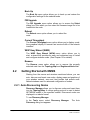
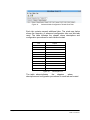
2.2.1 Auto-Discovering Nodes
Discovery Manager allows you to discover nodes and insert them
into the Topology Map. A custom polling protocol is used to detect
NETKROM nodes in the specified subnet. Discovered nodes are
displayed in a tabular format.
To use Discovery Manager:
In the Tools menu, select Discovery Manager.
Discovery dialog box appears.
Page 22 of 181
The Auto
NETKROM OS and NETKROM
NMS User Manual
Auto Discovery Dialog Box
Network Subnet
In the Network Subnet field, type the subnet address. (NNMS will
detect nodes in which the first three segments, or 24 bits, of their
IP address match the first three segments of the subnet address.)
Enable Broadcast Discovery
Select the Enable Broadcast Discovery checkbox. (NNMS uses a
UDP broadcast message to detect any nodes on the network.)
Timeout
In the Timeout field, type a timeout value in seconds (default: 10
seconds)
Discovery Results
Click Start to initiate a discovery poll. The Discovery Results bar
graph displays the progress of the poll. When complete, the table
displays the IP Address, Host Name and Password (if used) of
discovered node. The checkbox under Include to Topology is
automatically selected.
Include to Topology
To display a node in the Topology Map, leave the Include to
Topology checkbox selected.
Submit
Click the Submit button to insert the nodes into the Topology
Map.
Page 23 of 181
NETKROM OS and NETKROM
NMS User Manual
Cancel
Click the Cancel button to exit the Auto Discovery dialog
box.
Icons for each node should be visible in the Topology Map, labeled
with the hostname. If two nodes have the same default hostname,
NNMS will label one with the hostname and the other with its IP
address. (The label can be changed to an Alias using the GUI-Node
Connectivity Settings dialog box, accessible from the Node
Shortcut Menu.)
2.2.2
Configuring a New Node
Network nodes can be configured manually using the Insert New
Node dialog box.
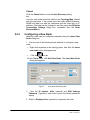
1. Use any one of the following three methods to configure a new
node:
•
•
Right click anywhere in the topology pane, then click the Insert
new node button that appears or
Click the
icon or
On the Tools menu, click Add New Node. The Insert New Node
dialog box appears.
Figure 7.
2.
Insert New Node Dialog Box
Type the IP address, Alias (optional) and SSH Settings
Password. (Typically a new node is given the default password
admin)
3. Select a Displayed Icon (optional) to represent the node.
Page 24 of 181
NETKROM OS and NETKROM
NMS User Manual
Access Point
Router
Dual Access
Point
Firewall
Router
Firewall
Voice
Gateway
IP Telephony
Router
Wireless
Bridge
Mobile Access
Router
NAT
Wireless Router
(default icon)
Figure 8.
List of Available Icons
Note: Though optional, adding Alias and/or Displayed Icon provides an enhanced visual
representation of the nodes. This becomes especially useful when working with middle to
large scale networks.
4. Click the Add button. The icon will appear in the topology
pane. All topology panes are updated with the new insertion
information.
Figure 9.
Page 25 of 181
Node Insertion
NETKROM OS and NETKROM
NMS User Manual
If the newly inserted node has successfully responded to a network
probe, a green outline appears around the icon. A red
outline i n d i c a t e s the node is not responding.
2.2.3
Moving and Resizing Icons
•
To move a node icon, drag it to the desired location in
the pane. To resize a node icon, select the icon, and then
drag one of its handles.
2.2.4
Adding Background Map Images
Topology Map can be further enhanced by loading a background
image to indicate the geographical location of the nodes. To add a
background image:
• On t h e File menu, click Load Background Image. The Load
Background Image dialog appears.
• Browse to the image file you wish to load, select it and click the
Load Background Image button.
Note: .gif or .jpg formats may be used for background images
Page 26 of 181
NETKROM OS and NETKROM
NMS User Manual
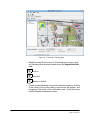
Figure 10. Customized Topology Map
• Adjust the magnification level of the background image using
the following zoom buttons located above the Registered Node
List:
Zoom In
Zoom Out
Restore to default.
• Create arrows indicating a connection between nodes by clicking
in the center of the source node (a hand cursor will appear), and
dragging to the center of the destination node. A line with arrow
head will appear between the nodes.
Page 27 of 181
NETKROM OS and NETKROM
NMS User Manual
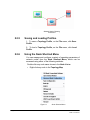
Network Nodes Showing
Connection
2.2.5
Saving and Loading Profiles
1. To save a Topology Profile, on the File menu, click Save
Profile.
2. To load a Topology Profile, on the File menu, click Load
Profile.
2.2.6
Using the Node Shortcut Menu
You can manage and configure a variety of operating parameters of
network nodes from the Node Shortcut Menu, which can be
accessed using either of the following methods:
Double click any node name shown in the Node List or
•
Right click any node in the Topology Map
Figure 11.
Page 28 of 181
Node Shortcut Menu
NETKROM OS and NETKROM
NMS User Manual
GUI-Node Connectivity Settings
Click this option to display the Node Connectivity Settings dialog
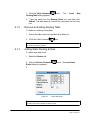
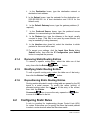
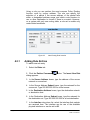
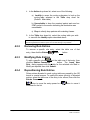
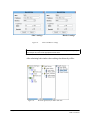
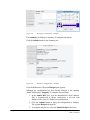
box. This box contains the IP Address and Alias assigned to the
selected icon. If an Alias has not been assigned, the Alias field
will contain the Hostname of the node.
Figure 12. GUI-Node Connectivity Settings Dialog Box
IP Address
When NETKROM NMS scans the network it looks for the IP
Address listed in this dialog. If it makes a connection, the border
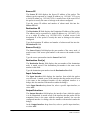
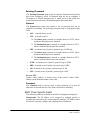
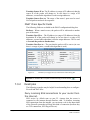
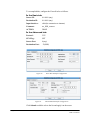
around the icon turns green. If not, the border is red.
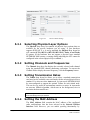
Default IP address: 192.168.1.3
Alias
To change the Alias, type the new name into the Alias
text box.
Password
Type the password (default: admin) into the Password field. (This
step is required to allow access to Advanced Node
Configuration described later in this section.)
Node Icon
To change the node icon, select a icon from the drop down
menu.
Submit Changes
Click the Submit Changes button to add the node to the
Topology Map and keep the dialog box open
OK
Click OK to add the node and exit the dialog box.
Page 29 of 181
NETKROM OS and NETKROM
NMS User Manual
NOTE: Changing the IP Address, Alias or Password, specifies the parameters assigned to
the currently selected node icon. The IP address and password will be used when NNMS
scans the network. Changing the IP address of the icon does not change the IP address of
the node. If the IP address of the icon is changed to an address not present on the
network, the border of the associated icon will turn red indicating no connection has been
made.
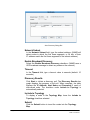
Open Status Window
Click this option to access the Status dialog box, which contains the
FW (Firmware) Version, Key Level, Up Time and Host Name
fields. (The FW Version, Key Level and Up Time fields also are
displayed in the Node Status pane of the Topology Map tab.)
•
The FW Version field contains the version number of the
firmware residing in the currently selected node.
•
The Key Level field should display Level 2.
•
Up Time – The length of time the node has been operating
•
Host Name – The name of the currently selected node
Figure 13. Current Status Dialog Box
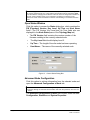
Advanced Node Configuration
Click this option to retrieve information from the selected node and
open the Advanced Configuration of Node tab.
NOTE: To access the Advanced Node Configuration you must first access the GUI-Node
Connectivity Settings via the Node Shortcut Menu and enter the password, then click OK
or Submit.
The Advanced Configuration of Node tab contains three sub-tabs:
Configuration, Statistics and System Properties.
Page 30 of 181
NETKROM OS and NETKROM
NMS User Manual
Figure 14.
Advanced Node Configuration Tab with Sub-Tabs
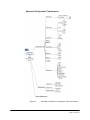
Each tab contains several additional tabs. The mind map below
shows the hierarchy of advanced configuration tabs and sub-tabs
used. The table indicates the chapter where descriptions and
configuration procedures for each tab are located.
Tab
Chapter
Network
3, 4
VLAN
3
Wireless
5
Firewall
6
NAT
6
DHCP
7
WAN
8
Bandwidth Manager
9
HotSpot
10
Services
11
Statistics
12
Figure 15.
Tab/Chapter List
The table above indicates
the
chapters
where
descriptions and configuration procedures for each tab are located.
Page 31 of 181
NETKROM OS and NETKROM
NMS User Manual
Advanced Configuration Tab Hierarchy
Figure 16.
Page 32 of 181
Mind Map of Advanced Configuration Tabs and Sub-tabs
NETKROM OS and NETKROM
NMS User Manual
Save Configuration
Click this option to permanently save the configuration for the
current node.
Note: After the base station is configured, the configuration parameters are stored in RAM
(volatile memory). If the base station is powered down the configuration will be lost unless
you Save Configuration to the base station’s permanent memory.
Back Up
Click this option and select:
• Retrieve Configuration to Retrieve the last saved node
configuration or
Restore Configuration to Restore the node configuration from a
file
Figure 17.
Back Up Menu Options
FW Upgrade
Click this option to access the Select dialog box, from which
you can select the firmware image file to be loaded into the node.
Reboot
Click this option to reboot the node. An Alert dialog box appears
with the question: Should system save its configuration before
reboot. Click Yes if you want to save the configuration.
Page 33 of 181
NETKROM OS and NETKROM
NMS User Manual
Current Throughput
Click this option to display a real-time graphical display of transmit
and receive traffic of the network interface.
WISP Easy Wizard (WEW)
Click this option to start a wizard that provides an easy and
convenient way to install new nodes. (See Chapter 16 for details)
Remove
Click this option to remove the currently selected node from the
Topology Map and Registered Node List.
Page 34 of 181
NETKROM OS and NETKROM
NMS User Manual
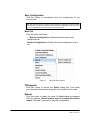
3. IP Networking
This section describes IP Networking settings and configuration
procedures for your NETKROM node.
To configure IP Networking, select the Interface Configuration
tab, located under the Advanced Configuration of Node,
Configuration, Network tabs.
See Page 32 for a diagram showing Advanced Configuration tabs and sub-tabs.
The Interface Configuration tab features four
panes:
•
Network Interfaces Tree (left pane)
•
Basic IP Configuration (top pane)
•
Global Settings (center pane)
•
Special Action Interface Commands (bottom pane) two buttons
are located at the top of the IP Configuration tab:
•
Refresh – Click Refresh to retrieve setting from the selected
node.
•
Submit – Click Submit to upload the configuration to the node.
Figure 18.
Page 35 of 181
Network Configuration Tab
NETKROM OS and NETKROM
NMS User Manual
3.1
Using the Network Interfaces Tree
The left pane of the IP Configuration tab contains the
Network Interfaces Tree, a representation of all available network
interfaces of the selected node. The tree view can be expanded or
collapsed by left clicking on any master interface. When an interface
is selected, data fields in the other panes display the parameters
associated with the selected interface and changes can be made.
3.2
Configuring Basic IP Settings
The top pane of the IP Configuration tab contains all Basic IP
Configuration fields for the interface selected in the Network
Interfaces Tree.
Figure 19.
IP Interface Settings
The following section describes the fields used to configure IP
settings.
3.2.1
IP Address
The IP Address field contains the IP address of the selected
interface. To change the IP address of the interface, type the new
address into this field and click the Submit button.
3.2.2
Subnet
The Subnet field contains the subnet mask address of the
selected interface. To change the subnet address, type the new
address into this field and click the Submit button.
3.2.3
Enable/Disable Selected Interface
%he Enable/Disable Selected Interface box indicates whether the
interface is enabled. If this box is not checked the interface will
maintain the desired configuration but it will remain disabled. If the
selected interface is a virtual interface, this box has no effect. Virtual
interfaces can only be in the enabled state.
3.2.4
PTP IP Address
If there is a PPP connection (from a PPPoE client or a PPTP client),
the remote peer IP address is displayed in the PTP IP
Address field. Otherwise this field is blank. This is a read-only field.
Page 36 of 181
NETKROM OS and NETKROM
NMS User Manual
3.2.5 MAC Address
The MAC Address field displays the interface’s Media Access
Control (MAC) address in hex format. This field is readable for any
kind of interface and writeable only for physical interfaces. To
change the MAC address of a physical interface the MAC Spoofing
check box must be selected.
3.2.6 MAC Spoofing
When the MAC Spoofing check box is selected an alternate MAC
address (For physical interfaces only) can be typed into the MAC
Address field.
3.2.7 STP Enable
The STP Enable check box enables the use of Spanning Tree
Protocol,
Note: Spanning Tree Protocol (STP) eliminates Layer 2 loops in networks, by selectively
blocking some ports and allowing other ports to forward traffic, based on global (bridge)
and local (port) parameters you can configure
3.3
Configuring Global Settings
The center pane of the IP Configuration tab contains Global
Settings.
These fields apply to all network interfaces.
Figure 20.
IP Global Settings
3.3.1 Default Gateway
Every IP packet with an unknown destination will be forwarded
through the default gateway IP address. Set this address statically
by typing it into the Default GW field. It also can be set dynamically
from another application such as a DHCP client, a PPPoE client, or
a PPTP client.
3.3.2 IP Forwarding
IP Forwarding all traffic to flow between interfaces even if they
are set on different subnets. Select the IP Forwarding check box to
allow the system to forward packets from one subnet to another.
Page 37 of 181
NETKROM OS and NETKROM
NMS User Manual
3.3.3 DNS1 and DNS2
You can set DNS1 and DNS2 addresses statically by typing
them in or they can be set dynamically from another application
such as a DHCP client, a PPPoE client, or a PPTP client.
3.4
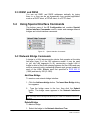
Using Special Interface Commands
The bottom pane of the IP Configuration tab contains Special
Action Interface Commands used to create and manage network
bridges and virtual interface commands.
Figure 21.
Special Interface Commands
3.4.1 Network Bridge Commands
A bridge is a LAN interconnection device that operates at the data
link layer (layer 2) of the OSI reference model. It may be used
to join two LAN segments (A, B), constructing a larger LAN. A
bridge is able to filter traffic passing between the two LANs and may
enforce a security policy separating different work groups located on
each of the LANs. Bridges were first specified in IEEE 802.1D
(1990) and later by ISO (in 1993).
Add New Bridge
To create a new network bridge interface
1. Click the Add new bridge button. The Insert New Bridge dialog
box appears.
2.
Type the bridge name in the box, then click the Submit
button. The bridge name appears in the Network Interfaces
Tree.
Note: The bridge name must begin with the string “br”. There is no limitation to the rest of
the name.
Delete Bridge
To delete a bridge
1. Select the bridge in the Network Interfaces Tree
Page 38 of 181
NETKROM OS and NETKROM
NMS User Manual
2. Click the Delete Bridge button in the Network Bridge
Commands pane
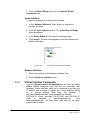
Insert Interface
To insert an interface as a ‘slave’ under a bridge
1. In the Network Interfaces Tree, select an interface to
become the slave.
2. Click the Insert Interface button. The Insert Iface to Bridge
dialog bx appears.
3. In the Select Bridge list box, select the desired bridge.
4. Click Submit. The tree is rearranged to show the interface as a
slave to the bridge.
Figure 22.
Inserting an Interface Under a Bridge
Remove Interface
1. Select the interface in the Network Interfaces Tree.
2. Click the Remove Interface button.
3.4.2
Virtual Interface Commands
From the Special Interface Commands pane you also can create
virtual network interfaces—ones that are not associated with
hardware. Virtual interfaces allow you to associate more than one
IP address with a system. A typical use of this technique would
be to support multiple Web sites. For example, if
http://www.examplesite.com were assigned the address
222.33.44.55, virtual interfaces 222.33.44.56 and 222.33.44.57
might
be
assigned
to
www.examplesite.net
and
www.examplesite.org. All three sites could exist on the same
system without conflict.
Page 39 of 181
NETKROM OS and NETKROM
NMS User Manual
Virtual interfaces also allow a system to communicate on more than
one network address space. For example, virtual interfaces allow
you to temporarily renumber a network from a masqueraded
network address space to a private (10.0.0.0) subnet. During the
transition, all servers can be assigned a virtual address enabling
them to communicate with clients on both the old and new network
address spaces. Externally, virtual interfaces appear as if they are
actual interfaces.
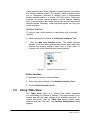
Add New Interface
To insert a new virtual interface in association with a physical
interface
1. Select the physical interface in the Network Interfaces Tree.
2.
Click the Add new Interface button. The virtual interface
appears in the tree and is automatically named with a prefix that
matches the physical interface name and a suffix which is
includes the virtual interface index inside brackets.
Figure 23.
Insertion of Virtual Interfaces
Delete Interface
To permanently remove a virtual interface
1. Select the virtual interface in the Network Interfaces Tree
2. Click the Delete Interface button
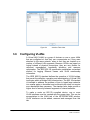
3.5
Using Table View
The Table View option is a feature that further enhances
the controllability of interface IP settings. This feature allows you to
browse and edit the basic settings of all available interfaces. To
access this option, click the Table View button located below
Network Interface Tree pane. The Interface Configuration dialog
appears.
Page 40 of 181
NETKROM OS and NETKROM
NMS User Manual
Figure 24.
3.6
Interface Table View
Configuring VLANs
A Virtual LAN (VLAN) is a group of devices on one or more LANs
that are configured so that they can communicate as if they were
attached to the same network, when in fact they are located on a
number of different LAN segments. Because VLANs are based on
logical instead of physical connections, they are very flexible for
user/host management, bandwidth allocation and resource
optimization. The IEEE 802.1Q specification establishes a standard
method for tagging Ethernet frames with VLAN membership
information.
The IEEE 802.1Q standard defines the operation of VLAN bridges
that permit the definition, operation and administration of Virtual LAN
topologies within a Bridged LAN infrastructure. The 802.1Q standard
is intended to address the problem of how to break large networks
into smaller parts so broadcast and multicast traffic does not require
more bandwidth than necessary. The standard also helps provide a
higher level of security between segments of internal networks.
To make a router an 802.1Q compliant device, one or more
VLAN interfaces must be created with the proper tags. This can be
accomplished in the VLAN tab of the NETKROM NMS window.
VLAN interfaces can be added, removed and managed from this
tab.
Page 41 of 181
NETKROM OS and NETKROM
NMS User Manual
Figure 25.
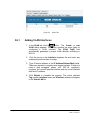
3.6.1
VLAN Tab
Adding VLAN Interfaces
1. In the VLAN tab, click the
button. The Create a new
VLAN dialog appears. This dialog contains the main fields for
configuring a VLAN interface. The VLAN TagID field
automatically generates a unique VLAN identifier according to
802.1Q.
2. Click the arrow on the Interface dropdown list and select any
enabled physical interface or bridge.
3. Type IP/subnet address in the IP Address/Subnet Mask fields.
These are required to properly route tagged packets. If there is a
need to drop un-tagged panes (not 802.1Q compliant),
configure the specific physical interface and any virtual interface
with zero IP address.
4. Click Submit to complete the process. The virtual interface
Tag number, Interface name and IP/subnet address will appear
in the Virtual LAN list.
Page 42 of 181
NETKROM OS and NETKROM
NMS User Manual
Figure 26.
3.6.2
Create a New VLAN Dialog Box
Removing VLAN Interfaces
To remove a VLAN Interface, in the VLAN list, select the interface to
be deleted. Click the
button. The VLAN information will
disappear from the list.
3.6.3
Modifying VLAN Interfaces
To modify the settings for a VLAN interface, select the interface and
click the
button. The Create a new VLAN dialog box
appears. The settings for the interface are shown in the fields.
Change these settings as required, and then click the Submit
button. The new settings appear in the VLAN Interface list.
3.6.4
Uploading VLAN Interfaces
To send the configuration settings to the node, click the
button.
Page 43 of 181
NETKROM OS and NETKROM
NMS User Manual
4. Static IP Routing
Static routing is the manual method used to set up routing.
An administrator enters routes into the router using configuration
commands. This method has the advantage of being predictable
and simple to set up. It is useful in managing small networks but
becomes somewhat unwieldy on larger networks. NETKROM NMS
provides management tools for manipulating any of the routing
tables and configuring rules.
To configure Static IP Routing, select the Static Routing tab,
located under the Advanced Configuration of Node,
Configuration, Network tabs. In the Static Routing tab you can
select the Routes tab or the Rules tab.
See Page 32 for a diagram showing Advanced Configuration tabs and sub-tabs.
In the Routes tab you can:
•
Add, delete and select routing tables
•
Add, delete, modify and prioritize routes
In the Rules tab you can:
•
Add, delete and select rules
Figure 27. Routing Table Handling
The bar across the top of the Static Routing tab contains the
following options:
Page 44 of 181
NETKROM OS and NETKROM
NMS User Manual
•
Entries Commands buttons
Button
Command
Insert New Route
Delete Route
Modify Route
Move Up
Move Down
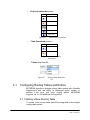
Figure 28.
•
Route Entries Commands
Table Commands buttons
Button
Command
Insert New Route
Delete Route
Figure 29.
Route Table
Commands
•
Tables drop down list
Figure 30.
4.1
Routing Tables Drop Down
List
Configuring Routing Tables and Entries
NETKROM provides a multiple routing table system with a flexible
infrastructure and the ability to implement policy routing. In
addition to the local and main routing tables, NETKROM
supports up to 252 additional routing tables.
4.1.1 Adding a New Routing Table
To create a new routing table that will be integrated in the multiple
routing table system
Page 45 of 181
NETKROM OS and NETKROM
NMS User Manual
1. Click the Table Commands
RoutingTable dialog appears.
2.
4.1.2
button.
The
Insert
New
Type the name into the Routing Table box, and then click
Submit. The table name is stored in the drop down list for future
use.
Remove an Existing Routing Table
To delete an existing routing table
1. Select the table name from the Main drop down list.
2. Click the Table Commands
button.
CAUTION: The user has to be careful not to delete the main routing table, as this action
can lead to connectivity problems.
4.1.3
Adding Static Routing Entries
To add a new static route
1. Select the Routes tab
2. Click the Entries Commands
Route dialog box appears.
button. The Insert New
3.
Figure 31.
Insert New Route
In the above example all the traffic with destination addresses that belong to subnet
192.168.2.0/24 will be forwarded via interface ath0.
Page 46 of 181
NETKROM OS and NETKROM
NMS User Manual
4.
In the Destination boxes, type the destination network or
destination host address.
5. In the Subnet boxes, type the netmask for the destination net.
(255.255.255.255 for a host destination and 0.0.0.0 for the
default route)
6. In the Default Gateway boxes, type the gateway address (if
required).
7.
In the Preferred Source boxes, type the preferred source
address for communicating to that destination.
8. In the Distance box, type the distance to the target, usually
counted in hops. (This field is not used by recent kernels, but
may be needed by routing daemons.)
9. In the Interface drop down list, select the interface to which
packets for this route will be sent.
10.To accept your settings, click the Insert New Route dialog
Submit button, then click the IP Configuration pane Submit
button to complete the process.
4.1.4
Removing Static Routing Entries
To remove a specific routing entry, select the table row of that
entry, then click the Entries Commands
4.1.5
button.
Modifying Static Routing Entries
To edit a specific routing entry, select the table row of that entry,
then click the Entries Commands
4.1.6
button.
Repositioning Static Routing Entries
Routing entries allocated in each routing table are parsed by the OS
kernel in a serial manner. To modify the series (priority) of
allocated entries, select the table row of the entry to be moved,
then click the Entries
Commands
button to move the entry upward or the
to move it downward in the list.
4.2
button
Configuring Static Rules
A rule is a method for implementing Access Control Lists (ACL)
for routes. Rules allow you to specify the filters that match packets
to select a route structure when the filter does match.
Page 47 of 181
NETKROM OS and NETKROM
NMS User Manual
Using a rule you can perform the most common Policy Routing
function: route by source address. The rule can specify the
selection of a packet if the source address of the packet falls
within a designated address range, and which route structure to
use or other destination to choose if there is no match. However,
on a system with only one routing table, a rule set is usable only
under limited conditions.
Figure 32.
4.2.1
New Routing Rule Insertion
Adding Rule Entries
To add a new rule entry
1. Select the Rules tab
2. Click the Entries Commands
dialog appears.
button. The Insert New Rule
3. In the Source Address boxes, type the address of the source
network or source host.
4. In the Source Address Subnet boxes, type the netmask for the
source net. Type 255.255.255.255 for a host source.
5. In the Destination Address boxes, type the destination network
or destination host.
6. In the Destination Address Subnet boxes, type the netmask for
the destination net. Type 255.255.255.255 for a host destination.
7. In the Interface drop down list, select the interface that packets
are received from. The interface can be one of the available
physical interfaces or can be set to All.
Page 48 of 181
NETKROM OS and NETKROM
NMS User Manual
8. In the Action drop down list, select one of the following:
a) LookUp to cause the routing subsystem to look up the
routing table selected in the Table drop down list.
(Default: Main table)
b) Unreachable to drop the received packet and send an
ICMP packet to the source indicating the destination was
unreachable.
c) Drop to silently drop packets with matching frames.
9. In the Table drop down list, select the routing table you wish
to use with the LookUp option described above.
In the example screenshot above the rule specifies that the system will silently drop
packets originated from network space 10.10.10.0/24 arriving in any interface.
4.2.2
Removing Rule Entries
To remove a specific rule entry, select the table row of that
entry, then click the Entries Commands
4.2.3
button.
Modifying Rule Entries
To edit a specific rule entry, select the table row of that entry, then
click the Entries Commands
button. The Insert New
Rule dialog appears with the fields for the selected rule filled in.
Modify as required, then click Submit.
4.2.4
Repositioning Rule Entries
Rules entries allocated in each routing table are parsed by the OS
kernel in a serial manner. To modify the series (priority) of allocated
entries, select the table row of the entry to be moved, then click the
Entries Commands
button to move the entry upward or the
downward in the list.
Page 49 of 181
button to move it
NETKROM OS and NETKROM
NMS User Manual
5. Wireless
NETKROM NMS allows you to configure all wireless settings for
nodes on your wireless network, including:
•
Link Distance
•
Transmit Power
•
Operational Modes
•
Radio Settings
•
Security Settings
•
Outdoor Settings
•
Country Code Settings
•
Site Survey Operation
To configure Wireless settings, select the Wireless tab, located
under the Advanced Configuration of Node, Configuration tabs.
In the Wireless tab you can select the OpMode, Radio, Security or
Outdoor sub-tabs.
See 32 for a diagram showing Advanced Configuration tabs and sub-tabs.
Figure 33.
Page 50 of 181
Wireless Configuration Panel
NETKROM OS and NETKROM
NMS User Manual
Three buttons and two drop down lists are located at the top
of the Wireless tab:
• Refresh – Click Refresh to retrieve setting from the selected
node.
•
Submit – Click Submit to upload the configuration to the node.
• Set CC – Click Set CC to accept the country code specified in
the CC drop down list
5.1
•
CC List – Select the required country code from the list, then
click Set CC. The software will perform all the appropriate
checks of the available radio chipsets in the system in the
background. If any of them does not support the specified
country code a possible violation could occur. If that occurs,
NETKROM NMS warns you with a popup alert. This protects
you from choosing an unsupported country code which might
cause a loss of connection with the wireless interface after
setting the specific country code.
•
Selected Wireless Interface list – Select the wireless interface
to be configured. If there are multiple wireless interfaces
available, this drop down a list is populated. If the selected
interface is not active a red warning message is shown next to
the interface.
Setting Operational Modes
A NETKROM node has the ability to operate in the following
modes:
•
Access Point
•
WDS (Wireless Distribution System)
•
Repeater
•
AP Client
•
Station
Site Survey
The Site Survey button is accessible in all OpMode tabs. Site
Survey scans all available frequencies associated with the IEEE
802.11a, b and g physical layer. When the scan is complete the Site
Survey dialog box appears, indicating any possible sources of
interference by other nearby access
points.
For
more
information on Site Survey settings, see Section 5.1.6.
Page 51 of 181
NETKROM OS and NETKROM
NMS User Manual
5.1.1
Selected Operational Mode
The Selected Operational Mode drop down list is populated with all
available operational modes a NETKROM node can adopt. Selecting
an operational mode from the drop down list makes the
corresponding pane available in the OpMode tab.
5.1.2
Configuring an Access Point
To configure the node as an access point (AP), select
Access Point in the Selected Operation Mode drop down
list. The AP tab becomes available. Several parameters must
be configured as follows:
Figure 34.
Wireless Operational Mode Settings
SSID (Service Set Identifier)
This field contains the string which is published as ESSID by
the access point. To create a name for the service set
identifier (SSID), type the name in the SSID box.
Inactivity Limit
If a station associated with the NETKROM access point
is idle for a period of time defined by the Inactivity
Limit field, the NETKROM access point sends a
disassociation frame to the station to inform it that it had been
disassociated due to inactivity timeout. To configure the
Inactivity Limit, type the inactivity threshold, in minutes, in
this box.
Page 52 of 181
NETKROM OS and NETKROM
NMS User Manual
Beacon Period
This field represents the desirable time interval between two
consecutive beacons. To configure the Beacon Period, type
the number of seconds in this box. (Default: 100)
Virtual BSSID
As from the last INMS versions you can create three extra
virtual AP's (VAP) from one physical interface. First you have
to set the native” (the actual physical) AP and it's properties
(Beacon period, Inactivity, DTIM). These properties will follow
any created VAP.
To create a VAP click the Virtual BSSID scroll bar, choose VAP
1 and click enable to enable it. After clicking submit a new
interface will be created with preconfigured name.
Association List
To access a list of information for all nodes associated with the
AP, click the Association List button. The Associated stations
for wireless interface dialog box appears.
Page 53 of 181
NETKROM OS and NETKROM
NMS User Manual
Figure 35.
Association List
A description for each field in the Association List follows:
Alias
An Alias is a special name you can create to identify a client on
the AP. When the configuration is saved, all aliases are saved on the
device.
MAC Address
The MAC Address field contains the MAC address of each
client associated with the AP.
IP Address
The IP Address field contains the IP address of each client that
exchanges network traffic with the AP
Note: A client can be seen with multiple IP addresses if transparent bridging is being used.
To see a list of the IP addresses, click Expand with the desired client selected.
Signal Level
The Signal Level field displays the signal level for each associated
client based on Received Signal Strength Indication (RSSI).
Fade Margin
The Fade Margin field displays the actual difference between
Signal Level and Noise Level.
Noise Level
The Noise Level field displays the noise level of the chip
according to transmit rate and physical layer standard
Rate
The Rate field displays the transmission rate the AP uses to
exchange data with each client.
Page 54 of 181
Idle Time
The Idle Time field displays the time that has passed since a
formerly associated client was disassociated. NETKROM OS and NETKROM
NMS User Manual
Type
The Type field indicates the type of the node listed. It can
contain the following values:
•
Adapter (Station Mode)
•
AP_Client (AP Client Mode)
•
WDS_Type
•
Client
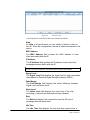
NOTE: Every client that has ever been associated to the AP is included to this list, which is
automatically saved when you click Save Configuration.
Action
• The Action field is a drop down list that allows you to
perform several different actions on the selected node. You can:
•
Select Set Alias to set an Alias for a specific node.
•
Select Remove to remove an idle node from the list.
•
Select Disassociate to
associated with the AP.
•
Select Permanent Disassociation to disassociate a client
which is associated to the AP and simultaneously add its MAC
to an Access Control List to deny access.
disassociate
a
client
which
is
Stealth Mode
Stealth Mode is another enhancement of Access Point mode.
When Stealth Mode is enabled the AP does not transmit beacons
and hides its SSID in transmitted probe responses, which makes the
AP essentially invisible. No other node can discover it unless that
node already has the AP’s settings. In addition, a custom polling
protocol is implemented, which is compatible with links between
NETKROM APs and NETKROM clients. When using this protocol
NETKROM clients are able to detect NETKROM Stealth APs.
To implement this feature, select the Stealth Mode
checkbox.
Hide Essid
Hiding the AP’s ESSID prevents outside users from joining the
network because they cannot detect the network identifier. To stop
the AP from publishing its ESSID in it beacon transmissions, select
the Hide ESSID check box.
Stop Wireless To Wireless Traffic
Page 55 of 181
To prevent traffic between two wireless stations that are both associated
with a NETKROM AP, select the Stop Wireless to Wireless Traffic
check box.
NETKROM OS and NETKROM
NMS User Manual
NOTE: NETKROM has the ability to support Address 4 traffic. However it is necessary to
put the wireless interface (the one that operates as an access point) under a Network
Bridge (check IP Network configuration) if you intend to enable Address 4 support.
5.1.3
Configuring WDS Mode
A NETKROM node can operate as an access point WDS node. This gives you the
opportunity to configure a Wireless Distribution System Network by setting up a
number of NETKROM WDS nodes, each one taking part in the network. All the
features and settings described in the access point section are supported for
WDS mode. In addition, WDS Mode features a
WDS List which contains the MAC addresses of all WDS nodes included in the
network.
To configure the currently selected node for Wireless Distribution System (WDS)
mode, select WDS in the Selected Operation Mode drop down list. The WDS tab
becomes available. SSID, Inactivity Limit, Beacon Period, Site Survey, Stealth
Mode, Hide ESSID and Stop Wireless to Wireless Traffic fields are configured
the same as for Access Point Mode. The WDS tab also features an Association
List button and a list of Registered WDS Nodes.
Figure 36.
Wireless WDS Mode Settings
In the Registered WDS nodes list, type the MAC addresses of the nodes to be
configured. Select the check box next to the MAC address field to enable it as
part of the WDS network topology. (The enable feature can be helpful when WDS
nodes change behavior. You can maintain the nodes’ MAC addresses in the list
and enable or disable as necessary.
5.1.4
Configuring Repeater Mode
Repeater Mode is an advanced NETKROM mode. When a NETKROM node is
configured to perform as a repeater it operates as a client. It associates with an
AP that matches the desired BSSID (Basic Service Set Identifier) and adopts the
settings of the BSS (Basic Service Set). After the association is complete,
NETKROM repeats the BSS creating a brand new BSS range. Repeaters
implement a combination of both Client mode and Access Point mode
functionality and features such as Stealth Mode and Wireless to Wireless Traffic
control.
Page 56 of 181
NETKROM OS and NETKROM
NMS User Manual
Figure 37.
Repeater Topology
As the diagram above illustrates, the NETKROM Repeater is
associated with the NETKROM Base Node. After being associated,
the NETKROM Repeater extends the NETKROM Base Node’s
BSS. The result is that the Initial BSS range is expanded to the
footprint shown by the Final Merged BSS range with the Repeater
acting as an access point with the Base Node settings. The three
stations in the example topology can have access to both HostPC-1 and Host-PC-2 (or can exchange data between them)
regardless of whether they are associated with the Base Node or
the Repeater.
Preferred SSID/Preferred BSSID
To configure a NETKROM node as a Repeater, type the Preferred
SSID name or the Preferred BSSID MAC address into the
appropriate fields. Click the Submit button and wait for the
Repeater to associate itself with the specified Base node. The
Repeater is then ready to accept associations with wireless stations.
State and Link Quality/Signal Level
The State field and Link Quality/Signal Level fields mirror
Client Node’s state as far as it has to do with the potential link with
an access point. A continuous polling protocol operates between the
NETKROM NMS and all nodes which have been added in the
Network Topology pane.
For
Client
configured
nodes,
NETKROM NMS is continuously
Page 57 of 181
NETKROM OS and NETKROM
NMS User Manual
informed of the State (Idle, Authenticated or Associated) of the
node, the quality of the link (if associated) and the dynamic signal
strength.
Figure 38.
5.1.5
Repeater Mode Settings
Configuring AP Client and Station Modes
The functionality of AP Client and Station modes is similar. Both
modes configure the node as a client. The main difference is that
AP Client supports address 4 traffic. Station has an embedded
proxy-ARP functionality to support only address 3 traffic for all
possible entities which maybe adjacent to its Ethernet interface.
You can select either mode based on your network needs.
Figure 39.
Page 58 of 181
AP Client Mode Settings
NETKROM OS and NETKROM
NMS User Manual
Figure 40.
Station Mode Settings
Preferred SSID
This field contains the string which is published as ESSID by the AP
Client/Station node. To create a name for the service set identifier
(SSID), type the name in the Preferred SSID box.
Preferred BSSID
This field contains the MAC address which is published as BSSID
by the AP Client/Station node. To create a name for the basic
service set identifier (BSSID), type the MAC address in the
Preferred BSSID box.
State and Link Quality/Signal Level
The State field and Link Quality/Signal Level fields mirror
Client Node’s state as far as it has to do with the potential link with
an access point. A continuous polling protocol operates between the
NETKROM NMS and all nodes which have been added in the
Network Topology pane. For Client configured nodes, NETKROM
NMS is continuously informed of the State (Idle, Authenticated or
Associated) of the node, the quality of the link (if associated) and
the dynamic signal strength.
5.1.6
Using Site Survey Operation
The Site Survey button is available on all OpMode tabs. If a
NETKROM node operates as AP Client, Repeater or Station, Site
Survey will scan all available channels to find an appropriate BSSID
to join (based on user credentials SSID, BSSID, Security etc). When
a NETKROM node acts as an access point or WDS, Site Survey
can be used to scan and monitor adjacent frequencies to detect
interference from other access points.
Page 59 of 181
NETKROM OS and NETKROM
NMS User Manual
When you click the Site Survey button, the Site Survey dialog
box appears. Rows in the dialog box display all the available
information for every node scanned.
After the scan is complete and the dialog box list is populated, the
status bar at the bottom of NETKROM NMS window displays the
message Site survey list retrieved successfully.
Figure 41.
Site Survey
Operation
At the bottom of the Site Survey dialog box four buttons are available:
Connect:
Select a node in the list and click Connect to connect to that
node.
Refresh
Click the Refresh button to re-scan and update the Site Survey
list.
Continuous Scan
Click Continuous Scan to enable consecutive scanning. The button
remains depressed until clicked a second time. While in Continuous Scan
mode, the Site Survey list is updated dynamically, merging all the
possible unique entries.
Align
The Align option allows you to achieve the best possible alignment for a
distant point-to-point link. Click the Align button. The Site Survey Align
dialog box appears. This dialog box displays BSSID, SSID, Channel
Number, Link Quality and Signal Level fields. Using this dialog you can
monitor signal strength and quality value statistics through consecutive
polling. Polling occurs at a high frequency to provide an up-to-date
representation of the link. While monitoring these statistics you can
adjust
Page 60 of 181
NETKROM OS and NETKROM
NMS User Manual
your antenna to achieve maximum performance. When optimal
antenna position and polarity are achieved, click the Quit button
to return to the Site Survey panel.
Figure 42.
5.2
Site Survey Align
Configuring Radio Settings
To configure the radio settings of the selected wireless interface,
select the Radio tab on the left side of the Wireless pane. From the
Radio tab you can:
•
select the Physical layer options (IEEE 802.11a,b and g)
•
select the Channel number
• select whether the Channel is expressed as a number or
Frequency
Page 61 of 181
•
select the TxRate (data transmission rate)
•
set and enable the Frag value
•
set and enable the RTS parameter
•
enable Spoofing
•
configure the MAC Address
•
enable Diversity operation
•
select the Antenna connector
NETKROM OS and NETKROM
NMS User Manual
Figure 43.
5.2.1
Wireless Radio Settings
Selecting Physical Layer Options
The Physical drop down list contains all physical layer options that are
available for the specific hardware you are using. If your hardware
supports IEEE 802.11 a, b and g standards the Physical drop down list
will contain AUTO, 802.11A, 802.11B, 802.11B-G, Turbo A and Turbo
G options. (If the hardware does not support a physical layer standard
NETKROM NMS returns a warning dialog indicating the NIC cannot be
configured in the selected physical layer standard.)
5.2.2
Setting Channels and Frequencies
The Channel drop down list displays the currently selected radio channel
using the standard IEEE channel numbering convention. To convert the
Channel field to display the actual frequency, click the Frequency button.
5.2.3
Setting Transmission Rates
The TxRate drop down list allows you to select a standard transmission
rate based on the available rates associated with the selected physical layer
standard. You also can select Auto mode. In Auto mode NETKROM will
be auto-configured to support the optimal TxRate for each related node.
This can be very useful in environments sensitive to retries. In Auto mode
an auto-rate fallback algorithm, which runs on the background, tries to
maximize the data transfer rate.
Note: Management and Control frames are always transmitted at the lowest available rate
of the selected physical layer standard.
5.2.4
Setting the MAC Address
The MAC Address field contains the MAC address of the configured
radio card/hardware that has been selected in the Selected Wireless
Interface field. However, you can enable spoofing functionality by
Page 62 of 181
NETKROM OS and NETKROM
NMS User Manual
selecting the Enable Spoofing checkbox and typing a new MAC address
into the MAC Address field.
5.2.5
Setting Frag
The Frag field allows you to implement fragmentation of packets, a
technique that improves network performance in the presence of RF
interference. You can set the fragment size by typing in the frame size
threshold (in bytes). If a frame exceeds this value it will be fragmented.
The fragmentation range is 256 to 2048 bytes. Setting the fragmentation
threshold to 2048 effectively disables fragmentation.
To implement fragmentation, type the threshold value into the Frag box
and select the Enable check box.
5.2.6
Setting RTS
The RTS field allows you to implement RTS/CTS handshaking between a
NETKROM node and another station on the wireless network. RTS/CTS
handshaking helps minimize collisions among hidden stations on a
wireless network. An RTS/CTS handshake involves the originating node
sending a Ready To Send frame to its destination, then waiting for the
destination to return a Clear To Send frame. The originating node will
then send its data. RTS/CTS operation adds to overhead but can help
avoid collisions. When implementing RTS on a NETKROM access point
RTS operation is initiated if a packet exceeds the threshold configured in
the RTS field. The valid range is 0 to 2347 bytes. (If RTS is enabled a
starting value of 500 is recommended.)
To implement RTS, type the threshold value into the RTS box and select
the Enable check box.
5.2.7
Selecting Diversity Options
The Diversity field allows you to enable the use of two antennas for
diversity operation, if two are used for the same radio.
5.2.8
Selecting Antenna Options
The Antenna drop down list allows you to select the Right or Left
antenna, if two are used.
5.2.9
Setting Transmitted Power
The transmitted power of the node can be set by selecting preset values
between 5 and 30. This is a custom scale (with no defined units) which
simply represents minimum and maximum Transmitted Power of the
currently selected wireless interface. To set transmitted power, select a
value in the Tx Power drop down list.
Page 63 of 181
NETKROM OS and NETKROM
NMS User Manual
5.3
Configuring Security Settings
From the Security tab you can configure the security settings of the
Selected Wireless Interface. From this tab you can set up
5.3.1
•
None (no security)
•
WEP (Wired Equivalent Privacy)
•
WPA (Wi-Fi Protected Access)
•
ACL (Access Control List)
Setting Wired Equivalent Privacy (WEP)
Through the WEP tab you can configure a NETKROM node to
encrypt/decrypt data with keys based on the WEP protocol. To implement
WEP, select WEP in the Selected Encryption Mode drop down list.
To implement 64-bit encryption, select WEP-64 in the WEP Type drop
down list.
To implement 128-bit encryption, select WEP-128 in the WEP Type drop
down list.
Four text boxes (WEP Key #1, #2, #3 and #4) with adjacent option
buttons allow you to maintain four different encryption keys, while using
one of them. Type one or more encryption key into the text boxes, then
select the option button of the one to be used.
Figure 44.
Page 64 of 181
Wireless WEP Settings
NETKROM OS and NETKROM
NMS User Manual
5.3.2
Setting Wi-Fi Protected Access (WPA)
In the WPA tab you can configure a NETKROM node to encrypt/decrypt
data with keys based on WPA protocol. To implement WPA, select WPA
in the Selected Encryption Mode drop down list.
Setting WPA Mode
To set the WPA Mode, select either the WPA or RSN(WPA 2) option
button.
Figure 45.
Wireless WPA Settings
Setting Key Management Mode
To configure the Key Management field, select PSK (Pre-Shared Key) or
EAP (Extensible Authentication Protocol) in the Key Management Mode
drop down list. This selection determines the type of fields that appear in
the area in the right side of the pane.
EAP
When EAP is selected, several text boxes appear on the right side of the
panel. These fields are required in order to force a NETKROM access
point to authenticate clients on a Back-End Authentication Server. They
include
•
the Server IP address
•
the Server Port number, used for EAP-TLS packet transactions
(usually 1812)
•
a Server Secret phrase which is used for the NETKROM node
authenticator to be accepted by the Back-End Authentication Server.
EAP-TLS is by default the supported protocol for EAP. The NETKROM node uses 802-1X
authentication to authenticate its clients. If the NETKROM node is configured as a client, in
the case of EAP-TLS usage, you should upload the appropriate certificates on NETKROM
station. This can be done by clicking the Upload Server and Client Certificate buttons on
the right pane.
Page 65 of 181
NETKROM OS and NETKROM
NMS User Manual
Figure 46.
EAP Settings
PSK
When PSK is selected in the Key Management Mode, drop down list, the
Pass Phrase text box appears on the right side of the pane. This is the
initial value on which negotiated WPA keys are created. To configure the
Pass Phrase field, type the pass phrase.
Figure 47.
PSK Settings
Pairwise Cipher
The Pairwise Cipher field provides three options for the encryption
mechanism of a NETKROM node.
Page 66 of 181
•
TKIP (Temporal Key Integrity Protocol)
•
AES(CCMP) (Advanced Encryption Standard-Counter Mode CBCMAC Protocol)
•
BOTH (selected if a NETKROM node is configured as an access
point)
NETKROM OS and NETKROM
NMS User Manual
Group Cipher
(Group Cipher is not functional in NETKROM NMS version 1.1.3)
5.3.3
Configuring Access Control Lists (ACL)
When the Selected Operational Mode has been set to Access Point or
WDS, the ACL sub-tab in the Security tab is available for selection. You
have the option of setting an Access Control List to manage clients trying
to connect to the access point. To configure Access Control List functions,
click the ACL tab, then select the Enable checkbox.
Figure 48.
Access Control List Settings
Denying Access
To deny specified clients access to the node, select DENY in the Policy
drop down list. Clients with MAC addresses matching MAC addresses
registered in the ACL will be denied access. All other addresses will be
allowed
Allowing Access
To allow specified clients access to the node, select ALLOW in the
Policy drop down list. Clients with MAC addresses matching MAC
addresses registered in the ACL will be allowed access. All other
addresses will be denied.
Setting up Access Control Lists
There are two methods to set up an Access Control List.
•
Page 67 of 181
Type in the MAC addresses manually, using the Add button, and
remove selected MAC addresses using the Remove button.
NETKROM OS and NETKROM
NMS User Manual
•
Load a text file containing the MAC addresses using the Append
from File button.
Extracting Access Control Lists
To save an existing ACL, click Extract to File and name/save the file.
This can be a useful feature if you need to submit the same MAC list to
another access point.
5.4
Configuring Atheros Advanced Capabilities
The Atheros tab is useful in optimizing the operation of distant
NETKROM nodes.
Figure 49.
Atheros Settings
Link Distance
Setting the Link Distance can be effective in optimizing operation of a
node. When Link Distance is defined, the acknowledge timeout is
configured according to the distance. In lossy environments, where many
retries occur, acknowledge timeout should be configured accordingly to
the distance between the nodes. To set this parameter, type the distance (in
meters) into the Link Distance text box.
Fast Frames
Fast Frames is a feature of Atheros-based technologies that utilizes frame
aggregation and timing modifications to increase the data throughput rate
of the system. It increases throughput by transmitting more data per frame
and removing inter-frame pauses. To implement fast frames, select the
Fast Frames check box.
Page 68 of 181
NETKROM OS and NETKROM
NMS User Manual
Packet Bursting
Packet Bursting is another technique used by Atheros-based technologies
to increase throughput by decreasing overhead and sending more data
frames per given period of time. To implement packet bursting, select the
Packet Bursting check box.
WMM (Layer 2 QoS) / Advanced WMM Settings
WMM (Wi-Fi Multimedia) is a priority-based Quality of Service method
used in implementing Voice over WLANs. To implement WMM, select
he WMM (Layer QoS) check box, then click the Advanced WMM
Settings checkbox to access the Advanced WMM Parameters dialog
Box.
Figure 50.
Advanced WMM Parameters
WMM QUEUES (TRAFFIC PRIORITIES)
There are the four queues that h/w uses to organize and prioritized the
packets
AC_BK= Background Access Category
Page 69 of 181
NETKROM OS and NETKROM
NMS User Manual
(Lowest Priority for bulk data that require maximum throughput and there
is not any time sensitivity related such as FTP for example)
AC_BE= Best Effort Access Category
(medium priority , traditional IP data via this queue)
AC_VI= Video Access Category
(High Priority lower than VOICE ,video data sent to this)
AC_VO= Voice Access Category
(High priority , VOIP data and streaming media)
NOTE1 :: On behalf of the AP these fields are advertised in the Beacon
and the CLIENT or STATION on the other side are informed via this in
order to be aware of the policy of the AP.On the other hand AP knows the
policy of each Client.
NOTE2 ::AP EDCA parameters affect traffic flowing from AP to the client
or station(On the other hand STA EDCA control the upstream form client
or Station to AP)
CONFIGURABLE FIELDS (per queue)
.
a.CWmin = Minimum Value of Contention Window
b.CWmax = Maximum Value of Contention Window
b.AIFsn = Arbritary Interframe Space
d.TXOP = Length of TXOP
CWmin
Input to the algorithm that specifies the initial random backoff wait time
(window as known) for retry transmission.This valuw is the upper limit in
msecs of a range from which initial random backoff wait time is
determined.
Page 70 of 181
NETKROM OS and NETKROM
NMS User Manual
CWmax
This value is the upper limit in msecs for the doubling random backoff
value.This doubling continues until either the data frames is sent or the
Max Contention Window is reached
AIFs
The Arbitration Inter-Frame Spacing specifies a wait time for data frames
TXOP
This is an interval of time when an WMM station or client has the right to
initiate transmisions onto the wireless medium.
5.5
Wireless Topology Scenarios
In this section two possible specific wireless topologies are described,
based on NETKROM's operational modes. In the first section two ways of
setting a point-to-point link are described. In the second section a specific
topology concerning NETKROM Repeater functionality is described.
5.5.1
Point-to-Point Links
There are two basic topology scenarios. You can create a point to point
link using either scenario.
WDS to WDS Scenario
A point-to-point link can be created by configuring two NETKROM nodes
as WDS access points.
Figure 51.
Page 71 of 181
WDS Topology
NETKROM OS and NETKROM
NMS User Manual
WDS Node-1 configuration should include the following :
• WDS-Node-2’s MAC address should be set in Node-1’s WDS list.
•
Both nodes should transmit on the same frequency.
•
NETKROM Stealth Mode should be used (if you want to avoid
beacon transmitting) or Hide ESSID (if you want beacons to be
transmitted but not to publish the NETKROM node’s ESSID.)
•
Additionally, you can enable an ACL with Policy set up to Deny and
no node’s MAC address in the list to prevent stations from
connecting to the node.
The same configuration should be set in WDS Node-2, with corresponding
values.
AP to AP-Client Scenario
You can set up a point-to-point link using AP and AP Client Modes.
Figure 52.
Point-to-point Topology
x
The access point should be configured as follows:
1. Set up the ESSID of the AP.
2. Enable Stealth Mode in the AP.
3. Enable ACL with Policy set up to ALLOW and put the AP-Client’s
MAC address in the MAC list.
Page 72 of 181
NETKROM OS and NETKROM
NMS User Manual
The AP-Client should be configured as follows:
1. Type the AP’s MAC address into the SSID field.
2. Type the MAC address of the AP into the Preferred BSSID field.
3. Perform a Site Survey.
4. Select the AP from list and perform an Align.
5. Make all the adjustments to achieve optimal alignment results
5.5.2
BSSID Extended Repetition
Repeater is a custom mode of NETKROM. Repeater functionality is
described in the Operational Modes section of this document.
Figure 53.
Extended Repetition Topology Example
In this scenario the NETKROM Base Node’s BSS is repeated through a
Repeater chain. Each NETKROM Repeater node repeats the BSS of the
previous node. Each station is connected to a different Repeater Node, but
they all belong to the same BSS as if they were on the same access point.
This topology can be useful in creating a long distance extension of a Base
Node AP’s BSS, or even to reduce the load of an AP in a large area with
many clients. Also, by configuring a NETKROM Repeater in an optimal
position within the target area, you can achieve load-balancing. In
addition, Repeater offers bridging of all wireless Clients with all Ethernet
Host PCs adjacent to its Ethernet interface.
Page 73 of 181
NETKROM OS and NETKROM
NMS User Manual
6. Dynamic Routing - RIP
The Routing Information Protocol (RIP) is one of the most commonly
used interior gateway protocol (IGP) routing protocols on internal
networks (and to a lesser extent, networks connected to the Internet),
which helps routers dynamically adapt to changes of network connections
by communicating information about which networks each router can
reach and how far away those networks are.
Architecturally, RIP is a layer management protocol for what is called the
Internetwork Layer in the Internet protocol suite or the Network Layer in
the OSI Reference Model. While it is carried in end-to-end (IPS) or
transport layer (OSI) packets, using port number 520 in the User Datagram
Protocol, as a routing protocol, it belongs to the network layer, not the
layer that moves its packets.
RIPv1
RIPv1, defined in RFC 1058, uses classful routing. The routing updates do
not carry subnet information, lacking support for variable length subnet
masks (VLSM). This limitation makes it impossible to have differentsized subnets inside of the same network class. In other words, all subnets
in a network class must be the same size. There is also no support for
router authentication, making RIPv1 slightly vulnerable to various attacks.
RIPv2
Due to the above deficiencies of RIPv1, RIPv2 was developed in 1994 and
included the ability to carry subnet information, thus supporting Classless
Inter-Domain Routing (CIDR). However to maintain backwards
compatibility the 15 hop count limit remained. Rudimentary plain text
authentication was added to secure routing updates; later, MD5
authentication was defined in RFC 2082. Also, in an effort to avoid
waking up hosts that do not participate in the routing protocol, RIPv2
multicasts routing updates to 224.0.0.9, as opposed to RIPv1 which uses
broadcast.
Page 74 of 181
NETKROM OS and NETKROM
NMS User Manual
6.1
Page 75 of 181
RIP General Parameters
•
Enable: Enables the overall RIPd process.
•
State: Assigns the RIPd deamon onto the selected interface.
•
Send Version: Selects the version of RIP to send RIP requests.
•
Receive Version: Selects the version of RIP to reply to RIP
requests.
•
Connectivity: Selects the operation mode of RIPd deamon, RIP
classifies routers as active and passive (silent). Active routers
advertise their routes (reachability information) to others. Passive
routers listen and update their routes based on advertisements but
do not advertise. Typically, routers run RIP in active mode, while
hosts use passive mode.
•
Auth Type: Usage RIPv2 only, Allows packets to be authenticated
via either an insecure plain text password, included with the
packet, or via a more secure MD5 based HMAC (keyed-Hashing
for Message AuthentiCation). Enabling authentication prevents
routes being updated by unauthenticated remote routers, but still
can allow routes (I.e. the entire RIP routing table) to be queried
remotely, potentially by anyone on the internet, via RIPv1.
•
Password: Password input text field.
•
Split Horizon: Enables the Split Horizon option. This is simply
data suppression. It works by not sending updates about networks
NETKROM OS and NETKROM
NMS User Manual
it learned out the interface through which it learned those
networks.
• Poison Reverse: Configures the Split Horizon option to operate
with Poison Reverse option as well. When sending updates out an
interface, designate any networks you learned from that interface
unreachable. In particular, it is never useful to claim reachability
for a destination network to the neighbor(s) from which the route
was learned. Split horizon is a scheme for avoiding problems
caused by including routes in updates sent to the router from which
they were learned. The simple split horizon scheme omits routes
learned from one neighbor in updates sent to that neighbor while
Split horizon with poisoned reverse includes such routes in
updates, but sets their metrics to infinity.
6.2
RIP Protocol Parameters
•
Update: Sets the auto update timer, The router will send its entire
route table to every neighbor it has.
•
Timeout: Sets the expiration timer. If a route gets to a certain
configurable age, the router will think the device from which it
learned that route has gone away, thus we flush it. Note, when a
route expires, it is NOT removed from the table. It has its metric
set to 16 or unreachable.
• Garbager: Sets the garbage collection timer. When a route hits
this timer, it is indeed removed from the table.
• IP Neighbors: Inserts/removes neighbors' IP addresses. When a
neighbor doesn't understand multicast, this command is used to
specify neighbors. In some cases, not all routers will be able to
understand multicasting, where packets are sent to a network or a
group of addresses. In a situation where a neighbor cannot process
multicast packets, it is necessary to establish a direct link between
routers. The neighbor command allows the network administrator
to specify a router as a RIP neighbor.
Page 76 of 181
NETKROM OS and NETKROM
NMS User Manual
6.3
Page 77 of 181
RIP Redistribute Parameters
•
Connected: Redistributes connected routes into the RIP tables.
This command redistributes connected of the interface which RIP
is disabled. The connected route on RIP enabled interface is
announced by default.
•
Static: Redistributes routing information from static route entries
into the RIP tables.
•
Default: Redistributes routing information from kernel route
entries into the RIP tables.
NETKROM OS and NETKROM
NMS User Manual
7. FirewallandNAT
A firewall protects networked computers from intentional hostile intrusion
that could compromise confidentiality or result in data corruption or denial
of service. A network system in order to support firewall functionality
must have at least two network interfaces, one for the network it is
intended to protect, and one for the network it is exposed to. A firewall sits
at the junction point or gateway between the two networks, usually a
private network and a public network such as the Internet.
To configure Firewall settings, select the Firewall tab, located under the
Advanced Configuration of Node, Configuration tabs.
To configure NAT settings, select the NAT tab, located under the
Advanced Configuration of Node, Configuration tabs.
See Page 32 for a diagram showing Advanced Configuration tabs and sub-tabs.
7.1
Firewall and NAT Chains
NETKROM OS supports advanced firewall and NAT (Network Address
Translation) functionality and features an easy management and
monitoring interface, providing a turnkey solution for advanced and
novice network administrators. However, a firewall mis-configuration
may result in denial of service even for the administrator, outlining a high
risk configuration.
NETKROM OS Firewall and NAT subsystems consist of four firewall and
two NAT queue chains.
7.1.1
7.1.2
Firewall Chains
•
Input firewall - All incoming traffic is tested against the input
firewall rules prior to being accepted.
•
Output firewall - All outgoing traffic is tested against the output
firewall rules prior to being sent.
•
Forwarding firewall - All traffic that is being forwarded through the
operating system is tested against the forwarding firewall rules prior
to being forwarded.
•
Flowmark - All incoming traffic that matches the corresponding
criterions is marked.
NAT Chains
•
Page 78 of 181
DNAT - Used to alter destination attributes of a packet (to redirect
them).
NETKROM OS and NETKROM
NMS User Manual
•
SNAT - Used to alter source attributes of a packet (to hide sender’s
address and properties).
The following image displays the way data packets flow through Firewall
and NAT chains:
Figure 54.
7.2
Packet flow diagram
Configuring Firewall Rules
Rules are entries in a chain consisting of several fields (criteria) that can
be used to match a data packet. If all criteria are met, the rule is matched
and the packet leaves the chain, launching the action of the matching rule.
From the Firewall tab you can
•
Select Chains
•
Set up Policy
•
Add, delete and manage Firewall Rules and Flowmarks
•
Write rules to the active list
•
Refresh the displayed information
Figure 55.
Page 79 of 181
Firewall Chains
NETKROM OS and NETKROM
NMS User Manual
Before configuring a rule, you must Select Chain and set the Policy.
Select Chain
In the Select Chain drop down list, select Input, Output or Forward.
Policy
In the Policy drop down list, select Accept or Drop.
ACCEPT - The packet will flow to the next chain, leaving the current
chain at this rule (no further rules in this chain are further examined),
DROP - The packet stops flowing, is discarded, without notifying the
sender.
7.2.1
Configuring Firewall Matching Fields
Click the
button. The Firewall Rule Configuration for [chain
type] Chain dialog box appears. This dialog box contains two tabs: Basic
and Advanced.
Not Check Boxes
In both tabs, several fields have a Not check box beside them. The Not
field inverts the matching operation, causing a match to occur if the
opposite of the rule is matched. For example, Source IP: is configured
with the specific IP address. When the adjacent check box is selected the
rule will match all packets except the ones that have the specified Source
IP address.
Basic Rule Settings
Figure 56.
Page 80 of 181
Firewall Rule Configuration Dialog Box, Basic Tab
NETKROM OS and NETKROM
NMS User Manual
Source IP
The Source IP field displays the Source IP address of the packet. The
address can be expressed as a single IP address (e.g. 192.168.1.1/32), or as
a whole IP subnet (e.g. 192.168.1.0/24). A match occurs if the source IP of
the packet is exactly the same or belongs to the subnet configured.
Type the source IP address and number of subnet mask bits into the
Source IP field.
Destination IP
The Destination IP field displays the Destination IP address of the packet.
The address can be expressed as a single IP address (e.g. 192.168.1.1/32),
or as a whole IP subnet (e.g. 192.168.1.0/24). A match occurs if the
destination IP of the packet is exactly the same or belongs to the subnet
configured.
Type the destination IP address and number of subnet mask bits into the
Destination IP field.
Input Interface
The Input Interface field displays the interface from which the packet
was delivered. A match occurs if the interface that the packet arrived from
is the same as the configured interface (if the configured interface is a
bridge, this also matches with interfaces under the bridge).
In the Input Interface drop down list, select a specific input interface, or
select ANY.
Output Interface
The Output Interface field displays the interface from which the packet
is to be transmitted. A match occurs if the interface that the packet will be
transmitted from is the same with the configured interface (in case the
configured interface is a bridge, this also matches with interfaces under the
bridge).
In the Output Interface drop down list, select a specific input interface,
or select ANY.
Existing Flowmark
The Existing Flowmark drop down list contains Flowmarks that already
have been configured. Select a Flowmark from the list to configure a
Flowmark as a firewall matching rule. A match occurs if the packet was
marked by this mark when it flowed through the Flowmark chain.
New Flowmark
The New Flowmark field is available if Mark is selected in the Action
field. Type the name of the new flowmark in the New Flowmark box.
Page 81 of 181
NETKROM OS and NETKROM
NMS User Manual
Action
When a rule is matched, its action is performed. Firewall actions can be:
ACCEPT - The packet will flow to the next chain, leaving the current
chain at this rule (no further rules in this chain are further examined),
REJECT - The packet stops flowing, is discarded, and a return ICMP
packet (reason code UNREACHABLE) is sent back to the sender.
DROP - The packet stops flowing, is discarded, without notifying the
sender.
FORWARD - (currently not in use)
MARK - The packet will flow to the next chain, leaving the current chain
at this rule (no further rules in this chain are further examined). It will be
marked as New Flowmark.
Comment
The Comment field is used to enter a string consisting of at most 30
characters to describe the rule. This field is not used for matching.
Advanced Rule Settings
Figure 57.
Firewall Rule Configuration Dialog Box, Advanced Tab
Protocol
The Protocol drop down list contains a list of protocols that can be
selected for matching. The contents of the dialog box changes depending
on the protocol selected. The following selections may be configured in
this field:
•
ALL – A match always occurs.
•
TCP – A match occurs if
1. the packet’s protocol type is TCP
AND
Page 82 of 181
NETKROM OS and NETKROM
NMS User Manual
2. the SYN flag of the packet matches based on which of the
following is selected in the SYN flag drop down list:
ƒ ALL - matches
always.
ƒ SET - A match occurs if the packet starts a
new connection.
ƒ NOT SET - A match occurs if the packet is a member of
a previously started connection.
AND
3. Source Port - Source port is entered as number (0-65535)
where 0 indicates that all ports are matched.
4. Destination Port - Destination port is entered as number (065535) where 0 indicates that all ports are matched.
Figure 58.
•
Advanced Firewall Rule, TCP
UDP – A match occurs if
5. the packet’s protocol type is UDP
AND
6. Source Port - Source port is entered as number (0-65535)
where 0 indicates that all ports are matched.
AND
7. Destination Port - Destination port is entered as number (065535) where 0 indicates that all ports are matched.
•
ICMP – A match occurs if
8. the packet’s protocol type is ICMP
AND
9. the ICMP Type matches based on which of the following is
selected in the ICMP Type drop down list:
1. ANY: A match occurs always
2. REQUEST: A match occurs if the packet is an ICMP
request.
3. RESPONSE: A match occurs if the packet is an ICMP
response.
•
Page 83 of 181
GRE – A match occurs if the packet’s protocol type is GRE (Generic
Routing Encapsulation)
NETKROM OS and NETKROM
NMS User Manual
•
ESP - A match occurs if the packet’s protocol type is ESP
•
AH – A match occurs if the packet’s protocol type is AH
Connection State
NETKROM can perform firewall functions based on the connection state.
The following selections may be configured in this field:
New - A match occurs if the packet starts a new connection (router has
seen packets in one direction).
Established - A match occurs if the packet is a member of an existing
connection (router has seen packets in both directions).
Related - A match occurs if the packet starts a new connection, but is also
a member of an existing connection (router has seen packets in both
directions).
Invalid - A match occurs if the packet is not a member of an existing
connection, but also it does not start a connection (ambiguous packet).
Source MAC
A match occurs if the packet’s Source MAC address (in the Ethernet
header) is the same as the address in this field. Type the Source MAC
address in the Source MAC field
Limit
The Limit fields contain settings related to the rate at which the packet is
arriving.
Limit Rate - A match occurs if the configured rate has not been reached
yet.
Limit Burst - A match occurs if the configured burst rate has not been
reached yet.
Important: To enable a Firewall rule (write it to the active list) you must click the
button.
7.3
Configuring NAT Rules
Rules are entries in a chain consisting of several fields (criteria) that can
be used to match a data packet. If all criteria are met, then the rule is
matched and the packet leaves the chain, launching the action of the
matching rule.
From the NAT tab you can
Page 84 of 181
•
Select the NAT Kind
•
Add, delete, edit and manage NAT rules
•
Write NAT rules to the active list
NETKROM OS and NETKROM
NMS User Manual
Figure 59.
NAT Chains
Before configuring rules you must select the NAT Kind drop down list.
NAT Kind
In the NAT Kind drop down list, select SNAT or DNAT.
7.3.1
Configuring NAT Matching fields
To add a rule, click the
button. The NAT Rule Configuration for
[NAT Kind] Chain dialog box appears.
Figure 60.
NAT Rule for Configuration for Source Chain Dialog Box
SNAT/DNAT Common Fields
The following fields are common to SNAT and DNAT configuration
dialog boxes.
Not Check Boxes
Several fields have a Not check box beside them. The NOT field inverts
the matching operation, causing a match to occur if the opposite of the rule
is matched. For example, Source MAC: is configured with the specific
MAC address. When the adjacent check box is selected the rule will match
all packets except the ones that have the specified Source MAC address.
Page 85 of 181
NETKROM OS and NETKROM
NMS User Manual
Source IP
The Source IP field displays the Source IP address of the packet. The
address can be expressed as a single IP address (e.g. 192.168.1.1/32), or as
a whole IP subnet (e.g. 192.168.1.0/24). A match occurs if the source IP of
the packet is exactly the same or belongs to the subnet configured.
Type the source IP address and number of subnet mask bits into the
Source IP field.
Destination IP
The Destination IP field displays the Destination IP address of the packet.
The address can be expressed as a single IP address (e.g. 192.168.1.1/32),
or as a whole IP subnet (e.g. 192.168.1.0/24). A match occurs if the
destination IP of the packet is exactly the same or belongs to the subnet
configured.
Type the destination IP address and number of subnet mask bits into the
Destination IP field.
Source Port(s)
The Source Port(s) field displays the port number of the source node. A
match occurs if the source port number is the same as the number in this
field.
Type the source port number into the Source Port field.
Destination Port(s)
The Destination Port(s) field displays the port number of the destination
node. A match occurs if the destination port number is the same as the
number in this field.
Type the destination port number into the Destination Port field.
Input Interface
The Input Interface field displays the interface from which the packet
was delivered. A match occurs if the interface that the packet arrived from
is the same as the configured interface (if the configured interface is a
bridge, this also matches with interfaces under the bridge).
In the Input Interface drop down list, select a specific input interface, or
select ANY.
Output Interface
The Output Interface field displays the interface from which the packet
is to be transmitted. A match occurs if the interface that the packet will be
transmitted from is the same with the configured interface (in case the
configured interface is a bridge, this also matches with interfaces under the
bridge).
In the Output Interface drop down list, select a specific input interface,
or select ANY.
Page 86 of 181
NETKROM OS and NETKROM
NMS User Manual
Existing Flowmark
The Existing Flowmark drop down list contains Flowmarks that already
have been configured. Select a Flowmark from the list to configure a
Flowmark as a firewall matching rule. A match occurs if the packet was
marked by this mark when it flowed through the Flowmark chain.
Protocol
The Protocol drop down list contains a list of protocols that can be
selected for matching. The following selections may be configured in this
field:
•
ALL – A match always occurs.
•
TCP – A match occurs if
10. The Source port is entered as a number from 0 to 65535, where
0 indicates that all ports are matched.
11. The Destination port is entered as a number from 0 to 65535,
where 0 indicates that all ports are matched.
•
UDP - A match occurs if packet’s protocol type is UDP and,
12. The Source port is entered as a number from 0 to 65535, where
0 indicates that all ports are matched.
13. The Destination port is entered as a number from 0 to 65535,
where 0 indicates that all ports are matched.
•
ICMP - A match occurs if packet’s protocol type is ICMP
•
GRE - A match occurs if packet’s protocol type is GRE
•
AH - A match occurs if packet’s protocol type is AH
•
ESP - A match occurs if packet’s protocol type is ESP
Source MAC
Sender’s MAC address. A match occurs if the packet’s Source MAC
address (in the Ethernet header) is the same.
Comment
The Comment field is used to enter a string consisting of at most 30
characters to describe the rule. This field is not used for matching.
SNAT Chain Specific Fields
The following fields are available in the SNAT configuration dialog box.
Masquerade: The IP address to be assigned to outgoing packets is
dynamically retrieved by the current outgoing interface’s IP address (does
not need to explicitly configure the outgoing source IP address).
Page 87 of 181
NETKROM OS and NETKROM
NMS User Manual
Translate Source IP to: The IP address (or range of IP addresses) that the
source IP of the packet will change to. In case there is a range of IP
addresses, a round robin algorithm is used to assign addresses.
Translate Source Port to: The range of the router’s ports used to send
NATed packets and track for responses.
DNAT Chain Specific Fields
The following fields are available in the DNAT configuration dialog box.
Redirect – When a match occurs, the packet will be redirected to another
port of the router.
Translate Dest IP to – The IP address (or range of IP addresses) that the
destination IP of the packet will change to. In case there is a range of IP
addresses, a round robin algorithm is used to assign addresses. This is used
to forward the packet to another host.
Translate Dest Port to – The port that the packet will be sent to (in case
there is a range of ports, a round robin algorithm is used).
Figure 61.
NAT Rule for Configuration for Destination Chain Dialog Box
Important: To enable a NAT rule (write it to the active list) you must click the
button.
7.3.2
Examples
The following examples may be helpful in understanding how to configure
Firewall and NAT rules.
Deny incoming SSH connections to your router from
the internet.
SSH service by default runs on port 22. Assume that the router is
connected to the internet through interface eth0. To disallow incoming
SSH connections from the internet, you can insert a rule in the Input chain
of the Firewall system that will drop this kind of connection (because they
are TCP connections, SYN flag will be set).
Page 88 of 181
NETKROM OS and NETKROM
NMS User Manual
To accomplish this, configure the Firewall rules as follows:
In the Basic tab:
Source IP:
0.0.0.0/0 (any)
Destination IP:
0.0.0.0/0 (any)
Input interface:
eth0 (the connection to internet)
Comment:
no_SSH_connect
ACTION:
DROP
In the Advanced tab:
Protocol:
TCP
SYN Flag:
SET
Source Port:
0(any)
Destination Port:
22(SSH)
Figure 62.
Figure 63.
Basic Rule Example Configuration
Advanced Rule Example Configuration
Click Submit to add the rule to the list and apply it to the router.
Page 89 of 181
NETKROM OS and NETKROM
NMS User Manual
Figure 64.
Example Firewall Tab
NAT: Having a single public IP address, allow whole
local network to access the internet.
Assume that the router is connected to the internet through interface eth0
and IP address 173.55.1.2/24. Your local network is connected to router’s
eth1 interface with IP address 192.168.1.1/24. You should masquerade all
outgoing traffic to the internet (interface eth0) originated from your local
network (interface eth1).
Insert a rule to the SNAT chain as follows:
Details
Source IP:
192.168.1.0/24 (local network)
Output Interface:
eth0
Translate Source IP to:
address)
0.0.0.0-0
Comment:
NAT_on_WAN
Figure 65.
MASQUERADE
(eth0’s
IP
NAT Configuration - Masquerade Example
Click Submit to add the rule to the list and apply it to the router.
Page 90 of 181
NETKROM OS and NETKROM
NMS User Manual
Figure 66.
NAT Tab - Masquerade Example
HINT: make sure IP Forwarding is enabled on the router (Interface
settings Panel).
Important: To enable a NAT rule (write it to the active list) you must
click the
Page 91 of 181
button.
NETKROM OS and NETKROM
NMS User Manual
8. DHCP
The Dynamic Host Configuration Protocol (DHCP) provides
configuration parameters to Internet hosts in a client-server model. DHCP
server hosts allocate network addresses and deliver configuration
parameters to other (client) hosts.
DHCP consists of two components: a protocol for delivering host-specific
configuration parameters from a server to a host and a mechanism for
allocation of network addresses to hosts.
To configure DHCP settings, select the DHCP tab, located under the
Advanced Configuration of Node, Configuration tabs. The DHCP tab
contains two sub-tabs: Server and Client, selected by clicking the
corresponding option button.
See Page 32 for a diagram showing Advanced Configuration tabs and sub-tabs.
8.1
Configuring a DHCP SERVER
The NETKROM DHCP server provides an extended set of configuration
parameters while at the same time being effective and low resource
consuming.
Page 92 of 181
NETKROM OS and NETKROM
NMS User Manual
Figure 67.
DHCP Server Configuration Dialog Box
To configure a DHCP Server, select the interface from the interface tree.
Its background turns blue. Only clients in the same physical interface will
be able to acquire IP addresses from this DHCP server. If clients from
other physical interfaces must acquire their IP addresses from the same
server a bridge should be created, and those interfaces should be added
under that bridge. Then, select that bridge as the DHCP server interface.
NOTE: You cannot select an interface which is under a bridge as the DHCP server
interface. Additionally the DHCP server interface should have already been configured
with a valid IP address and subnet mask. Multiple DHCP servers on different interfaces are
allowed.
8.1.1
Setting DHCP Server Fields
To configure DHCP server settings, select the Server option button and
select the Active check box. The Server tab becomes available.
After completing the required fields, click the Submit button. This
uploads the configuration to the node without starting the server.
Start IP and End IP
Type the appropriate IP addresses into the Start IP and End IP fields.
These are the upper and lower limits for the DHCP server address pool.
Page 93 of 181
NETKROM OS and NETKROM
NMS User Manual
Broadcast
Type the appropriate IP address into the Broadcast field. This field
contains the IP address clients will use. Broadcast IP should be one of the
addresses the Subnet Mask permits.
Subnet Mask
Type the appropriate IP address into the Subnet Mask field. This is the
subnet mask clients will use.
Domain
Type the Domain name (if any) that will be allocated to clients into this
text box.
Time Parameters
For each of the following fields, type the appropriate value into the box.
Lease
The Lease field contains the number of seconds an allocated IP is valid.
After expiration the client has to renegotiate for getting a new IP (which is
usually the same). The expiration time that the client adopts depends on
the operating system running on the client and the DHCP client
configuration.
Decline
The Decline field contains the number of seconds that an IP will be
reserved (leased) for if a DHCP decline message is received.
Min Lease
The Min Lease field contains the minimum number of seconds. If a lease
to be given is below this value (sec), the full lease time is used instead.
Conflict
The Conflict field contains the amount of time (sec) that an IP address
will be reserved (leased) if an ARP conflict (two clients with the same IP
address) occurs.
Max Lease
The Max Lease field contains the maximum number of current leases
(allocated IP addresses). After this limit is reached the server stops
assigning IP addresses to new clients.
Offer
The Offer field contains the number of seconds an offered address is
reserved (leased). This field specifies the number of seconds the DHCP
server should cache the offers it has extended to discovering DHCP
clients. The default value is 60 seconds. On fast network media this value
can be decreased.
Page 94 of 181
NETKROM OS and NETKROM
NMS User Manual
DNS Servers
In the three DNS Servers fields (DNS 1, DNS 2 and DNS 3), type the IP
addresses of the DNS servers that DHCP clients will use for DNS
requests.
WINS Servers
If there are WINS servers that client should use, type the addresses in the
WINS Servers fields (WINS 1 and WINS 2).
Routers
In the Routers fields (Router 1 and Router 2), type the IP addresses of the
routers (default gateways) the client can use.
Leases Info
Click the Leases Info button to access the DHCP Leases dialog box that
displays all the allocated leases.
Figure 68.
DHCP Leases Dialog Box
In the current version DHCP server configuration does not support
dynamic changing of the DHCP leases file. After an IP allocation you are
able to see the new record in the DHCP Leases dialog after approximately
a 60 second delay.
Page 95 of 181
NETKROM OS and NETKROM
NMS User Manual
8.1.2
Lease Time Strategies
One of the most common DHCP administration questions is, "What
setting should I give my lease times?" As with many networking
questions, the answer is, "It depends." The primary decision criterion is
the desired frequency at which your clients update their configuration
data.
If you are using DHCP only for randomized address assignments, having
longer lease times will result in greater levels of stability. For example, if
you use lease duration times of one month or longer, a temporary server
outage is not likely to affect your normal operations much. However, if
you are using DHCP for a variety of system-configuration options (such as
default DNS servers and static routes), you will want to have shorter lease
times so that changes to the network are recognized quickly by the DHCP
clients. In this case, having lease times that are longer than a day or two
can be problematic because clients that obtain a new lease just before a
critical infrastructure change is made will not recognize this change until
the lease expires or gets renewed.
For dynamic environments, there are two common lease-duration
strategies. The first calls for leases to be renewed halfway through a
working day (such as having them expire every eight hours, which will
cause them to be renewed after four hours). Another strategy is to set the
lease duration to a multiple of two and a half times the working day (that
is, 20 hours for an eight-hour working day), causing the leases to
completely expire overnight and thus be renegotiated every morning. The
former strategy works well on networks that keep their machines running
all of the time, while the latter strategy works well on networks where
systems are powered down or otherwise removed from the network at
night.
Be forewarned, however, that both strategies expose the network to
problems if the DHCP server goes down or is on a remote network that is
subject to outages. If the DHCP clients are getting their lease data from a
remote DHCP server that is on the other side of a WAN link that is even
minimally prone to failure, chances are good that short lease times will
result in at least a few failed lease renewals.
8.2
Configuring a DHCP CLIENT
Configuration of the DHCP Client application is simple. The only
requirement is selection of the interface where the DHCP client will
search for DHCP servers.
Similar to DHCP server configuration, multiple instances of DHCP client
on different interfaces are allowed.
Page 96 of 181
NETKROM OS and NETKROM
NMS User Manual
Figure 69.
DHCP Client
To configure a DHCP Client, select the interface from the interface tree.
Its background turns blue.
To configure DHCP client settings, select the Client option button and
select the Active check box. The Client tab becomes available.
To prevent the changing of a client’s default system gateway and DNS
addresses when the client receives an IP address from the server, select the
Keep DNS and Gateway check box. This is useful when you already
have set a static default gateway and DNS and want them to remain
unchanged, or if they are to be configured from another application (e.g.
PPPoE client). In most other cases this field should be remain unselected.
To complete the configuration, click the Submit button.
8.3
Configuring a DHCP Relay
DHCP does not require a server on each subnet. To allow for scale and
economy, a relay agent can be installed listening to DHCP messages and
forwarding them on (and onto other network segments). This eliminates
the necessity of having a DHCP server on each physical network.
Page 97 of 181
NETKROM OS and NETKROM
NMS User Manual
Figure 70.
DHCP Relay
To configure a DHCP Relay, select the interface from the interface tree.
Its background turns blue.
To view the full DHCP Relay pane, select the Relay option button, then
select the Active check box. The Relay Configuration pane appears.
The Relay Configuration pane represents the subnet (LAN) where a relay
listens for client DHCP requests in order to forward them to DHCP servers
Server 1, Server 2, Server 3 or Server 4. Type the appropriate IP
addresses in these fields.
Interface where application relays on should has a valid ip and subnet
mask and like the other DHCP apis, DHCP relay can have multiple
instances on different interfaces.
To complete the configuration, click Submit.
Page 98 of 181
NETKROM OS and NETKROM
NMS User Manual
9. WAN
To configure WAN settings, select the WAN tab, located under the
Advanced Configuration of Node, Configuration tabs. The WAN tab
contains two sub-tabs: PPPoE and PPTP, selected by clicking the
corresponding option button.
See Page 32 for a diagram showing Advanced Configuration tabs and sub-tabs.
9.1
Configuring a PPPoE CLIENT
The PPPoE client application is used to create PPPoE connections with
PPPoE servers mainly used by Internet Service Providers.
Figure 71.
PPPoE Configuration
To configure a PPPoE Client, select the interface from the interface tree.
Its background turns blue. This interface usually shares the same medium
with an ADSL modem (in bridge mode). There is no need for a preconfigured valid IP address and subnet mask on this interface.
To view the full PPPoE tab, select the PPPoE option button and select the
Active check box. The PPPoE tab appears.
After completing the required fields, click Submit.
Page 99 of 181
NETKROM OS and NETKROM
NMS User Manual
9.1.1
Setting PPPoE Client Fields
User Name
Type the User Name for the client that will be used to authenticate with
the PPPoE server (usually supplied by the ISP).
Password
Type a Password (more than three characters) for the client. This is used
to authenticate with the PPPoE server and is usually supplied by the ISP.
Protocol
In the Protocol drop down list, select the Protocol to be used for
authentication with the PPPoE server. Protocol options are: None, PAP
and CHAP.
Figure 72.
PPPoE Protocol Selection
Concentrator
The Concentrator contains the name of a server and relates to the case
where there are multiple PPPoE servers available. If those servers have a
valuable name (called a Concentrator name) you can choose the proper
one by type the correct name into this field.
Keep DNS and Gateway
In most cases PPPoE authentication supplies the client with some valid
DNS addresses and makes the PPPoE interface the default system
gateway. To set a static DNS address and/or a default gateway, or leave
another application to configure them, (e.g. DHCP client), select the Keep
DNS and Gateway check box.
Page 100 of 181
NETKROM OS and NETKROM
NMS User Manual
MTU size
The normal Ethernet MTU is 1500 bytes in length, but the PPPoE
overhead, plus two bytes of overhead for the encapsulated PPP frame,
mean that the MTU of the PPP interface is at most 1492 bytes. This causes
all kinds of problems if you are using a Linux machine as a firewall and
interfaces behind the firewall have an MTU greater than 1492. For safety
MTU size must be an integer between 536 and 1412.
Enable on Demand
Enable on Demand is a feature which enables the functionality of
creating a PPPoE connection only when there is IP traffic on a PPPoE
interface. Some ISPs offer connection agreements where charging depends
on time. In these cases this feature could be valuable. When the Enable on
Demand check box is selected, the following fields appear: Remote
Domain, Remote IP and Demand Time
To configure this field identify the PPPoE server by its IP address and
type the address into the Remote IP field, OR determine its domain name
and type it into the Remote Domain field. Then type a time period
(seconds) into the Demand Time field. If a PPPoE connection remains
idle for this period, the connection closes until you try to use it again
(probably from a PC behind the router).
Figure 73.
PPPoE - Enable on Demand Settings
Current Status
When you click the Refresh button the Current Status field displays
information on the current connection (whether there is a connection or
the reason for an unsuccessful attempt to connect).
9.2
Configuring a PPTP Client
The PPTP client application is used to create PPTP connections with
PPTP servers mainly used by Internet Service Providers.
Page 101 of 181
NETKROM OS and NETKROM
NMS User Manual
Figure 74.
WAN - PPTP Settings
To configure a PPTP Client, select the interface from the interface tree.
Its background turns blue. This interface must be pre-configured with a
valid IP address and subnet mask from the PPTP server subnet or it should
be able to “see” PPTP server in some way (e.g. through default gateway).
To view the full PPTP tab, select the PPTP option button and select the
Active check box. The PPTP tab appears.
After completing the required fields, click Submit.
9.2.1
Setting PPTP Client Fields
User Name
Type the User Name for the client that will be used to authenticate with
the PPTP server (usually supplied by the ISP).
Password
Type a Password (more than three characters) for the client. This is used
to authenticate with the PPTP server and is usually supplied by the ISP.
Protocol
In the Protocol drop down list, select the Protocol to be used for
authentication with the PPTP server. Protocol options are: None, PAP and
CHAP.
Dial IP or ISP Name
To identify the PPTP server, type the IP address in the Dial IP field, OR
type the DNS name of the PPTP service in the ISP Name field.
Page 102 of 181
NETKROM OS and NETKROM
NMS User Manual
Keep DNS and Gateway
In most cases PPTP authentication supplies the client with some valid
DNS addresses and makes the PPPoE interface the default system
gateway. To set a static DNS address and/or a default gateway, or leave
another application to configure them, (e.g. DHCP client), select the Keep
DNS and Gateway check box.
Authenticator
Some PPTP servers require an Authenticator field called to establish a
PPTP connection. This name usually is provided by ISPs.
Enable on Demand
Enable on demand is a feature which enables the functionality of creating
a PPTP connection only when there is IP traffic on a PPTP interface.
Some ISPs offer connection agreements where charging depends on time.
In these cases this feature could be valuable.
Select the Enable on Demand check box, then type a time period
(seconds) into the Demand Time field. If a PPTP connection remains idle
for this period, the connection closes until you try to use it again (probably
from a PC behind the router).
Current Status
When you click the Refresh button the Current Status field displays
information on the current connection (whether there is a connection or
the reason for an unsuccessful attempt to connect).
Page 103 of 181
NETKROM OS and NETKROM
NMS User Manual
10.
Quality ofService
Quality of service (also know as Traffic Shaping) refers to the general
concept of prioritizing network traffic, according to some of its
properties. By default, each packet is treated equally and in a first-come,
first-served basis. However, by utilizing QoS, certain traffic patterns, can
be given higher priority or can be guaranteed specific network resources.
From now on, we will refer to a traffic pattern as class.
Some of the policies that can be enforced with QoS are:
10.1
•
Restrict or eliminate the bandwidth consumed by P2P
applications.
•
Distribute the available bandwidth equally among a group of
HOTSPOT users.
•
Make sure that certain services (eg. the web portal of a
hotspot) will always be accessible, no matter how overloaded
the network is.
•
Reserve a portion of the available bandwidth for latencysensitive applications, like VoIP.
•
Mitigate DoS attacks by restricting the network usage
available for specific kinds of traffic (eg. ICMP traffic).
The QoS window tab
Let's have a look first, at the overall GUI interface (Picture 77).
Page 104 of 181
NETKROM OS and NETKROM
NMS User Manual
Figure 75.
The QoS window
There are three main columns:
10.1.1 Traffic Classes
Traffic classes are entities to which we associate specific traffic patterns,
and specific network resources. The traffic patterns constitute the
Matches associated to a Traffic Class, and the network resources
reserved, comprises the Target of the Traffic Class. These properties can
be configured via the rightmost panel of the QoS window.
To add a new Traffic Class, you have to right-click on the “Traffic
Classes” label in the respective Panel. You can define as many Traffic
Classes as you wish. A Traffic Class can also form a tree-like hierarchy
of Subclasses. The tree may have at most two layers of subclasses (Picture
78).
Page 105 of 181
NETKROM OS and NETKROM
NMS User Manual
Figure 76.
Three layer class hierarchy
10.1.2 Traffic Policies
A Traffic policy is an object to which we associate one or more classes
and one or more interfaces. The set of classes assigned to a Traffic Policy,
defines the policy for the associated interfaces. The way you assign
classes to policies is unlimited. Traffic policies can be shared by many
interfaces, in which case the interfaces are unified from the QoS
standpoint. Shared polices will be discussed in more depth later in this
chapter.
10.1.3 Network Interfaces
This panel lists all physical interfaces of the system. For each interface, we
distinguish two flows: An incoming one, which corresponds to traffic
coming to the interface, from the underlying physical layer, and an
outgoing one, which corresponds to traffic going out of the interface, to
the physical layer.
Note: Bridges and virtual interfaces will not be present here. If you want to set a policy to a
bridge, set the same traffic policy to every physical interface that makes up the bridge.
Virtual interfaces can only be distinguished, in the basis of their ip address.
Bear in mind, that you can't assign more than one policy per interface
flow; as well as, the same policy to both flows of the same interface.
The way that Classes, Policies and Interfaces are interrelated is depicted in
picture 79.
Page 106 of 181
NETKROM OS and NETKROM
NMS User Manual
Figure 77.
Classes, Policies and Interfaces
Associations are carried out by drag&dropping one to item on another.
10.2
Differentiating network traffic
The network traffic can be categorized by almost any combination of the
following properties
Inbound/Outbound Interface
eg. Eth0 in, ath0 out
Source/Destination IP/subnet
eg. 192.168.2.0/24, 172.16.1.1/32
Source/Destination IP port range
eg. 0-1024, 520
Source/Destination Mac
eg. 01:02:03:04:05:06
Protocol
eg. IP, TCP, UDP, ICMP, ...
Application
eg. P2P traffic, etc
Negations of most of the
aforementioned
eg. ! 192.168.1.1/32
These parameters constitute the MATCH part of a class. The GUI panel
responsible for these options is depicted at picture 80.
Page 107 of 181
NETKROM OS and NETKROM
NMS User Manual
Figure 78.
10.3
Network Traffic Matches
Guarantees and Limitations
On the other hand, the network resources that can be guaranteed or limited
are:
•
Committed Information Rate
•
Peak Information Rate
•
Committed Burst Size
•
Excess Burst Size
•
Priority
These parameters constitute the TARGET part of a class. The GUI
interface responsible for these options are depicted in Picture 81.
Page 108 of 181
NETKROM OS and NETKROM
NMS User Manual
Figure 79.
Policy parameters
10.3.1 Committed Information Rate (CIR)
This is the rate (expressed in kbits/s) which is guaranteed that will always
be available to the respective traffic class. Apparently, the CIF dedicated
for a specific class, can not exceed the network bandwidth available.
When multiple competing classes exist for the same interface and for the
same direction (output/input), the sum of all of them should also not
overrun the available bandwidth.
Note that, regardless of the CIR the traffic is always transmitted at the
maximum speed supported by the physical interface. Literally, the CIR
expresses the average rate in which the traffic is sent, in due time.
10.3.2 Peak Information Rate (PIR)
This is the maximum rate (in kbits/s) in which, the traffic of a class, can be
sent or received (in average). Even if no other traffic competes for the
bandwidth, this barrier can not be exceeded. This value can be as large as
the capacity of the link and as small as the CIR.
The bandwidth between CIR and PIR is not guaranteed for a class. The
possibility for a class to exploit this range, depends on its priority as we
will see later.
10.3.3 Excess Burst Size (EBS)
Some applications are characterized by short periods of intensive network
usage and long periods with no network usage at all. For instance, when
we browse the Internet, our web browser requests a web page and then
remains idle for a long period of time, until another page is requested.
Page 109 of 181
NETKROM OS and NETKROM
NMS User Manual
Such applications are not served well by the CIR/PIR mechanism alone.
The EBS mechanism remedies this problem by allowing an application to
send a number of bytes continuously, for some time, without being
interrupted. As soon as EBC bytes have been sent, the application is
forced back to normal behavior (average rate ranging between CIR and
PIR).
10.3.4 Committed Burst Size (CBS)
The CBS corresponds to the minimum number of bytes that have to be
available in order for a transmission to start. By the time that the
transmission starts, it is not possible to be interrupted, until there are no
other data to send. By default this value is the smallest possible (a single
packet size ideally) and scarcely will you have to set a different value.
In order to better understand the concept of rate and burst, consider the
analogy: Each class (or subclass as we will see later) is like a bucket with
size EBS. The bucket is filled up at a rate which ranges between CIR and
PIR. In accordance with this analogy, transmission starts when we throw
water out of the bucket. The minimum quantity of water (traffic) that we
can be thrown out is CBS. Therefore, when a class is idle for a while, it's
possible for an application later on, to send a large burst of data, until the
“bucket” is empty. Similarly, for a class that sends traffic at a steady rate,
lower than CIR, its “bucket” will always be filled up.
10.3.5 Priority
The Priority value dictates which class, among those at the same layer,
will get the unused bandwidth. This bandwidth comes from those classes
that are not fully utilizing their CIR. This extra bandwidth is delivered first
to the class with the highest priority and as soon as the PIR (or EBS) of
this class is reached, the distribution continues to the next class in order of
priority. Priority value can vary between 0 (higher priority) and 7 (lower
priority).
Consider the scenario: We have a standard 11mbps wireless link, and we
want to guarantee half of it, to outgoing TCP traffic. Then we further
divide it to TCP traffic destined for host x, and that destined to host y.
This scenario is depicted in the following table.
Classes in the table denoted as “auto”, are classes that are automatically
(and transparently) created by the system to handle unclassified traffic.
These automatically generated classes, get the rest of the bandwidth (as its
CIR), which is not reserved for any of the user-defined ones. System
generated classes are always of priority 7.
Page 110 of 181
NETKROM OS and NETKROM
NMS User Manual
11 mbps Link Bandwidth
USER CLASS
AUTO CLASS
CIR 5,5 mbps: Outgoing TCP
CIR 5,5 mbps: Anything but TCP
Priority 0
Priority 7
USER
SUBCLASS 1
USER
SUBCLASS 2
AUTO
SUBCLASS
1,8 mbps
1,8 mbps
Rest traffic
host x
host y
(1,8 mbps)
Priority 0
Priority 1
Priority 7
No subclasses available
Back in our scenario:
Let's assume now that 7 mbps traffic (out of the 11 mbps) qualifies for the
USER CLASS. This means that we have 7 mbps TCP traffic, which has to
be distributed among the three subclasses. Let's also assume that 1/3 of
this traffic is destined for host x and another 1/3 for host y. Although, it
might be tempting to say that, its of the subclasses will get 1/3 of the 7
mbps, in actual, SUBCLASS 2 and AUTO SUBCLASS will get exactly
1,8 mbps (the CIR) and SUBCLASS 1 will get 3,4 mbps. This is because
SUBCLASS 1 has a higher priority. If there is no traffic at all for
SUBCLASS 1, then SUBCLASS 2 will get 5,2 out of the 7 mbps
available. By now, the role of priority should be clear.
10.4 Example: Bandwidth reservation for FTP
Servers
Let's have a look now at one example, in order to better comprehend the
QoS mechanism. Let's say that we have a NETKROM OS powered
Hotspot, equipped with an standard 11mbps wireless interface. The real
available bandwidth on such an interface is approximately 5.5mbps or
5500kbps. On the ethernet side, there are two ftp servers and a bunch of
other insignificant hosts. The ftp servers are meant to serve the hotspot
clients. Hence, we would like to guarantee some bandwidth for them. The
network layout is illustrated in picture 82.
Page 111 of 181
NETKROM OS and NETKROM
NMS User Manual
Figure 80.
Hotspot with two back-end FTP servers
10.4.1 Single Class per Policy
We will start by defining a QoS policy to guarantee 3 mbps for FTP
traffic. Since we want to guarantee both uploads and downloads from the
ftp servers, we will create two different classes, one for each flow
direction. On each of them, we will set a PIR limit (3.5 mbps), in order to
prevent the FTP server from monopolizing the bandwidth.
Steps to follow:
1. We click on “Traffic Classes” and right-click on it.
2. We add a new class, named let's say “ftp_traffic_out”, to handle
outgoing traffic from interface ath0.
3. We click on “ftp_traffic_out” class and configure the MATCHES
and TARGET as depicted on picture 83.
Page 112 of 181
NETKROM OS and NETKROM
NMS User Manual
Figure 81.
Figure 82.
'ftp_traffic_out' configuration
4. Similarly, we set up an 'ftp_traffic_in' class for the incoming flow
direction. (Picture 84).
Figure 83.
Figure 84.
'ftp_traffic_in' configuration
5. Now we will create two policies, one for each flow direction,
named 'ftp_in' and 'ftp_out'. We accomplish this by right-clicking
on 'Traffic Policies' label.
Page 113 of 181
NETKROM OS and NETKROM
NMS User Manual
6. Then we associate each class to each respective policy (Picture
85). This is done by dragging-dropping classes to policies and
policies to interface flows.
Figure 85.
Single class per policy
10.4.2 Parallel Classes
Up to now, we guarantee 3mbps for FTP traffic coming from any of the
directly connected subnets, and destined to the other one. However, we
make no provisions for users (of either subnet), who might set up an FTP
server on their own initiative. Such ftp servers can consume part of the
3mbps quota, which is reserved for the two original FTP server. If we
want to prevent this, we will have to be more specific when defining our
classes. In particular:
1. We rename 'ftp_traffic_out' to 'ftp_traffic_out_ftp1' to handle
traffic destined for FTP server 192.168.1.220. We change the
destination address to 192.168.1.220/32. We leave the ftp
application type to FTP.
2. Similarly, we rename 'ftp_traffic_in' to 'ftp_traffic_in_ftp1' to
handle traffic originating for FTP server 192.168.1.220. Therefore,
we change the source address to 192.168.1.220/32. The ftp
application type of TARGET remains as it is.
3. In a similar manner, we create two new classes, named
'ftp_traffic_out_ftp2' and 'ftp_traffic_in_ftp2' to handle traffic
originated from/destined to 192.168.1.190/32 (Picture 86). We also
set the TARGET application type to FTP.
Page 114 of 181
NETKROM OS and NETKROM
NMS User Manual
4. Since we dived the total CIR/PIR of the initial classes (one for
each direction) in two classes, we have also to redefine the
CIR/PIR on each subclass to 1500/1750. This way, for each
direction the policy guarantees an aggregated CIR of 3000 and an
aggregated PIR of 3500.
Figure 86.
Parallel classes
Classes 'ftp_traffic_in_ftp1' and 'ftp_traffic_in_ftp2' are considered
Parallel Classes, as far as the incoming interface flow of ath0 is
concerned. This is because they don't form a hierarchy and hence, for
every arriving packet, both of them are evaluated against it. Classes
'ftp_traffic_out_ftp1' and 'ftp_traffic_out_ftp2' are also parallel classes, as
far as the outgoing interface flow of ath0 is concerned.
Parallel classes, although very convenient feature should be used with
caution. By all means, you should avoid setting parallel classes that
overlap each other. In other words, it should be clear which class will be
activated for every arriving packet. For instance, the two classes depicted
at picture 87 are overlapping, cause is ambiguous which one will handle
traffic originating within subnet 172.8.1.0/24 and destined to host
192.168.1.1/32 with destination port number 200.
Page 115 of 181
NETKROM OS and NETKROM
NMS User Manual
Figure 87.
Figure 88.
Overlapping parallel classes
10.4.3 Class Hierarchy
Although the aggregated ftp traffic falls within limits (3000/3500), the
maximum allowed bandwidth for each FTP server is restricted to 1750
kbps. An intuitive workaround would be to set the PIR of each class to
3500. However, in that case, if there is a lot of ftp traffic for both FTP
servers, then the aggregated ftp traffic might exceed the desired
restriction: 3500 (since 3500+3500=7000). In order to alleviate this
problem, we will have to create a class hierarchy.
1. We set the CIR/PIR of every class created up to now to 1499/3500
and we remove the application type of FTP.
2. We create two new classes, named 'ftp_traffic_in' and
'ftp_traffic_out'. We set the CIR/PIR on each of them to
3000/3500. Source IP/Sub of 'ftp_traffic_in' should be set to
192.168.1.0/24 and destination IP/Sub of 'ftp_traffic_out' to
192.168.1.0/24. This is to allow for other ftp sessions to take place.
Next, on the MATCHES part, we set the port range to 20 – 21 (ftpdata, ftp-control), and the protocol type to FTP.
Page 116 of 181
NETKROM OS and NETKROM
NMS User Manual
Page 117 of 181
ftp_traffic_in_ftp1
ftp_traffic_out_ftp1
ftp_traffic_in_ftp2
ftp_traffic_out_ftp2
ftp_traffic_in
ftp_traffic_out
NETKROM OS and NETKROM
NMS User Manual
3. We drag&drop the previous classes to these new ones to create a
class hierarchy as depicted at picture 88. We also alter the structure
of our policies, so that only the newly created classes are assigned
to them.
Figure 89.
Class hierarchy
This way we limit the PIR at parent classes (3000/3500) and then we
further distribute the bandwidth among the child classes (1499/3500 each).
So, we enforce an upper limit on the amount of bandwidth used for FTP
traffic, and at the same time, we enable both FTP Server to use the full
potential of the reserved bandwidth.
Note: We couldn't have set a CIR of 1500 on each subclass, because when we subdivide
a class to subclasses, there should always be some bandwidth available to accommodate
for the rest of the traffic (traffic not covered by any of the subclasses).
10.5
Example: Elimination of P2P Traffic
Currently, NETKROM OS does not support filtering of ip traffic based on
its Layer 7 properties. For example, you can't set up a firewall rule to
block incoming/outgoing P2P traffic. Nonetheless, you can virtual
eliminate it, by restricting the bandwidth available to it.
In this example we will set up two Traffic Policies, one for each direction,
and two Traffic Classes, that will reduce the bandwidth available to P2P
traffic to as low as Kbits/sec. P2P users will soon get frustrated and drop
Page 118 of 181
NETKROM OS and NETKROM
NMS User Manual
their P2P applications altogether. The following pictures demonstrate the
QoS configuration needed.
Figure 90.
Class hierarchy for restricting P2P traffic on both interfaces
p2p_in, p2p_out MATCHES
Figure 91.
Page 119 of 181
p2p_in, p2p_out TARGET
Overlapping parallel classes
NETKROM OS and NETKROM
NMS User Manual
10.5.1 Shared Policies
In our example, traffic policies p2p_in and p2p_out are shared between
interfaces eth0 and ath0. That makes them (both interfaces) to be regarded
as a single interface, from the standpoint of QoS. In practice, this means
that 1 Kbits/sec can be occupied by P2P traffic coming from either eth0 or
ath0, and an other 1 Kbits/sec for P2P traffic leaving from either eth0 or
ath0 (not 1 Kbits/sec each).
10.6
Example: Access Point Bandwidth Sharing
10.6.1 New QoS Entry
NETKROM OS NNMS has a convenient way to set bandwidth policies
for individual clients of an Access Point. This feature works only for
clients that have a statically assigned IP and not via DHCP. If you want to
set bandwidth policies for individual AP Clients which get their IP via
DHCP, you'll have to set up your classes manually based on client's MAC
address.
You define a bandwidth policy for an AP client by clicking on the “New
Client” button (picture 91).
Figure 92.
The 'New QoS Entry' window
We will now create two bandwidth policies for two AP clients (John and
Maria).
Page 120 of 181
NETKROM OS and NETKROM
NMS User Manual
John's settings
Figure 93.
Marias's settings
John's and Maria's settings
Note: If it's about a single IP, use a subnet mask of /32. However, if you want the policy to
cover multiple IPs, then use the appropriate subnet mask.
After submitting both windows the resulting class hierarchy will be:
Figure 94.
Page 121 of 181
Resultant QoS layout for Maria and John
NETKROM OS and NETKROM
NMS User Manual
10.6.2 QoS Statistics
By right-clicking on the traffic policy below the associated interface flow,
you can get statistics regarding packets handled by this policy.
Figure 95.
Current rate and packet analogy
The bar chart on the top illustrates the current average rate for each class.
The pie chart corresponds to the number of packets services by the class
up to now. By choosing the table view you get some more detailed
statistics, including dropped packets due to rate/burst limitations.
Page 122 of 181
NETKROM OS and NETKROM
NMS User Manual
Figure 96.
10.7
More detailed statistics
Design Guidelines and Limitations
10.7.1 Destination/Source MAC match type
To use the destination MAC match type, you have to create a bridge
interface and assign to it the desired physical interface (a single interface
is ok). Then, you can use the destination MAC match type of the interface
assigned to the bridge.
Also bear in mind that, on a regular ip network, all receiving packets on
the gateway, have as destination mac the gateway's mac address.
Similarly, all packets forwarded by the gateway, have as source mac the
gateway's mac address. Hence, it's pointless to use these fields on a
NETKROM OS powered AP, which acts as a gateway.
Page 123 of 181
NETKROM OS and NETKROM
NMS User Manual
Figure 97.
A Packet sent by A for B has C.Eth0's mac address as destination mac,
and when it is resent by C, it has a source mac of C.Eth1.
When A sends a packet for B, the packet initially has destination mac:
C.Eth0. Thereafter, when gateway C forwards it to its destination (host B)
it has source mac: C.eth1.
10.7.2 Application match type
You may set the application match type only on leaf subclasses, on a class
hierarchy. The reason behind this is that application type is very specific
and should only exist on subclasses that reside on the last level (leaf) of a
class hierarchy.
Moreover, when application type is used on a leaf class, it's not possible to
set the protocol match type on any of its parent classes. This is because,
when you set an application type match, you implicitly define the protocol
type which corresponds to the that application type.
10.7.3 Child to Parent class relation
In a class hierarchy, a child's MATCH and TARGET part should be subset
of that of each parent class. Therefore, you can't have a parent class to
match a destination port range of 1-1024, when one of its child classes
matches destination port range 500-2000. Port range 1025-2000 is not a
subset of the parent class.
10.7.4 PIR on parallel classes
Currently, the QoS subsystem requires that all parallel classes (or
subclasses) will either have a PIR defined or not. Therefore, it's not
possible to set the PIR on a subclass and not set it on one of its sibling
classes. All of them should either have or not have a PIR defined.
Page 124 of 181
NETKROM OS and NETKROM
NMS User Manual
10.7.5 Efficiency considerations
Whenever possible, prefer the port or protocol match type instead of the
application one. Application match type is slower and more CPU
intensive.
10.8
Frequently Asked Questions
10.8.1 Submit, Apply Changes: I'm confused!
'Apply Changes' button is to save changes made to the rightmost panel of
the QoS interface. This is the panel responsible for setting MATCHES and
TARGET properties of a class. On the other hand 'Submit' is used to save
the overall QoS configuration. Finally, don't forget to save configuration
on the device via the 'Save Configuration' option on the 'View Topology'
window.
Page 125 of 181
NETKROM OS and NETKROM
NMS User Manual
11.
HotSpot Wizard
The NETKROM OS HotSpot Access Gateway enables telcos, operators,
wireless ISPs, enterprises, government institutions, or school campuses to
deploy WLANs with secured user authentication support. Based on both
RADIUS (Remote Authentication User Dial-In Service) and Web
Redirection technology, when an unauthenticated wireless user is trying to
access a Web page, a logon page is shown instead of the requested page,
so that the user can type his/her user name and password for
authentication. Then, the user credential information is sent to a back-end
RADIUS server to see if the user is allowed to access the Internet. This
web-redirection also supports Web page customization, allowing operators
or HotSpots to easily designate a Web page / Advertisement URL before /
after user login, not to mention Web-redirection bypass for paid users
and/or those frequently using HotSpot services, where authentication can
be performed using their MAC address.
To configure the HotSpot Wizard settings, select the HotSpot tab,
located under the Advanced Configuration of Node, Configuration tabs.
See Page 32 for a diagram showing Advanced Configuration tabs and sub-tabs.
11.1 HotSpot Main Tab
When the HotSpot tab is selected a simple user interface is displayed as a
starting point for the HotSpot configuration process. From the HotSpot
Main tab you can:
Page 126 of 181
•
enable the HotSpot
•
view the status of the Hotspot
•
view the administrator’s MAC address
•
start the HotSpot Wizard
•
open a window to view a file containing configuration information
•
open a window to view user information
•
open a window to view Radius statistics
NETKROM OS and NETKROM
NMS User Manual
Figure 98.
Main HotSpot Tab
Enable HotSpot
Click the Enable HotSpot button to stop or start Hotspot functionality.
Status
Status displays current HotSpot status (Stopped, Running or
Initializing). In case there is a problem with HotSpot initialization
procedure, an error message is displayed.
Example: DNS error
The HotSpot needs to connect to a DNS server, but cannot find one. This may be a
possible incorrect configuration of the HotSpot's WAN interface settings, or a possible
temporary unreachable state of the DNS server (WAN is not initialized yet, PPP
connection is not established yet). The HotSpot will keep retrying to initialize at certain
intervals.
Admin MAC
Admin MAC is the administrators MAC Address. This MAC address (if
not zeros), is always considered authenticated and assigned the first
HotSpot Dynamic IP address (x.x.x.2). Setting it is recommended, to
avoid losing connectivity with the HotSpot, if connected to one of its
HotSpot interfaces.
Users Info
Users Info is a list of users that have obtained an IP address, their
authentication status (TRUE or FALSE), and users’ statistics. To access
this list, click the Users Info button. The HotSpot Users dialog box
appears.
The Users Info button is available when the HotSpot configuration is
complete and the HotSpot is running.
Page 127 of 181
NETKROM OS and NETKROM
NMS User Manual
Figure 99.
Users Info Window
Radius Statistics
The Radius Statistics window allows you to view information about the
operation of the Radius server. To access the Radius Statistics window,
click the Radius Statistics button.
The Radius Statistics button is available when the HotSpot configuration
is complete and the HotSpot is running.
Figure 100.
Radius Statistics Window
11.2 Using the HotSpot Wizard
To begin the wizard configuration, click the Start Wizard button in the
configuration panel. A multi-tabbed pane opens with the WAN tab on top.
To navigate between tabs, click the Next or Previous buttons at the
bottom of the pane.
The following sections describe the configuration settings for each tab.
11.2.1 WAN
WAN is the interface that the HotSpot should use to connect to the
Internet.
Page 128 of 181
NETKROM OS and NETKROM
NMS User Manual
Figure 101.
HotSpot Wizard WAN Tab
Configure the WAN tab as follows:
Select WAN Interface
Select the interface to be used as the WAN Interface from the Select
WAN Interface drop down list.
WAN Type
Select one of the following WAN Types by clicking the option button.
Different configuration fields will become available in the lower section of
the tab depending on the select made in this field.
•
Static IP
•
DHCP Client
•
PPTP Client
•
PPPoE Client
Static IP
The WAN interface will be assigned with a static IP address, Subnet
mask, DNS IP and Gateway IP.
DHCP client
The WAN interface will retrieve dynamically the corresponding IP
Settings via DHCP protocol.
PPTP Client
The WAN interface will try to connect via the PPTP protocol based on its
configuration parameters.
Page 129 of 181
NETKROM OS and NETKROM
NMS User Manual
Figure 102.
HotSpot WAN PPTP Client Settings
•
Type the user name in the User Name field
•
Type the password in the Password field.
•
Select None, PAP or CHAP in the Protocol field.
•
Type the ISP name in the ISP Name field.
•
Type the dial IP address in the Dial IP field.
PPPoE Client
The WAN interface will try to connect via the PPPoE protocol based on
its configuration parameters.
Figure 103.
HotSpot WAN PPTPoE Client Settings
•
Type the user name in the User Name field
•
Type the password in the Password field.
•
Select None, PAP or CHAP in the Protocol field.
•
Type the ISP name in the ISP Name field.
11.2.2 LAN
Select the physical interfaces to be used as HotSpot interfaces, then click
the
to transfer it to the HotSpot Interfaces box. You have the
flexibility to select multiple interfaces, either Ethernet or wireless. When
the HotSpot is initialized, these interfaces will be bridged under a network
bridge called br_HotSpot.
Page 130 of 181
NETKROM OS and NETKROM
NMS User Manual
Figure 104.
HotSpot Wizard LAN Tab
11.2.3 DHCP
Hotspot will assign HotSpot users with an IP address in the range of the
configured dynamic IP addresses. Configure the HotSpot DHCP tab as
follows:
Figure 105.
HotSpot Wizard DHCP Tab
Warning: Hotspot uses its build-in DHCP server, which is not displayed in the DHCP panel
of the router.
Dynamic IPs
Type the base IP address and subnet into the Dynamic IPs field.
Example: If the dynamic IP addresses are 192.168.1.0/24, the Hotspot
will assign IP addresses in the range of 192.168.1.2 to 192.168.1.254. IP
address 192.168.1.0 is the Network IP, which cannot be assigned. IP
address 192.168.1.1 will be assigned to the HotSpot itself (br_HotSpot
interface). IP address 192.168.1.255 is the Broadcast IP, which cannot be
assigned.
DNS 1 and DNS 2
If DNS values are set to 0.0.0.0, the Hotspot will assign the router's DNS
IP addresses.
Page 131 of 181
NETKROM OS and NETKROM
NMS User Manual
Domain
Domain is the domain name assigned to HotSpot users.
Lease
Is the number in seconds users’ DHCP client services will have to renew
their assigned IP.
Static IP
Static IP is an advanced option left to the administrator. Using it, Hotspot
will never assigned this range of IP addresses, unless MAC authentication
is used and the Radius server's response forces an IP address of this range
to be assigned (Framed-IP-Address).
Example: If dynamic IP addresses are configured as above and static IP
addresses are 192.168.1.0/30, the Hotspot will assign IP addresses in the
range 192.168.1.4 to 192.168.1.254, leaving IP addresses 192.168.1.2 to
192.168.1.3 to be assigned from the Radius server.
Warning: The Static IPs subnet should be a sub-subnet of the Dynamic IPs subnet.
11.2.4 NAT & Protection
NAT Enable
If the NAT Enable option is selected, HotSpot users' IP addresses will be
translated to the WAN's IP address (Network Address Translation,
Masquerade). This should be used if the dynamic IP addresses assigned
are not public IP addresses, but private ones. If NAT Enable is not
selected, HotSpot users' IP addresses will be forwarded to the Internet
unmodified.
Figure 106.
Page 132 of 181
HotSpot Wizard NAT & Protection Tab
NETKROM OS and NETKROM
NMS User Manual
Protection Level
Protection is performed through firewall rules. According to the protection
level used, appropriate firewall rules will be generated. (The comment
“Added_By_Hotspot” will be automatically generated.)
Warning: All preconfigured firewall rules will be dropped.
There are four levels of protection:
No Protection
There is no protection. All traffic is accepted both from WAN and
HotSpot interfaces.
Low Protection
Policy of the Input firewall chain will be set to Drop. The following
configuration will be applied to the firewall subsystem.
Traffic Coming from the WAN Interface
Page 133 of 181
Type
Action
Comments
Connections Related or
Established
Accepted
Traffic initiated from router or
HotSpot users
SSH connection
Accepted
New SSH connection
SNMP
Accepted
SNMP request
NNMS connection
accepted
New NNMS connection
ICMP traffic
Limited to 5/sec
All ICMP types
UDP port 500 and Protocols
AH, ESP (IPsec)
Accepted
IPsec traffic
Everything else
Dropped
NETKROM OS and NETKROM
NMS User Manual
Traffic Coming from Hotspot Interfaces
Type
Action
Comments
Connections To Internet
Accepted
Traffic from HotSpot users
SSH connection
Accepted
New SSH connection
SNMP
Accepted
SNMP request
NNMS connection
accepted
New NNMS connection
ICMP traffic
Limited to 5/sec
All ICMP types
Protocols AH, ESP (IPsec)
Accepted
IPsec traffic
Everything else
Dropped
Medium Protection
Policy of the Input firewall chain will be set to Drop. The following
configuration will be applied to firewall subsystem.
Traffic coming from WAN interface
Page 134 of 181
Type
Action
Comments
Connections Related or
Established
Accepted
Traffic initiated from router or
HotSpot users
NNMS connection
accepted
New NNMS connection
ICMP traffic
Limited to 5/sec
All ICMP types
UDP port 500 and Protocols
AH, ESP (IPsec)
Accepted
IPsec traffic
Everything else
Dropped
NETKROM OS and NETKROM
NMS User Manual
Traffic coming from Hotspot Interfaces
Type
Action
Comments
Connections To Internet
Accepted
Traffic from HotSpot users
NNMS connection
accepted
New NNMS connection
ICMP traffic
Limited to 5/sec
All ICMP types
Protocols AH, ESP (IPsec)
Accepted
IPsec traffic
Everything else
Dropped
High Protection
Policy of the Input firewall chain will be set to Drop. The following
configuration will be applied to firewall subsystem.
Warning: NNMS Connectivity from WAN or Hotspot interfaces will be lost!
Traffic coming from WAN interface
Type
Action
Comments
Connections Related or
Established
Accepted
Traffic initiated from router or
HotSpot users
ICMP traffic
Limited to 5/sec
All ICMP types
UDP port 500 and Protocols
AH, ESP (IPsec)
Accepted
IPsec traffic
Everything else
Dropped
Traffic coming from Hotspot Interfaces
Page 135 of 181
Type
Action
Comments
Connections To Internet
Accepted
Traffic from HotSpot users
ICMP traffic
Limited to 5/sec
All ICMP types
Protocols AH, ESP (IPsec)
Accepted
IPsec traffic
Everything else
Dropped
NETKROM OS and NETKROM
NMS User Manual
11.2.5 Wireless
If there are wireless interfaces used as HotSpot interfaces, the Wireless
tab is used to configure the wireless settings of these interfaces.
By default, Wireless to Wireless traffic is dropped.
Figure 107.
HotSpot Wizard Wireless Tab
HotSpot Wireless Interface
Select the HotSpot Wireless Interface from the drop down list.
Physical
Select the Physical layer standard of your interface, or select Auto.
Wireless Channel
If any selection except Auto is selected in the Physical list, this list is
available. Select a Wireless Channel number.
ESSID
Type the ESSID name in this text box.
Encryption
In the Encryption drop down list, select None or WEP. If WEP is
selected, the additional fields appear.
WEP Type
Select WEP 64 or WEP 128 in the WEP Type drop down list
Key 1, Key 2, Key 3 and Key 4
Type up to four different Key codes in these fields and select the one to be
used by clicking the option button beside it.
Page 136 of 181
NETKROM OS and NETKROM
NMS User Manual
11.2.6 Radius
The radius server used to authenticate HotSpot users.
Figure 108.
HotSpot Wizard Radius Tab
IP Address 1 and 2 / Domain 1 and 2
Either the IP address or Domain name of at least one Radius Server must
be configured. The second Radius server is used as a backup server (if
present).
Authentication Method
Authorization to Radius server will be performed using the
Authentication Method (CHAP or PAP) selected in the Authentication
Method drop down list.
Secret Key
Type the Secret Key of the Radius Server in this field.
NAS ID
Type the HotSpot's NAS identifier in the NAS ID box.
Authentication Port
The Authentication Port is the port used to send Access Requests to
Radius Server (1812 by default).
Accounting Port
The Accounting Port is the port used to send Accounting Requests to the
Radius Server (1813 by default).
11.2.7 Authentication Type
Authentication Type is the method used to authenticate HotSpot users.
At least one must be enabled.
Page 137 of 181
NETKROM OS and NETKROM
NMS User Manual
Figure 109.
HotSpot Wizard Authentication Tab
UAM Authentication
UAM is the common Web-redirection authentication type. Hotspot users,
after they have obtained an IP address, and opened a Web browser, will be
redirected to the HotSpot's Web page to provide their Username and
Password.
Enable
Select the Enable check box to enable UAM Authentication.
Domain
Type the URL of the authentication webpage into the Domain text box.
Secret
The Secret field is currently unused.
Port
Port is the local port the HotSpot will use for redirection (default 3990).
MAC Authentication
Hotspot users can be authenticated to the Radius Server using their MAC
address (the MAC address of their media used to obtain an IP address).
Hotspot will send an access request to the Radius Server, using as
Username the MAC address of the user (followed by the suffix string if
present). It also sends password configured in the Password field. If
authentication is successfully completed, the user obtains the Framed-IPAddress of the Radius Access Response (if present), or the next available
IP address in the range of Dynamic IP addresses. If authentication fails
and UAM Authentication is enabled, user obtains an IP address in the
Page 138 of 181
NETKROM OS and NETKROM
NMS User Manual
range of Dynamic IP addresses and UAM authentication is performed
(WEB-redirect page).
Enable
Select the Enable check box to enable MAC Authentication.
Password
Password is the password used to authenticate HotSpot users to Radius
Server.
Suffix
Suffix is the string attached to the HotSpot users' MAC address used as
Radius Username.
Warning: If MAC authentication is enabled, HotSpot users will obtain an IP address ONLY
if the Radius Server is reachable.
11.2.8 Walled Garden
Walled Garden is a set of at most five domains or IP addresses or subnets
that a user can access without having performed authentication (The user
must have previously obtained an IP address from the HotSpot).
Type the URLs for these domains or IP addresses into the Walled Garden
URLs text boxes.
Figure 110.
HotSpot Wizard Walled Garden Tab
11.2.9 Advertisement
Advertisement is a set of at most five URLs that a HotSpot user will be
redirected to, after having authenticated successfully using UAM
authentication.
Page 139 of 181
NETKROM OS and NETKROM
NMS User Manual
Figure 111.
HotSpot Wizard Advertisement Tab
11.2.10 Web Customization
From the Web Customization tab, the login Web page to which a
HotSpot user is redirected can be customized according to administrator's
needs.
Figure 112.
HotSpot Wizard Web Customization Tab
The following text fields that the administrator can fill with info
describing his needs.
Brand Name
Type the Brand name of the company providing the HotSpot. E.g.
Downtown Bistro's Hotspot
Extra Text
Type additional text for promotional purposes. E.g. Featured by Tony’s
HotSpot Operators.
Select Color
Click Select Color to access the Select Background Color dialog box.
Select the background color of the redirection Web page.
Page 140 of 181
NETKROM OS and NETKROM
NMS User Manual
Select Image
Click Select Image to access the Select dialog box and import a .jpg, .bmp
or .jpeg graphics file that is superimposed on the Web redirection page.
11.2.11 Summary
All configuration data is stored in the Summary field. When the
Summary tab is on top the configuration data is shown in this tab.
Figure 113.
HotSpot Wizard Summary Tab
Submit
To apply the configuration to the router, click the Submit button at the
bottom of the Summary tab.
Exit
Click Exit to return to the main HotSpot configuration tab
Page 141 of 181
NETKROM OS and NETKROM
NMS User Manual
Figure 114.
Hain HotSpot Tab
11.2.12 Enabling the HotSpot
In the main HotSpot tab, click Submit.
If Hotspot is already running, it will try to set the new configuration and
start again. If an error occurs, the previous configuration will be restored.
If Hotspot is not running, the configuration is applied but Hotspot will
remain stopped.
To start the router operating as a HotSpot, select the Enable HotSpot
check box in the main HotSpot tab and click the Submit button again.
Figure 115.
Start HotSpot
To poll the HotSpot’s status, click the Refresh button. If the Status box
displays Initializing, retry a few minutes later. The Status box will
display Running when initialization is complete.
Page 142 of 181
NETKROM OS and NETKROM
NMS User Manual
When the HotSpot is running the Show Users Info and Radius Statistics
buttons will be available.
Figure 116.
HotSpot Running
11.3 Backend Radius Configuration Example
The following is an example for the Linux free radius package:
Assume
•
Dynamic IPs subnet is 192.168.1.0/24
•
Static IPs subnet is 192.168.1.0/30.
•
Radius password configured for MAC authentication is “password”.
11.3.1 MAC Authentication
To authenticate a user using MAC authentication
000102030405, configure the radius server as follows:
•
00-01-02-03-04-05*
"password"
•
Class = 0702345678,
•
Session-Timeout = 7200,
•
Idle-Timeout = 600,
•
Acct-Interim-Interval = 60,
•
Paned-IP-Address = 192.168.1.3,
•
WISPr-Bandwidth-Max-Up = 256000,
•
WISPr-Bandwidth-Max-Down = 512000
with MAC
Auth-Type := Local, User-Password
==
*NOTE: FORMAT HAS BEEN CHANGED FROM VERSION 1.1.0 (XX-XX-XX-XX-XX-XX
INSTEAD OF XXXXXXXXXXXX). CAPITAL LETTERS MUST BE USED (0A-0B-0C-0D0E-0F).
Page 143 of 181
NETKROM OS and NETKROM
NMS User Manual
Upon successful authentication,
•
User will be authenticated for 7200 seconds (2 hours), will obtain IP
address 192.168.1.3, upload bandwidth 256 kbps and download
bandwidth 512 kbps.
•
HotSpot will send Accounting requests to radius every 60 seconds.
11.3.2 UAM Authentication
To authenticate a user using UAM authentication with username “user1”
and password “his_password”, configure the radius server as follows:
•
user1 Auth-Type := Local, User-Password == "his_password"
•
Class = 0702345678,
•
Session-Timeout = 7200,
•
Idle-Timeout = 600,
•
Acct-Interim-Interval = 60,
•
WISPr-Bandwidth-Max-Up = 256000,
•
WISPr-Bandwidth-Max-Down = 512000
Upon successful authentication,
•
User will be authenticated for 7200 seconds (2 hours), , upload
bandwidth 256 kbps and download bandwidth 512 kbps.
•
HotSpot will send Accounting requests to radius every 60 seconds.
11.4 HotSpot Configuration Example
Assume that the user’s system is equipped with two Ethernet interfaces
and one wireless interface.
Page 144 of 181
NETKROM OS and NETKROM
NMS User Manual
Figure 117.
Network Topology – Example
The user is connected to the internet via a router with public IP w.x.y.z.
His/her private IP subnet is 192.168.1.0/24. The router masquerades
private IPs to its public IP.
The user must authorize users connected to both HotSpots’ Ethernet
interface eth1 and wireless interfaces ath0. This is accomplished by
configuring NETKROM to act as a HotSpot and authenticate users
connected to those interfaces (HotSpot LAN Interfaces).
The authentication is assumed to be handled by the user’s local Radius
Server (IP 192.168.1.00).
NETKROM HotSpot’s WAN Interface in that case is eth0, the one
connected to the router (and Internet).
Hotspot users will be assigned with IPs in the subnet 192.168.0.0/24
To sum up, NETKROM HotSpot should be configured with:
•
WAN interface: eth0, with static IP 192.168.1.3/24
•
LAN Interfaces: eth1 and ath0
•
Gateway: 192.168.1.1 (router’s private IP)
•
DNS: say 65.173.1.1 (obtained from your internet connection)
•
Radius Server: 192.168.1.100 ( let radius secret be “radius_secret”)
•
Dynamic IPs assigned to users: 192.168.0.0/24
Applying this example, network topology will change to:
Page 145 of 181
NETKROM OS and NETKROM
NMS User Manual
Figure 118.
Network Topology after Hotspot – Example
Red lines show the user’s LAN (WAN for HotSpot), where there is no
authentication performed.
Green lines show the user’s public LAN (LAN for HotSpot), where
authentication is required.
HotSpot Configuration Procedure
Select Advanced Node Configuration from the Node Shortcut Menu in
NETKROM NMS.
Click the HotSpot tab to begin the HotSpot configuration. The HotSpot
tab appears.
Page 146 of 181
NETKROM OS and NETKROM
NMS User Manual
Figure 119.
HotSpot Main Panel – Example
Click the Start Wizard button. The HotSpot Configuration pane appears
containing several tabs. The WAN tab is on top.
1. In the Select WAN Interface drop down list, select: eth0 as the
WAN interface
2. In the IP Address field, type: 192.168.1.3
3. In the Subnet field type: 255.255.255.0
4. In the DNS field type: 65.173.1.1
5. In the Gateway field type: 192.168.1.1
Click the Next button. The LAN tab will appear.
Figure 120.
WAN Configuration – Example
The LAN tab contains two lists: Physical Interfaces and HotSpot
Interfaces
In the Physical Interface list, Select eth1 and ath0 and copy them to the
HotSpot Interface list by clicking the
Page 147 of 181
button.
NETKROM OS and NETKROM
NMS User Manual
Click the Next button. The DHCP tab will appear.
Figure 121.
LAN Configuration – Example
Configure DHCP server settings (IP addresses to be assigned from
HotSpot to Users) as follows:
1. In the Dynamic IPs field, type: 192.168.0.0 / 24 (24 is the Subnet
Mask portion representing 255.255.255.0)
2. In the DNS 1 field, type: 0.0.0.0 (This will tell it to get
NETKROM WAN DNS IP)
3. In the Domain field type: domain_of_your_choice
4. In the Lease field, type 600, the lease time for DHCP (in seconds)
Click the Next button. The NAT & Protection tab will appear.
Figure 122.
HotSpot’s DHCP Server Configuration – Example
Configure NAT & Protection settings as follows:
1. Select the NAT Enable check box. Due to HotSpot’s Private
Dynamic IPs subnet, Hotspot should masquerade users’ IP
addresses to its WAN IP (eth0).
2. In the Protection Level box, select: Medium.
Click the Next button. The Wireless tab will appear.
Page 148 of 181
NETKROM OS and NETKROM
NMS User Manual
Figure 123.
NAT & Protection Level Configuration – Example
Configure Wireless settings as follows:
1. In the Physical drop down list, select: 802.11B
2. In the Wireless Channel drop down list, select: 1
3. In the ESSID field, type: My_HotSpot
4. In the Encryption drop down list, select: NONE
Click the Next button. The Radius tab will appear.
Figure 124.
Wireless Configuration – Example
Configure Wireless settings as follows:
1. In the IP Address 1 field, type: 192.168.1.100
2. In the IP Address 2 field, type: 0.0.0.0 (no backup radius server)
3. In the Authentication Method drop down list, select: CHAP
4. In the Secret Key field, type: radius_secret
5. In the Authentication Port field, type: 1812
6. In the Accounting Port field, type: 1813
7. In the Nas ID field, type : some_nas (if needed by radius server)
Page 149 of 181
NETKROM OS and NETKROM
NMS User Manual
Click the Next button. The Auth Type tab will appear.
Figure 125.
Radius Configuration – Example
Configure Authentication Type settings as follows:
In the UAM Authentication section, select the Enable check box to
authenticate users via Web redirection
Click the Next button. The Walled Garden tab will appear.
Figure 126.
Authentication Methods – Example
In the Walled Garden tab you can configure domains that a user can
access without being authenticated. Configure Walled Garden settings as
follows:
In the Walled Garden URLs box, type 192.168.1.20 into field 1. (For this
example, this address is assumed to operate a public web server. A user
connected to a HotSpot LAN Interface can then access that address
without authentication. )
Click the Next button. The Advertisement tab will appear.
Page 150 of 181
NETKROM OS and NETKROM
NMS User Manual
Figure 127.
Walled Garden Configuration – Example
In the Advertisement tab you can configure domains that a user will be
directed to after being authenticated. Configure Advertisement settings as
follows:
In the Advertisement URLs box, type the URL of any Web site.
Click the Next button. The Web Customization tab will appear.
Figure 128.
Redirection URLs Configuration – Example
In the Web Customization tab you can customize the redirection Web
page. Configure Web Customization settings as follows:
1. In the Select Background Color box, set the Red, Green and Blue
fields by dragging the controls or changing values in the
corresponding spin boxes.
2. In the Brand Name and Extra Text boxes, type a text message.
3. Click the Select Image button to browse for image files to insert
into the Web page.
Click the Next button. The Summary tab will appear.
Page 151 of 181
NETKROM OS and NETKROM
NMS User Manual
Figure 129.
Web Page Customization – Example
The Summary tab displays a summary of configuration options.
Click the Submit button in the Summary tab.
Figure 130.
Summarize Configuration – Example
Click the Exit button. The main HotSpot pane appears.
Although the configuration has been loaded, Hotspot is not running.
(Status field displays: Stopped). To complete the procedure:
1. In the Admin MAC box, type the administrator’s MAC address.
This is recommended to ensure connectivity is not lost with
HotSpot in the event of a Radius mis-configuration.
2. Click the Submit button to apply the configuration to HotSpot.
The original HotSpot tab appears.
3. To complete the process, select the Enable HotSpot check box.
Page 152 of 181
NETKROM OS and NETKROM
NMS User Manual
Click the Submit button to start HotSpot.
Note: HotSpot will assign to its HotSpot interfaces the IP address: 192.168.0.1
Administrator’s IP address will be 192.168.0.2
Figure 131.
Start HotSpot – Example
To poll HotSpot’s status, click the Refresh button. If the Status box
displays Initializing, retry a few minutes later. The Status box will
display Running when initialization is complete. With HotSpot running
all changes have been applied to the router.
Figure 132.
HotSpot is Running – Example
Return to the Network tab and note the Interface List contains a bridge
br_HotSpot with eth1 and ath0 under it.
Page 153 of 181
NETKROM OS and NETKROM
NMS User Manual
Figure 133.
Interface Panel after HotSpot’s Initiation – Example
Select the Firewall and NAT tabs and note that they also are initialized.
Figure 134.
Figure 135.
New Firewall Settings – Example
NAT Settings – Example
If a user connects to the HotSpot, it will assign the next free Dynamic IP
address.
Page 154 of 181
NETKROM OS and NETKROM
NMS User Manual
Figure 136.
HotSpot has Assigned an IP address – Example
If this user now tries to access the Internet, a Redirection Web-page is
displayed:
11.5 Troubleshooting
11.5.1 Cannot set wireless interface configuration
•
Check if you have selected channel and ESSID.
•
If you are running NETKROM OS with a CPE license, wireless
interfaces cannot be used as access points, and Hotspot cannot have
wireless HotSpot interfaces.
11.5.2 DNS Error
•
If you use static IP address for the WAN, make sure you have entered
the right settings.
•
If you use dynamic IP allocation (DHCP, PPPoE and PPTP clients),
wait for the WAN interface to establish a connection.
11.5.3 Cannot obtain an IP address
•
Check if the Dynamic IP addresses are all allocated by selecting
Show User Info. If more IP addresses are required, reconsider
configuring an extended IP pool for Dynamic IP addresses.
•
If MAC authentication is enabled, check if your RADIUS server is
operating and has connectivity with the HotSpot, or Radius Settings
are right (Secret Key, Ports) .
•
Check if Hotspot Status in the Main HotSpot tab is running.
11.5.4 Obtained an IP address but cannot Ping
HotSpot
Check if the user is authenticated.
Page 155 of 181
NETKROM OS and NETKROM
NMS User Manual
11.5.5 HotSpot running, but no activeDHCP Server
Hotspot uses its built in DHCP server; there is no mis-configuration.
11.5.6 A user not authenticated, but can access the
Internet
Check if the domain the user has accessed is in the Walled Garden
domains.
11.5.7 NETKROM NMS lost connectivity with Hotspot
Page 156 of 181
•
If you access Hotspot through the WAN interface, make sure WAN
interface has established its connectivity, or you have not selected
HIGH Protection Level in Hotspot configuration (in this situation the
NNMS connection from WAN is dropped).
•
If you access Hotspot through the HotSpot LAN interfaces, and you
have selected HIGH Protection Level in HotSpot configuration,
NNMS connection cannot be established.
•
If you access HotSpot through the HotSpot LAN interfaces, and you
have configured your MAC address as the administrator’s MAC, then
enable DHCP client on your computer. If you cannot obtain an IP
address, configure your computer with a static IP address, the first in
Dynamic IP addresses (x.x.x.2) and try again (Maybe Hotspot is
initializing).
•
If there is another interface, neither WAN nor LAN, try to connect
through it.
NETKROM OS and NETKROM
NMS User Manual
12.
SystemServices
NETKROM can be configured to run the following services:
•
SNMP (Simple Network Management Protocol) Service
•
HTTP (Hyper-Text Transfer Protocol) Service
•
SSH (Secure Shell Protocol) Service
•
NTP (Network Time Protocol) Service
To configure System Services settings, select the Services tab, located
under the Advanced Configuration of Node, Configuration tabs.
See Page 32 for a diagram showing Advanced Configuration tabs and sub-tabs.
Figure 137.
12.1
Services Tab
Configuring SNMP Settings
SNMP (Simple Network Management Protocol) is the most widely used
protocol for managing TCP/IP Internets. A network management station
(NMS) uses SNMP query (poll) SNMP processes (agents) on network
devices such as routers and end stations. These agents maintain a list of
variables and their values that describe the state of the network device.
Page 157 of 181
NETKROM OS and NETKROM
NMS User Manual
The variables can describe routing table entries, interface addresses, and
byte counts transmitted on various interfaces. The collection of variables
is described by a Management Information Base (MIB).
When SNMP is enabled, NETKROM will respond to SNMP requests
(SNMP get, getnext, getbulk, walk).
A community name can be configured, as a read-only community. SNMP
set requests are not supported.
To configure SNMP, select the SNMP tab under the Services tab.
Configure the SNMP tab fields as follows:
SNMP Enable
Select the SNMP Enable checkbox to enable SNMP
Port
The Port field contains the router port that the SNMP module listens to
for SNMP requests (default 161). Typically you will not have to change
this value.
Community
The Community field contains the read-only community name of SNMP
service (default: public). SNMP service will respond to requests if and
only if the community name is set appropriately.
Submit
Click Submit to apply the configuration.
Figure 138.
Page 158 of 181
SNMP Service Configuration
NETKROM OS and NETKROM
NMS User Manual
12.2
Configuring HTTP Settings
Web servers are the computers that run Web sites, accepting HTTP
(Hyper-Text Transfer Protocol) connections from web browsers and
delivering Web pages and other files to them, as well as processing form
submissions. When HTTP is enabled, NETKROM will respond to
HTTP/HTTPS requests.
To configure HTTP, select the HTTP tab under the Services tab.
Configure the HTTP tab fields as follows:
HTTP Enable
Select the HTTP Enable checkbox to enable HTTP
Port
The Port field contains the router port that the HTTP module listens to for
HTTP requests (default 80). Typically you will not have to change this
value.
Upload SSL Certificate
Click Upload SSL Certificate to open a Select dialog box and upload
your own SSL certificate for Secure HTTP requests (HTTPS). A default
certificate is included in every newly installed NETKROM.
Upload Key File
Click Upload Key File to open a Select dialog box and upload your own
keys file for Secure HTTP requests (HTTPS). A default file is included in
every newly installed NETKROM.
Submit
Click Submit to apply the configuration.
Page 159 of 181
NETKROM OS and NETKROM
NMS User Manual
Figure 139.
12.3
HTTP Service Configuration
Configuring SSH Settings
Developed by SSH Communications Security Ltd., Secure Shell is a
program to log into another computer over a network, to execute
commands in a remote machine, and to move files from one machine to
another. It provides strong authentication and secure communications over
insecure channels.
SSH protects a network from attacks such as IP spoofing, IP source
routing, and DNS spoofing. An attacker who has managed to take over a
network can only force SSH to disconnect. He or she cannot play back the
traffic or hijack the connection when encryption is enabled.
When using SSH's slogin (instead of rlogin) the entire login session,
including transmission of password, is encrypted; therefore it is almost
impossible for an outsider to collect passwords. When SSH is enabled,
NETKROM will respond to SSH connection requests.
To configure SSH, select the SSH tab the Services tab. Configure the SSH
tab fields as follows:
SSH Enable
Select the SSH Enable checkbox to enable SSH
Port
The Port field contains the router port that the SSH module listens to for
SSH connection requests (default 22). Typically you will not have to
change this value.
Submit
Click Submit to apply the configuration.
Page 160 of 181
NETKROM OS and NETKROM
NMS User Manual
Figure 140.
12.4
SSH Service Configuration
Configuring NTP Settings
The Network Time Protocol (NTP) is a time synchronization system for
computer clocks through the Internet. The main characteristics of NTP are
the following.
•
Fully automatic, continuous synchronization
•
Suitable for synchronizing one computer, or a whole computer
network
•
Fault tolerant and dynamically auto configuring
•
Based on UTC time, independent of time zones and day-light saving
time.
•
Synchronization accuracy can reach 1 millisecond.
When NTP is enabled, NETKROM will periodically send a request to a
configured NTP server (based Interval time) and adjust NETKROM’s
local system time.
To configure NTP, select the NTP tab under the Services tab. Configure
the NTP tab fields as follows:
NTP Enable
Select the NTP Enable checkbox to enable NTP
Port
The Port field contains the router port that the NTP module listens to for
NTP server responses (default 123). Typically you will not have to change
this value.
Page 161 of 181
NETKROM OS and NETKROM
NMS User Manual
Domain
The Domain field contains the domain name or IP address of the NTP
server.
Interval
The Interval field contains the interval, in minutes, between two
consecutive requests (default 60 minutes).
Submit
Click Submit to apply the configuration.
Figure 141.
12.5
NTP Service Configuration
Setting the Administrator Password
To configure the administrator password, select the Security tab under the
Services tab. Configure the Security tab fields as follows:
Old Password
Type the current password in the Old Password text box. The default
password is: admin
New Password
Type the new password in the New Password text box. The new password
must be at least 8 characters and no more than 63 characters
Re-type
Re-type the new password in the Retype text box
Page 162 of 181
NETKROM OS and NETKROM
NMS User Manual
Submit
Figure 142.
Change Administrator’s Password
Click Submit to apply the configuration.
Page 163 of 181
NETKROM OS and NETKROM
NMS User Manual
13.
MonitoringandStatistics
The advanced statistics engine of NETKROM OS, in combination with
the graphing facilities of NETKROM NMS, lets the administrator delve
into the results real-time, identifying high bandwidth nodes and possible
bottlenecks.
Some Monitoring and Statistics features are available from the Node
Shortcut Menu. Others are located under the Advanced Configuration
of Node, Configuration tabs.
See Page 32 for a diagram showing Advanced Configuration tabs and sub-tabs.
13.1 Using the Status Info Dialog Box
The Status Info dialog box provides all the information displayed in the
bottom pane of the Network Topology tab, with the addition of an extra
editable field which is used to set the Host Name of the node. The
displayed information is useful in cases where the administration unit is
“hidden” behind NAT and connectionless communication (such as
NETKROM Polling Protocol and SNMP) can not be initiated.
To view the Status Info dialog box, click Open Status Window in the
Node Shortcut Menu.
Figure 143.
Current Status of Node Dialog Box
13.2 Using the Current Throughput Graph
The Current Throughput graph provides a real-time graphical display of
transmit and receive traffic of each network interface. By monitoring
performance and analyzing performance data, you can begin to see
patterns in the data that will help you locate bottlenecks. After you have
located a bottleneck, you can make changes to the component to improve
performance. Bottlenecks can occur anywhere in your server environment
at any time, so it is important to capture baseline performance information
Page 164 of 181
NETKROM OS and NETKROM
NMS User Manual
about your system and monitor performance regularly. NETKROM NMS
provides the option of real time traffic monitoring.
To view the Current Throughput Graph, click Current Throughput in
the Node Shortcut Menu.
Figure 144.
Current Throughput Window
13.3 Viewing Packet Statistics
The Packet Stats tab contains information concerning the total packet
statistics per interface.
To view packet statistics, select the Packet Stats tab under the Advanced
Configuration, Statistics, Network tabs.
Interface
Select the interface for which you want to view statistics in the drop down
list.
Refresh
Click Refresh to update the graph.
Reset
Click Reset to…
Page 165 of 181
NETKROM OS and NETKROM
NMS User Manual
Figure 145.
Interface Packet Statistics
13.4 Viewing the ARP Table
The ARP Entries tab contains the ARP (Address Resolution Protocol)
table of the currently selected NETKROM node.
On a single physical network, individual hosts are known on the network
by their physical hardware address. Higher-level protocols address
destination hosts in the form of a symbolic address (IP address in this
case). When such a protocol wants to send a datagram to destination IP
address w.x.y.z, the device driver does not understand this address.
Therefore, a module (ARP) is provided that will translate the IP address to
the physical address of the destination host. It uses a lookup table
(sometimes referred to as the ARP cache) to perform this translation.
When the address is not found in the ARP cache, a broadcast is sent out on
the network, with a special format called the ARP request. If one of the
machines on the network recognizes its own IP address in the request, it
will send an ARP reply back to the requesting host. The reply will contain
the physical hardware address of the host and source route information (if
the packet has crossed bridges on its path). Both this address and the
source route information are stored in the ARP cache of the requesting
host. All subsequent datagrams to this destination IP address can now be
translated to a physical address, which is used by the device driver to send
out the datagram on the network.
To view the ARP table, select the ARP Entries tab under the Network
tab.
Page 166 of 181
NETKROM OS and NETKROM
NMS User Manual
Figure 146.
ARP Entries Table
13.5 Viewing the Open Connections List
The Open Connections tab displays all your computer's inbound and
outbound connections and lists all open ports, helping the administrator to
detect host's activity. Open connections can be sorted in ascending or
descending order per column by clicking on the corresponding table
header.
To the Open Connections list, select the Open Connections tab under the
Advanced Configuration, Statistics, Network tabs.
Figure 147.
Open Connections Tab
Refresh
Click Refresh to update the open connections information.
13.6 Using Monitor Utilities
The Monitor Utilities tab provides a user interface for implementing two
useful network utilities: Ping (ICMP) and Traceroute. To access these
utilities, select the Monitor Utilities tab under the Advanced
Configuration, Statistics tabs. The Monitor Utils tab has two sub-tabs:
the ICMP Util tab and Trace Route tab.
13.6.1 Pinging (ICMP Utility)
The ICMP Util tab provides a convenient tool for initiating Ping
commands. Ping sends ICMP requests to the address you specify and lists
the responses received and their round trip time. When the utility is
terminated it summarizes the results in a graphic display, giving the
average round trip time and the percent packet loss. This utility can be
Page 167 of 181
NETKROM OS and NETKROM
NMS User Manual
used to determine whether there is a problem with the network connection
between two hosts.
Figure 148.
ICMP Utility Tab
To configure and use the ICMP Utility, select the ICMP Util tab,
configure the Destination and Packet Size fields, then use Start, Stop
and Clear buttons as follows:
Destination
Type the IP address of the node you wish to ping in the Destination text
box.
Packet Size
Type the number of bytes to be sent in each packet in the Packet Size box.
Start
Click Start to initiate the Ping command. The software will repeatedly
ping the destination address. The window will display the number of
bytes, source address, time to live (ttl), the round trip time, % packet loss,
and average time.
Stop
Click the Stop button to terminate the pinging process. The pinging
session will end and a window will appear displaying the Packet
Statistics (Transmitted Packets, Received Packets and Loss %) and Time
Statistics (Min, Max and Average) in bar graph format.
Page 168 of 181
NETKROM OS and NETKROM
NMS User Manual
Clear
Click Clear to clear the data from the window. Data can be cleared while
a pinging session is underway.
13.6.2 Using Traceroute
The Traceroute tab provides a convenient tool for initiating Trace Route
commands.
Traceroute is a utility that records the route (the specific gateway
computers at each hop) through the Internet between your NETKROM
node and a specified destination. It also calculates and displays the amount
of time each hop took. Traceroute is a handy tool for understanding where
problems are in the Internet network.
Figure 149.
Traceroute Tab
To configure and use the ICMP Utility, select the ICMP Util tab,
configure the required fields, then use the buttons as follows:
Destination
Type the IP address of the node to which you wish to Traceroute in the
Destination text box.
Start Port
Type the port number in Start Port box.
Max TTL
Type the maximum time to live value in the Max TTL box.
Resolve Network Domain Names
Select Resolve Network Names to cause the utility to include the domain
names of each IP address listed.
Page 169 of 181
NETKROM OS and NETKROM
NMS User Manual
Start
Click Start to initiate the TraceRoute command. The software will trace
the route to the destination address. The window will display the number
of hops max, size of the packets and elapsed time.
Stop
Click the Stop button to terminate the TraceRoute process. The Traceroute
session will end and a dialog box will appear displaying the Traceroute
utility terminated.
Clear
Click Clear to clear the data from the window.
13.7 Viewing System Properties
The System Properties tab provides information about the currently
selected nodes CPU and Memory. To access the System Properties,
select the System Properties tab under the Advanced Configuration tab,
Figure 150.
System Properties Dialog
To refresh the data in the System Properties fields, click the Refresh
button.
Page 170 of 181
NETKROM OS and NETKROM
NMS User Manual
14.
SystemTuning
System Tune allows one to maximize performance for specific
applications. Using this parameters you will be able to configure advanced
parameters in the TCP stack, make advanced adjustments to have a better
control over your links, restrict and limit communication requests with
your wireless equipment.
Max Concurrent Open Connections
The Max concurrent open connections field contains the number of
concurrent connection attempts at one time.
TCP Timeout for Established Connections
The TCP Timeout for established connections field contains the maximum
value permitted by a TCP implementation for the established timeout,
measured in milliseconds.
Page 171 of 181
NETKROM OS and NETKROM
NMS User Manual
TCP Timeout for time-waiting connections
The TCP Timeout for time-waiting connections field contains the maximum
value permitted by a TCP implementation for the time-waiting timeout,
measured in milliseconds.
TCP Timeout for finalized connections
The TCP Timeout for finalized connections field contains the maximum
value permitted by a TCP implementation for the finalized timeout,
measured in milliseconds.
TCP Keepalive time
TCP Keepalive time field contains the time a tcp connection going to be
keep. The keepalive concept is very simple: when you set up a TCP
connection, you associate a set of timers. Some of these timers deal with the
keepalive procedure. When the keepalive timer reaches zero, you send your
peer a keepalive probe packet with no data in it and the ACK flag turned on.
You can do this because of the TCP/IP specifications, as a sort of duplicate
ACK, and the remote endpoint will have no arguments, as TCP is a streamoriented protocol. On the other hand, you will receive a reply from the
remote host (which doesn't need to support keepalive at all, just TCP/IP),
with no data and the ACK set.
If you receive a reply to your keepalive probe, you can assert that the
connection is still up and running without worrying about the user-level
implementation. In fact, TCP permits you to handle a stream, not packets,
and so a zero-length data packet is not dangerous for the user program.
This procedure is useful because if the other peers lose their connection (for
example by rebooting) you will notice that the connection is broken, even if
you don't have traffic on it. If the keepalive probes are not replied to by your
peer, you can assert that the connection cannot be considered valid and then
take the correct action.
Max concurrent TCP SYN requests
Max concurrent TCP SYN requests field contains the number of concurrent
connection request attempts at one time.
Page 172 of 181
NETKROM OS and NETKROM
NMS User Manual
Max reretransmitions of the SYN/ACK reply to an
SYN request
This parameter defines the maximum re-retransmitions a remote host will
reply (SYN/ACK) if it does not receive any response from the transmitter
host (syn request). This This process is used to protect the link from ddos.
Send cookies to identify a valid TCP connection
Blah blah blah . . .
ARP table "safe" number of elements
ARP table "safe" number of elements field contains the maximun number of
entries that can be considerer as safe. An ARP table is a mapping of IP
addresses to physical addresses.
Soft limit for ARP table's elements (start deleting)
Soft limit for ARP table's elements (start deleting) field contains the number
from the system starts deleting entries in arp table slowly until reach the safe
number of elements.
Max elements in arp table
Max elements in arp table field contains the maximun number of entries in
arp table, the maximum number of entries and cannot be passed.
Page 173 of 181
NETKROM OS and NETKROM
NMS User Manual
15.
MRTGSupport
Multi Router Traffic Grapher, or MRTG, is a tool to monitor the traffic
load on network links. MRTG generates HTML pages containing GIF
images which provide a live visual representation of this traffic.
MRTG client support of NETKROM NMS uses the package provided by
JRobin (http://www.jrobin.org/utilities/MRTGdemo.html).
To use the MRTG, select MRTG under the Utilities menu.
15.1
Using MRTG
To implement MRTG, extract the required files in a network server with
java support and initialize it by executing the following command: “java –
jar MRTG-server-1.4.0.jar”.
Using MRTG
•
After the successful MRTG server initialization, in the Utilities menu
select MRTG. The built in MRTG client will be invoked and a
prompt appears requesting the MRTG server IP address.
•
Type the MRTG server IP address. Upon successful connection nodes
can be inserted in the monitoring list.
•
On each node insertion the user will be presented with a list of all
available interfaces. The user may select one or more interfaces to
monitor.
Figure 151.
MRTG Display Statistics
NOTE: The JRobin MRTG server uses SNMP polls to retrieve information which means
that the SNMP agent has to enable in the monitored node.
Page 174 of 181
NETKROM OS and NETKROM
NMS User Manual
16.
WISPEasyWizard
The WISP Easy Wizard is an extension to NETKROM NMS providing a
convenient and easy way to install NETKROM nodes.
To start the WISP Easy Wizard, in the Node Shortcut Menu, select
WISP Easy Wizard (WEW). The WISP Easy Wizard (WEW) dialog
box appears which displays some typical WISP installations.
Select from the available operational modes. An Info Tip is displayed in
the upper-left corner of the window when the cursor is hovered over an
image.
Figure 152.
WISP Easy Wizard
Available configuration scenarios:
•
Backhaul AP
•
Repeater AP
•
Point-to-point link
•
CPE installation
Selecting the mode that is closest to your target configuration allows you
to access a step by step simplified configuration procedure, which guides
you through the whole configuration process.
After completion of the wizard, you can tweak the applied configuration
manually as described in the previous chapters.
NOTE: After the successful application of the configuration via WEW the current IP is
maintained to avoid losing connectivity with the device. If the user does not require that IP
address any more, it is recommended to remove it by deleting the corresponding Virtual
Interface.
Page 175 of 181
NETKROM OS and NETKROM
NMS User Manual
17.
Index
Access Point ............................................................................................................................................... 52
ACL
Allowing Access.................................................................................................................................................67
Denying Access .................................................................................................................................................67
Extracting lists...................................................................................................................................................68
Setting up lists ..................................................................................................................................................67
Action ...................................................................................................................................................... 55
Add
Background Image ..................................................................................................................................................26
Firewall ...................................................................................................................................................................80
New Bridge .........................................................................................................................................................38
New Interface ....................................................................................................................................................40
Rule Entries ............................................................................................................................................................48
Static Route.............................................................................................................................................................46
AES(CCMP) .............................................................................................................................................. 66
Alias.......................................................................................................................................................... 54
Antenna Options ....................................................................................................................................... 63
AP Client.................................................................................................................................................... 58
ARP Table ............................................................................................................................................... 166
Association List ................................................................................................................................. 53
Authentication
MAC .....................................................................................................................................................................143
UAM .....................................................................................................................................................................144
Backend Radius
Configuration ........................................................................................................................................................143
Backup .................................................................................................................................................... 33
Bandwidth Manager ............................................................................................................................... 104
Beacon Period .................................................................................................................................... 52
BSSID
Preferred..............................................................................................................................................................59
Current Throughput ................................................................................................................ 34, 164
Page 176 of 181
NETKROM OS and NETKROM
NMS User Manual
Default Gateway........................................................................................................................................ 37
DHCP
Client ......................................................................................................................................................................96
Configuration ..........................................................................................................................................................92
Conflict ...............................................................................................................................................................94
Decline................................................................................................................................................................94
Fields ......................................................................................................................................................................93
HotSpot DHCP Server ..........................................................................................................................................131
Lease ...................................................................................................................................................................94
Lease Time Strategies .............................................................................................................................................96
Leases...................................................................................................................................................................95
Max Lease .........................................................................................................................................................94
Min Lease ..........................................................................................................................................................94
Offer.....................................................................................................................................................................94
Relay .......................................................................................................................................................................97
Time Parameters ..............................................................................................................................................94
Diversity Options ...................................................................................................................................... 63
DNAT ........................................................................................................................................................ 88
DNS
Error ..............................................................................................................................................................127, 155
Keep DNS and Gateway .........................................................................................................................................97
Keep DNS and Gateway...............................................................................................................................100
Keep DNS and Gateway...............................................................................................................................103
PPTP service name ...............................................................................................................................................102
Spoofing................................................................................................................................................................160
DNS Address
DHCP Servers ....................................................................................................................................................95
Global Settings........................................................................................................................................................38
Fade Margin ......................................................................................................................................... 54
Firewall ................................................................................................................................................ 74, 78
Chains .....................................................................................................................................................................78
Examples.................................................................................................................................................................88
Matching Fields ......................................................................................................................................................80
Global Settings .......................................................................................................................................... 37
Hide ESSID ........................................................................................................................................... 55
HotSpot
Page 177 of 181
NETKROM OS and NETKROM
NMS User Manual
Advertisement .......................................................................................................................................................139
Authentication Type .............................................................................................................................................137
Configuration ................................................................................................................................................126, 146
DHCP Example ....................................................................................................................................................131
LAN Settings ........................................................................................................................................................130
NAT Enable ..........................................................................................................................................................132
Protection Level ..............................................................................................................................................133
Radius Server ........................................................................................................................................................137
Troubleshooting ....................................................................................................................................................155
WAN Settings ....................................................... 105, 106, 109, 110, 112, 114, 116, 120, 122, 123, 124, 125, 128
Web Customization...............................................................................................................................................140
Wizard Configuration ...........................................................................................................................................128
HTTP........................................................................................................................................................ 159
ICMP ........................................................................................................................................................ 167
Idle Time ............................................................................................................................................... 54
Inactivity Limit .................................................................................................................................. 52
Interface
Select/Disable .........................................................................................................................................................36
IP Address ........................................................................................................................................... 36, 54
Remote Peer ............................................................................................................................................................36
IP Forwarding ........................................................................................................................................... 37
IP Networking
Configuration ..........................................................................................................................................................35
IP settings................................................................................................................................................... 36
MAC ......................................................................................................................................................... 138
Address .............................................................................................................................................................37, 54
Spoofing..................................................................................................................................................................37
MRTG .............................................................................................................................................. 171, 174
NAT
Chains .....................................................................................................................................................................78
Matching Fields ......................................................................................................................................................85
Rules .......................................................................................................................................................................84
Network Bridge ......................................................................................................................................... 38
Network Interfaces Tree
Using.......................................................................................................................................................................36
Node
Add .........................................................................................................................................................................24
Page 178 of 181
NETKROM OS and NETKROM
NMS User Manual
Advanced.............................................................................................................................................................30
Moving/Resizing Icons ...........................................................................................................................................26
Save ......................................................................................................................................................................33
Shortcut Menu ..................................................................................................................................................21, 28
Status Window ..................................................................................................................................................30
Noise Level........................................................................................................................................... 54
NTP .......................................................................................................................................................... 161
Open Connections List ........................................................................................................................... 167
Outdoor Settings
Configuration ..........................................................................................................................................................68
Link Distance......................................................................................................................................................68
Packet Statistics....................................................................................................................................... 165
Pairwise Cipher ................................................................................................................................. 66
Password .................................................................................................................................................. 162
Pinging ..................................................................................................................................................... 167
PPTP Client ............................................................................................................................................. 101
Profiles
Saving and Loading ................................................................................................................................................28
PSK............................................................................................................................................................ 66
Radio
Channels and Frequencies.......................................................................................................................................62
Configuration ..........................................................................................................................................................61
MAC Address .........................................................................................................................................................62
Phycial Layer ..........................................................................................................................................................62
Transmission Rates .................................................................................................................................................62
Reboot..................................................................................................................................................... 33
Repeater Mode
Configuration ..........................................................................................................................................................56
Routers ................................................................................................................................................... 95
Routing
Modifying ...............................................................................................................................................................49
Removing................................................................................................................................................................49
Repositioning ..........................................................................................................................................................49
Static .......................................................................................................................................................................47
Tables......................................................................................................................................................................45
Security
Page 179 of 181
NETKROM OS and NETKROM
NMS User Manual
Access Control Lists ...............................................................................................................................................67
Configuration ..........................................................................................................................................................64
WEP ........................................................................................................................................................................64
WPA .......................................................................................................................................................................65
Signal Level ......................................................................................................................................... 54
Site Survey ........................................................................................................................................... 51
Align ......................................................................................................................................................................60
Continuous Scan...............................................................................................................................................60
Operation ................................................................................................................................................................59
SNAT ........................................................................................................................................................ 87
SNMP ....................................................................................................................................................... 157
SSH ........................................................................................................................................................... 160
SSID ......................................................................................................................................................... 52
Preferred........................................................................................................................................................57, 59
State and Link Quality............................................................................................................. 57, 59
Status
Info Dialog Box ....................................................................................................................................................164
Stealth Mode ....................................................................................................................................... 55
Stop Traffic .......................................................................................................................................... 55
Subnet ........................................................................................................................................................ 36
Backend Radius Fields..........................................................................................................................................143
DHCP Server Fields................................................................................................................................................94
Discovery Manager Fields ......................................................................................................................................22
Firewall Matching Fields ........................................................................................................................................81
HotSpot Fields ......................................................................................................................................................147
NAT Matching Fields .............................................................................................................................................86
PPTP Fields ..........................................................................................................................................................102
Walled Garden Fields ...........................................................................................................................................139
System Properties.................................................................................................................................... 170
System Services
Configuration ........................................................................................................................................................157
Table View ................................................................................................................................................. 40
Throughput.............................................................................................................................................. 164
TKIP........................................................................................................................................................... 66
Trace Route ............................................................................................................................................. 169
Transmission Rate ........................................................................................................................... 54
Page 180 of 181
NETKROM OS and NETKROM
NMS User Manual
Transmitted Power ................................................................................................................................... 63
Type
Node.....................................................................................................................................................................54
UAM ........................................................................................................................................................ 138
Upgrade
Firewall .................................................................................................................................................................33
Utilities ..................................................................................................................................................... 167
Virtual Interface........................................................................................................................................ 39
VLAN ......................................................................................................................................................... 41
Interfaces.................................................................................................................................................................42
Walled Garden ........................................................................................................................................ 139
WAN........................................................................................................................................................... 99
PPPoE Client ..........................................................................................................................................................99
WDS ........................................................................................................................................................... 55
WEP ........................................................................................................................................................ 136
WINS
Servers .................................................................................................................................................................95
Wireless ...................................................................................................................................................... 50
Extended Repetition................................................................................................................................................73
Point to Point Links ................................................................................................................................................71
Scenarios.................................................................................................................................................................71
Setting Modes .........................................................................................................................................................51
WISP Easy Wizard ........................................................................................................................... 34
Page 181 of 181
NETKROM OS and NETKROM
NMS User Manual