1
Chapter 2: Task Update Toolbar in MS Project
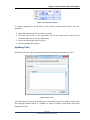
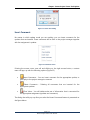
Figure 21. Map tab in Options dialog
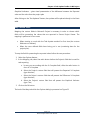
Note: The same procedure is for % Complete and Actual Work fields
Import Updates
Import Updates feature, located in the Import Updated tab from the Options windows,
allows you to buy-pass the Get Update dialog and directly import in Gantt table.
When the check-box in front of the feature is selected, the updated will be presented in
the “Get Updated” dialog, where project manager can decide which updates will be
accepted and which one will be rejected.
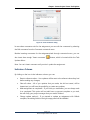
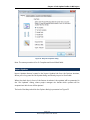
The look of the Map tab within the Options dialog is presented on Figure 22
Page | 20
Seavus Project Viewer User Manual