1
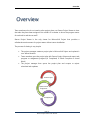
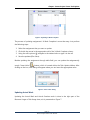
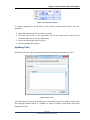
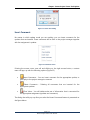
Overview With this very simple task update process, teams can easily introduce a collaborative project environment where they can: Get real-time project status Continually evaluate team's performance Build knowledge for future projects The project’s categories that are available for updating are presented on the diagram below: Task Update Feature Assignment Update Resource Usage view Task Usage view Task Update Custom Text Update Gantt Chart views Gantt Chart views Assignment update Team Members can update the assignments in the project plan using the Resource Usage or Task Usage view. Project Manager will view this updates using the “Get Updates” functionality in Microsoft Project that is already developed, accept or reject them and the project plan will be updated. Task Update Team Members can update the assignments in the project plan using the Gantt Chart view and the fields that are prepared for this purpose. Project Manager will view this updates using the “Show Updates in Gantt Chart” functionality in the Gantt Chart tablet that will be developed. Page | 2 Seavus Project Viewer User Manual