1
5
Workstation Configuration
Tip
If your login or trial access to the server fails, there might be a network
or password problem. A web front-end at http://password, along with
YaST2 user module on the server, can be used to change your password.
This web front-end can even be run from a client host.
If you enter the URL http://password, you will be referred to an https://
address. There are things to keep in mind for this:
1. Note that older clients (Windows 95) often do not provide any support for
the https protocol, so in this case, this page will not be accessible.
2. When the connection is first established, the user is informed that this host is
not yet known. Normally, the browser will then ask whether this host or key
should be accepted. This procedure strictly depends on the browser you are
using.
If you are using an older version of Windows 95, which does not support the
transfer of coded passwords to Samba, you will have to download an update
from ftp://ftp.microsoft.com/softlib/mslfiles/vrdrupd.exe and
install it to make the encrypted login work.
Linking Drives
Storing data in some deep recess of the network neighborhood would be very
complicated indeed. Luckily, you can resort to an easy and convenient solution:
linking the network drives of the servers to drive letters.
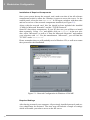
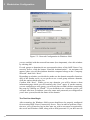
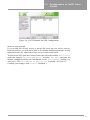
In 95/98/ME, select the item ‘Extras’ → ‘Link Network Drives’ on Windows Explorer. This will open a window which allows you to link a directory
you will have specified under “Path” to a drive letter. For instance, if you link
\\server\public to E:, you will be able to access the contents of the SuSE
Linux Connectivity Server public directory as “virtual” drive E:.
Please remember that this connection will be canceled at the first shutdown and
will not be available at the next start of your Windows system. If you would
rather have this drive automatically reconnected the next time the computer is
rebooted, select the item “Restore Connection at Next Start”.
5.1.2
Windows 2000
Configuring Windows 2000 for the data service of the SuSE Linux Connectivity
Server does not particularly differ from the configuration we performed in the
previous chapter for Windows 95/98 or ME. It goes without saying that even
Windows 2000 cannot access to the SuSE Linux Connectivity Server without a
functioning network card and that even professional Microsoft operating systems
depend on certain protocols and settings.
72