1
5.3
Configuration of SuSE Linux
Clients
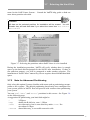
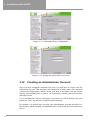
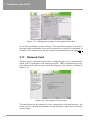
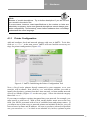
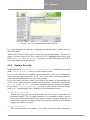
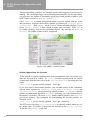
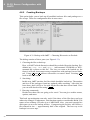
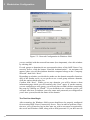
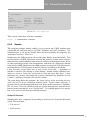
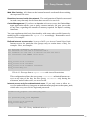
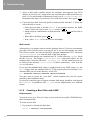
Figure 5.3: Proxy Configuration in Netscape for Linux
proxy as, respectively, 192.168.0.1 as address at the port 3128. We wish you
a lot of fun surfing!
Further Settings
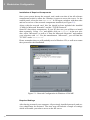
If you do not want to use a proxy server but still want to have access to FTP
servers on the Internet, then you should activate the option “Use Web-Based
FTP” in Internet Explorer of Windows 95/98 or ME, which you will find in ‘Internet Options’ → ‘Advanced’.
Otherwise, if you have Windows 2000, you will need to deactivate ‘Active
Folder View for FTP-Sites’, in order to guarantee a perfect FTP data transfer.
Internet Access Controls
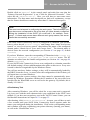
If you have configured your SLCS to set up connections to the Internet only
when you specify them (“manual connection”) rather than automatically activate connections each time when necessary (“automatic connection”), a special
web front-end is available for this purpose. Start your browser (e.g. Netscape
Communicator or Microsoft Internet Explorer) and enter the address http:
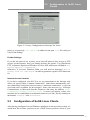
//<NameofyourSLES>/internet.html. A screen will appear, where connections can be established or terminated whenever you like, just by clicking on
the buttons ‘Connect’ and ‘Disconnect’.
5.3
Configuration of SuSE Linux Clients
After having configured several Windows platforms in the previous section, we
would now like to show you how to use a SuSE Linux system as client of your
77