1
Undo Button .............................................................................. 47
Show next markup .................................................................... 47
Find Markup Text and Entities .................................................. 47
Rubber Button ........................................................................... 48
Text Button ............................................................................... 48
Note Button ............................................................................... 49
Stamps ................................................................................... 49
Symbols ................................................................................... 49
Freehand Pen ........................................................................... 51
Lines, Curves and Arrows......................................................... 51
Rectangles, Circles and Bubbles .............................................. 53
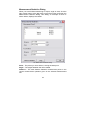
Measurement ............................................................................ 55
Markup Color ............................................................................ 56
Markup Property ....................................................................... 56
Marker Button ........................................................................... 56
Set Line Thickness ................................................................... 56
Set Line Style ............................................................................ 57
Markup Dialogs and Editing............................................................. 58
Markup Preferences Dialog ........................................................... 58
General Tab .............................................................................. 58
File Tab 60
Advanced Tab ........................................................................... 61
Markup List Bar .............................................................................. 62
Print Report .................................................................................... 63
Markup User and Layer Control Dialogs ....................................... 64
User Control Tab ...................................................................... 64
Layer Control Tab ..................................................................... 66
Editing Markups ............................................................................. 67
Rules
67
Selecting markups .................................................................... 67
Editing markups ........................................................................ 67
Markup Edit dialog .................................................................... 70
Editing Notes ............................................................................ 70
Editing Text ............................................................................... 71
Editing Other markup entities ................................................... 71
RxViewX Markups.......................................................................... 72
Compatibility with Earlier Markup Files..................................... 72
Document Linking .......................................................................... 73
Consolidation ................................................................................. 74
Users and layers ....................................................................... 74
4