1
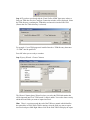
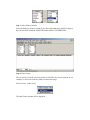
Step 7: Select fields to include
Select the fields you want to include in your Excel Spreadsheet by double clicking on
the relevant fields in both the MAINTAIN table and the CUSTOMER table.
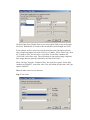
Step 6: Enter Criteria
We now need to select the criteria by which we will filter the records returned. In our
example, we only want contracts within a renewal date range.
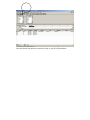
Select Criteria – Add Criteria
The Add Criteria window will be displayed.