1
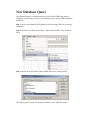
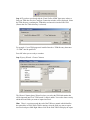
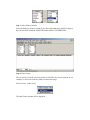
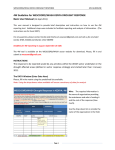
Step 4. IF you have not already told the Visual FoxPro ODBC data source where to
find your TSM data files, the Configure Connection window will be displayed. Select
the TSM directory containing the TSM tables and enter this into the Path: field
(Ensure that Free Table directory is selected).
For example, if your TSM program is installed into the c:\TSM directory then enter
“C:\TSM” into the path field.
Press OK when you are ready to continue.
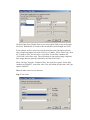
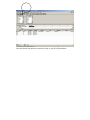
Step 5. Query Wizard – Choose Columns
The Choose Columns Query Wizard is where you select the TSM information that
will be imported into Excel. TSM stored it’s data in tables. You need to know exactly
which table and fields you want to import into Excel.
Hint: There is a section towards the end of the TSM user manual which identifies
the main tables in TSM. While TSM is running, select the field you want to export
into Excel and press Shift Right-Mouse click on the field TSM will display the report