1
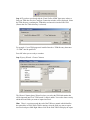
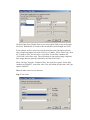
What is a data source? A data source is a stored set of connection rules that allows
Microsoft Excel and Microsoft Query to connect to your TSM database tables. When
you use Query to set up a data source, you give the data source a name, and then
supply the name and location of the TSM data files and the type of database. The
information also includes the name of an ODBC driver, which is a program that
makes connections to a specific type of database. TSM uses the Visual FoxPro driver.
How Query uses data sources After you set up a Visual FoxPro data source for
your TSM database, you can use it whenever you want to create a query to select and
retrieve data from TSM — without having to retype all of the connection rules
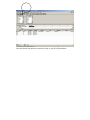
information. Query uses the data source to connect to the external TSM database and
show you what data is available. After you create your query and return the data to
Excel, Query retrieves the data and provides the Excel workbook with both the query
and data source information so you can reconnect to TSM when you want to refresh
the data.
A data source is the means through which Query and Excel connect to a specific
database and retrieve data.
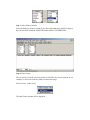
You can use Query to set up ODBC data sources to retrieve data. In Query, you can
use the Query Wizard to create a simple query (A means of finding all the records
stored in a data source that fit a set of criteria you name. Queries can contain
operators, quotation marks, wildcard characters, and parentheses to help focus your
search), or you can use advanced criteria in Query to create a more complex query.
You can access Query from Excel, or you can create a query from within the
PivotTable and PivotChart Wizard.
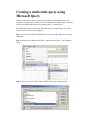
Using Query to retrieve data Bringing external data into Excel with Query takes
three steps: First you set up a data source to connect to your TSM database, then you
use the Query Wizard to select the TSM data you want, and finally you return return
the TSM data to Excel where you can format it, summarize it, and create reports from
it.
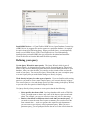
Installing Query Microsoft Query, including the Query Wizard, is an optional
feature for Excel. Under most circumstances, you are prompted to install Query when
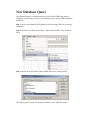
you point to Import External Data (Get external Data on Excel 2000 and below)
on the Data menu and click New Database Query.