1
View Check-In History
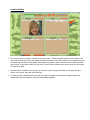
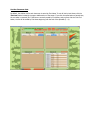
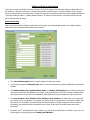
On the main screen, click on the ‘History’ button, located in the upper-middle section of the screen, to view the
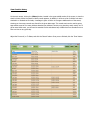
check-in history. When the Check-In History screen appears, by default, it will show a list of children who were
checked-in or checked-out for today. A message in green is shown in the upper-middle section of the screen,
showing you how many records were found for the given date range. This record count can be used to get an
approximate count of how many children attended your children’s ministry on a given day, week, month, etc. To
get an exact child count, you will need to examine the list and subtract any children that were checked-in more
than one time on any given day.
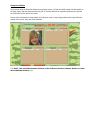
Adjust the From and / or To Dates, and click the ‘Search’ button. Once you are finished, click the ‘Close’ button.