1
tact [email protected] for explanations of
any differences you may find.
What’s Next
iQ is designed to be the perfect standalone IP console. But what if you want to use your iQ as part of a
larger Livewire studio network? No problem! Read on as
we configure networking options for your iQ. q
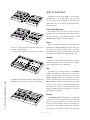
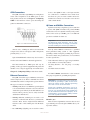
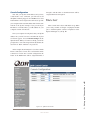
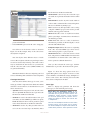
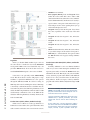
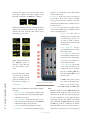
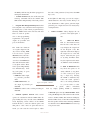
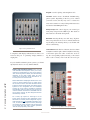
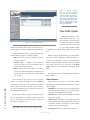
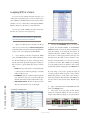
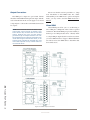
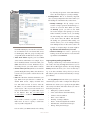
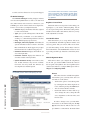
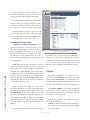
Figure 6-5: Remote Screen
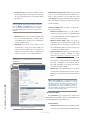
nels section are the controls for the monitors, where the
source and volumes for a monitor can be adjusted.
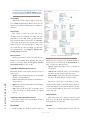
IO Manager Menu
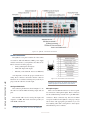
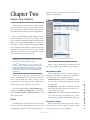
These menus allow you to administer your iQ’s audio Inputs and Outputs. Refer to Chapter 2: Inputs and
Outputs for complete details on configuration of these
controls.
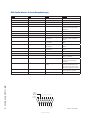
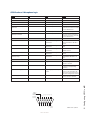
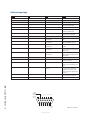
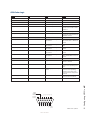
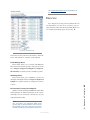
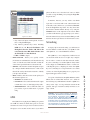
Ethernet Switch settings (Preconfigured)
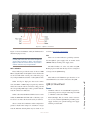
QOR.32 contains an integrated Ethernet switch. This
switch manages the multicast functions of the console
and enables it to be connected to other devices via your
managed Livewire LAN.
NOTE: We make every effort to keep our manuals up-to-date, but sometimes R&D works
quicker than our documentation elves! Controls
documented in this section may vary from those
actually presented on your product. Please con-
©2011 Axia Audio
6: Advanced Controls • 61
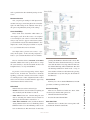
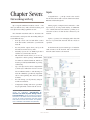
Profile Manager Menu
These menus allow you to construct and administer
Show and Source Profiles specific to this iQ console. Refer to Chapter 2: Inputs and Outputs and Chapter 4:
Show Profiles for details on Source and Show profiles.