1
3.
Software Operation
3.1
Dubber and Track Selection
3.1.1 Dubber Selection
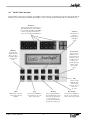
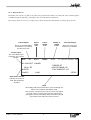
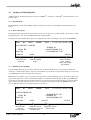
Usually one Dubber is selected at a time. To do this, first press the Machine Key, then press the Track key corresponding to the Dubber you want to select. The number of this Dubber is shown in the LED display, and its green
light flashes.
If you want to escape from this mode before selecting a machine, press the Machine key again.
To select all Dubbers, press the Machine Key, then the ALL key. This is a special mode, and only a few operations
can be carried out with all Dubbers selected. To return to having only one Dubber selected, select one in the normal
way.
3.1.2 Track Selection
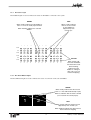
The Track Keys are used to mute and unmute tracks on the selected Dubber. Muted tracks have their green light
unlit. Immediately after loading a project, all the tracks that are active in that project will be illuminated.
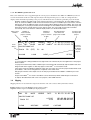
When the Slip Menu is active, the Track Keys are used to select tracks for slipping. To select a track for slipping,
you must first press the Slip Menu key. Then press the desired Track key. You may select any number of tracks in
turn, prior to performing an action on them. Pressing the key on an already selected track, deselects that track.
"Solo" Track Selection
You may select a single track (and only that track) by double-clicking its Track key.
Group Track Selection
You may select a contiguous series of tracks by holding down one Track key and double-pressing another. All the
tracks in between will be selected. You may also select all tracks by pressing the ALL button.
Deselect All Tracks
You may deselect all tracks by holding the SHIFT key and pressing the ALL button.
3.2
Transport Control
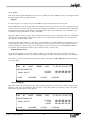
Transport control of the Dubbers is achieved using dedicated keys on the FC-100 Controller Board. All transport
commands apply only to the selected Dubber.
3.2.1 CHASE
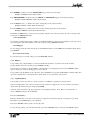
This key toggles the selected Dubbers (or all Dubbers) in and out of chase mode. When a Dubber is in chase mode,
it follows the time code at the time code input. While time code is present, and the Dubber is in chase mode, the
transport controls on the Dubber console are inactive.
Chase is the only transport command which can be given to all Dubbers at the same time. (Press MACHINE ALL
CHASE)
When chase mode is active, the light in the CHASE key flashes while the dubbers wait for time code. The light is
solid when the machine achieves time code lock and all channels start playing. If the Chase light on any machine
starts to flash, it indicates that some audio may not have played correctly. This is usually due to a problem with the
hard disk such as fragmentation or very high edit density.
DaDplus User Manual
10