1
2 Stack Threshold Plugin
2.1 Image Thresholding
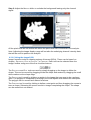
An initial stage of image analysis is to determine which pixels contain the important image
data. All the other pixels can then be ignored resulting in faster processing of the image. A
simple way to separate the important pixels is to assign a threshold level to the image. All
pixels below this level are ignored as the background, pixels above the level are the
foreground.
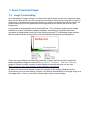
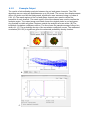
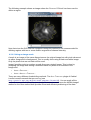
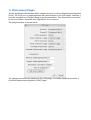
It is possible to automatically set a threshold level. This is done by analysing the image
distribution of pixel intensities (image histogram) and setting a threshold value that
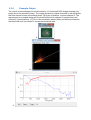
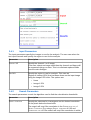
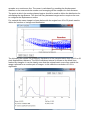
separates a background cluster from the foreground pixels. The following image outlines
the two peaks that are characteristic of a well defined background and foreground.
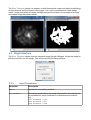
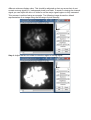
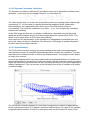
There are many different thresholding methods. ImageJ also has a built-in threshold
method available using the command IMAGE > ADJUST > THREHOLD... The AUTO THRESHOLD
plugin of Gabrial Landini contains several different methods that you can try (see
http://pacific.mpi-cbg.de/wiki/index.php/Auto_Threshold).
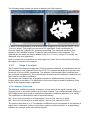
However the threshold methods require the analysis of the image histogram for the
channel that you are thresholding. ImageJ can perform thresholding on a single image or a
3d image stack. It has no method for processing a multi-channel image.