1
The Contents of Your Package
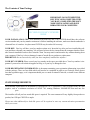
IMPORTANT: DO NOT INSERT THE
KEY INTO YOUR COMPUTER UNTIL
YOU HAVE COMPLETED THE SOFTWARE INSTALLATION AND HAVE
REBOOTED YOUR COMPUTER!
RECORD YOUR KEY NUMBER HERE
YOUR INSTALLATION CDS: Your installation includes one disk. Your CD/DVD should have the software
version number and your key number written on it. Before installing the software, make sure that the underside is
clean and free of scratches. A replacement CD/DVD may be ordered if necessary.
YOUR KEY: Your key will have your key number written on it. Insert the key after you have installed the software and have rebooted your computer. You will need to have the key inserted into the computer that has Chairside Network installed in order to use Chairside Client. You may remove and insert the key without shutting down
your computer. If the key is lost or damaged, contact Consult-Pro to purchase a replacement.
IMPORTANT: Do not insert the key until you have completely installed the software!
YOUR KEY NUMBER: Please record your key number in the space provided above. Your key number is important if you need to call technical support for help, or if your key is damaged or lost.
YOUR REGISTRATION INFORMATION: A document containing your registration information is provided
with the package. There are four fields which will need to be completed in order to use Chairside. Please do not
lose that registration page, as it is important should you ever need to reinstall Chairside, or install it on a different
computer.
SYSTEM REQUIREMENTS
The minimum requirements for Installation of Chairside on a PC is a Pentium II with 128 MB of Ram, an 8 MB
graphics card at a minimum resolution of 1024X 768, running Windows 2000/ME/XP/Vista and one free
port.
The installer will tell you how much disk space is required. The exact amount will vary slightly from product to
product, but 1GB per CD/DVD is ample.
Please note that additional free hard disk space will be required to store any custom education presentations
which you create.
3