1
SSi 9120 Touchscreen Interface
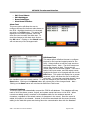
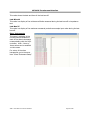
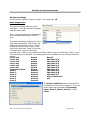
events. The historical events can be displayed by day using the date control and the green arrow
buttons.
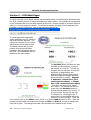
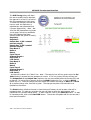
Shut down interface
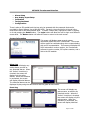
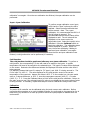
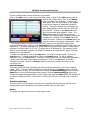
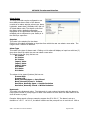
This option will shut down the 9120 unit interface.
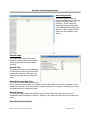
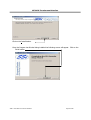
This option should be used before turning off the
power to the 9120 unit to verify that all the
information has been saved. The user will need to
verify the shutdown process. Once the interface
has been shut down, it can be restored simply by
cycling power to the unit, or by pressing the reboot
button on the screen, circled in red on the picture.
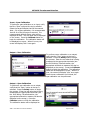
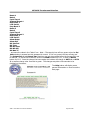
Burnoff
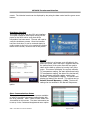
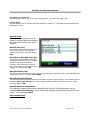
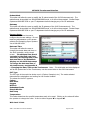
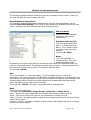
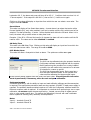
When a probe is in a furnace, soot will collect in the
end of the probe, which will have a negative effect on
the performance of the probe. Burnoffs are used to
clean out the built-up carbon by burning it off of the
probe. This screen will display: the current millivolts,
T/C temperature reading, the start millivolts and start
T/C temperature reading, the date of the last burnoff,
the last minimum millivolts reading, and the last
maximum T/C temperature reading. The last line will
display the status of the burnoff. The options can be:
Burnoff, Burnoff Recovery, or Idle. The burnoff
settings can be modified in the Burnoff Setup menu
option.
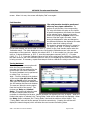
Slave Communications Status
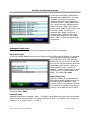
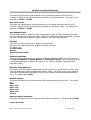
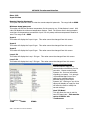
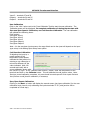
This page is a display of the current process variables
of each of the slave instruments communicating with
the 9120 controller. Note – None of these values can
be modified on this screen. The slave instruments can
be set up in the Instrument Assignments menu option.
4586 – 9120 With Touch Screen Interface
Page 12 of 80