1
Power Plotter / Proof Manual
RGB Mode – RGB Driver Options
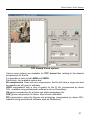
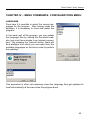
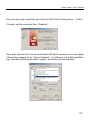
This phase in the linearization procedure is operational only if the user has chosen, in the Create New Driver start up menu, to create a driver in RGB colour
mode.
Note:
In the first chapter (“Colour Calibration”) sets of ink for ink-jet printers currently
available on the market were listed. All of these “colour models” (called
CMYKcm, CMYKcmk, etc.) can be considered particular elaborations of the base
colouring set of the common four-colour process, the CMYK.
For example, the Cyan, Magenta and Black base colours are often decomposed
in components at high, medium or low density to diminish the visibility of the print
point; in other cases (for example in the CMYKcmkkRGB model) the MagentaYellow, Cyan-Yellow and Cyan-Magenta pairs are substituted with ink able to
directly reproduce the colour resulting from them, that is Red, Green and Blue
respectively.
Given that these decomposition processes of the base four-colour process are
exclusively operated by software that pilots the specific ink-jet printer (the RIP),
other applications do not need to support so many different colour models, allowing them to manage any CMYK device regardless of the typology of the ink installed.
Even the management of a CMYK device can create problems for the user when
a print colour profile is about to be created, in this case having to configure opti-
105