1
TeleScript PRO – ENPS Newsroom Operations Guide
Page 11 of 14
Procedure
Start/Connect the TeleScript MOS Gateway
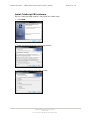
Unless it’s already running, start the TeleScript MOS Gateway by clicking Start Menu >
Programs > Telescript > TeleScript MOS Gateway. After the program has opened, click its
Connect button, and then minimize the program by clicking the Minimize button on the
Title bar (the “_” button.)
NOTE: The MOS Gateway program must be running for runlist and script data to
be received!
Start/Connect TeleScript ProNEWS
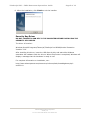
Unless it’s already running, start TeleScript PRO by clicking Start Menu > Programs >
Telescript > TeleScript PRO. On the program menu, click Tools > Connect.
Activate rundown in ENPS
This section will assume that you have access to all of the necessary elements to create an
ENPS Rundown: users, scripts, etc. For assistance with these, please consult the ENPS
User’s Manual, or [email protected].
For our exa mple, first create a rundown with several scripts all containing text (the
Import Text or RTF function is useful), or for all intents and purposes use an actual
rundown that will be used in production (make a copy or backup, of course!)
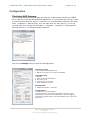
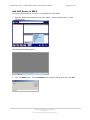
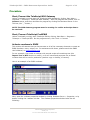
Here is an example of an ENPS rundown:
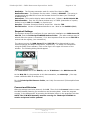
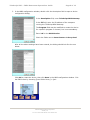
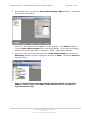
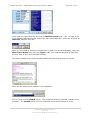
Next, open the rundown properties window by clicking Rundown Rover > Properties, or by
double-clicking the rundown title bar. The rundown properties window looks like the
following:
TSWTX Multimedia Development
Austin, TX
Tel: 512 302 0766 Web: www.tswtx.com