1
TeleScript PRO – ENPS Newsroom Operations Guide
Page 9 of 14
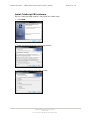
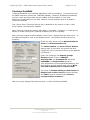
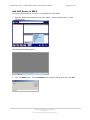
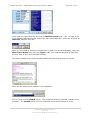
3. In the MOS configuration window, double-click the description field to open a device
configuration dialog:
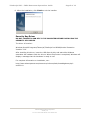
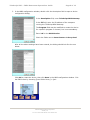
In the description field, enter TeleScript MOS Gateway.
In the IP field, enter the IP address of the computer
running the TeleScript MOS Gateway.
The Program field may be modified to create the device
for a specific program or channel, but is not mandatory.
Enter 2.6 for the MOS Version.
Check the fields next to Auto Create and Story Send.
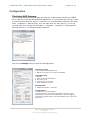
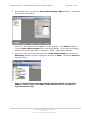
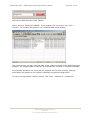
After all the above settings have been entered, the dialog should look like the one
below:
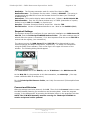
Click OK to create the device, then click Save in the MOS configuration window. Exit
the ENPS client by choosing [User Folder Rover] > Quit:
TSWTX Multimedia Development
Austin, TX
Tel: 512 302 0766 Web: www.tswtx.com