1
TeleScript PRO – ENPS Newsroom Operations Guide
Page 6 of 14
RunlistExt: The filename extension used for runlist files. Must be .TRL.
RunlistFilename: The filename for the runlist. Default is PROMPT. This string is
concatenated with MOS-ID to form the Remote Runlist File Name (see TeleScript
ProNEWS setup.)
StatusFont: Font used to display status window text. Default is Arial Unicode MS.
StatusFontSize: Font size for status window text, in TWIPS (twentieths of a point).
Default is set to 160 (hex 0xA0), or 8-point text.
StoryExt: Filename extension used for script files. Must be .TPX.
WsockVersion: Version of Windows Sockets to use. Must be hex 0x0202 (514).
Required Settings
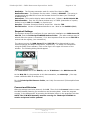
The settings necessary to configure for your particular installation are NOM Server IP,
MOS ID, and the TeleScript ProNEWS Remote Folder. (The other settings may be
altered after the system is functional.) It is also important that the correct NCS ID be
entered via the registry (see note above.)
The values to enter for NOM Server IP and NCS ID will be determined by your
network settings and ENPS configuration, respectively. To obtain this information
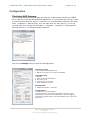
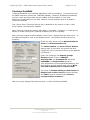
using the ENPS Client software, click on the logo in the upper-left corner of the
window. The following dialog should appear:
The Local Server field is the NCS ID, and the IP Address is the NOM Server IP.
As the MOS ID, for the examples in this documentation, use telescript. (You may
create a different MOS ID at any time.)
For the TeleScript PRO Remote Folder, use %My Documents%\TelescriptProData
\Remote.
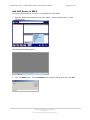
Connect and Minimize
After the settings have been entered, click OK. Then click the Connect button to start
the MOS Gateway listening for connections and incoming data. Leave the program
running “in the background” by pressing the Minimize button in the program’s title bar.
NOTE: The TSW MOS Gateway must be running for TeleScript ProNEWS to
receive script and runlist updates!
TSWTX Multimedia Development
Austin, TX
Tel: 512 302 0766 Web: www.tswtx.com