1
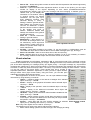
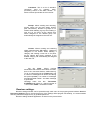
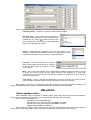
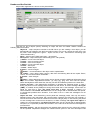
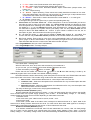
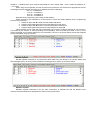
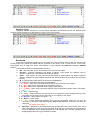
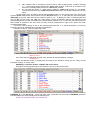
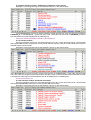
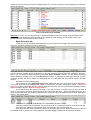
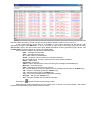
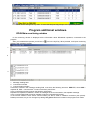
rEv – Restore code. In this field you have to enter a code, receiving which, an alarm message (1 – 4 event types) will be deleted from “Alarm List” window. If the code is not entered, you will have to manually delete event from “Alarm List” window. R – can take two values: Y – alarm event is added to “Alarm List” window, N – not added. This function will work only if Reminder timeout parameter in the window header has nonzero value. To ease object entry procedure and decrease database size you can change part of the event code symbols (Event field) and/or Control panel account (Account field) to „?”. In that case into event description (Message) are put any code that has any symbol in place of a „?”. To identify an event, in the description text are put „[E]” (for the code) and „[A]” (for control panel account) combination that will be replaced by the appropriate symbols from the event code (see example below). Number of „?” in the event code cannot be more than number of symbols in the event code, but they must be positioned from right to left, without any other symbols between them. If there are need to assign to one of the codes programmed with „?” a special description, you have to enter this code as an additional line (code 43 in the example). Example of using „?” when programming events: If an event with the code 41 is received, then operator will see the following message: Alarm in zone 1 If an event with the code 43 is received, then operator will see the following message: FIRE alarm !!! There are different issues in programming according to the interface module you are using, but the principles of using „?” are the same. PARADOX_2 interface module – ESPRIT 7X8 control panel. Example of event programming for this situation is shown on the picture below. In the Account field you have to specify interface module number from 00 to 03 (see user manual for PARADOX_2), in the Event field – group and event code. Code table can be found in PARADOX_2 manual. Not described event will be displayed in the following way: Group Of Event/Event=5001 Card number=02