1
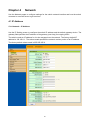
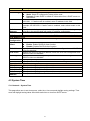
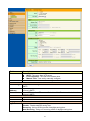
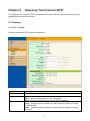
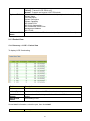
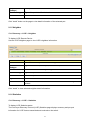
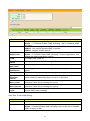
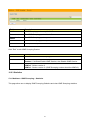
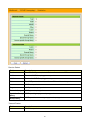
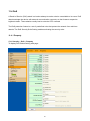
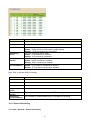
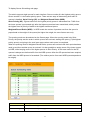
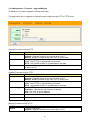
Field Description IPv4 Address Field Address Type Select the address type of IP configuration Static: Static IP configured by users will be used. Dynamic: Enable DHCP to obtain IP information from a DHCP server on the network. IP Address Enter the IP address of your switch in dotted decimal notation for example 192.168.1.1. If static mode is enabled, enter IP address in this field. Subnet Mask Enter the IP subnet mask of your switch in dotted decimal notation for example 255.255.255.0. If static mode is enabled, enter subnet mask in this field. Default Specify the default gateway on the static configuration. The default gateway Gateway must be in the same subnet with switch IP address configuration DNS Server 1 If static mode is enabled, enter primary DNS server address in this field. DNS Server 2 If static mode is enabled, enter secondary DNS server address in this field. IPv6 Address Field Auto Select Enable or Disable the IPv6 auto configuration.. Configuration DHCPv6 DHCPv6 client state. Client Enable: Enable DHCPv6 client function. Disable: Disable DHCPv6 client function IPv6 Address Specify the IPv6 address, when the IPv6 auto configuration and DHCPv6 client are disabled. IPv6 Prefix Specify the prefix for the IPv6 address, when the IPv6 auto configuration and DHCPv6 client are disabled. Gateway Specify the IPv6 default gateway, when the IPv6 auto configuration and DHCPv6 client are disabled. DNS Server 1 Specify the primary user-defined IPv6 DNS server configuration. DNS Server 2 Specify the secondary user-defined IPv6 DNS server configuration. Operational Status IPv4 Address The operational IPv4 address of the switch. IPv4 Gateway The operational IPv4 gateway of the switch. IPv6 Address The operational IPv6 address of the switch. IPv6 Gateway The operational IPv6 gateway of the switch. Link Local The operational IPv6 link local address for the switch. Address 4.2 System Time Click Network > System Time This page allow user to set time source, static time, time zone and daylight saving settings. Time zone and daylight saving takes effect both static time or time from SNTP server. 21