1
Chapter 12
QoS
QoS (Quality of Service) functions to provide different quality of service for various network
applications and requirements and optimize the bandwidth resource distribution so as to provide a
network service experience of a better quality.
12.1 General
Use the QoS general pages to configure setting for general purpose.
12.1.1 Property
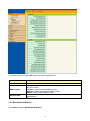
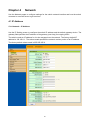
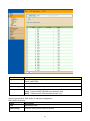
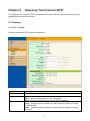
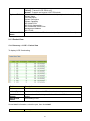
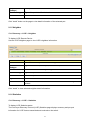
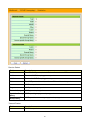
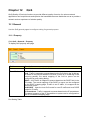
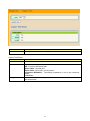
Click QoS > General > Property
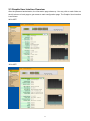
To display QoS property web page.
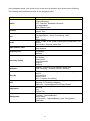
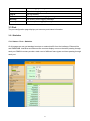
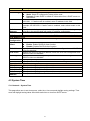
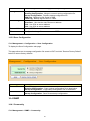
Field
State
Description
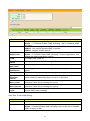
Set checkbox to enable/disable QoS.
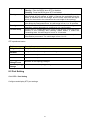
Trust Mode
Select QoS trust mode.
CoS : Traffic is mapped to queues based on the CoS field in the VLAN tag,
or based on the per-port default CoS value (if there is no VLAN tag on the
incoming packet), the actual mapping of the CoS to queue can be
configured on port setting dialog.
DSCP : All IP traffic is mapped to queues based on the DSCP field in the
IP header. The actual mapping of the DSCP to queue can be configured
on the DSCP mapping page. If traffic is not IP traffic, it is mapped to the
best effort queue.
CoS-DSCP : Uses the trust CoS mode for non-IP traffic and trust DSCP
mode for IP traffic.
IP Precedence : Traffic is mapped to queues based on the IP precedence.
The actual mapping of the IP precedence to queue can be configured on
the IP Precedence mapping page.
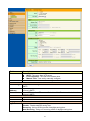
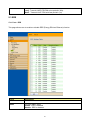
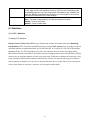
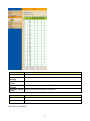
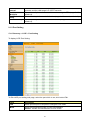
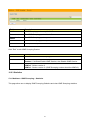
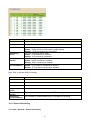
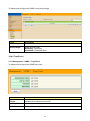
Port Setting Table
69