1
Section 3. Report: SPLIT
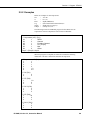
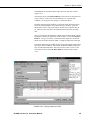
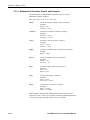
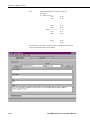
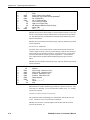
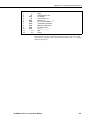
Example 3
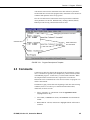
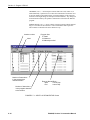
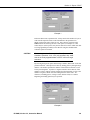
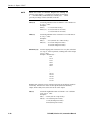
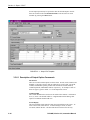
In Example 2, SPLIT will skip the first 256 characters before it begins
processing the data in Input File. In Example 3, SPLIT will skip the first 256
characters before beginning and stop execution on character 1024.
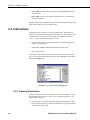
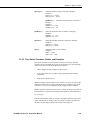
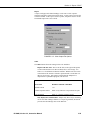
In most instances, SPLIT automatically recognizes the type of data file it is
reading by using Auto Select in the File Info field. However, there are two
exceptions:
•
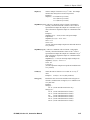
Reading Raw A/D Data from Burst Measurements
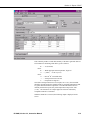
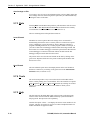
To read this type of data and convert it to ASCII, select Burst in the File Info
box. Once Burst is selected, the Number of Values in Each Burst window
in the Offset Menu will become accessible. Enter the number of elements
in each Burst. This number does not include the array ID number or
calibration data.
•
Reading Data in Final Storage (Binary) Format
If Start and Stop Offsets are used in parsing the data, Final Storage (Binary)
Format must be selected in the File Info field. This tells SPLIT that the
file must be decoded as Final Storage before counting the bytes. If Offsets
are not used, Auto Detect may be chosen and the file will be processed
correctly.
This option works with all subsequent commands except with the Transpose
option (Section 3.3.1) or the Select elements option (Section 3.3.5).
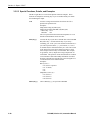
3.3.2 Start Condition
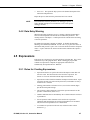
A starting point may be specified to begin processing data. If the Start
Condition field is left blank, SPLIT will start processing data at the beginning
of the data file. The starting point can be any element within the array or a
combination of elements within an array.
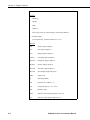
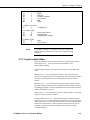
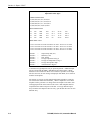
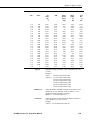
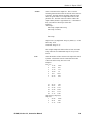
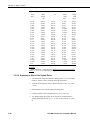
For example, the data in Table 3.3-1 contains seven elements per Output
Array, representing hourly data. Assume that this data file contains one month
of hourly data. To start processing data at 1500 hours on the first day, the Start
Condition is expressed as 3[1500], where 3 means the third element within the
array and 1500 is the value of that third element.
3-10
PC208W, Version 3.3, Instruction Manual