1
Section 3. Report: SPLIT
•
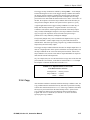
A set is a group of two or more elements and/or expressions separated by
commas and enclosed by parentheses. No member of a set can include
parentheses. Therefore, a set cannot include a set or a function as one of
its members. For example:
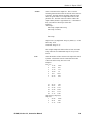
VALID EXPRESSION
Arctan (2/3)
Arctan (2/3, 3/4, 4/5)
Arctan (COS(2))
INVALID EXPRESSION
Arctan ((2/3))
Arctan ((2/3, 3/4), 4/5)
Arctan (COS(2), COS(3))
•
A single expression can operate on a set of elements. For example, the
expression (3..6,8)/2.0 is the same as 3/2.0, 4/2.0, 5/2.0, 6/2.0, 8/2.0;
(3..6)/(2..5) is the same as 3/2, 4/3, 5/4, 6/5.
•
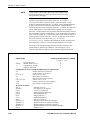
The element or expression which is the argument of a math or Time Series
function, must be enclosed in parentheses. A range of elements can be
specified, resulting in as many outputs as elements (e.g., Avg(3..5,7) will
output 4 averages).
•
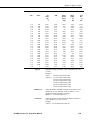
Square brackets are used to enclose an allowable range for a value (e.g.,
3[3.6..12] indicates that the allowable range for element 3 is from 3.6 to 12).
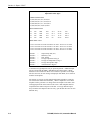
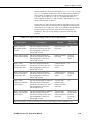
Whole numbers within brackets do not require a decimal point. Table 3.3-6
explains how values outside the specified range are treated.
•
The count in a Time Series function is optional and does not require a
decimal point.
•
Semicolons are used in Time Series functions to separate the elements or
expressions from the count which determines the interval. Sample on
maximum and sample on minimum require two elements or expressions
also separated by a semicolon.
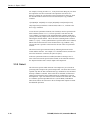
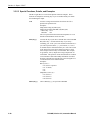
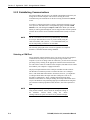
3.3.6 Output Files
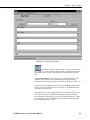
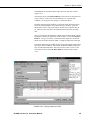
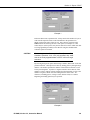
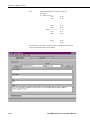
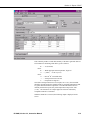
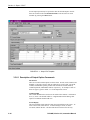
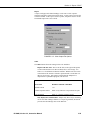
To create an Output File, click on the OUTPUT FILE tab. The file is created on
the default drive or directory unless the filename is preceded with an alternative
drive or directory. Use the Browse button to change directories.
SPLIT will assign this file an extension of .PRN if an extension is not specified
by the user. Whenever an Output Filename is entered, regardless of extension,
an Output file is created only when the RUN | GO menu option is selected.
If this line is left blank, SPLIT does not write data to an Output File on disk;
rather, it will display the processed values on the screen if the Screen Display
box is checked. If Screen Display is not enabled, no data will be displayed on
the SPLIT RUN screen.
CAUTION
The Output Filename cannot be the same as the Input
Filename. SPLIT will display an error message if this
condition occurs.
PC208W, Version 3.3, Instruction Manual
3-33