1
Table of Contents
System Overview .................................................................................................. 6
1.1
The AV-2M Product ................................................................................ 6
1.2
Associated Equipment for the AV-2M ..................................................... 7
2 Installation .......................................................................................................... 8
2.1
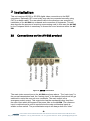
Connections on the AV-2M product ........................................................ 8
3 Operation ......................................................................................................... 10
3.1
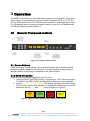
General Flexipanel controls .................................................................. 10
3.1.1 Device Buttons ................................................................................... 10
3.1.2 Menu Navigation ................................................................................ 10
3.1.3 Parameter adjustment of a green menu............................................. 11
3.1.4 Parameter adjustment of a red menu................................................. 11
3.1.5 Information display ............................................................................. 11
3.2
Setting up the AV-2M ............................................................................ 11
3.2.1 IMPORTANT – about main and emergency inputs ............................ 11
3.2.2 AV-2M top menu (start point) ............................................................. 12
3.2.3 Setting the switch mode. .................................................................... 12
3.2.4 AV-2M setup ...................................................................................... 13
3.2.5 Setting video error conditions. ........................................................... 13
3.2.6 Setting black detection parameters .................................................... 13
3.2.7 Setting frozen video detection parameters ......................................... 14
3.2.8 Setting the format error types. ........................................................... 14
3.2.9 Setting the format detection parameters. ........................................... 15
3.2.10 Setting the carrier detection parameters. ......................................... 16
3.2.11 Setting the audio properties ............................................................. 16
3.2.12 Setting the audio error properties..................................................... 16
3.2.13 Setting the audio silence parameters ............................................... 17
3.2.14 Setting the audio present parameters .............................................. 17
3.2.15 Setting the audio levelling parameters (KarmAudioRT) ................... 17
3.2.16 Setting the audio levelling top menu ................................................ 18
3.2.17 Setting the audio levelling channel assignment ............................... 18
3.2.18 Setting the audio levelling limit ......................................................... 19
3.2.19 Setting the audio levelling dynamics ................................................ 19
-3eyeheight Unit 34 Park House Watford Business Park Greenhill Crescent Watford Herts GB WD18 8PH
Reg. No. 2855535 Telephone: +44 (0) 1923 256 000 Fax: +44 (0) 1923 256 100 email: [email protected]