1
2.
3.
4.
5.
6.
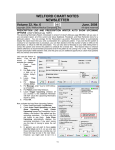
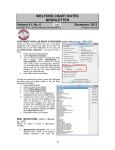
You can see the item you just added on this list.
If you wish to
change
something
about
this
item, doubleclick it, or
highlight
it
and
press
Edit.
If you wish to
delete it from
the
list
altogether,
press
the
Delete
button. The
list will then
show you the
date
and
time
upon
which
the
entry
was
deleted and
thus
no
longer was
active.
If you wish to see just a portion of the entire Cross-Reacting Allergies Skip List, press Redisplay.
On the redisplay screen, you can limit the display over a range of time, or for a particular patient, or
for a particular medication. You can also choose whether or not to display Deleted items.
.
Note that you can also add an
item to the Cross-Reacting
Allergies Skip List at the time
when you see one of these
warnings. Simply press Skip from
the warning window to open the
Cross-Reacting Allergies Skip List
Editor and add it to the list of
skipped warnings.
Using this feature helps you to
avoid
wasting
time
seeing
warnings which do not apply to a
particular patient and thus avoid
alert fatigue.
NEWS ON VERSION 6.6
We are hard at work on version 6.6. It includes a Cardiovascular Risk Calculator and Algorithm which allow
you to follow the new guidelines for treating hyperlipidemia released in November, 2013 from the American
College of Cardiology and American Heart Association. If there are particular features you would like to see
in version 6.5, please contact us.
SEND US YOUR TIPS
If you have tips, shortcuts, questions, or suggestions for future newsletter topics, please send them to us at:
Welford Medical Computing, Inc.
or
MEDCOM Information Systems
3779 Hermitage Trail
2117 Stonington Avenue
Rockford, IL 6111
Hoffman Estates, IL 60195
7