1
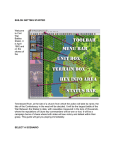
To get more help, you should investigate the on-line help files. In each program, these are accessible using the Help button in the toolbar, by selecting General Help from the Help menu, or by pressing the F1 key. Also remember that you can generate printed copies of the documentation by displaying these from the Campaign 1776 program group and printing them on your printer. The best results here are obtained by printing using a current version of Microsoft Word instead of WordPad which has a problem with the indexes and table of contents. Now on with the battle! Your goal in this battle is to defend your Objectives. You can see where those are on the map by clicking on the Objectives button in the toolbar or by selecting the Objectives menu item in the Display menu. Each of your Objectives will be indicated by an American flag on the map. Furthermore, when you click on an Objective, the value of that Objective will be displayed at the bottom of the screen in the brown box. In this battle, Prescott is defending one Objective on Breed’s Hill and there is a second Objective back on Bunker Hill. Try to cause as many British casualties as you can while avoiding casualties of your own. At the end of the battle, the Victory Dialog will be displayed indicating the outcome of the battle. Feel free to save this battle and come back to it later if you want to do more exploring at this point or if you would really prefer to play the British side. Whatever file you save the battle in will be displayed when you select the Old button in the File Selection Dialog. To get more information, see the following help files: User Manual Main Program Help File Scenario Editor Help File Campaign Editor Help File