1
SECTION 5
HSLRT6 WINDOWS BASED
SETUP PROGRAM REFERENCE
________________________________________________________________________________
5.1 GENERAL DESCRIPTION
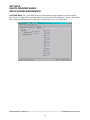
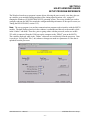
Title Bar: At the top of the window is the “Title Bar”. The title bar is used to display the name of
the working “Set-up Data” file, as well as, the name of the active “Window”. The title bar is dark if
the window is active and grayed if another window is active. The color depends on the settings of
the Display Properties of the Control Panel.
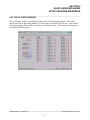
Status Bar: At the bottom of the window is the “Status Bar”. The status bar is used to display
system messages, online or offline mode, as well as, the current time and date as set by the
operating system. The system messages panel displays general information about operation of the
system. The Online/Offline mode panel displays the status of the current set-up program mode of
operation. The mode of operation can be changed by simply double clicking the online/offline
mode panel.
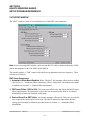
Hot Keys: Hot keys are activated by holding down the “ALT” key and simultaneously pressing
the underlined letter of the desired function. Almost every function can be activated by either
pressing a series of hot keys or using the “TAB” key to move between fields.
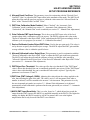
Online/Offline Modes: The set-up program allows the user to make changes while “Online”
with the processor. The “Offline” mode is used to preset parameters prior to download. All
functions are available to the user while “Online”, however, specific “Online” functions are
disabled in the “Offline” edit mode.
Note: Offline changes can only be made by enabling “Offline Editing”, accessed under the “Edit”
menu.
Getting Help: The entire contents of the user’s manual is contained within the help file. Pressing
Ctrl+H will display the help file window. Pressing the F1 key will display the contents file. Hot
spots allow jumps to other topics to display additional information as desired. Selecting About
HSLRT6 from the Help menu will display a dialog box listing information about the current
revision of the setup program and how to obtain technical support.
HSL-RT6-M45 User’s Manual
SYSTEMS Electronics Group
- 38 -