1
Chapter 18
Databases
•
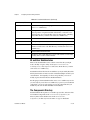
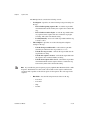
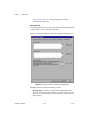
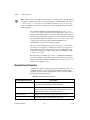
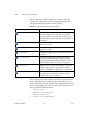
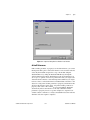
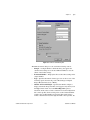
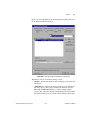
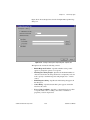
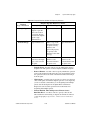
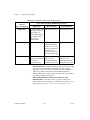
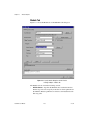
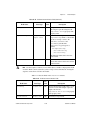
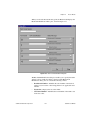
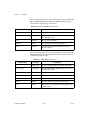
Types to Log—Specifies the data types of results for which the
statement applies. For step results, the type must be the name of a
TestStand step type. For step result subproperties, the type must be the
name of a TestStand data type. This option does not apply to a UUT
Result. Leave the control empty to instruct TestStand to not require any
type matching.
•
Expected Properties—Specifies the properties that must exist before
TestStand applies the statement to a particular result. Leave the control
empty to instruct TestStand not to require any expected properties.
•
Precondition—Specifies an expression that must evaluate to True
before TestStand applies the statement to a particular result. Leave the
control empty to instruct TestStand to not apply a precondition.
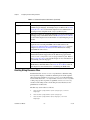
•
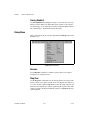
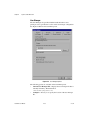
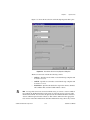
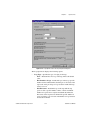
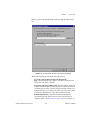
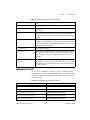
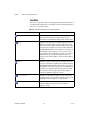
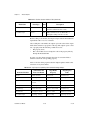
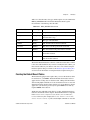
Cursor Type—Specifies the type of server or client cursor for the
statement. You can choose one of the following options from the ring
control:
•
TestStand User Manual
–
Unspecified—Do not specify a cursor type.
–
Dynamic—Additions, changes, and deletions by other users are
visible, and all types of movement through the set of records are
allowed.
–
Static—Additions, changes, and deletions by other users are not
visible.
–
Forward Only—Identical to a static cursor except that you can
only scroll forward through records. This option improves
performance when you want to make a single pass through a set of
records.
–
Keyset—Similar to dynamic cursor, except that you cannot see
records that other users add. Records that other users delete are
inaccessible from your set of records. Data changes by other users
within records are visible.
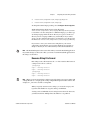
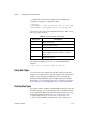
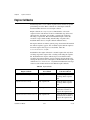
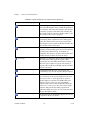
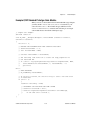
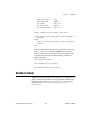
Cursor Location—Specifies where the data source maintains cursors
for a connection. You can choose one of the following options from the
ring control:
–
Server—Uses cursors the data provider supplies. These cursors
are sometimes very flexible and allow for additional sensitivity to
reflect changes that other users make to the actual data.
–
Client—Uses client-side cursors that a local cursor library
supplies. Local cursor engines often allow many features that
driver supplied cursors do not.
18-16
ni.com